Patent-Pending QC Technology

When your client spots
the mistake before you do,
it's already too late.

Revue helps design teams catch visual and text issues before delivery — reducing rework, speeding approvals, and creating cleaner client experiences.

Early access spots are limited.
Selected users get priority onboarding, founder pricing eligibility, and access before public launch.
Revue QC Tool
Product
Everything your creative team needs
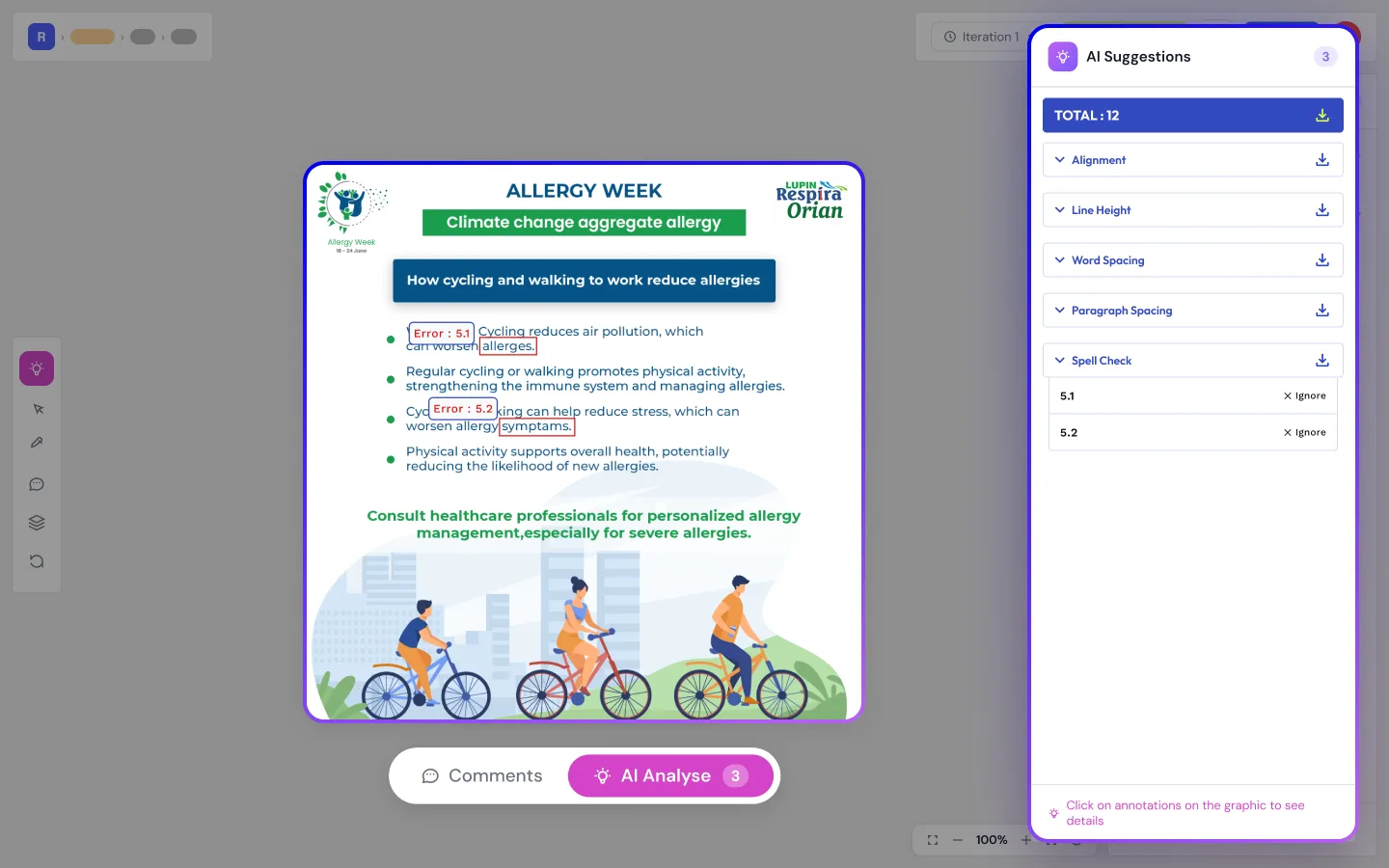
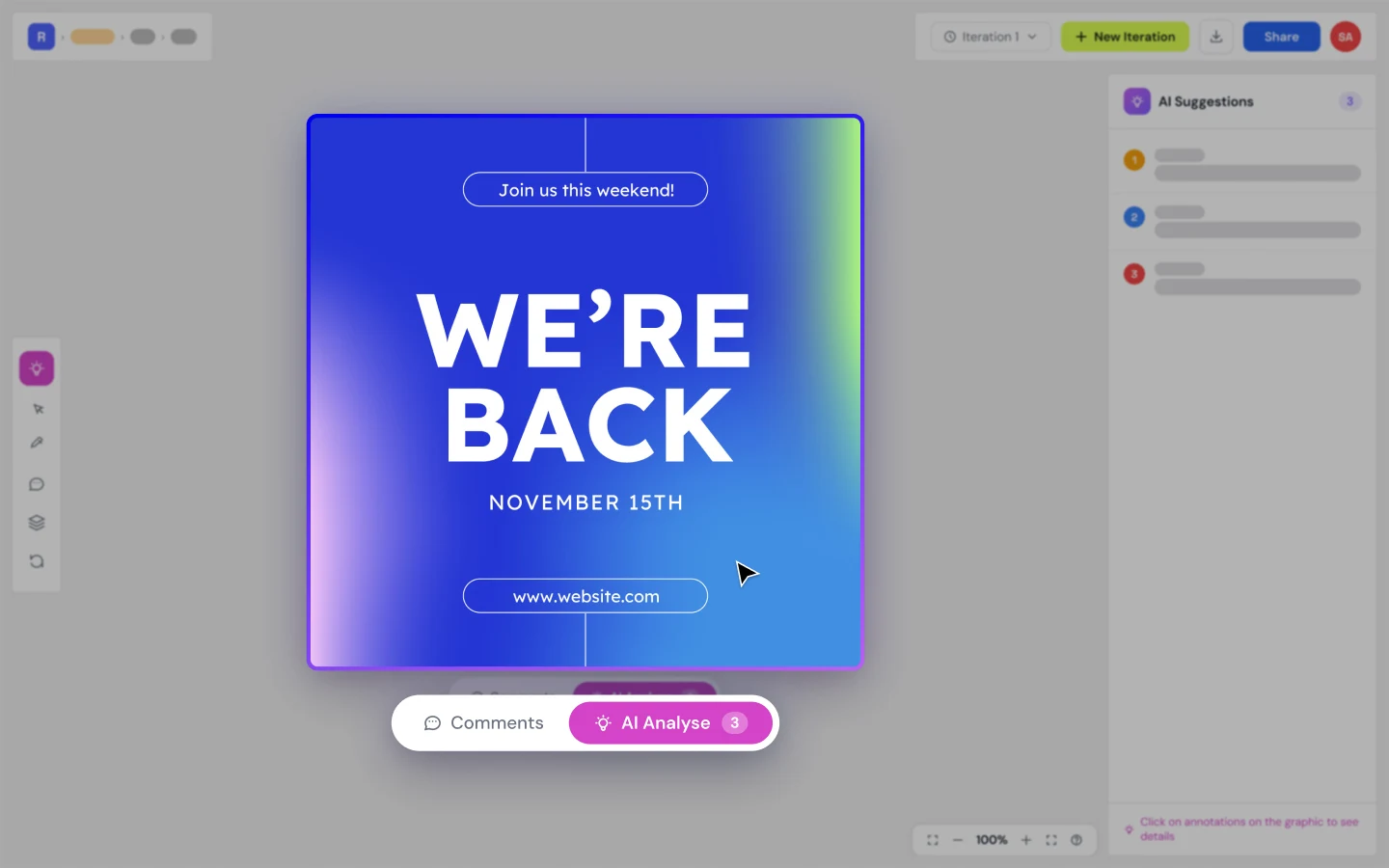
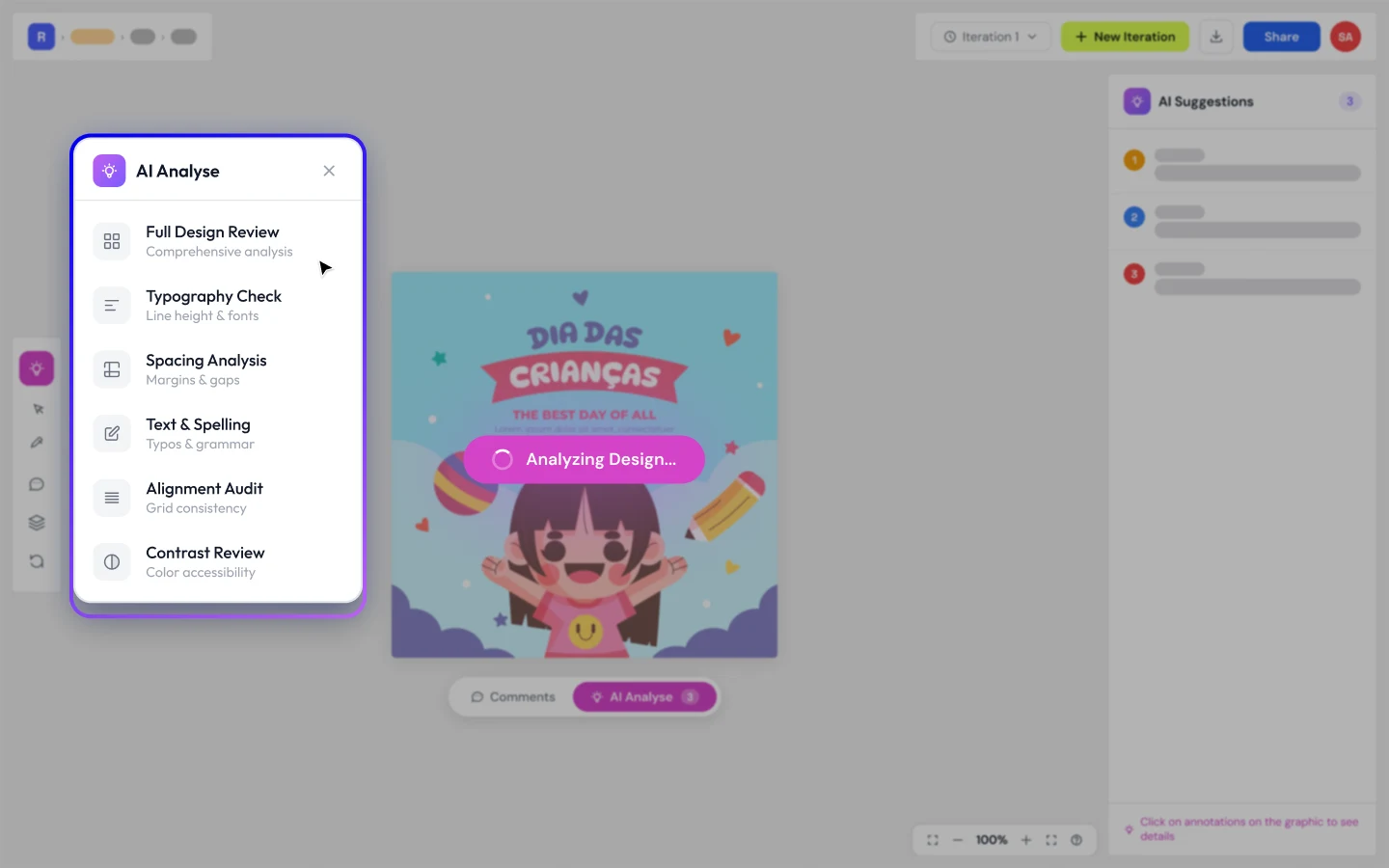
Full Design Review
Comprehensive scan of your entire design for errors, inconsistencies, and brand violations in one click.
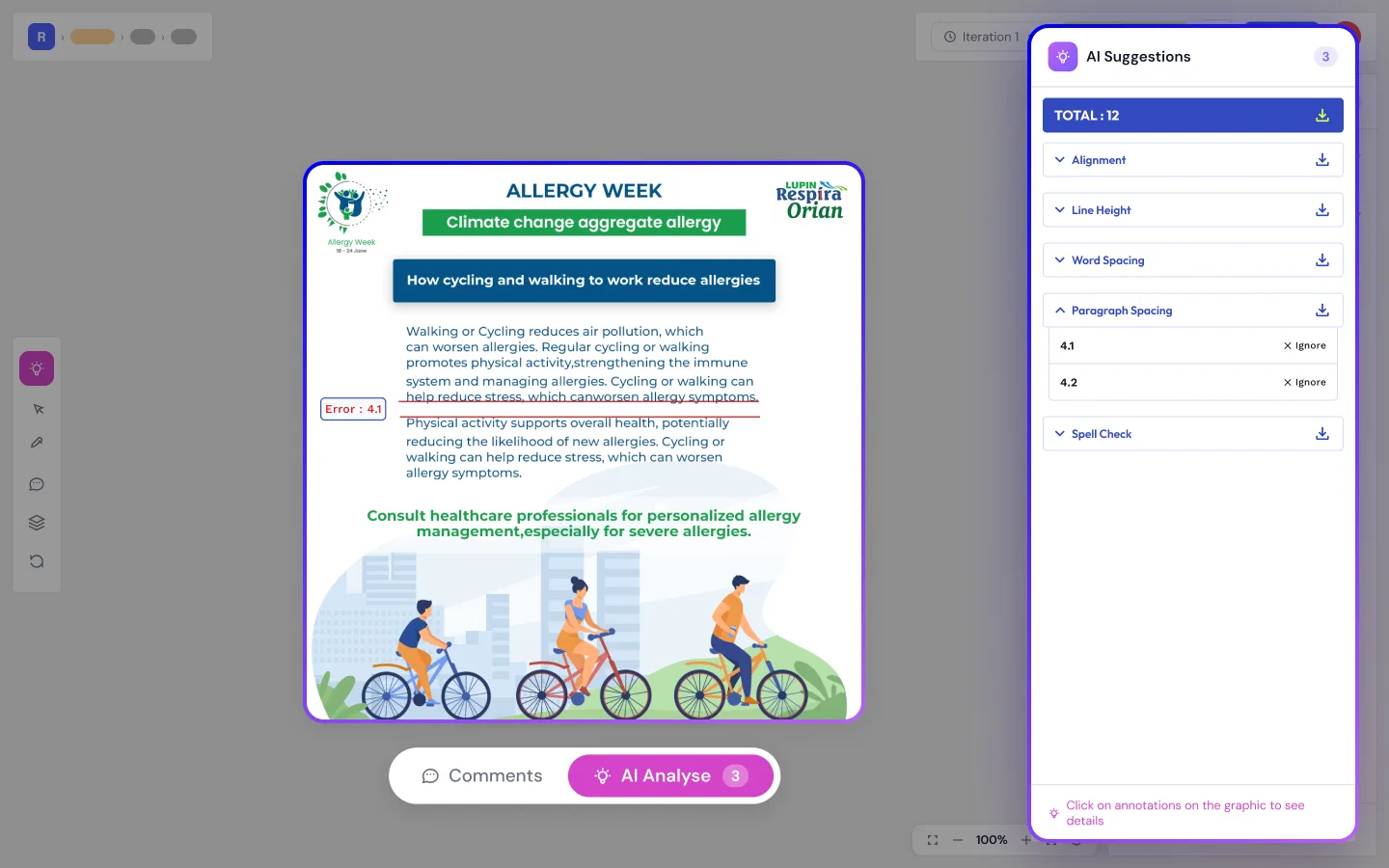
Paragraph Spacing
Detects uneven or incorrect paragraph spacing across your layouts to ensure visual consistency.
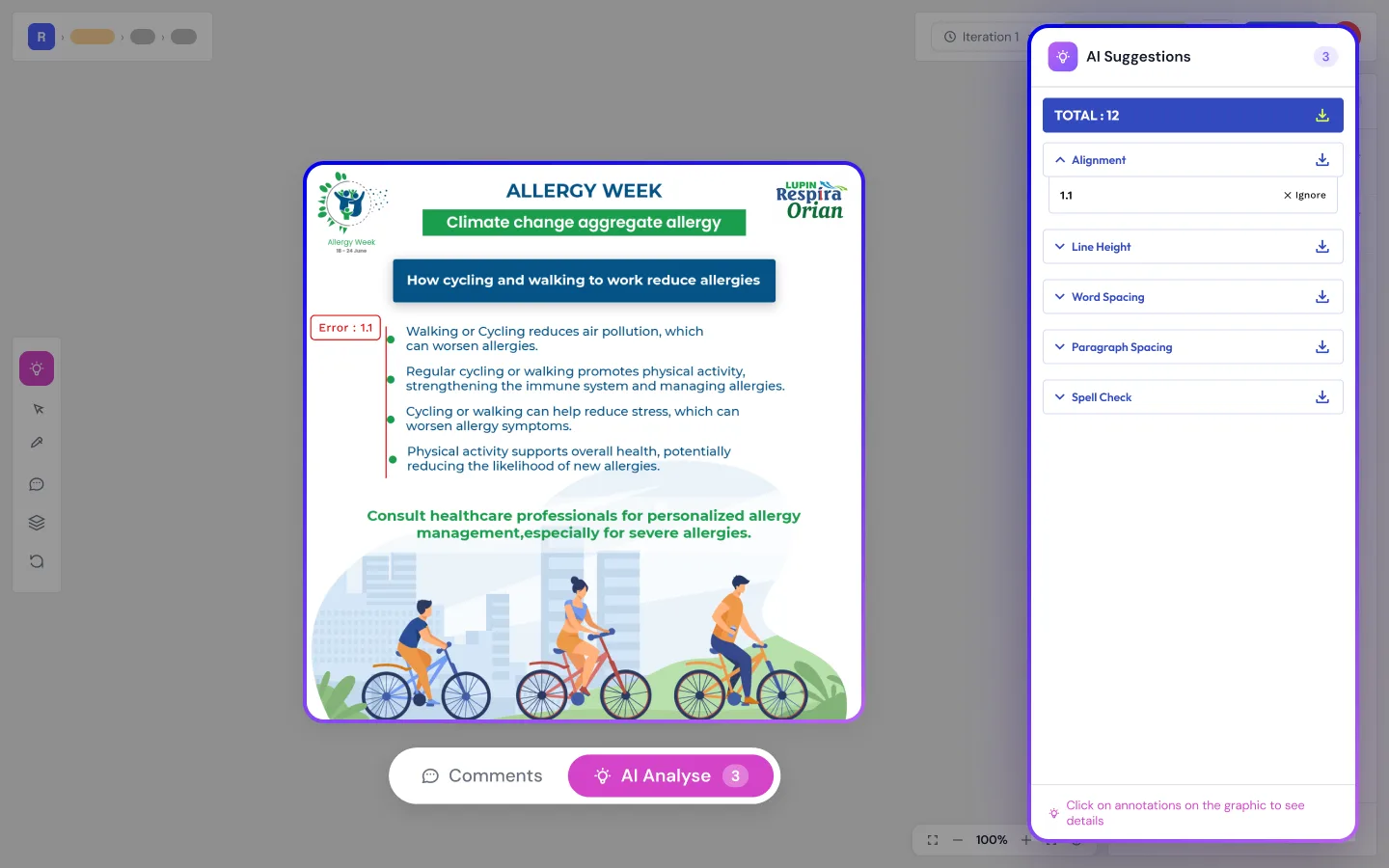
Paragraph Alignment
Flags misaligned text blocks and suggests corrections to maintain a clean grid structure.
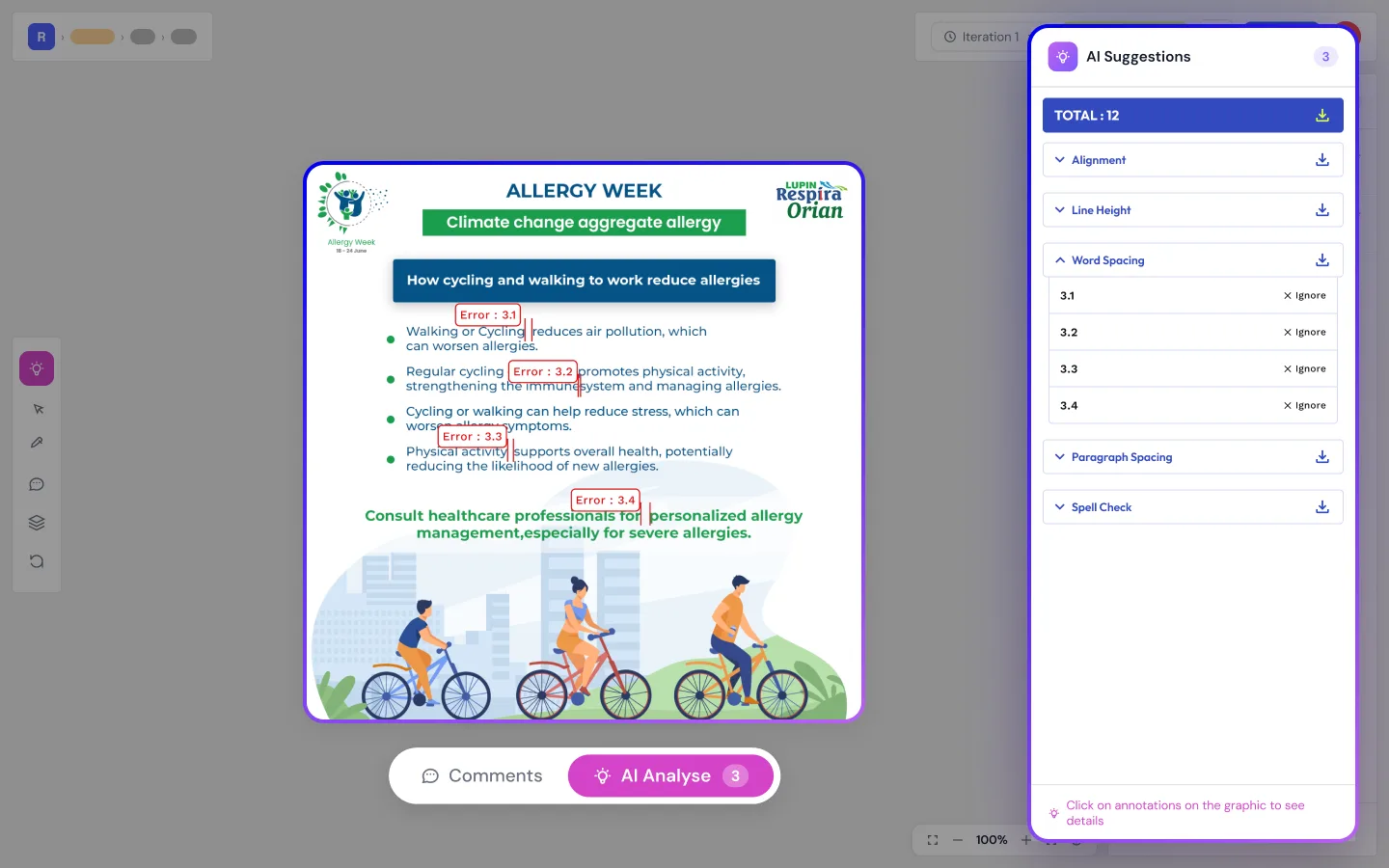
Word Spacing
Identifies irregular word spacing that can disrupt readability and typographic harmony.
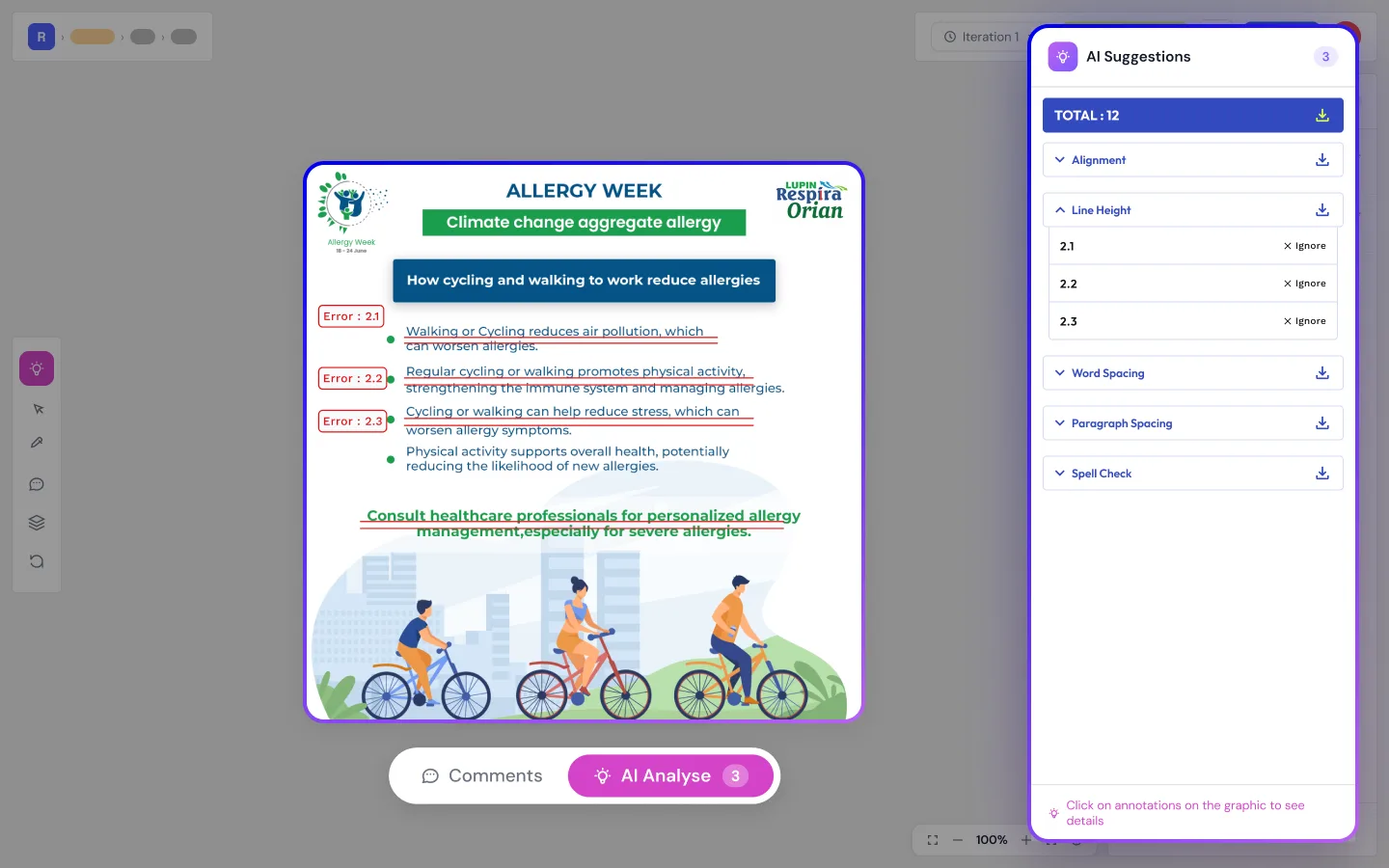
Line Height
Checks line height ratios against best practices for optimal readability across all text elements.
Spelling and Grammar Check
AI-powered proofreading that catches typos, grammatical errors, and awkward phrasing instantly.
Contrast Ratio
Evaluates text-to-background contrast against WCAG accessibility standards for every element.
Full Design Review
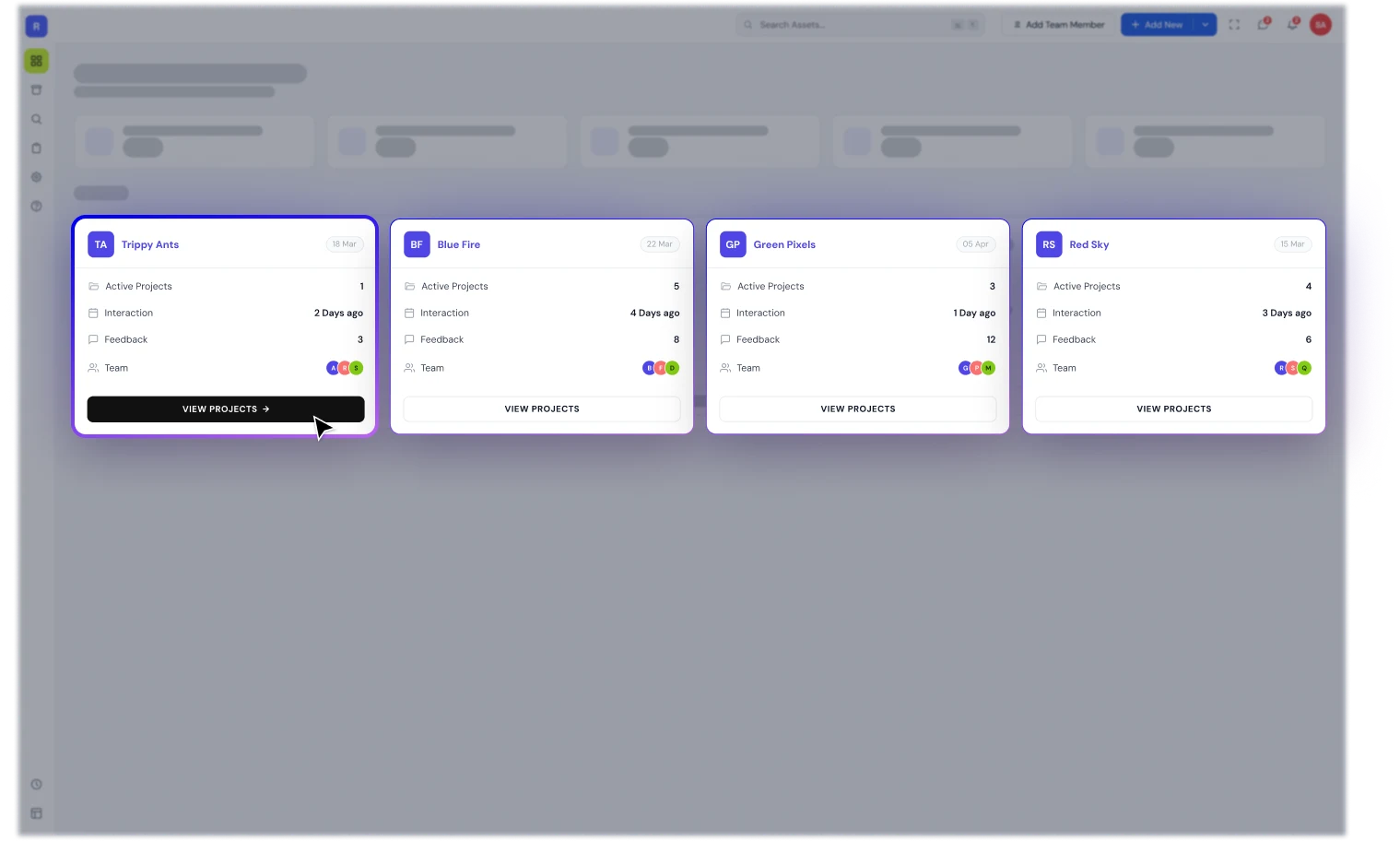
Client and Project Management
Organize all client projects, deadlines, and deliverables in one centralized dashboard.
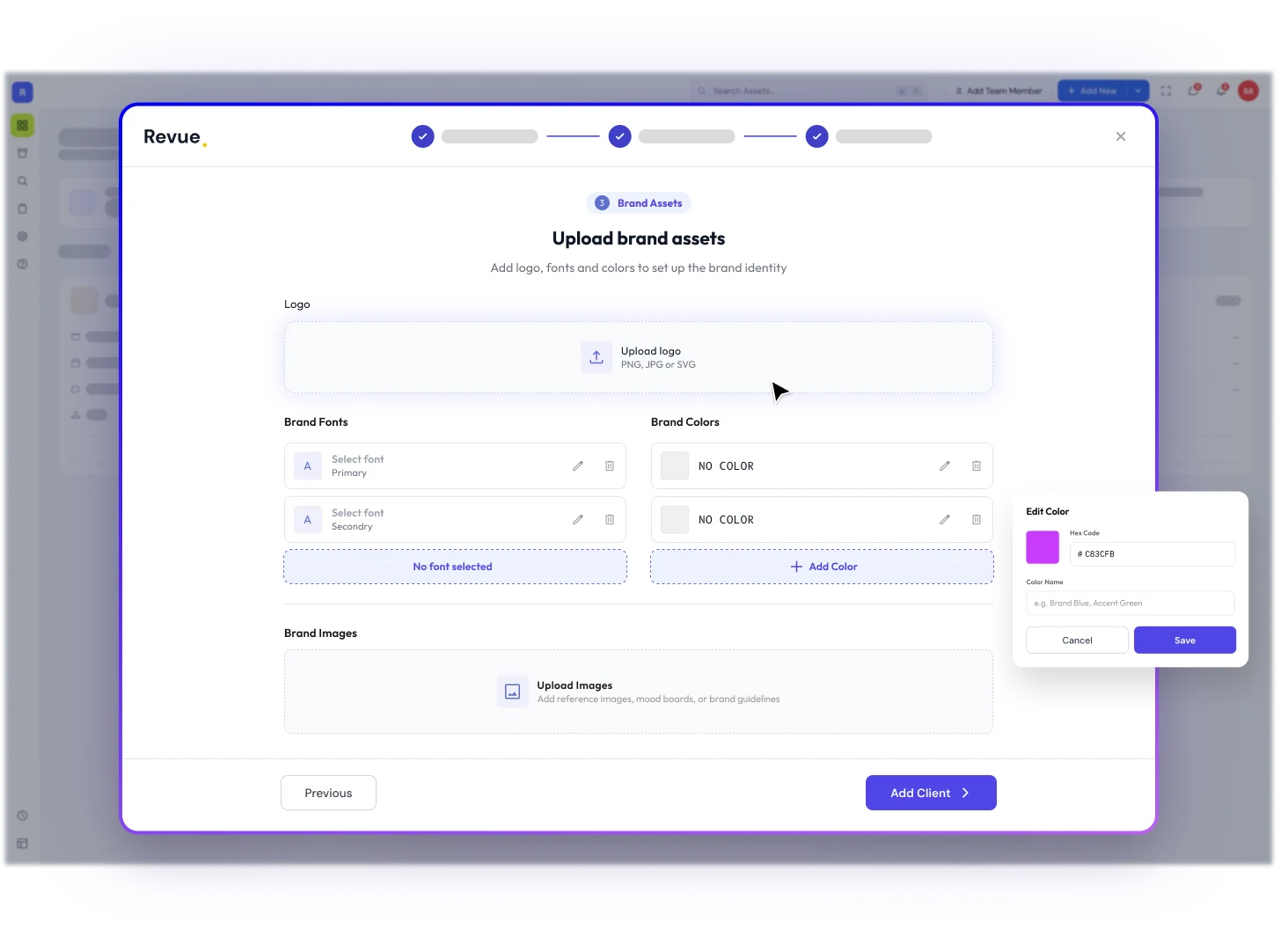
Brand Asset Management
Store, manage, and distribute brand assets with version tracking and access controls.
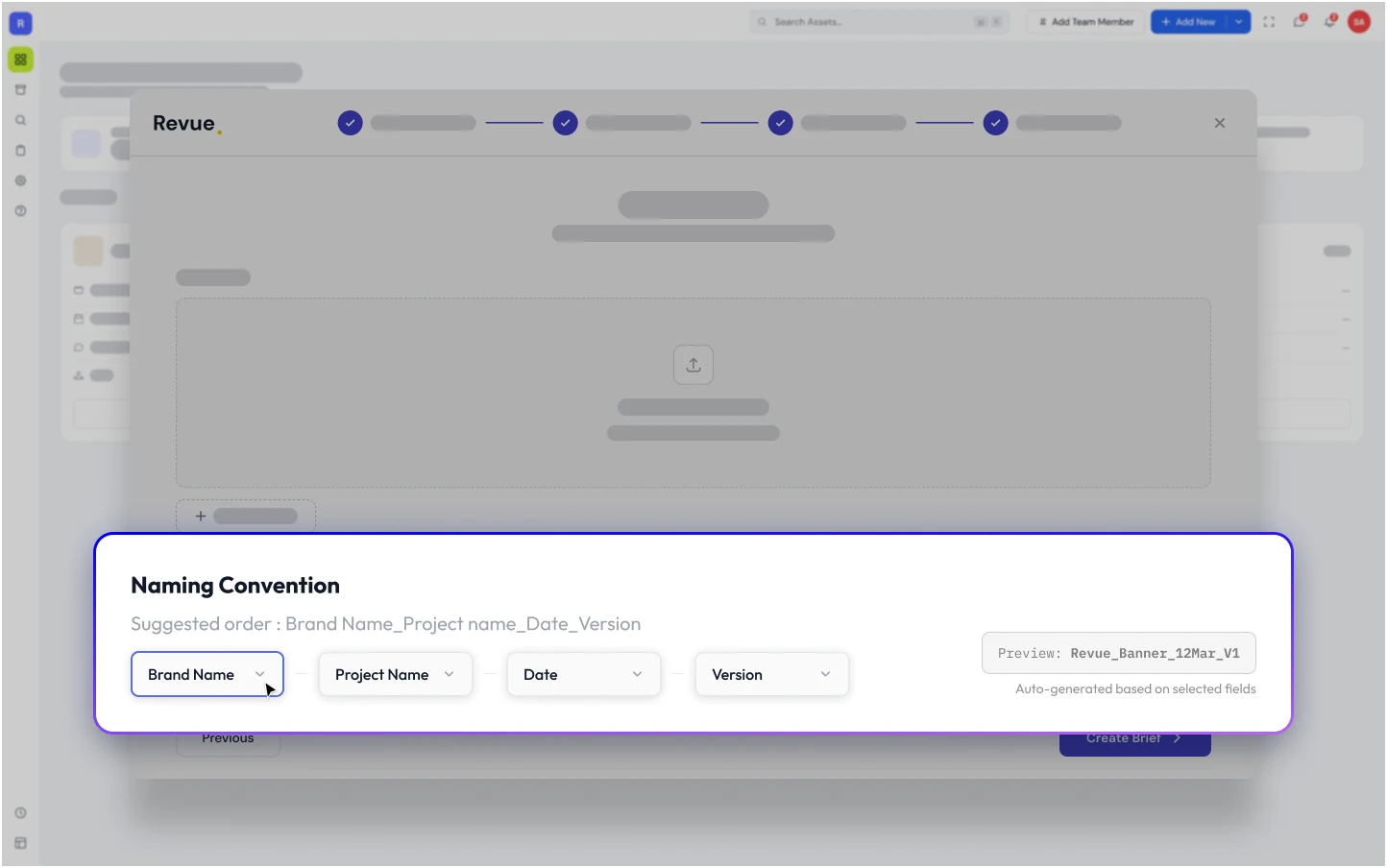
Naming Convention
Enforce consistent file naming rules automatically across your entire team and projects.
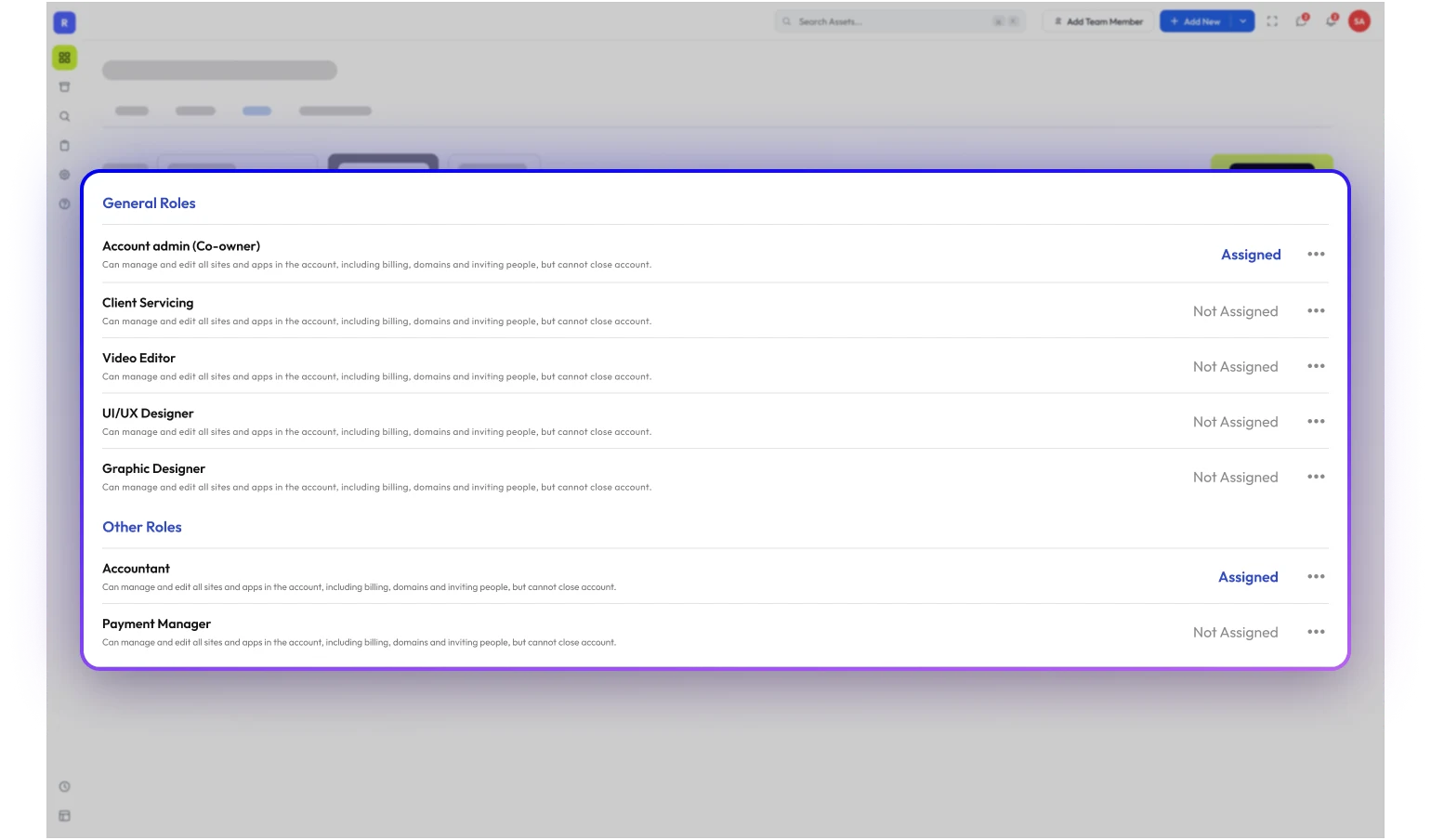
Roles and Permissions
Assign granular roles to team members and clients to control access and editing rights.
Version Control
Track every revision with detailed history, so you never lose a file or wonder which is latest.
Master Drive
A centralized, auto-organized file system that keeps every project asset in its right place.
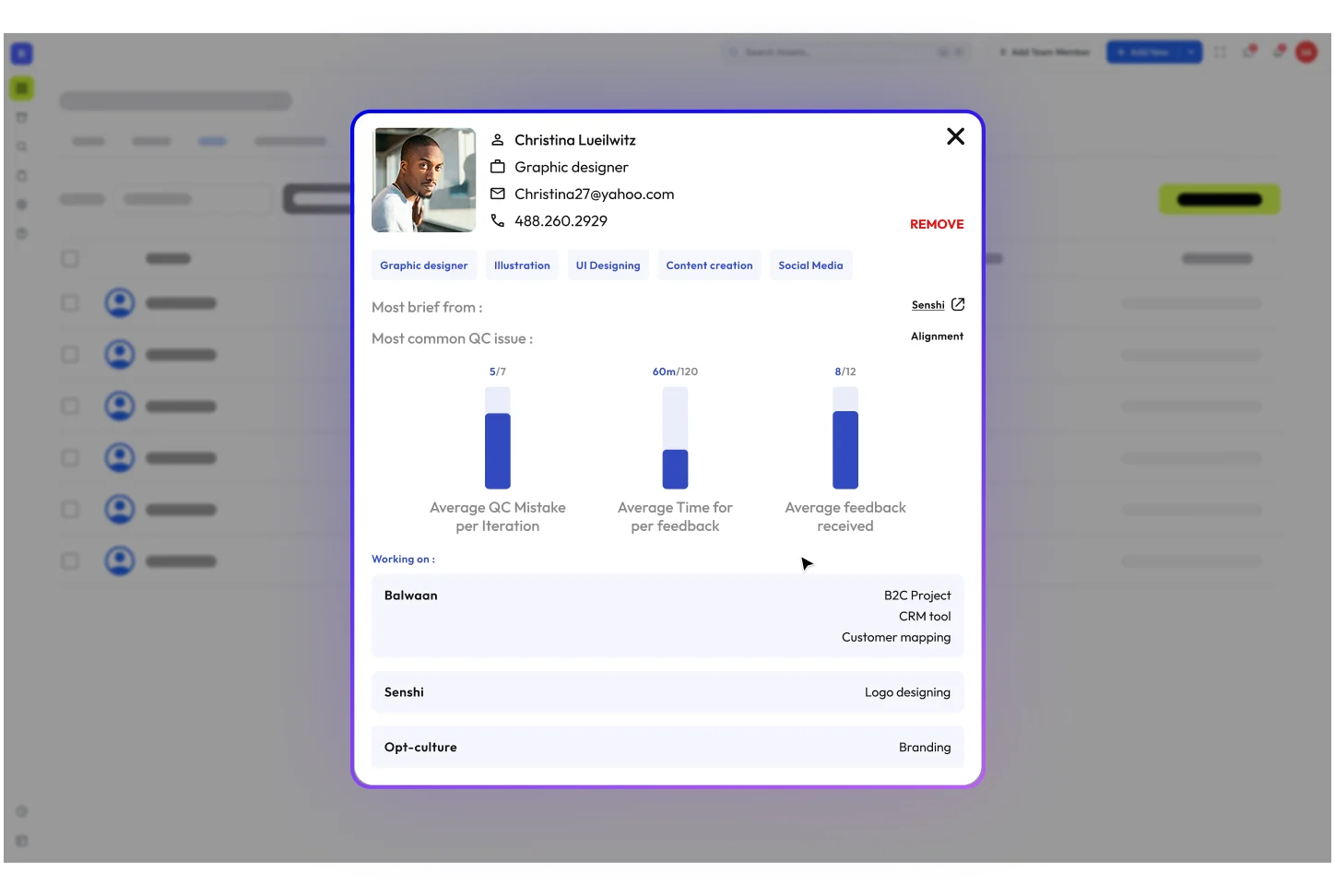
Designer Profile
Showcase designer portfolios, QC scores, and project history for transparent team evaluation.
Client Management
Productive Mode
Streamlined workspace focused on speed?minimal distractions, maximum output for tight deadlines.
Creative Mode
Expanded canvas with inspiration tools and mood boards for blue-sky creative exploration.
Annotation Tool for Photos
Pin precise visual annotations directly on photos for clear, contextual design feedback.
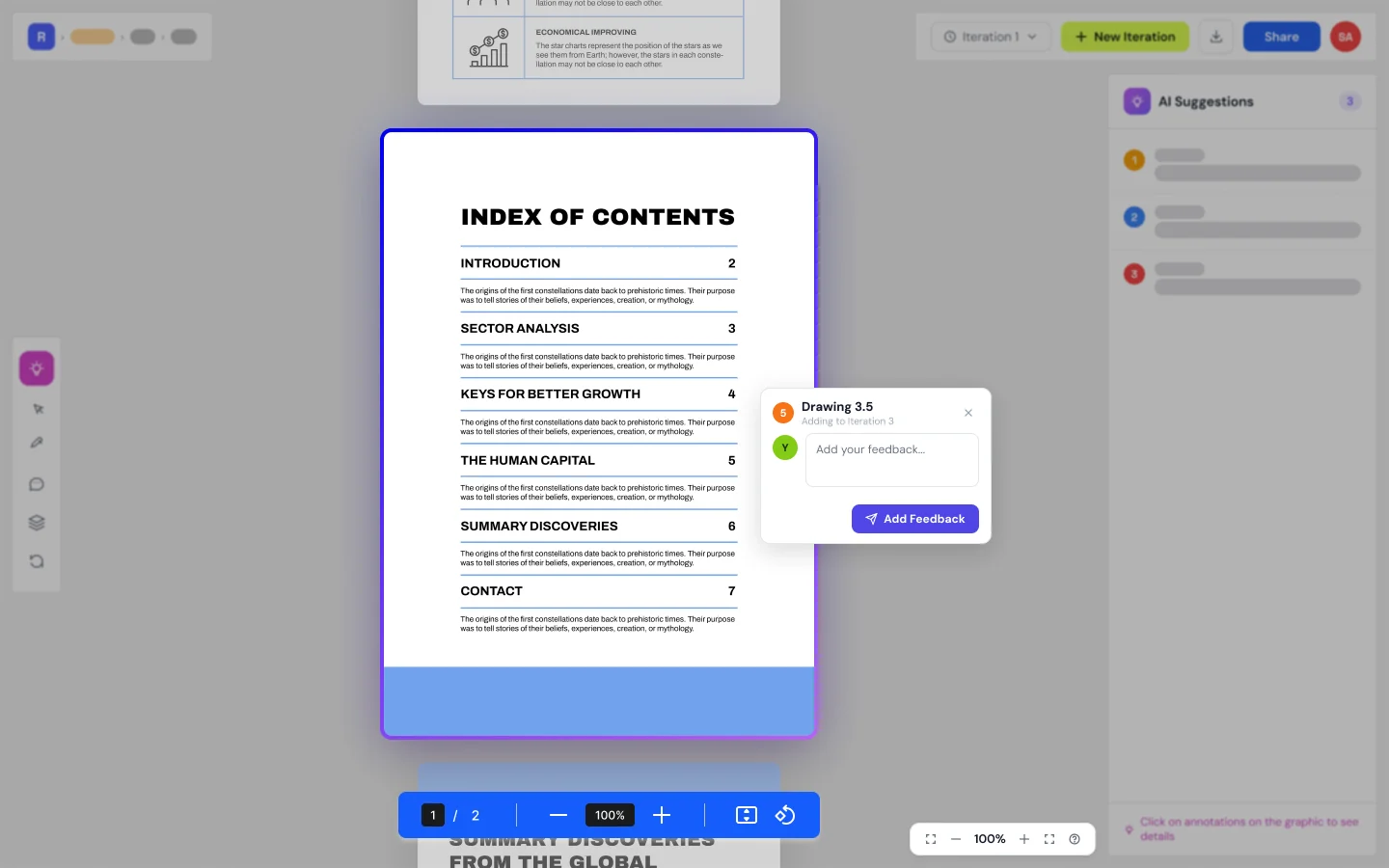
Annotation Tool for PDFs
Mark up PDFs with highlights, comments, and shape annotations for print-ready reviews.
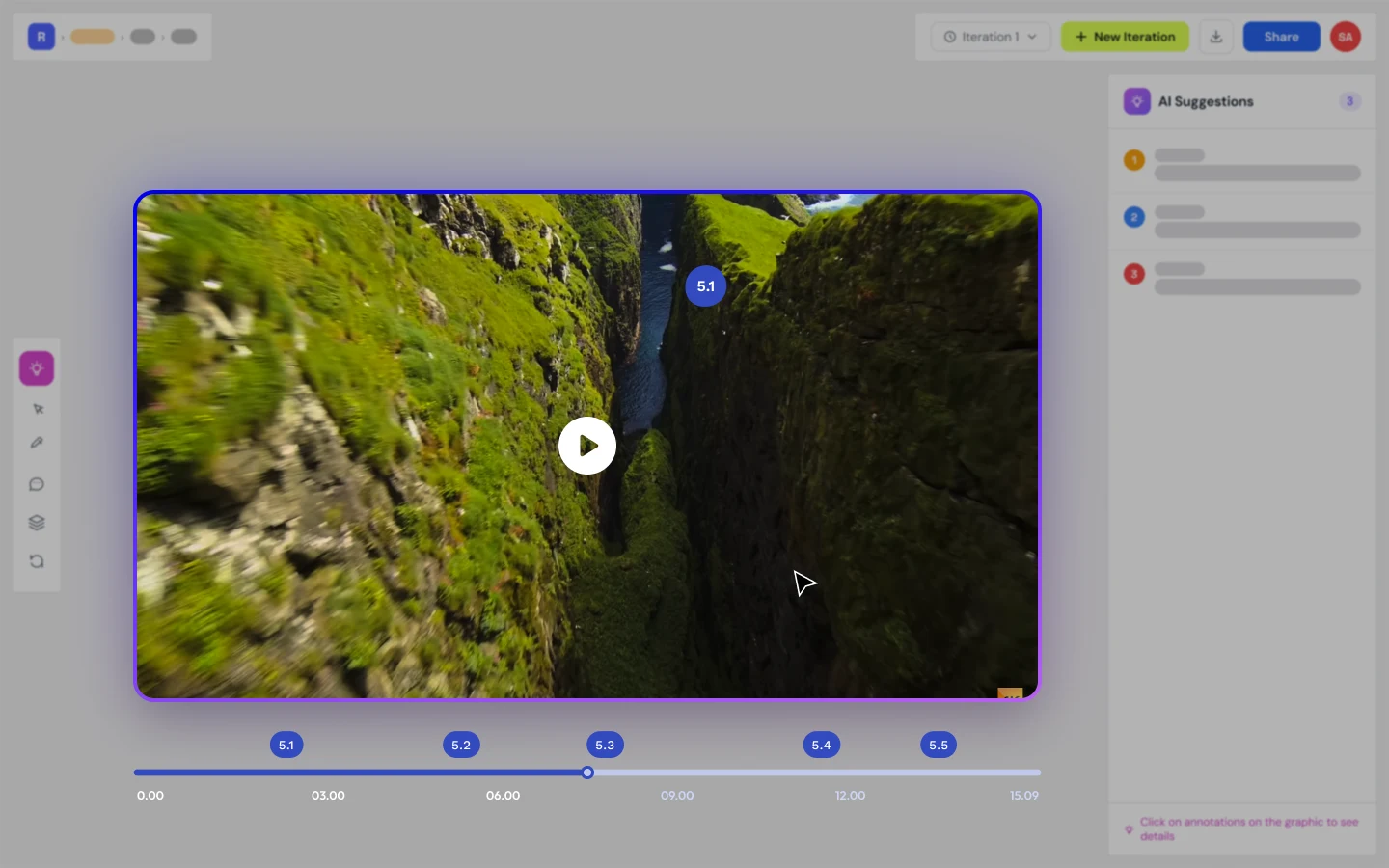
Annotation Tool for Videos
Frame-accurate video annotations that let reviewers comment on exact moments in motion.
Easy Sharing
Share projects with clients or collaborators via secure links?no account required to review.
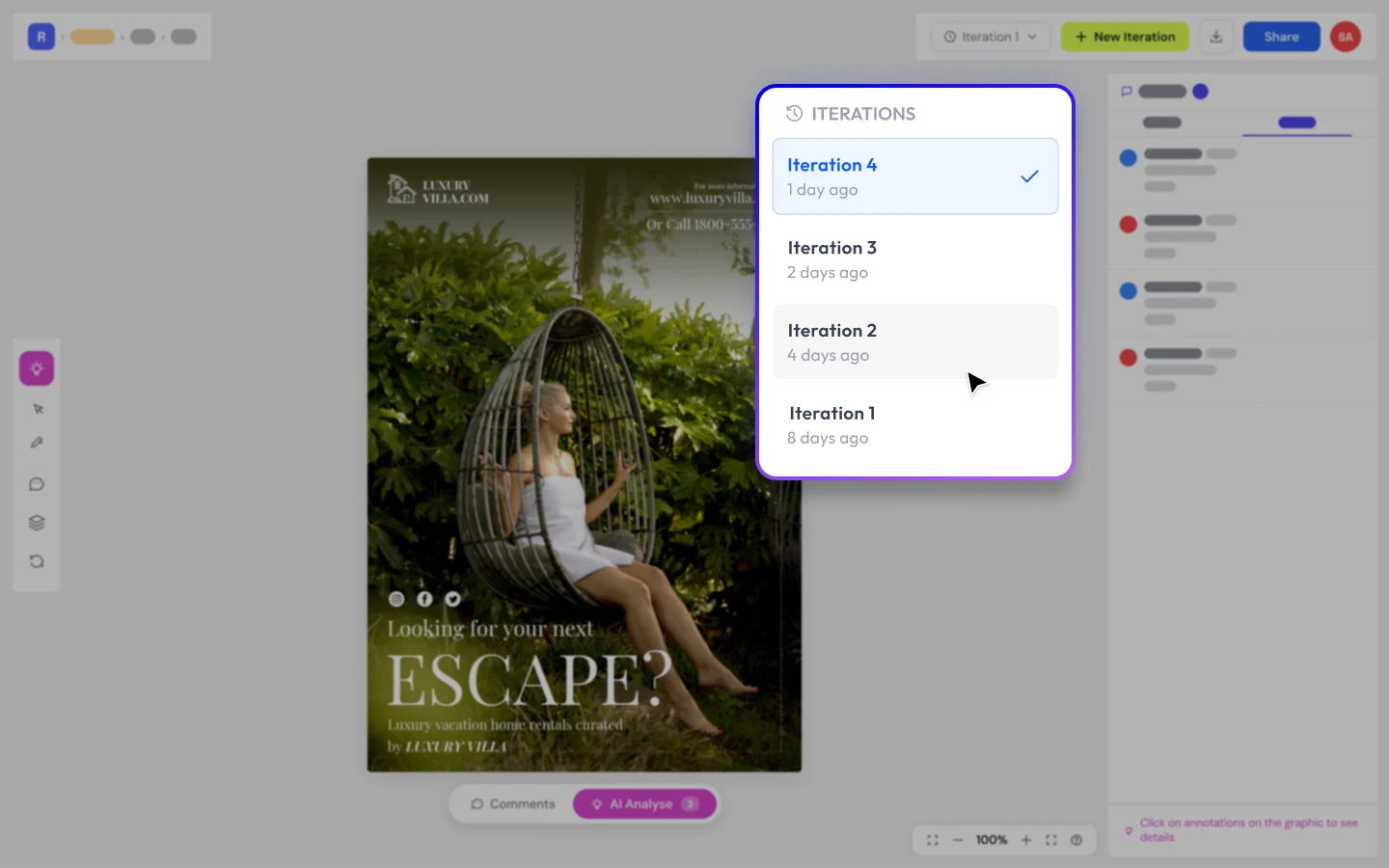
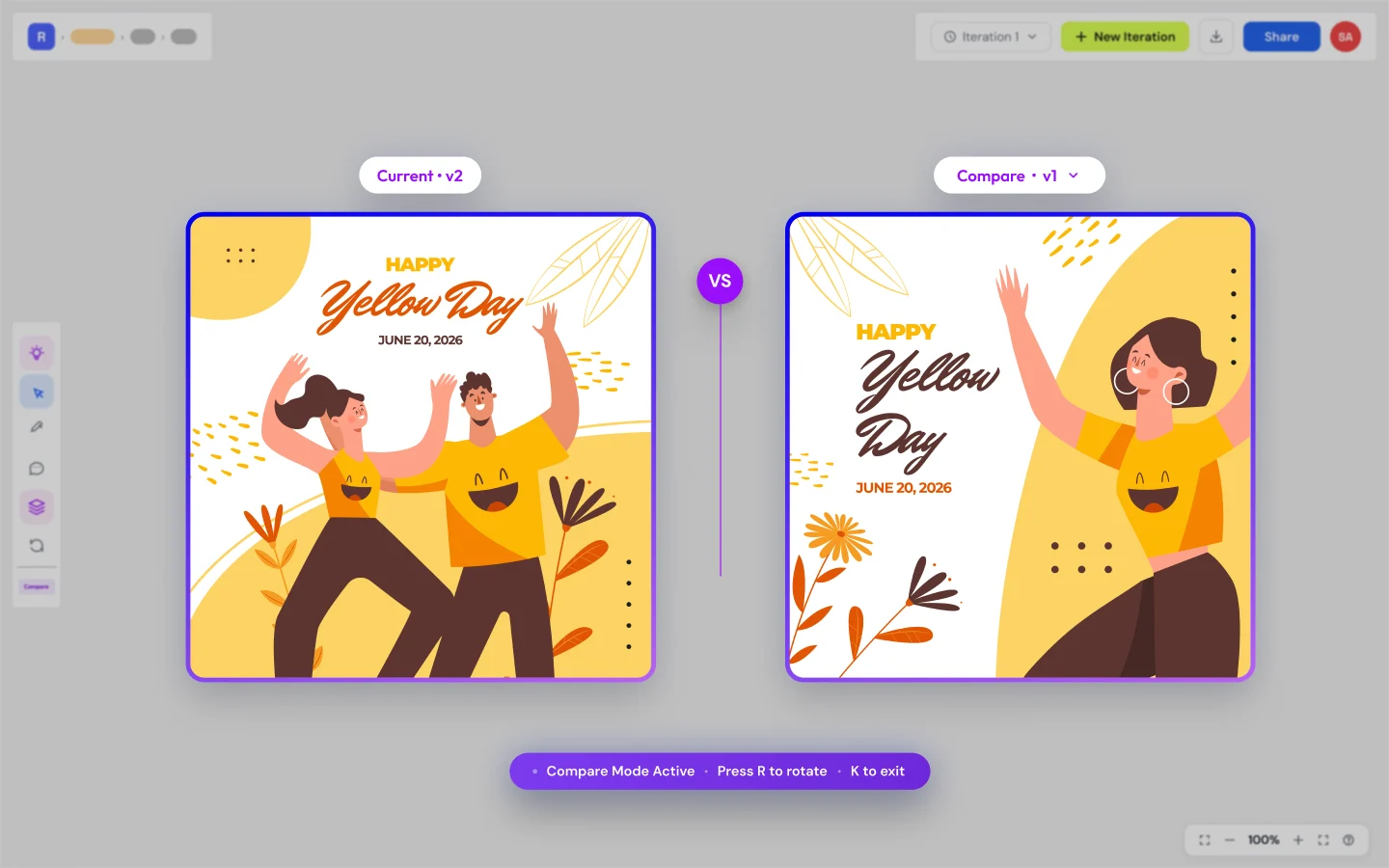
Version Control and Comparison
Side-by-side version comparison to instantly spot changes between design iterations.
Productive Mode
The Problem

Your tools are great. Your QC process isn't.

You're running Slack, Notion, Figma, Frame.io and you're still sending creatives with misaligned text, inconsistent spacing, and buried typos.

Because none of those tools check your design. They help you make it, share it, and talk about it. None of them review it.

Revue does.

71%
of agencies say that project delays are caused by excessive revisions due to unnoticed errors.
Source: WorkflowMax
59%
of print errors stem from design inconsistencies and unnoticed typos, leading to significant production losses.
Source: PrintWeek
60%
of designers spend extra hours fixing avoidable mistakes instead of working on new projects.
Source: Adobe
Slack
Notion
Figma
WhatsApp
Ziflow
ClickUp
Frame.io
Teams
No one checks design
Communication is spread across apps
Revue · QC Tool
Catches what everyone else misses.
How It Works
Five steps to flawless delivery

Revue fits into your existing workflow ? no disruption, just better quality.

01

Upload your design

Drag and drop photos, PDFs, or videos into Revue.

02

Run QC Tool

AI scans for errors, inconsistencies, and brand violations.

03

Review & annotate

Collaborate on fixes with precise visual annotations.

04

Share with client

Send polished, QC-verified work for approval.

05

Approve & archive

Client approves. Files auto-organized in Master Drive.

Proven Results
Trusted by design teams
45%
Less rework time
3hrs
Saved per project
99%
Client satisfaction

Revue catches the tiny errors that would've embarrassed us in client presentations. It's like having an extra pair of expert eyes on every project.

Sarah ChenCreative Director, Studio B

We've cut our QC time in half while actually improving quality. The ROI was clear within the first month of using Revue.

Marcus JohnsonOperations Lead, Creative Agency

The annotation tools changed how we give feedback. No more email threads ? everything is right there on the design.

Emily RodriguezDesign Lead, Brand Studio

Master Drive and version history mean we never lose a file or wonder which version is latest. Our agency runs smoother now.

James ParkerProject Manager, PixelCraft Agency
Roadmap
What's next

We're building the future of design quality. Here's what's coming.

Coming Soon

Custom Rule Engine

Build custom QC rules based on your client's brand identity. Define typography standards, color palettes, spacing rules ? Revue enforces them automatically.

Coming Soon

Designer Marketplace

Find top designers based on their QC scores. Designers showcase their quality track record. Agencies discover vetted talent. Quality meets opportunity.

Pricing
Get access before public launch.

Choose the plan that fits your team size and grow as needed.

Free Access

Join The Waitlist

Be the first to hear when Revue opens to the public.

  • Early bird launch offers
  • Early access to product updates & feature releases
  • Behind-the-scenes product progress
  • Launch announcements before public release

Perfect for designers and studios who want to stay updated as Revue evolves.

Join Free


Limited Early Access

Reserve Early Access

Get guaranteed early onboarding, founder pricing, and access before public launch.

Freelancer
₹299 For 1 year access
For independent designers and solo creatives.
Studio (Up to 5 users)
₹1,999 For 1 year access
For small creative teams and studios.

One Time cost. No per month. for 1 year access From the date of launch

  • Guaranteed early access before public launch
  • Priority onboarding & support
  • Early access to upcoming features and updates
  • Founder pricing locked for 1 year
  • Direct influence on product direction through feedback

Early access opens in curated onboarding batches.

FAQ
Common questions
Revue currently supports PNG, JPEG, and PDF files. We’re actively expanding support for additional creative formats including PSD, AI, MOV, and MP4 to better fit modern creative workflows.
Not at all. Revue is designed to assist creative teams — not replace them. It automates repetitive quality checks so designers, reviewers, and agencies can focus on strategy, creativity, and execution instead of manually spotting errors. Revue is assistive AI, not generative AI.
Yes. You can upgrade, downgrade, or change your plan at any time. Billing is prorated, so you only pay for what you use.
Yes. Protecting creative assets and client data is a priority. Revue is being developed with secure infrastructure and access controls to help ensure your files, feedback, and project information remain protected and private.
Coming soon ? define brand-specific QC rules for typography, colors, and spacing that Revue enforces automatically on every upload.
Absolutely. Revue enables designers, managers, clients, and stakeholders to review files, leave contextual feedback, compare versions, and collaborate in a centralized workspace — reducing scattered communication and approval delays.
Revue is designed to catch visual inconsistencies such as alignment issues, spacing problems, and text-related errors that are often missed during manual reviews. The system continuously improves through real-world usage and testing to deliver reliable quality checks at scale.
Revue is built for creative agencies, in-house marketing teams, production teams, branding studios, and freelance designers who manage high volumes of creative output and collaborative review workflows.