Most US creative and marketing teams assume their software stack is a done deal. Adobe Creative Cloud is the industry standard, right? Everyone uses Photoshop, Illustrator, Premiere Pro. Switching means learning new tools, retraining staff, and a messy migration. It’s just easier to pay the subscription, year after year.
None of that is wrong. But it’s incomplete.
The hard truth is that the creative industry is drowning in subscription fees. While Adobe offers unparalleled features, its cost can cripple smaller agencies and drain budgets for larger in-house teams. The real question isn't whether Adobe is good, but whether it's the *only* viable option for producing high-quality creative work. It's not.
1. Beyond the Suite: Understanding Your Real Needs
Before diving into alternatives, get brutally honest about what you actually *need*. Most teams don't use 80% of Adobe's features. They rely on a core set of tools for specific tasks. Identifying these core needs is the first step to finding a more efficient, cost-effective solution.
Graphic Design & Illustration
Photoshop and Illustrator are powerhouses, but they come with a hefty price tag. If your team primarily handles:
- Vector graphics for logos and branding
- Layouts for print and digital
- Photo editing and manipulation
- Simple UI mockups
…then specialized, often cheaper, alternatives can do the job just as well, if not better, for your specific use case.
Video Editing
Premiere Pro is the gold standard for professional video editing. However, for many marketing teams and smaller agencies, its complexity and cost are overkill. If your video needs include:
- Social media clips
- Basic promotional videos
- Internal communications
- Simple edits with B-roll and voiceover
…there are dedicated video editors that are far more intuitive and affordable.
Web Design & Prototyping
While Adobe XD exists, many teams find other tools offer a more streamlined experience for UI/UX design and prototyping. The focus here is often on collaboration, interactive prototypes, and developer handoff.
2. Top Adobe Alternatives for Design and Graphics
The market is flooded with excellent design software. Many offer perpetual licenses or significantly lower subscription costs than Adobe.
Affinity Suite (Serif)
This is the most direct competitor to Adobe's core graphic design apps. Affinity Photo, Affinity Designer, and Affinity Publisher offer professional-grade features with a one-time purchase. No subscriptions. Ever.
- Affinity Photo: A robust Photoshop alternative for raster image editing. Handles complex retouching, compositing, and digital painting.
- Affinity Designer: A powerful Illustrator alternative for vector graphics. It uniquely combines vector and raster workspaces, offering incredible flexibility.
- Affinity Publisher: A strong InDesign alternative for page layout and desktop publishing. Integrates seamlessly with Photo and Designer.
The learning curve is moderate, especially if you're coming from Adobe. But the long-term savings are substantial. For agencies and teams focused on graphic design, illustration, and print, the Affinity suite is a game-changer.
CorelDRAW Graphics Suite
A long-standing competitor, CorelDRAW has been a staple for many businesses, particularly in sign-making, apparel, and large-format printing. It offers a comprehensive set of tools for vector illustration, photo editing, and page layout.
- CorelDRAW: Powerful vector design tools.
- Photo-Paint: Bitmap editor comparable to Photoshop.
- PowerTRACE: Excellent tool for converting bitmaps to vectors.
CorelDRAW is available as a one-time purchase or subscription. It's known for its user-friendly interface and extensive capabilities in print production workflows.
Canva
While not a direct Photoshop or Illustrator replacement for highly complex work, Canva has revolutionized accessible design. It's ideal for marketing teams and agencies needing to produce:
- Social media graphics
- Presentations
- Simple marketing collateral
- Brand templates
Canva's drag-and-drop interface, vast template library, and brand kit features make it incredibly fast for common design tasks. The Pro version adds significant functionality, including background remover, brand kits, and more assets, at a fraction of Adobe's cost.
Sketch
For UI/UX design teams, Sketch has long been a favorite, especially within the Apple ecosystem. It's built from the ground up for digital product design.
- Vector-based workflow: Efficient for creating interfaces.
- Component libraries: Build reusable design elements.
- Prototyping: Create interactive mockups.
- Developer Handoff: Inspect designs and export assets.
While Figma has gained significant traction, Sketch remains a robust option, particularly for teams that prefer a native macOS application. It offers a clean, focused interface for creating wireframes, mockups, and high-fidelity prototypes. Design system management is a core strength.
Figma
Figma has rapidly become the dominant force in UI/UX design and prototyping. Its browser-based nature makes it accessible to everyone, regardless of operating system.
- Real-time collaboration: Multiple designers can work on the same file simultaneously.
- Powerful prototyping: Create complex, interactive user flows.
- Component-based design: Build scalable design systems.
- Developer Handoff: Integrated inspection tools.
Figma's free tier is incredibly generous, making it an attractive option for startups and individuals. Paid tiers unlock advanced features for larger teams. Its collaborative capabilities are unmatched, fostering seamless teamwork between designers, product managers, and developers.
3. Video Editing Alternatives
The professional video editing landscape is dominated by Adobe Premiere Pro and Final Cut Pro. But for many, simpler, more affordable tools suffice.
DaVinci Resolve (Blackmagic Design)
This is the dark horse in video editing. DaVinci Resolve is a professional-grade tool used in Hollywood for color correction, visual effects, audio post-production, and editing. The free version is astonishingly powerful.
- Editing: Robust timeline editing features.
- Color Grading: Industry-leading color correction tools.
- VFX: Fusion page for motion graphics and compositing.
- Audio: Fairlight page for professional audio mixing.
The Studio version adds advanced features for a one-time fee. For teams doing more than basic cuts, Resolve offers professional capabilities at an unbelievable price point (including free!). The learning curve is steep, but the potential is immense.
Final Cut Pro (Apple)
If your team works on macOS, Final Cut Pro is a strong contender. It's a one-time purchase and offers a highly optimized, performant editing experience.
- Magnetic Timeline: Unique approach to editing that speeds up workflows.
- Optimized Performance: Leverages Apple hardware for speed.
- Professional Features: Supports high-resolution formats, HDR, and advanced audio.
While not an Adobe product, it's a professional-grade tool that competes directly with Premiere Pro. Its one-time cost is attractive compared to ongoing subscriptions.
Descript
Descript offers a revolutionary approach to video and audio editing: edit like a document.
- Transcription-based Editing: Edit video and audio by editing the text transcript.
- Screen Recording: Built-in screen and webcam recording.
- Overdub: AI voice cloning for correcting audio mistakes.
- Remote Recording: Studio-quality remote interviews.
Descript is perfect for podcasts, webinars, tutorials, and content that relies heavily on spoken word. Its ease of use for transcription and editing makes it incredibly fast for certain types of video content.
4. Where Revue Fits In
Switching tools or adopting new software doesn't magically fix workflow issues. The real challenge is managing the chaos of client feedback, revisions, and approvals. This is where a centralized platform like Revue becomes essential.
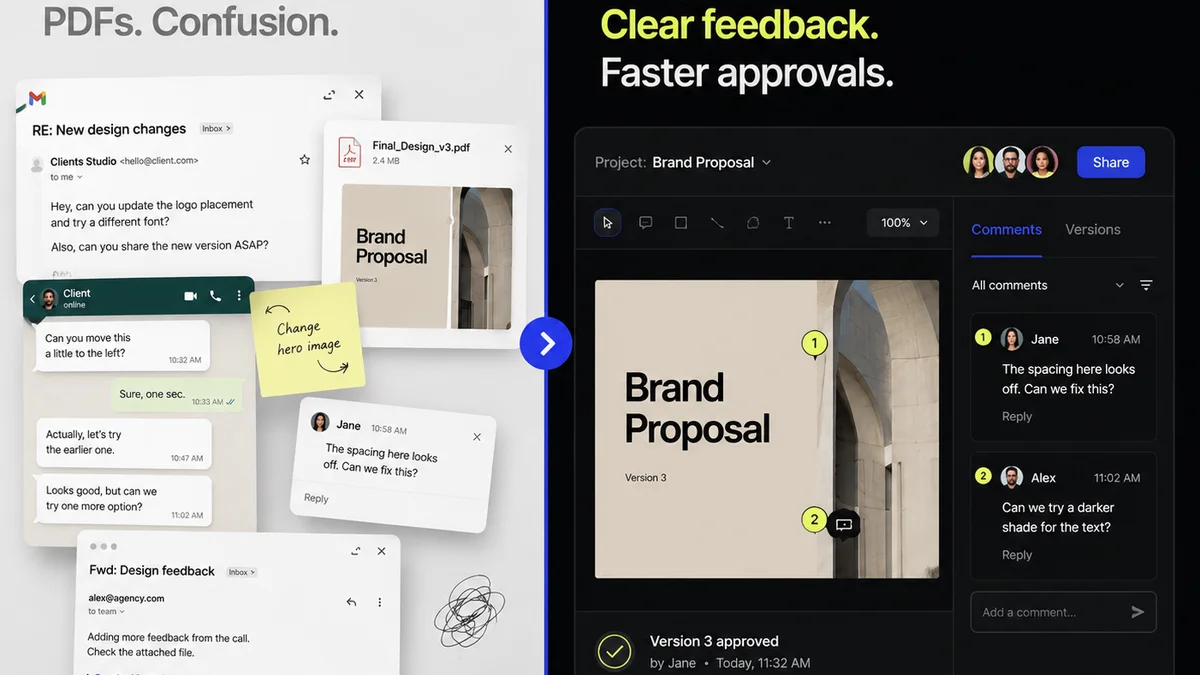
Imagine this: You've moved your design team to Affinity Designer, or your video editors are using DaVinci Resolve. Feedback still comes in via scattered emails, Slack messages, and random cloud storage links. Revisions get lost. Approvals are unclear. Quality checks become a guessing game.
Revue brings order to this chaos. It’s not another design tool; it’s the control center for your creative output.
- Centralized Feedback: All client comments live in one place, tied to specific versions of your creative assets. No more hunting through email chains.
- Revision & Approval Tracking: Clearly see every iteration, who approved what, and when. This provides an irrefutable audit trail.
- Quality Assurance: Use checklists and standardized workflows to ensure every piece of creative meets your standards before it goes to the client.
Whether you're using Adobe or a mix of alternatives, Revue streamlines the *process* around the creative work. It ensures that even with a diverse toolset, your team operates with clarity and efficiency.
5. The Financial and Operational Impact
Let's talk brass tacks. The cost of Adobe Creative Cloud can add up quickly. For a small agency with 5 designers, it can easily be $3,000+ per year. For a larger in-house team, that number balloons into tens of thousands.
The savings from switching to alternatives like Affinity (one-time purchase) or even more focused subscription tools can be reinvested:
- Into better hardware
- Into specialized training
- Into marketing and business development
- Into profit
Beyond cost, consider operational efficiency. Are your teams spending valuable time wrestling with complex software they don't fully utilize? Or are they using tools that are perfectly suited to their tasks, allowing them to focus on creativity?
The
Frequently asked questions
Are Adobe alternatives really as powerful as Creative Cloud?
For many common tasks, yes. Tools like Affinity Suite offer professional-grade features for graphic design and photo editing. DaVinci Resolve provides Hollywood-level color grading and editing. While Adobe has breadth, specialized alternatives often match or exceed its capabilities in specific areas, often at a lower cost.
What is the biggest benefit of switching from Adobe?
The primary benefit is significant cost savings, especially with one-time purchase options like the Affinity suite. This frees up budget for other business needs. Additionally, many alternatives offer simpler interfaces and workflows, potentially increasing team efficiency for specific tasks.
Is it hard to transition from Adobe software to alternatives?
There's a learning curve, but it's often less steep than assumed, especially if you're proficient in Adobe. Many alternatives share similar concepts (layers, vectors, timelines). The key is to identify your core needs and choose tools that directly address them. Resources like tutorials and community forums can ease the transition.
Can I use Adobe and alternatives together?
Absolutely. Many teams adopt a hybrid approach. You might use Affinity Publisher for print layout, Photoshop for image manipulation, and Premiere Pro for complex video. Or, you might use Figma for UI design and DaVinci Resolve for video. Revue helps manage feedback across different tools.