Everyone knows Adobe Creative Cloud is the industry standard for creative work. You probably think collaborating within it means sharing Creative Cloud Files or using Adobe Workfront. None of that is wrong. But it’s incomplete.
The hard truth? True Adobe collaboration isn't about the software; it's about the process. It’s about ensuring everyone is on the same page, from brief to final delivery.
1. The Brief: Clarity is King
Before a single pixel is moved, the brief must be crystal clear. This is where most projects derail, not in the design phase.
Understanding the Objective
What is the ultimate goal of this creative asset? Is it to drive sales, increase brand awareness, or educate users? Every decision hinges on this.
A vague objective leads to vague feedback and endless revisions. Get specific.
Defining the Audience
Who are we talking to? What are their needs, preferences, and pain points? This dictates tone, style, and content.
Don't assume. Document it.
Scope and Deliverables
What exactly needs to be produced? How many variations? What are the final file formats and dimensions?
Ambiguity here is a license for scope creep.
2. Asset Creation: Structured Workflow
Once the brief is locked, the creative work begins. This phase requires structure, not just artistic freedom.
Version Control is Non-Negotiable
How are you tracking versions? Relying on filenames like `logo_final_v3_really_final.ai` is a recipe for disaster.
Use a system. Whether it's built into your tools or a separate process, know which version is the current one.
Centralized Feedback Loops
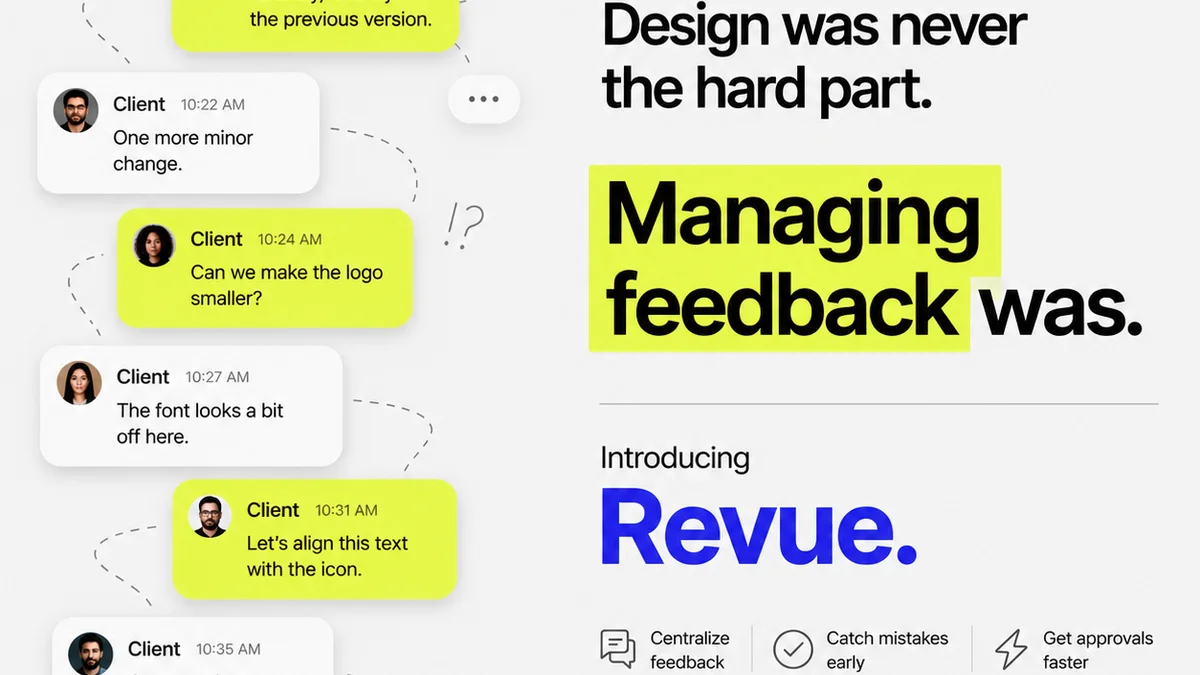
Feedback should flow through defined channels. Email chains, Slack DMs, and random chat messages create silos.
Consolidated feedback prevents confusion and ensures all comments are addressed.
Clear Approval Gates
Who has the authority to approve? What constitutes approval? Is it a verbal ‘looks good’ or a formal sign-off?
Define these checkpoints early. Missed approvals mean missed deadlines.
3. Review and Revision: The Gauntlet
This is where creative projects often get bogged down. It's a delicate dance between constructive critique and subjective opinion.
Establishing Reviewer Roles
Not everyone needs to review everything. Identify stakeholders and their specific areas of expertise or concern.
- Creative Director: Aesthetic and brand alignment.
- Marketing Lead: Campaign effectiveness and messaging.
- Legal: Compliance and disclaimers.
- Client Stakeholder: Overall strategic fit.
Assigning roles prevents conflicting feedback from unqualified parties.
Providing Actionable Feedback
Feedback should be specific, objective, and directly tied to the brief. Vague comments like “make it pop” are useless.
Instead, say: “Increase contrast on the call-to-action button to improve click-through rate, referencing the goal outlined in the brief.”
The Revision Cycle Limit
How many rounds of revisions are included? What happens if feedback is contradictory?
Set these boundaries upfront. Uncapped revisions kill profitability.
4. Final Delivery: The Finish Line
Getting to the end is one thing; delivering correctly is another.
Format and Specification Adherence
Are the final files delivered in the exact formats and specifications required by the brief? This includes color profiles, resolution, and file types.
An incorrectly formatted file can render the entire project useless.
Archiving and Handoff
Where are the final assets stored? How is access granted to relevant parties? Is there a clear handover process?
Proper archiving saves time and prevents future headaches.
Where Revue Fits In
Managing this entire process within a tool like Adobe Creative Cloud can become unwieldy. Communication gets scattered across email, chat, and project management tools. Feedback is buried.
This is where a centralized client feedback and approval platform like Revue becomes critical for creative agencies and in-house teams.
Revue brings all client feedback into one place, directly linked to the creative assets. This means:
- Centralized Feedback: No more hunting through email threads. All comments, discussions, and revisions are logged against the specific asset.
- Clear Revision History: Easily track every change, who requested it, and why. This provides an audit trail and helps manage revision cycles effectively.
- Streamlined Approvals: Define clear approval workflows. Stakeholders can review and approve directly within the platform, eliminating ambiguity and delays.
- Quality Assurance: Ensure all feedback is addressed and approvals are secured before final delivery, minimizing errors and client dissatisfaction.
It’s about bringing order to the creative chaos, ensuring that your Adobe collaboration efforts are efficient and effective, not just file transfers.
Final Thought
The most effective creative collaboration doesn't happen because of the software you use, but because of the processes you implement. Are your current Adobe workflows built around clear communication, defined roles, and accountability, or are they just a digital way to pass files around?
Frequently asked questions
What are the main benefits of a structured Adobe collaboration process?
A structured process ensures clear briefs, efficient asset creation, actionable feedback, and streamlined approvals. This reduces ambiguity, minimizes revisions, prevents scope creep, and leads to timely, high-quality project delivery.
How can I ensure feedback is actionable rather than subjective?
Tie feedback directly to the project brief and objectives. Instead of 'make it better,' specify what needs improvement and why, e.g., 'Increase contrast on the CTA button to improve click-through rate, as per the campaign goal.'
What is the role of version control in Adobe collaboration?
Version control is crucial to prevent confusion about which file is the latest or approved version. A clear system, whether manual or software-assisted, ensures everyone is working on and referencing the correct asset, avoiding errors and wasted effort.
How does a tool like Revue help with Adobe collaboration?
Revue centralizes feedback and approvals, providing a clear audit trail for all communications and changes. This eliminates scattered communication across emails and chats, ensuring all feedback is logged, addressed, and approved within a defined workflow.