Everyone thinks Adobe creative operations software is all about the design apps. Photoshop, Illustrator, Premiere Pro. That's what creative teams use to make amazing things. And that’s true. But it’s only half the story.
The real value of Adobe’s creative operations ecosystem isn't just in the creation tools. It’s in how they integrate with the entire workflow—from brief to final delivery. And that’s where many agencies stumble.
They buy into the suite, thinking the tools will magically fix their processes. They assume that because Adobe makes the software, it’s automatically the best solution for managing creative operations. That's a common, and often costly, assumption.
The hard truth? Adobe's creative operations software—when viewed as a holistic system—is powerful. But its effectiveness hinges entirely on how well it’s implemented and integrated into your specific agency’s workflow. It’s not plug-and-play. It requires strategic thinking about how your team actually works.
1. Beyond the Design Canvas: Core Creative Operations Needs
When we talk about creative operations software, we’re talking about the systems that manage the flow of creative work. This goes far beyond just the software used to design or edit.
Think about the entire lifecycle of a project:
- Briefing and scoping
- Asset creation and management
- Internal reviews and stakeholder feedback
- Client approvals
- Revision cycles
- Quality assurance and final delivery
- Reporting and performance tracking
Adobe’s Creative Cloud suite offers pieces of this puzzle. Adobe Workfront, for instance, is a robust project management platform. Adobe Experience Manager Assets is a powerful digital asset management (DAM) solution. Adobe Creative Cloud Libraries help share assets across applications.
But these tools don't automatically talk to each other seamlessly, nor do they magically enforce best practices. You need to configure them. You need to integrate them. You need to train your team.
a. Project Management and Workflow Automation
At its heart, creative operations software must manage projects efficiently. This means clear task assignment, deadline tracking, and visibility into project status.
Adobe Workfront is designed for this. It can automate routine tasks, manage resource allocation, and provide dashboards for project oversight. The key is setting up these workflows correctly. A poorly configured workflow is worse than no workflow at all.
b. Digital Asset Management (DAM)
Creative work generates a lot of assets. Logos, images, videos, brand guidelines. A DAM system is crucial for organizing, storing, and retrieving these files easily and securely.
Adobe Experience Manager Assets (AEM Assets) is a enterprise-grade DAM. It offers advanced features for tagging, version control, and distribution. But is it overkill for a small agency? Maybe. And even with a powerful DAM, governance is key. Who can access what? How are assets updated? These aren't software problems; they're process problems Adobe tools can support, but not dictate.
c. Collaboration and Feedback Loops
Creative work thrives on feedback. But unstructured feedback is a killer. Scattered emails, Slack messages, and random comments on shared drives lead to confusion and wasted time.
Adobe’s tools offer some collaboration features, particularly within Creative Cloud. Tools like Frame.io (now integrated) are excellent for video review. However, the broader challenge is consolidating feedback from all stakeholders, including clients, into a single, actionable source.
2. Integration: The Unsung Hero of Creative Operations
The biggest mistake agencies make is treating their creative operations software as a collection of separate tools. They buy into the Adobe suite thinking it's a unified system, but then fail to connect the dots.
This is where the real power—and the real complexity—lies. How do your design files in Photoshop connect to the project management tasks in Workfront? How does approved artwork get automatically uploaded to AEM Assets?
Integration isn't just about APIs. It's about the flow of information and assets between different stages of your workflow. If you can't easily move a finalized design from a creative app to a project management ticket for client review, your process is broken, regardless of the software.
Consider the typical challenges:
- Version control nightmares: Is this the latest version? Where is the approved one?
- Scope creep due to unclear feedback: “Make it pop” isn’t actionable.
- Delayed approvals: Waiting for one person’s sign-off holds up the entire project.
- Asset sprawl: Important brand assets are lost or inaccessible.
- Inefficient handoffs: Designers don’t know what assets clients need, or where to find them.
Adobe offers integration capabilities, but they often require significant configuration. For example, connecting Workfront with other Adobe tools, or even third-party applications, involves setting up workflows, custom fields, and potentially middleware.
3. User Experience and Adoption: The Human Factor
You can have the most powerful software suite in the world, but if your team hates using it, it’s worthless. This is especially true for creative teams who are often resistant to anything that feels like bureaucracy or slows down their creative flow.
Adobe’s enterprise solutions, like Workfront and AEM, are powerful but can have a steep learning curve. Are they intuitive for a graphic designer who just wants to get their work done? Sometimes. Often, not without dedicated training and support.
Key considerations for user adoption:
- Intuitive Interface: Is it easy to navigate and understand?
- Minimal Disruption: Does it add steps or complexity to the creative process?
- Clear Benefits: Can users see how it makes their job easier, not harder?
- Training and Support: Is adequate training provided? Is there ongoing support?
Many agencies underestimate the change management required. Simply rolling out new software without addressing user concerns and providing proper training is a recipe for failure. This is where many Adobe creative operations software implementations fall short.
4. Scalability and Customization
Your agency is unique. Your workflow is unique. Your software needs to adapt to that, not the other way around.
Adobe's enterprise-level tools, like Workfront, are highly customizable. You can build complex workflows, custom fields, and integrations to match your exact needs.
But this customization comes at a cost. It requires expertise, time, and often, professional services. For smaller agencies, the complexity and cost of tailoring these powerful tools might outweigh their benefits.
Ask yourself:
- Can the software scale as our agency grows?
- Can it be customized to fit our specific project types and client requirements?
- What are the hidden costs of customization and ongoing maintenance?
A system that’s too rigid will eventually break. A system that’s too complex to configure will never be used effectively.
5. Cost vs. Value: Beyond the Sticker Price
Adobe’s software, particularly the enterprise solutions, can represent a significant investment. It’s easy to look at the subscription fees and get sticker shock.
But the real cost of creative operations software isn't just the licensing fees. It’s the cost of:
- Implementation and configuration
- Training and ongoing support
- Lost productivity due to poor workflows
- Missed deadlines and client dissatisfaction
- Wasted hours searching for assets or information
The question isn't whether Adobe’s tools are expensive. The question is whether they deliver a return on investment that justifies the cost. For large enterprises with complex needs, the answer is often yes. For smaller or mid-sized agencies, the value proposition needs careful examination.
Are you paying for features you’ll never use? Is a simpler, more focused solution a better fit?
Where Revue Fits In
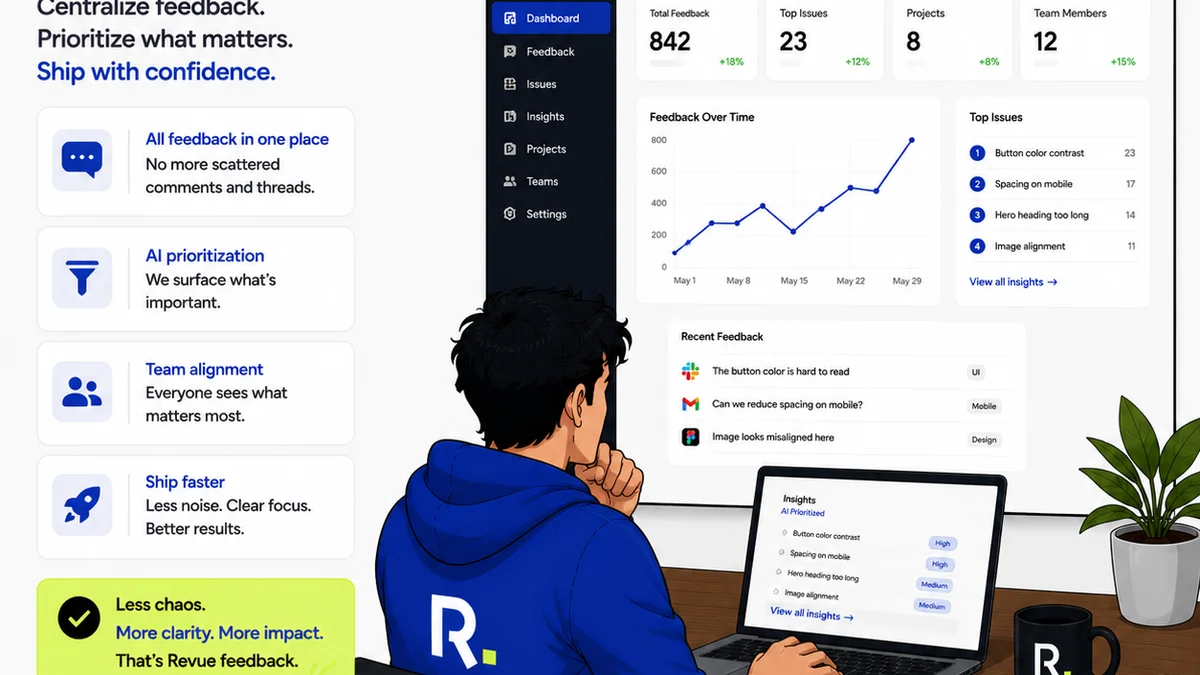
While Adobe offers a powerful suite of tools for creative professionals and enterprise operations, the core challenge for many agencies remains centralized feedback and clear approval workflows. This is precisely where Revue shines.
Revue isn't a full-blown enterprise project management system or a DAM. Instead, it’s built to solve the critical bottleneck of managing client feedback and revisions efficiently.
Here’s how Revue complements and enhances creative operations:
- Centralized Client Feedback: Instead of scattered emails and comments, all feedback lives in one place, attached directly to the creative asset. This eliminates confusion and ensures everyone is working from the same notes.
- Clear Revision and Approval Visibility: Track every version, every comment, and every approval status. No more guessing who signed off or what changes were requested last. This transparency is crucial for accountability and efficiency.
- Streamlined Quality Checks: By having a clear record of feedback and approvals, quality assurance becomes more systematic. You can easily verify that all client-requested revisions have been implemented correctly.
- Simplified Handoffs: When a project is approved, the final assets and all related communication are neatly organized, making handoffs to production or clients smoother.
Revue focuses on making the communication and approval layers of creative operations incredibly efficient, ensuring that the brilliant work produced with tools like Adobe Creative Cloud can be reviewed, approved, and delivered without friction.
Final Thought
The assumption that simply adopting Adobe's creative operations software will fix your agency’s workflow is a dangerous oversimplification. The power lies not in the software itself, but in the strategic implementation, seamless integration, and human adoption.
Are you investing in tools, or are you investing in a smarter way of working?
Frequently asked questions
What is the primary benefit of Adobe's creative operations software?
The primary benefit is the potential for a deeply integrated ecosystem where design, project management, and asset management tools work together. However, this potential is only realized through careful implementation and workflow design, not by default.
Is Adobe Workfront suitable for all agencies?
Adobe Workfront is a powerful enterprise-level project management tool. While highly capable, its complexity and cost may be more than smaller or mid-sized agencies need. A thorough evaluation of specific workflow requirements is essential.
How does Adobe's DAM (like AEM Assets) help creative operations?
Adobe Experience Manager Assets helps by providing a centralized, organized repository for all creative assets, enabling easier searching, version control, and distribution. This reduces asset sprawl and improves brand consistency.
What is the biggest challenge when implementing Adobe creative operations software?
The biggest challenge is often user adoption and integration. Creative teams may resist complex systems, and connecting different Adobe tools (or third-party apps) to create a seamless workflow requires significant planning, configuration, and change management.
How can agencies ensure they get value from their Adobe creative operations investment?
Agencies must look beyond the sticker price and consider the total cost of ownership, including implementation, training, and potential productivity gains. Focus on how the software solves specific workflow bottlenecks rather than just acquiring features.