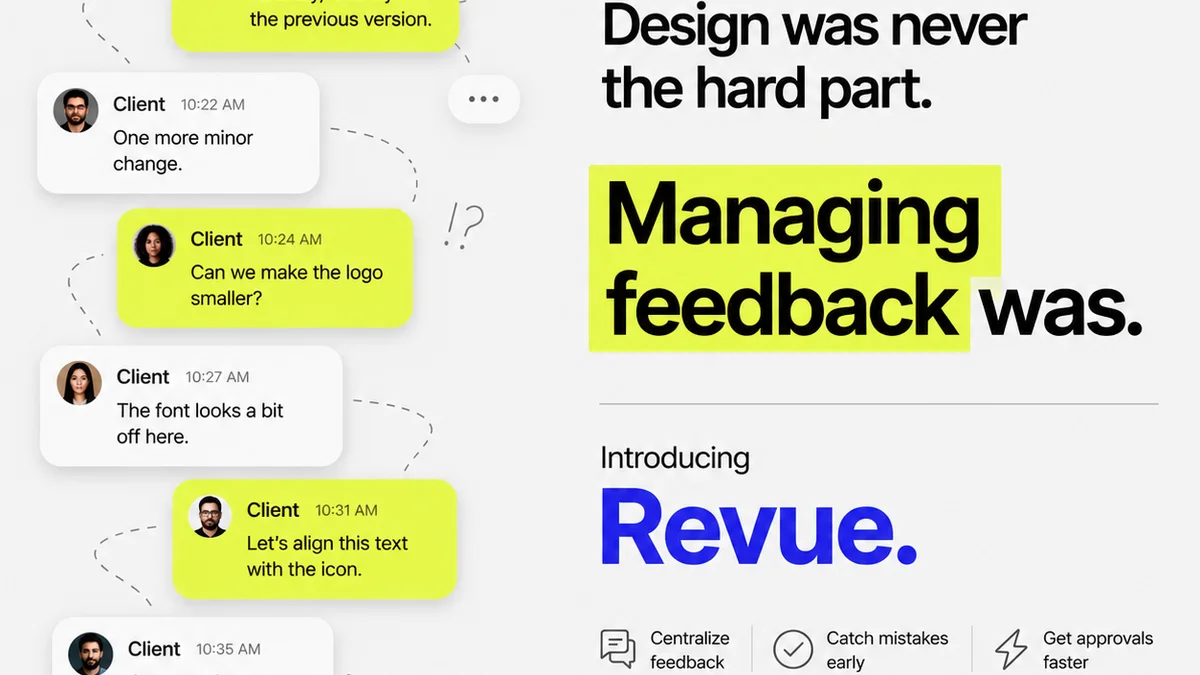
Everyone’s talking about AI creative feedback software. It’s supposed to revolutionize how we handle client input, streamline revisions, and cut down on endless back-and-forth. Sounds great, right?
None of that is wrong. But it’s incomplete.
The hard truth is that AI isn't a magic wand. It’s a tool. And like any tool, its effectiveness depends entirely on how you use it and what you expect from it. Relying solely on AI to manage feedback is a fast track to more confusion, not less.
What agencies *actually* need isn’t just AI that can “process” feedback. They need AI that augments human judgment, clarifies communication, and integrates seamlessly into existing workflows. It’s about enhancing the creative process, not automating it into oblivion.
1. Beyond Transcription: AI That Understands Context
The most basic AI feedback tools can transcribe comments or identify sentiment. That’s table stakes. But truly valuable AI goes deeper. It needs to understand the *context* of the feedback within the creative project.
Think about it. A client might say, “Make it pop more.” What does that mean?
- Is it about color saturation?
- Is it about font weight?
- Is it about the overall energy of the layout?
- Is it a vague feeling they can't articulate?
AI that can’t ask clarifying questions or connect feedback to specific design elements is just a glorified notepad. It doesn't solve the ambiguity problem; it just digitizes it.
Contextual Analysis is Key
Look for AI that can:
- Pinpoint feedback to specific layers, elements, or sections of a design.
- Identify conflicting feedback from different stakeholders.
- Recognize feedback that is subjective vs. objective.
- Flag feedback that is technically impossible or significantly deviates from the brief.
This requires more than just keyword matching. It demands a level of understanding that’s still developing in AI, but some tools are getting closer.
2. The Human Element: Where AI Falls Short (and Why It Matters)
The biggest assumption about AI feedback tools is that they can replace the human mediator. They can't. Creative feedback is rarely just about the pixels on the screen. It’s about strategy, brand, audience perception, and sometimes, just plain gut feeling.
An AI can tell you *what* was said, but it can’t tell you *why* it was said in the way a seasoned creative director can. It can’t read between the lines or understand the unspoken needs of a client relationship.
Creative directors and project managers are the crucial filters. They:
- Translate ambiguous client requests into actionable design tasks.
- Prioritize feedback based on project goals and client strategy.
- Shield designers from unnecessary noise and subjective opinions.
- Negotiate compromises when feedback is conflicting or unrealistic.
- Maintain the creative vision and ensure brand consistency.
AI can assist with these tasks, but it cannot perform them. Any software that claims otherwise is overpromising.
AI as an Assistant, Not a Replacement
The best AI tools will highlight potential issues or summarize feedback, presenting it to the human reviewer for interpretation and action. They act as a highly efficient research assistant, not the decision-maker.
3. Workflow Integration: Don't Add More Friction
The promise of efficiency is why agencies explore new software. But if an AI feedback tool forces you to adopt a completely new, cumbersome workflow, it defeats the purpose.
Think about your current process:
- How is feedback currently captured?
- Where do revisions happen?
- How are approvals tracked?
- What tools are already in play (e.g., project management, design software)?
Your AI solution should complement these existing systems, not disrupt them. Adding another siloed tool that requires manual data entry or complex integrations will kill adoption.
Key Integration Points
Consider AI that can:
- Integrate with your existing project management software (e.g., Asana, Monday.com).
- Connect with design tools (e.g., Figma, Adobe Creative Suite) to apply feedback directly or link comments.
- Work with your version control and asset management systems.
- Provide a single source of truth for feedback and revisions, accessible to all stakeholders.
Seamless integration means less work for your team and a smoother experience for clients.
4. Actionability and Clarity: Turning Noise into Direction
The ultimate goal is clear, actionable feedback that leads to better creative work, faster. AI can help achieve this, but only if it’s designed to.
Vague feedback is the enemy of efficient creative production. “I don’t like it” or “Can we try something else?” are dead ends without further context. AI should help unearth the specifics.
What makes feedback actionable?
- Specificity: Clearly identifies the element to be changed.
- Measurability: Allows the designer to know when the change is complete.
- Achievability: Is technically feasible and within scope.
- Relevance: Aligns with project goals and strategy.
- Time-bound: (Less relevant for AI, more for project management)
AI can flag feedback that lacks these qualities, prompting the reviewer or client to elaborate. It can also categorize feedback by type (e.g., copy edits, color adjustments, layout changes), making it easier to batch similar revisions.
Reducing Ambiguity
Look for tools that can:
- Automatically categorize feedback types.
- Identify subjective vs. objective comments.
- Suggest potential interpretations of ambiguous requests.
- Highlight feedback that contradicts previous decisions or the project brief.
This transforms raw comments into clear directives.
5. Version Control and Revision History: The Audit Trail Matters
Creative projects evolve. Tracking these changes is critical, not just for managing the current project but for future reference, client education, and dispute resolution.
Many AI tools focus solely on the *current* feedback. But what about the history? Knowing which version a piece of feedback was addressed in, who approved it, and what changes were made is vital.
This is where AI can augment traditional version control:
- Linking specific feedback threads to distinct project versions.
- Summarizing the changes made between versions based on feedback.
- Providing a clear, searchable audit trail of all feedback, revisions, and approvals.
This level of transparency builds trust with clients and protects your agency.
Where Revue Fits In
While AI tools can process feedback, managing the entire feedback loop requires a robust system. That’s where Revue comes in.
Revue is built for the realities of creative workflows. It doesn’t try to replace human judgment with AI; instead, it centralizes all feedback, manages revisions, and provides clear visibility into the approval process.
With Revue, you can:
- Centralize Feedback: Consolidate comments from all stakeholders in one place, regardless of how they were initially provided.
- Manage Revisions: Track every iteration, link feedback to specific versions, and ensure nothing gets lost.
- Gain Approval Visibility: See who has reviewed, approved, or requested changes, eliminating guesswork.
- Run Quality Checks: Use the structured workflow to ensure all feedback has been addressed and revisions meet standards before final delivery.
Revue acts as the central nervous system for your creative approvals, ensuring clarity and accountability. It complements AI by providing the essential human oversight and workflow structure that AI alone cannot deliver.
6. Security and Permissions: Protecting Your Creative Assets
When dealing with client feedback, especially on sensitive or proprietary projects, security is paramount. Who can see what? Who can approve? What happens to the data?
AI tools often pull data from various sources or require clients to interact with a new platform. This opens up potential vulnerabilities if not managed correctly.
Look for AI feedback software that offers:
- Robust user permission controls.
- Secure data handling and storage practices.
- Clear policies on data ownership and usage.
- Compliance with relevant data protection regulations (e.g., GDPR).
This isn’t just a technicality; it’s a client trust issue. Breaches can damage reputations and lead to significant legal and financial consequences.
7. Cost vs. Value: Is the AI Worth the Investment?
AI creative feedback software can range from free plugins to expensive enterprise solutions. The price tag often reflects the sophistication of the AI and the depth of integration.
Before investing, ask:
- What specific problems will this AI solve for *our* agency?
- How much time (and therefore money) will it actually save?
- What is the potential ROI in terms of faster turnaround, fewer revisions, or improved client satisfaction?
- Are there hidden costs (e.g., integration fees, training, ongoing support)?
Don’t get dazzled by the AI. Focus on the tangible business value it provides. If it adds complexity without clear benefits, it’s not the right solution.
Final Thought
AI is undeniably changing the landscape of creative feedback. But the core challenge remains human: clear communication, strategic thinking, and effective collaboration. The best AI tools won’t replace these; they’ll enhance them. They’ll help you cut through the noise, clarify the ambiguous, and keep your creative process moving forward. The question isn't whether AI can handle feedback, but whether your chosen tools empower your team to deliver exceptional creative work more effectively. What's your agency's next step in mastering creative feedback?
Frequently asked questions
Can AI replace a creative director for feedback?
No. AI can process and categorize feedback, but it lacks the strategic understanding, contextual nuance, and interpersonal skills of a human creative director who interprets feedback, negotiates with clients, and maintains the creative vision.
What is the most important feature in AI feedback software?
Contextual understanding is crucial. The AI should not just transcribe comments but also link them to specific design elements, identify conflicting feedback, and flag subjective or unachievable requests, aiding human interpretation rather than replacing it.
How should AI feedback tools integrate with existing workflows?
Effective AI tools should integrate seamlessly with project management and design software, minimizing manual data entry and disruption. They should enhance, not complicate, the existing agency workflow, acting as a central point of truth for feedback.
What are the risks of relying too heavily on AI for feedback?
Over-reliance can lead to misinterpretation of ambiguous feedback, loss of human strategic oversight, potential security vulnerabilities if not managed properly, and a workflow that becomes more complex rather than more efficient. It can also lead to a depersonalization of client relationships.