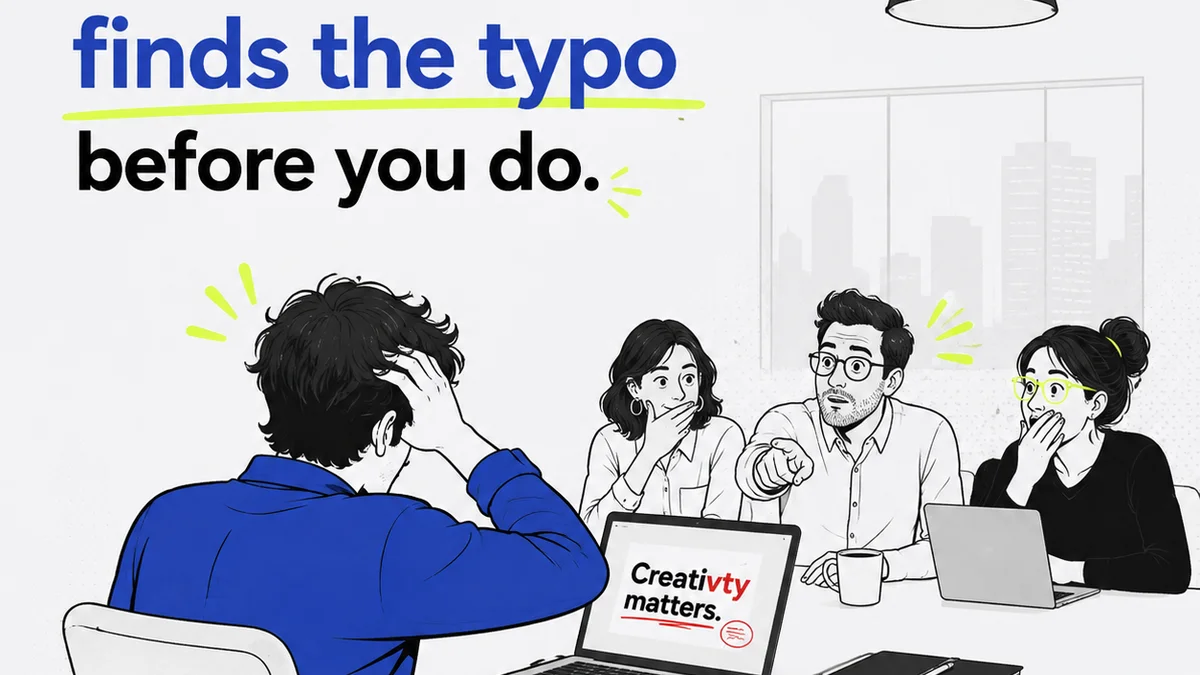
Everyone’s talking about AI in design. It’s going to automate everything, make creatives obsolete, and generally shake up the universe. That’s the headline. None of that is wrong. But it’s incomplete.
The hard truth is that AI doesn’t replace the need for meticulous quality assurance (QA) in design. It changes the *how*. It shifts the focus from tedious, repetitive checks to higher-level strategic validation. If you’re not adapting your QA processes, you’re leaving efficiency and quality on the table.
1. Understand AI's Role in Design QA: Augmentation, Not Automation
The biggest misconception about AI in design QA is that it’s a magic bullet. You plug it in, and suddenly every pixel is perfect. That’s a fantasy.
AI excels at pattern recognition and data analysis at scale. This means it can:
- Identify visual inconsistencies (e.g., color shifts, font mismatches across screens).
- Detect broken links or missing assets.
- Analyze user flow for potential friction points based on historical data.
- Flag accessibility violations (e.g., insufficient color contrast, missing alt text).
- Compare design versions for deviations.
What it *can’t* do is understand brand intent, nuanced user experience, or subjective creative quality. That still requires a human eye.
AI as a Smarter Assistant
Think of AI as your most diligent junior QA tester. It can handle the grunt work, freeing up your senior designers and QA specialists for tasks that require critical thinking and creative judgment.
This isn't about replacing people; it's about augmenting their capabilities. The goal is to achieve faster, more thorough QA cycles without sacrificing the quality that defines great creative work.
2. Define Your AI-Powered QA Workflow
Simply layering AI tools onto an existing, broken QA process won't fix anything. You need to redefine the workflow itself.
Start by mapping out your current QA steps. Identify which tasks are repetitive, time-consuming, and prone to human error. These are prime candidates for AI assistance.
Integrate, Don't Isolate
Your AI QA tools shouldn't live in a vacuum. They need to integrate seamlessly with your design and development tools. This means:
- Connecting AI checkers to your design files (e.g., Figma, Sketch).
- Linking QA reports to your project management or bug-tracking systems (e.g., Jira, Asana).
- Establishing clear handoff points between AI checks, human review, and developer fixes.
The goal is a continuous feedback loop, not a series of disconnected steps.
Establish Clear Triggers and Thresholds
When does an AI flag become a critical issue? When can it be a minor note?
Define clear thresholds for AI-generated issues. For example:
- Critical: Accessibility violations impacting core functionality, broken critical user flows.
- High: Significant visual inconsistencies across key screens, broken essential links.
- Medium: Minor color deviations on non-critical elements, inconsistent spacing on secondary elements.
- Low: Typographical errors in placeholder text, slight alignment issues on decorative elements.
These thresholds dictate whether an issue needs immediate human attention or can be batched for a later review.
3. Select the Right AI Tools for Your Needs
The AI tool landscape is evolving rapidly. Choosing the right ones depends on your specific agency needs and tech stack.
Consider tools that specialize in:
- Visual Regression Testing: Tools that compare screenshots of UI elements across different versions to catch unintended changes.
- Accessibility Auditing: Automated checks for WCAG compliance.
- Code Analysis: For front-end development, identifying potential bugs or performance issues.
- Content Verification: Ensuring text consistency, checking for placeholder text.
Look for tools that offer robust reporting and integration capabilities. A standalone tool that creates another silo is not an improvement.
Pilot and Iterate
Don't go all-in on a new AI tool without testing it. Run a pilot program with a select project or team.
Gather feedback on:
- Accuracy of AI findings.
- Ease of integration.
- Impact on QA cycle time.
- User experience for your QA team.
Use this feedback to refine your workflow and toolset before a full rollout.
4. Human Oversight: The Indispensable Element
This is where the contrarian take truly bites. AI can find bugs, but it can't guarantee quality. That’s a human job.
Your human QA team’s role evolves from bug hunting to:
- Validating AI Findings: Not every AI flag is a real issue. Humans need to confirm and prioritize.
- Strategic Testing: Exploring edge cases, complex user journeys, and subjective experience that AI can’t grasp.
- Brand and Creative Alignment: Ensuring the design meets brand guidelines and creative objectives.
- Usability Testing: Assessing the overall user experience, intuitiveness, and delight factor.
The Nuance AI Misses
Consider a website with a beautiful, minimalist aesthetic. An AI might flag slightly varied shades of white as an inconsistency. A human designer understands this is a deliberate choice for visual depth and hierarchy.
Or think about a complex onboarding flow. An AI can check if all steps are present and functional. It can’t tell you if the tone of voice is off-putting or if the microcopy is confusing.
This human layer is critical for delivering truly exceptional creative work.
5. Train Your Team for the New QA Landscape
Your team needs to understand how to work *with* AI, not just around it.
Training should focus on:
- Understanding AI Outputs: How to interpret reports, identify false positives, and prioritize findings.
- Leveraging AI Tools: Efficiently using the selected AI platforms.
- Developing Strategic Test Cases: Designing tests that complement AI capabilities.
- Collaboration: Working with designers and developers to quickly resolve issues identified by AI and human review.
This is an opportunity for your team to upskill and move into more strategic, less repetitive roles.
Where Revue Fits In
Effectively managing AI-assisted design QA requires a centralized hub for feedback, revisions, and approvals. This is precisely where Revue shines.
With Revue, you can:
- Centralize Feedback: Consolidate comments and annotations from various stakeholders, including those flagged by AI, directly on the creative assets.
- Manage Revisions Visually: Track the evolution of designs through multiple iterations, making it easy to see what changed and why.
- Streamline Approvals: Ensure that all necessary QA checks, both automated and manual, are completed before a design moves to the next stage.
- Maintain Audit Trails: Keep a clear record of all feedback, decisions, and approvals, which is invaluable for post-project analysis and continuous improvement.
Revue helps bridge the gap between AI-driven insights and human decision-making, ensuring that your QA process is efficient, transparent, and ultimately leads to higher-quality creative output.
Final Thought
AI is not a replacement for human expertise in design QA, but a powerful amplifier. The agencies and teams that thrive will be those that thoughtfully integrate AI to automate the mundane, enabling their human talent to focus on the strategic, creative, and nuanced aspects of quality assurance. Are you ready to evolve your QA process, or will you let the hype leave you behind?
Frequently asked questions
Can AI fully automate design quality assurance?
No, AI can automate repetitive checks like visual inconsistencies, broken links, and basic accessibility issues. However, it cannot replace human judgment for understanding brand intent, creative quality, or nuanced user experience.
What is the primary benefit of using AI in design QA?
The primary benefit is increased efficiency and thoroughness. AI handles the time-consuming, repetitive tasks, freeing up human testers to focus on more strategic and creative aspects of quality assurance.
How should agencies integrate AI into their existing QA process?
Agencies should redefine their QA workflow by identifying tasks suitable for AI, selecting integrated tools, establishing clear triggers and thresholds for issues, and ensuring human oversight for validation and strategic testing.
What are the key roles for human QA testers when AI is involved?
Human testers validate AI findings, perform strategic testing for edge cases and complex user journeys, ensure brand and creative alignment, and assess the overall usability and subjective experience of the design.
How does a tool like Revue support AI-assisted design QA?
Revue centralizes feedback, manages revisions visually, streamlines approvals by tracking QA completion, and maintains audit trails. This helps bridge AI insights with human decision-making for a more efficient and transparent QA process.