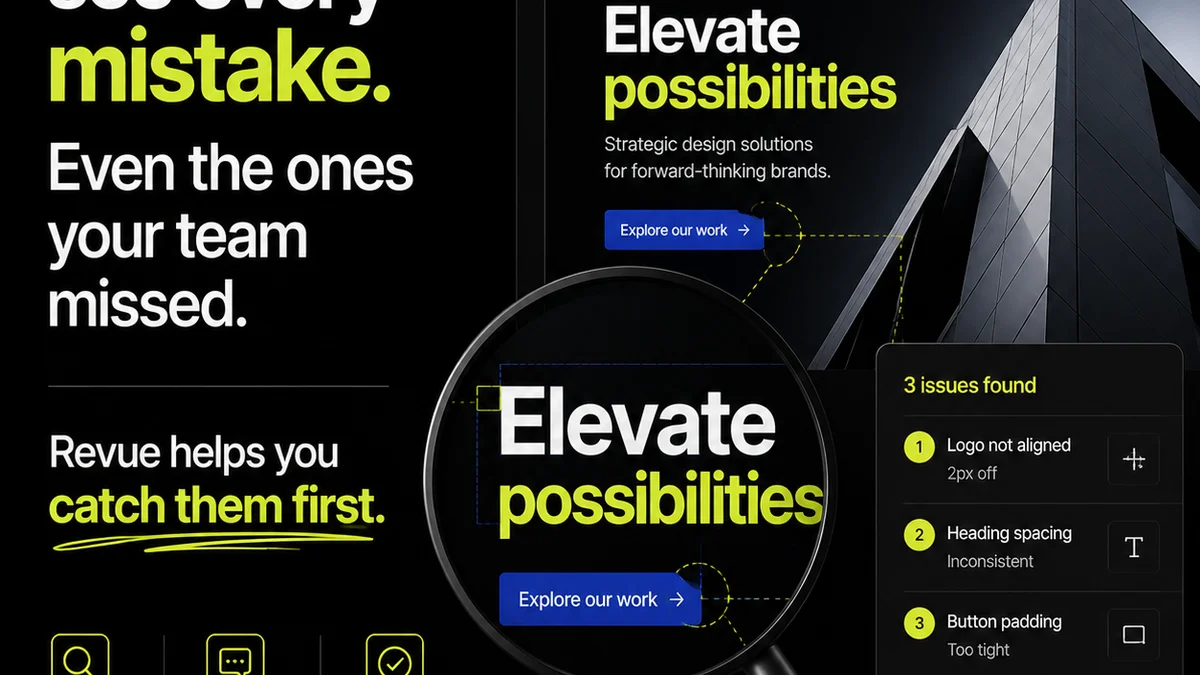
Everyone’s talking about AI design QA software. The promise is seductive: faster checks, fewer errors, smoother client reviews. It sounds like the magic bullet for creative operations.
None of that is wrong. But it’s incomplete.
The real story is that AI can’t replace human judgment. It’s a powerful assistant, not an autonomous quality controller. Agencies that buy into the hype risk automating the wrong things, or worse, introducing new problems.
The hard truth? AI design QA is only as good as the humans who configure and manage it. It’s a tool, and like any tool, its effectiveness depends entirely on how you use it. Focus on AI that augments your existing processes, not on tools that claim to replace them entirely.
1. Beyond Basic Bug Catching: Strategic AI Application
Many AI QA tools focus on surface-level issues: broken links, image resolution, basic accessibility checks. These are table stakes. They’re important, but they don’t address the core of design quality or client satisfaction.
True value lies in AI that can analyze the *intent* and *consistency* of your design work against established project goals and brand guidelines.
What to Look For:
- Brand Consistency Analysis: Can the AI identify deviations from brand color palettes, typography, logo usage, and voice?
- Layout and Alignment Verification: Does it go beyond simple grid checks to ensure visual hierarchy and balance align with design principles?
- Content Appropriateness: Can it flag placeholder text, lorem ipsum, or potentially sensitive content based on project context?
- User Flow Analysis (for interactive design): Does it help identify broken paths or illogical navigation in prototypes?
If a tool only finds broken links, it’s not much of an upgrade.
2. Integration is Key: Connecting the Dots
The biggest operational drain in creative agencies isn't the design work itself; it’s the friction between tools and teams. AI design QA software that operates in a silo is a recipe for more work, not less.
Your AI QA tool needs to plug seamlessly into your existing workflow. This means connecting with your project management systems, your design software, and your client feedback platforms.
Seamless Workflow Integration Means:
- Automated Triggering: QA checks should kick off automatically when a design is ready for review, not require manual initiation.
- Direct Feedback Loops: Identified issues should be actionable, ideally appearing as tasks or comments directly within the relevant design file or project management ticket.
- Version Control Awareness: The AI must understand design iterations, comparing new versions against previous ones and highlighting only *new* or *unresolved* issues.
- Centralized Reporting: QA results should be accessible from a single dashboard, providing a clear overview of project quality across the board.
A tool that requires copy-pasting or manual data entry defeats the purpose of automation.
3. Configurability and Customization: Tailoring to Your Agency
Every agency, and every client, has unique standards. A one-size-fits-all AI QA approach is doomed to fail.
Your AI tool must be flexible enough to adapt to your specific brand guidelines, accessibility standards, and client requirements.
Customization Options to Prioritize:
- Rule Definition: Can you define custom rules for spacing, color contrast, typography, and even content length?
- Brand Guideline Uploads: Does the AI allow you to upload your own brand guides (e.g., PDFs, style guides) for it to reference?
- Accessibility Standards Configuration: Can you specify target WCAG levels (e.g., AA, AAA) and specific checks relevant to your projects?
- Client-Specific Profiles: Can you create distinct QA profiles for different clients with their own unique requirements?
Generic checks miss the nuances that matter to clients.
4. The Human Element: Oversight, Not Abdication
This is where the contrarian take really bites. AI is brilliant at spotting patterns and deviations. It is *not* brilliant at understanding context, intent, or the subjective nature of creative work.
Your team’s expertise is irreplaceable. The AI’s role is to free them from tedious, repetitive tasks so they can focus on higher-level strategic and creative thinking.
AI Augments, It Doesn’t Replace:
- Reviewing AI Findings: A human must always review the AI’s flagged issues. Is it a genuine problem, or a false positive?
- Interpreting Nuance: AI can’t grasp subtle design choices or the strategic rationale behind them.
- Client Communication: Explaining design decisions and addressing subjective feedback requires human empathy and understanding.
- Strategic Quality Control: AI can check for adherence to rules, but humans define and refine those rules based on project success.
Treat AI as your most diligent junior QA analyst. They're great at spotting typos, but you still need a senior strategist to approve the final copy.
5. Data Security and Privacy: Non-Negotiable
You're entrusting your creative assets and potentially client data to this software. Security cannot be an afterthought.
Understand exactly where your data is stored, how it's protected, and who has access to it.
Crucial Security Considerations:
- Data Encryption: Is data encrypted both in transit and at rest?
- Access Controls: Are there robust user authentication and authorization mechanisms?
- Compliance: Does the vendor comply with relevant data privacy regulations (e.g., GDPR, CCPA)?
- IP Protection: What measures are in place to protect your intellectual property and that of your clients?
Vet your AI vendor as thoroughly as you would any other critical business partner.
Where Revue Fits In
AI design QA tools are powerful, but they are most effective when they operate within a system designed for clear communication and streamlined approvals. That’s where Revue shines.
Revue centralizes client feedback, making it easy to track comments, resolve queries, and get clear sign-offs. When an AI QA tool flags an issue, that finding can be integrated into the Revue workflow. Instead of a scattered email chain or a confusing spreadsheet, the issue is logged, assigned, and tracked alongside all other feedback.
This ensures that AI-identified issues are treated with the same clarity and accountability as feedback coming directly from the client or internal stakeholders. It creates a single source of truth for all creative revisions, ensuring quality checks are comprehensive and approvals are definitive.
Final Thought
AI design QA software isn't a replacement for skilled creative professionals or robust review processes. It's an amplifier.
Are you looking to automate tedious checks and augment your team's capabilities, or are you hoping for a black box that magically solves all your quality problems? Your answer dictates which AI tools will truly serve your agency.
Frequently asked questions
Can AI design QA software replace human reviewers?
No. AI is excellent at identifying objective errors and deviations from predefined rules. However, it lacks the contextual understanding, subjective judgment, and strategic insight that human reviewers provide. AI should be seen as a powerful assistant, not a replacement.
What are the most important features to look for in AI design QA software?
Key features include deep integration with existing tools, advanced configurability for custom brand guidelines and rules, brand consistency analysis beyond basic checks, and robust data security protocols. The ability to customize accessibility standards is also crucial.
How can AI design QA software improve client feedback processes?
By automating the identification of objective errors, AI QA software ensures that client feedback sessions can focus on subjective creative merit and strategic alignment, rather than basic technical flaws. It also helps standardize the quality of work submitted for review.
What are the risks of relying too heavily on AI for design QA?
Over-reliance can lead to the automation of incorrect processes, the introduction of new subtle errors that AI misses, a decline in human critical thinking skills, and a failure to adapt to unique project nuances or client needs not covered by the AI's programming.