Everyone’s talking about AI design review software. It’s the hot new thing, promising to automate feedback, catch errors, and speed up approvals. Many assume that just plugging in an AI tool means your design review process will magically transform.
None of that is wrong. But it’s incomplete.
The real hard truth is that AI design review software isn't a silver bullet. It's a tool. And like any tool, its effectiveness depends entirely on how you use it, and what you expect from it. The hype often obscures the operational realities of agency workflows.
What actually matters is integrating AI into a system that supports, rather than disrupts, your creative process. It’s about augmenting human judgment, not replacing it. Let’s break down what to look for.
1. Beyond Automated Redlines: Contextual Understanding
The most basic AI design tools can flag contrast issues or check for accessibility standards. That’s table stakes.
True AI design review software needs to go deeper. It should offer contextual understanding of the design itself.
What to Look For:
- Semantic Analysis: Can the AI understand the *purpose* of an element? For example, differentiating between a primary call-to-action button and a secondary link.
- Brand Consistency Checks: Beyond just color palettes, can it identify off-brand typography, image styles, or tone of voice in copy?
- User Flow Logic: For interactive designs, can it flag potential dead ends or illogical user journeys based on common patterns?
Generic checks are helpful. But AI that understands the *why* behind design decisions is where the real efficiency gains lie. This means less time spent by humans explaining the obvious, and more time spent on strategic feedback.
2. Seamless Integration, Not Disruption
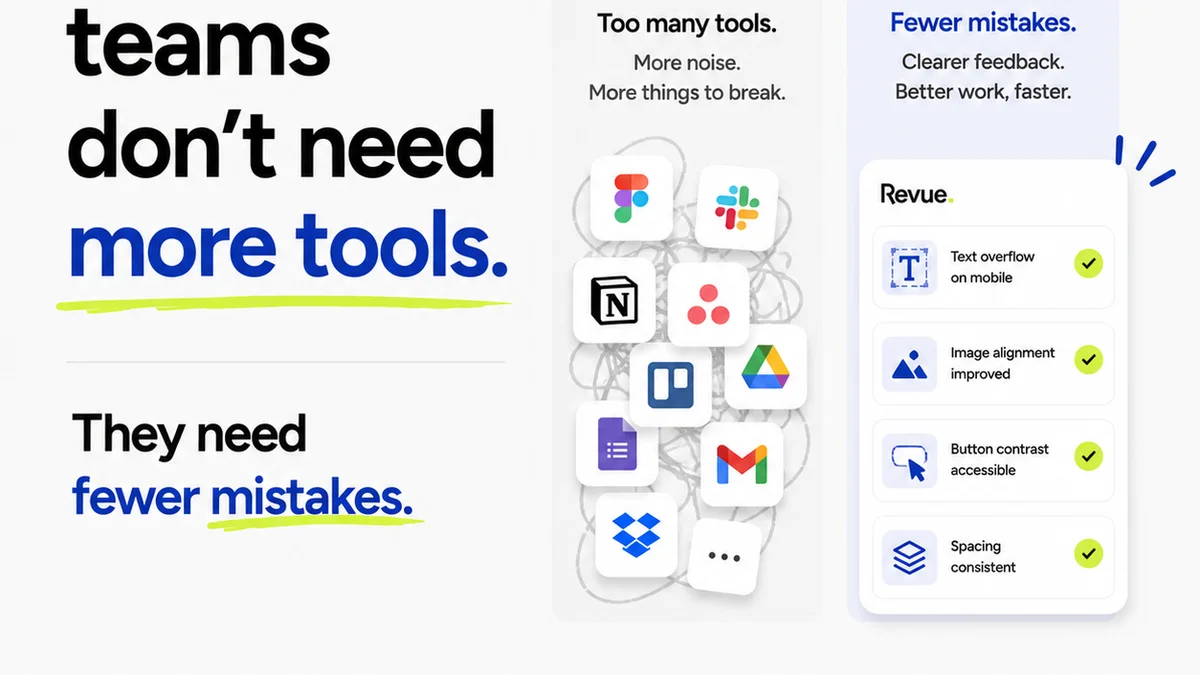
The biggest operational pitfall with new software is disruption. If your AI tool doesn’t play nice with your existing stack, it creates more work, not less.
Think about your current workflow. Where does feedback happen now? How are revisions tracked? How are approvals managed?
Key Integration Points:
- Design Tool Compatibility: Does it integrate directly with Figma, Adobe Creative Suite, Sketch, or other tools your team uses daily? Real-time updates are key.
- Project Management Sync: Can it push feedback and tasks into Asana, Jira, Monday.com, or your preferred PM tool?
- Communication Channels: Does it connect with Slack or Microsoft Teams for notifications and quick discussions?
If the AI tool requires manual data entry or switching between five different platforms to get a single piece of feedback, its adoption rate will plummet. It needs to feel like a natural extension of your existing process.
Avoid tools that force you to change your entire workflow just to accommodate them.
3. Actionable Insights, Not Just Data Points
AI can generate a lot of data. The challenge is turning that data into actionable insights.
A report listing 50 potential issues is overwhelming if it doesn’t tell you which ones are critical and why.
What Makes Insights Actionable:
- Prioritization: Can the AI rank issues by severity or impact on the user experience or business goals?
- Root Cause Analysis: Does it just flag an error, or does it suggest *why* the error occurred and how to fix it?
- Trend Identification: Over time, can it identify recurring issues with specific designers, clients, or project types? This is invaluable for training and process improvement.
The goal is to reduce the cognitive load on your team. AI should filter the noise, highlighting what truly needs attention, allowing designers and reviewers to focus on strategic problem-solving.
4. Collaborative Features: Augmenting Human Review
This is where the contrarian take comes in. AI design review software is often pitched as a replacement for human reviewers. That’s a mistake.
The real power lies in AI *augmenting* human collaboration. It’s about making human reviews more efficient and effective.
Augmented Collaboration Means:
- Shared Context: AI can provide objective data points that everyone on the team can see and discuss, reducing subjective arguments.
- Faster Triage: AI can handle the initial pass, flagging obvious issues, so human reviewers can focus on higher-level strategic and creative feedback.
- Clearer Communication: Standardized feedback formats from AI can ensure clarity and reduce misinterpretation.
- Client Involvement: When appropriate, AI can pre-filter feedback for clients, presenting them with curated, actionable points rather than a deluge of technical jargon.
Think of AI as a super-powered assistant, not the lead reviewer. It supports the team, providing data that fuels better human decisions.
5. Adaptability and Customization
Every agency, and every client, is different. A one-size-fits-all AI solution will always fall short.
Your AI design review software needs to adapt to your specific needs.
Customization Options:
- Configurable Rules: Can you set custom brand guidelines, accessibility targets, or compliance rules specific to your clients or industry?
- Learning Capabilities: Does the AI learn from your team’s feedback and corrections over time, becoming more attuned to your specific standards?
- Workflow Triggers: Can you set up rules for when AI review should be triggered (e.g., before client presentation, after a specific number of revisions)?
Generic AI is less useful than AI that understands your unique operational context. The more adaptable the tool, the more value it will provide long-term.
Where Revue Fits In
While AI can automate many aspects of design review, the core challenges of managing feedback, revisions, and approvals remain. This is where a platform like Revue becomes essential.
AI tools can flag potential issues, but they don’t inherently manage the lifecycle of that feedback. Revue centralizes all client feedback, whether it comes from an AI tool, an email, or a direct comment. This ensures nothing gets lost.
It provides a single source of truth for revisions and approvals, giving you clear visibility into the project's status. You can track who said what, when it was addressed, and when final sign-off was given. This structured approach is critical for maintaining project momentum and client trust.
Furthermore, Revue helps maintain quality by ensuring that all feedback, AI-generated or human, is captured, actioned, and approved within a controlled process. It bridges the gap between AI-driven insights and the practical, collaborative reality of agency work.
Final Thought
AI design review software is evolving rapidly. It offers incredible potential to streamline workflows and improve quality. But the key is to look beyond the buzzwords.
Focus on tools that offer contextual understanding, seamless integration, actionable insights, and foster human collaboration. Don't chase automation for its own sake.
Ask yourself: Is this AI tool truly making my team smarter and more efficient, or is it just adding another layer of complexity?
Frequently asked questions
Can AI replace human designers in the review process?
No, AI is best used to augment human review. It can automate basic checks and provide data, but it lacks the strategic thinking, creative judgment, and contextual understanding of human designers and reviewers.
What are the most important features of AI design review software for agencies?
Key features include contextual understanding beyond simple redlines, seamless integration with existing design and PM tools, actionable and prioritized insights, robust collaborative capabilities, and adaptability/customization to specific agency or client needs.
How does AI design review software help with client feedback?
AI can help by pre-filtering feedback, identifying the most critical issues, and presenting them in a clear, actionable format. This reduces the volume of raw data clients need to process, making their feedback more efficient and focused.
Is AI design review software suitable for small agencies?
Yes, AI design review software can be very beneficial for small agencies by automating time-consuming tasks, improving consistency, and allowing smaller teams to punch above their weight in terms of quality and efficiency. The key is choosing a tool that scales with their needs and integrates well.