Everyone’s talking about AI search. It’s going to revolutionize how we find information, right? It’s going to make content creation faster, smarter, and more intuitive.
None of that is wrong. But it’s incomplete.
The real hard truth? AI search, like any new tool, amplifies your existing operations. If your content operations are a mess, AI search will make that mess bigger, faster. If they’re solid, AI search can become a powerful lever.
This isn't about adopting the latest tech for its own sake. It's about building a resilient content workflow that can actually leverage AI search effectively. Here’s your checklist.
1. Audit Your Current Content Operations
Before you even think about AI search, you need to know what you’re working with. What’s your current content lifecycle? Where are the bottlenecks? Where does feedback get lost?
AI search promises to surface information. But what information is it surfacing? Is it accurate? Is it organized? Or is it just a faster way to find garbage?
Map Your Content Flow
Start by mapping your entire content process:
- Briefing and strategy
- Creation and drafting
- Internal reviews and edits
- Client feedback loops
- Revisions and approvals
- Final delivery and archiving
Be brutal. Identify every single step, every handoff, every tool used.
Identify Data Silos
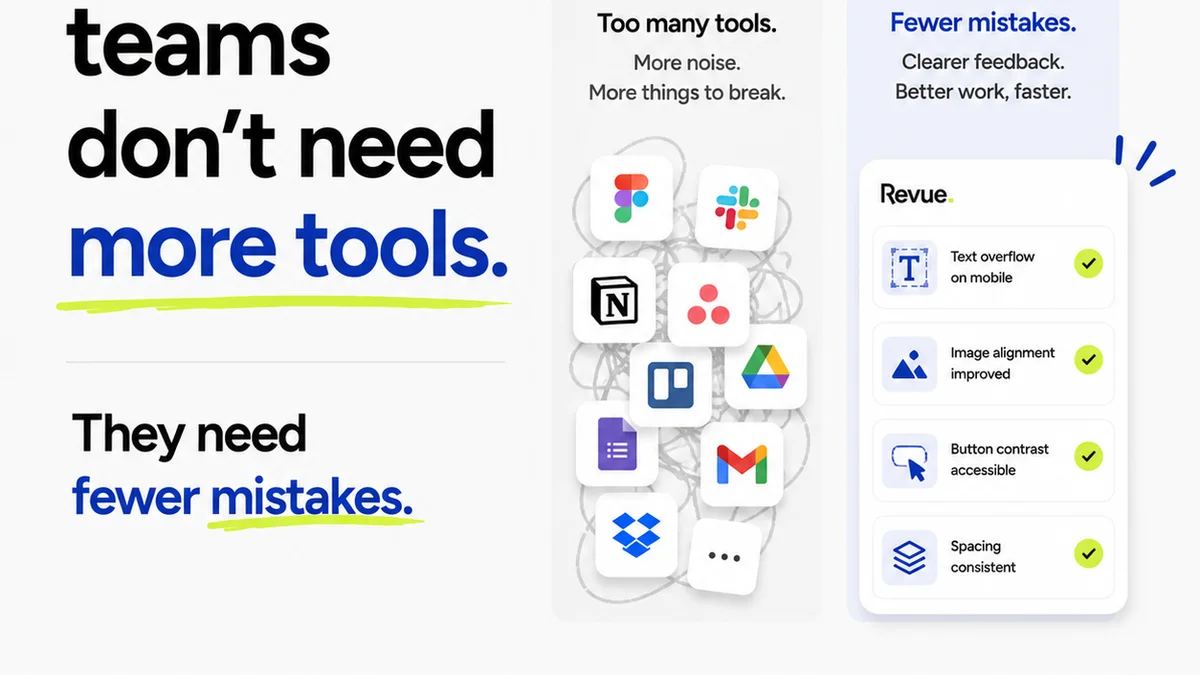
Where does information live? Is it in Slack, email, Google Docs, project management tools, design software, or a mix of everything?
AI search needs data to work. If your data is scattered, the AI’s output will be too. This is the foundational problem that AI search *doesn't* solve on its own.
Assess Feedback Mechanisms
How is feedback collected? Is it structured? Is it actionable? Or is it a free-for-all of subjective comments?
Poor feedback processes lead to endless revision cycles. AI search can help find past feedback, but it can’t magically make that feedback clear or consistent.
2. Define Your AI Search Use Cases
Once you know your operational landscape, you can start defining *specific* problems AI search can help solve. Don’t just think “search better.” Think:
Finding Past Assets
Need to find a specific image from a campaign two years ago? AI search, if trained on your asset library, can be faster than manual digging.
Research and Inspiration
Looking for trends, competitor analysis, or past project case studies? AI can synthesize information from a vast corpus of your internal documents.
Onboarding New Team Members
New hires need to understand brand guidelines, past project learnings, and internal processes. AI search can provide quick answers.
Knowledge Management
What are the key takeaways from client meetings? What are the common questions clients ask? AI can surface this knowledge efficiently.
The key is to connect AI search directly to a tangible operational need. Vague goals lead to vague, unhelpful results.
3. Prepare Your Content for AI Indexing
AI search engines crawl and index content. If your content is messy, the index will be messy. This is where good content operations become critical.
Standardize File Naming and Metadata
Consistent naming conventions and rich metadata are crucial. Think descriptive file names, relevant tags, and clear project identifiers.
This isn't just good practice; it's essential for AI to understand context.
Organize Your Digital Assets
Implement a clear folder structure and taxonomy for all your creative assets. Use a Digital Asset Management (DAM) system if possible.
AI needs structure to find what you're looking for. Chaos in your folders means chaos in the search results.
Clean Up Documentation
Ensure project briefs, strategy documents, and client communication are clear, concise, and well-organized. Remove redundant or outdated information.
AI can’t discern good information from bad if it’s all piled together. Quality in, quality out.
4. Integrate AI Search into Your Workflow
This is where the rubber meets the road. How do you make AI search a practical part of your day-to-day?
Pilot with a Specific Team or Project
Don't roll out AI search company-wide overnight. Start with a small pilot. Test it on a specific type of task or project.
Gather feedback. Iterate. Learn what works and what doesn’t before scaling.
Train Your Team
Your team needs to understand how to use the AI search tool effectively. This includes prompt engineering basics and understanding the tool’s limitations.
It’s not magic. It requires skill to get the best results.
Set Realistic Expectations
AI search is powerful, but it's not infallible. It can hallucinate, misunderstand context, or provide outdated information. Your team needs to be aware of this.
Emphasize critical thinking and verification. Never blindly trust AI output.
Establish Feedback Loops for the AI Itself
If the AI search provides incorrect or unhelpful results, there needs to be a way to flag it. This helps improve the AI over time.
This is a form of quality control for your AI tool.
5. Where Revue Fits In
AI search can help you *find* information. But what about managing the *creation* and *approval* of that information? That’s where robust content operations tools shine.
Revue is designed to streamline the chaos that AI search can’t touch.
Centralized Client Feedback
Instead of hunting through emails and Slack messages, all client feedback lives in one place, directly on the creative asset. AI search might help you *find* a past feedback document, but Revue ensures you have *this* feedback, clearly organized and contextualized, right now.
Revision and Approval Visibility
AI search can’t tell you who approved what, when, or why. Revue provides a clear audit trail of every revision and approval, reducing ambiguity and disputes.
Quality Control
Ensuring creative work meets client expectations is paramount. Revue’s structured review process helps catch issues before they become costly problems. AI can help you find past quality checklists, but Revue helps you *execute* them consistently.
AI search is a powerful discovery tool. Revue is your operational backbone for creative production.
6. The Ongoing Evolution
The AI landscape is changing by the week. Your content operations strategy needs to be adaptable.
Stay Informed, Not Overwhelmed
Keep an eye on AI developments, but focus on how they *practically* apply to your workflow. Don’t chase every shiny new object.
Iterate Your Processes
Your initial AI search integration won’t be perfect. Regularly review your workflow, gather team feedback, and make adjustments.
Content operations are never truly
Frequently asked questions
How does AI search differ from traditional search engines?
Traditional search engines primarily match keywords to indexed web pages. AI search, particularly generative AI, can understand natural language queries, synthesize information from multiple sources, and provide conversational, summarized answers rather than just a list of links.
What are the biggest risks of implementing AI search without good content operations?
The primary risks include surfacing inaccurate or outdated information, creating more data silos if not integrated properly, overwhelming teams with irrelevant results, and amplifying existing inefficiencies in content creation and retrieval. It can make a bad situation worse, faster.
How can agencies ensure the AI search tool is trained on the right data?
Agencies need to ensure their internal content is well-organized, properly tagged, and free of redundant or erroneous information *before* indexing. This involves standardizing file naming, metadata, and documentation. The quality of the AI's output is directly dependent on the quality of the data it indexes.
Is AI search a replacement for Digital Asset Management (DAM) systems?
No, AI search is not a replacement for DAM systems. While AI search can help locate assets, a DAM provides essential functionalities like structured organization, version control, rights management, and detailed metadata management that AI search alone does not offer. They are complementary tools.