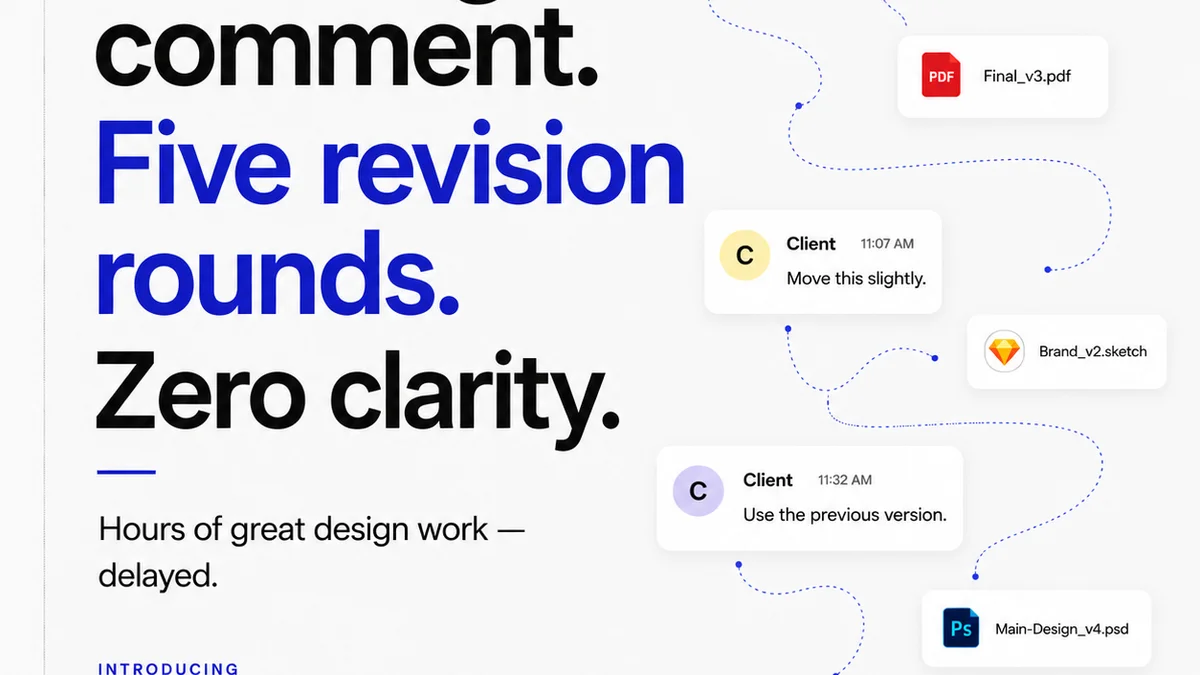
Everyone thinks they know how to give feedback. Just leave a comment, right? Make a mark, type a note. Simple.
None of that is wrong. But it’s incomplete.
The hard truth is that most teams treat annotation like an afterthought. They use whatever tool is easiest at the moment, ignore context, and end up with a mess of conflicting notes, missed revisions, and frustrated clients. This isn't just inefficient; it actively damages creative output and client trust.
Mastering your annotation workflow is about more than just leaving notes. It’s about establishing a clear, consistent process that ensures feedback is actionable, revisions are tracked, and quality is maintained. It’s the bedrock of efficient creative production.
1. Define Your Annotation Protocol
Before anyone picks up a digital pen, you need a rulebook. This isn't about stifling creativity; it's about channeling it effectively. A clear protocol ensures everyone understands what's expected, reducing ambiguity and wasted time.
Establish Feedback Types
Not all feedback is created equal. Differentiate between:
- Essential Revisions: Must-haves that directly impact the brief or core objectives.
- Suggestions: Ideas that could improve the work but aren't strictly necessary.
- Personal Preferences: Subjective opinions that should be identified as such and handled with care.
This simple categorization helps prioritize what needs to be addressed and what can be discussed or politely declined.
Standardize Annotation Location
Where a comment is placed matters. Are you dropping a pin directly on an element? Or a general note about a section? Use consistent placement to avoid confusion.
For example, if a client wants to change the color of a button, the annotation should be *on the button*, not in a general comment about the header.
Mandate Contextual Notes
A single word or phrase is rarely enough. Every annotation needs context. Why is this change needed? How does it align with the project goals?
“Make this pop more” is useless. “Increase contrast on the CTA button to improve click-through rate, aligning with the conversion goal” is actionable.
Set Annotation Deadlines
Feedback windows are crucial. Define when feedback is due and stick to it. Unchecked feedback loops kill project momentum.
2. Choose the Right Tools (and Use Them Wisely)
The tool is secondary to the process, but a bad tool can cripple even the best intentions. Avoid ad-hoc solutions that create silos.
Centralize Your Feedback Hub
Scattered feedback across emails, Slack messages, and random screenshots is a recipe for disaster. You need a single source of truth for all project comments and revisions.
This is where dedicated platforms shine. They consolidate all communication and markups in one place, visible to everyone involved.
Understand Tool Capabilities
Different tools excel at different things. A design tool like Figma is great for in-line design comments during the creation phase. A project management tool with annotation features can be better for client approvals on final assets.
Don't try to force a tool into a role it wasn't designed for. If your annotation tool can't handle version tracking, you'll need to supplement it elsewhere.
Integrate Where Possible
Look for tools that connect with your existing stack. Seamless integration reduces manual data entry and prevents information loss.
Imagine a world where feedback from your annotation tool automatically updates a task in your project management system. That’s the goal.
3. Streamline the Revision and Approval Process
Annotation is just the start. The real work happens when you translate that feedback into action and get formal sign-off.
Assign and Track Revisions
Once feedback is consolidated, clearly assign each revision to a team member. Use your project management system to track progress.
Every annotation should correspond to a task, a sub-task, or a clear action item. No more “Did someone handle that note?” guesswork.
Visualize the Revision History
Clients often forget what they’ve already approved or changed. A clear visual history of revisions helps manage expectations and prevent scope creep.
Show them the evolution of the design. Highlight what changed and why, linking back to the original feedback.
Implement Clear Approval Gates
Define what constitutes approval. Is it a formal sign-off button? An email confirmation? A specific number of revision rounds?
Ambiguous approval processes lead to endless
Frequently asked questions
What is an annotation workflow?
An annotation workflow is a structured process for providing, receiving, and acting upon feedback and markups on creative assets. It ensures clarity, consistency, and efficiency in the feedback loop.
Why is a standardized annotation protocol important?
A standardized protocol prevents ambiguity by defining feedback types, placement, required context, and deadlines. This leads to more actionable feedback, fewer misunderstandings, and faster revisions.
How can I prevent scope creep with annotations?
Clearly define feedback types (essential vs. suggestion vs. preference) and establish formal approval gates. Visualize revision history to remind clients of previous decisions and manage expectations.
What's the difference between design tool comments and project management annotations?
Design tool comments are typically for real-time, in-context feedback during the creation phase. Project management annotations are often part of a broader approval process, tracking feedback, revisions, and sign-offs across the project lifecycle.