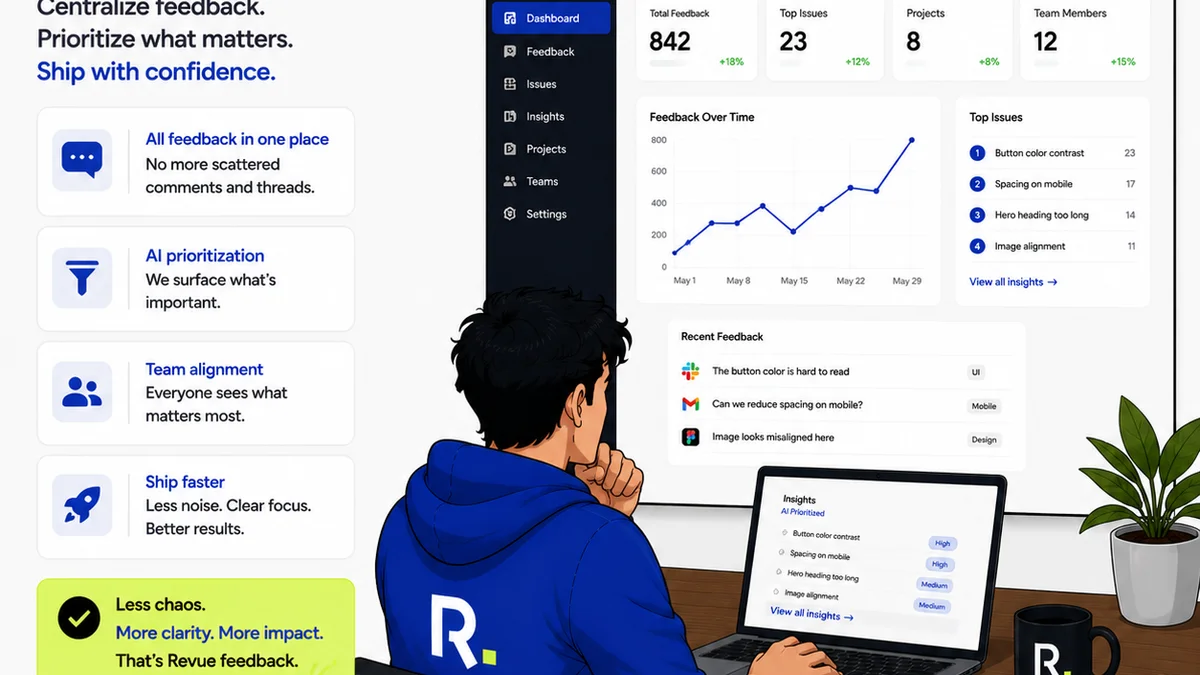
Most teams think of annotations as just digital sticky notes. Drop them on a design, add a quick comment, and move on. It's easy. It's fast. It feels productive.
None of that is wrong. But it’s incomplete.
The hard truth? A truly effective annotation workflow isn't about *where* you put the notes, but *how* you manage them. It's about transforming scattered feedback into actionable intelligence that drives projects forward, not just sideways.
1. Beyond the Red Pen: What is Annotation, Really?
At its core, annotation is about adding context to digital content. This could be a design mockup, a video, a PDF document, or even a website.
But in a professional creative context, it's more than just marking up.
The Misconception: Simple Feedback Capture
The common assumption is that annotation tools are just for collecting client comments. You click, you type, you save. Done.
This view misses the critical stages that follow.
The Deeper Truth: Structured Communication
A robust annotation workflow treats comments as structured data. Each annotation should carry:
- The specific element being referenced.
- The precise nature of the feedback (e.g., edit, question, approval).
- The user providing the feedback.
- The date and time.
- A clear status (e.g., new, addressed, resolved).
This structured approach is what separates mere note-taking from effective project management.
2. The Anatomy of an Effective Annotation Workflow
A messy annotation process leads to missed feedback, endless clarification loops, and frustrated clients. An organized one streamlines approvals and builds trust.
2.1. Centralized Collection Point
Feedback should land in one place. Whether it's a design file, a video, or a webpage, the tool should be consistent.
Scattered feedback across email, chat, and random documents is a recipe for disaster. It guarantees things get lost.
2.2. Clear Context and Reference
An annotation needs to be unambiguous. If a client says, “This needs to be better,” what does that even mean?
Good annotation connects the comment directly to the specific element. Think visual callouts, precise coordinates, or element IDs.
2.3. Actionable Status Tracking
A comment isn't useful if it just sits there. It needs a lifecycle.
- New: Feedback received, awaiting review.
- Acknowledged: Team has seen it and is considering it.
- In Progress: Action is being taken.
- Resolved: The feedback has been addressed or implemented.
- Needs Clarification: More information is required from the commenter.
- Rejected: The feedback will not be implemented, with a clear reason.
This transparency manages expectations and ensures accountability.
2.4. Revision and Approval Visibility
Everyone needs to see what’s been done. When a client approves a revision, that needs to be logged. When they reject it, that needs context.
This creates an undeniable audit trail, crucial for scope management and final sign-offs.
2.5. Quality Assurance Integration
Annotations aren't just for clients. Your internal team needs them for QA checks.
This ensures that implemented feedback hasn't broken something else. It’s the final gate before delivery.
3. Common Pitfalls in Annotation Workflows
Many teams stumble here. They think they're annotating, but they're just creating noise.
3.1. The
Frequently asked questions
What is the primary benefit of a structured annotation workflow?
A structured annotation workflow transforms scattered feedback into actionable insights, ensuring clarity, accountability, and efficient project progression, ultimately leading to better client satisfaction and fewer errors.
How can annotations help manage scope creep?
By providing a clear, documented record of all feedback, discussions, and approvals linked directly to specific project elements, annotations help identify when new requests fall outside the original scope, allowing for proper scope adjustment discussions.
Can annotations be used for internal team collaboration, not just client feedback?
Absolutely. Annotations are invaluable for internal reviews, design critiques, and quality assurance checks. They ensure all team members are working from the same, clearly documented feedback, reducing misinterpretations and speeding up internal processes.
What are the key elements of an actionable annotation?
An actionable annotation clearly identifies the specific element being discussed, provides precise feedback (not vague statements), includes the commenter's identity, and has a traceable status (e.g., new, addressed, resolved).