You probably think of design annotations as simple notes. A way to point out a pixel here, a typo there. Maybe a quick sketch to show a button should be bigger. None of that is wrong. But it’s incomplete.
The hard truth? Your annotation workflow is either a silent killer of project efficiency or a secret weapon for rock-solid client relationships and lightning-fast revisions. Most teams treat it like a chore, not a strategic asset.
1. Annotations Aren't Just for Feedback; They're for Clarity
Client feedback is notoriously vague. "Make it pop." "I'm not feeling this." "Can we try something else?" Sound familiar?
Annotations are your first line of defense against that ambiguity. They force specificity. They translate subjective feelings into actionable direction.
The Problem with Vague Feedback
When feedback lacks detail, designers are left guessing. This leads to:
- Endless revision cycles
- Frustrated clients who feel ignored
- Wasted billable hours
- A decline in creative quality
Good annotation practice demands that feedback providers specify *what* they want changed and *why*. This isn't about being difficult; it's about being precise.
Translating Subjectivity into Action
An annotation that says, "This section feels too busy," is useless. An annotation that says, "Reduce the number of images in the hero section from three to one, and increase the headline font size by 10px to improve readability," is gold.
This level of detail prevents misinterpretation. It sets clear expectations for what the next iteration should look like.
2. The Hidden Cost of Poor Annotation Tools
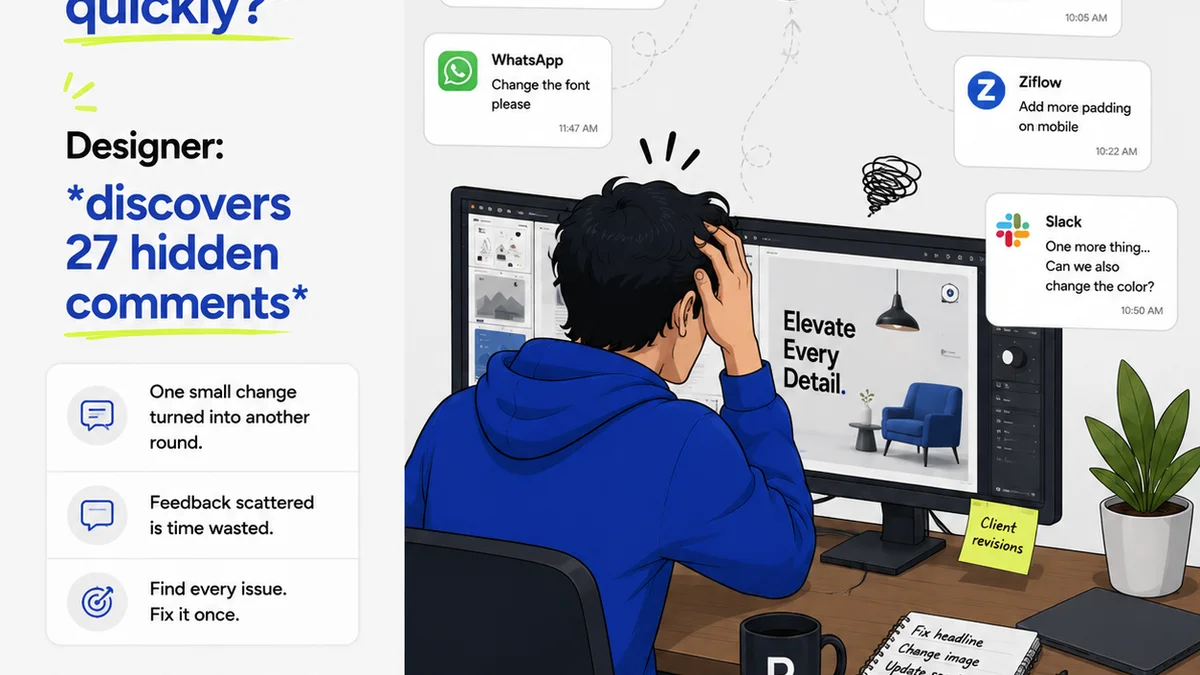
Many agencies rely on email chains, scattered Slack messages, or even screenshots with scribbled notes. This isn't just messy; it's a recipe for disaster.
You're not just losing time; you're risking critical details falling through the cracks.
The Email/Chat Black Hole
When feedback lives in emails or chats, it's easily lost. Finding that one crucial comment from three weeks ago can feel like an archaeological dig.
This fragmented communication means designers often have to hunt for context, leading to:
- Missed instructions
- Duplicate work
- Confusion over which version of feedback is the latest
The Screenshot Nightmare
Annotating directly on static screenshots is a step up, but it's still limited. These annotations are often disconnected from the actual design file. When the design updates, the annotations become obsolete.
This disconnect causes:
- Confusion about what element the annotation refers to in the live design
- Difficulty in tracking the resolution of feedback
- A manual process of re-annotating on new mockups
The tools you use directly impact the quality and efficiency of your feedback loop.
3. Streamlining Revisions with Structured Annotations
Annotations aren't just about capturing feedback; they're about managing the revision process itself. A structured approach makes revisions predictable, not chaotic.
The Revision Log: Your Project's Memory
Think of your annotation system as a living revision log. Every piece of feedback, every change made, every approval should be recorded and traceable.
This log provides:
- A clear history of project evolution
- Accountability for decisions made
- A single source of truth for all stakeholders
From Feedback to Actionable Tasks
Effective annotation workflows transform raw feedback into clear, actionable tasks for your design team. This means the feedback provider clearly states the requested change, and the designer can easily see and act upon it.
When feedback is linked directly to the design element it pertains to, and the resolution is marked, the entire revision process becomes transparent.
4. The Ripple Effect: Beyond the Design File
A robust annotation workflow benefits more than just the design team. It impacts project management, client satisfaction, and even your bottom line.
Project Management Efficiency
Project managers can use annotations to track progress, identify bottlenecks, and ensure all feedback is addressed. They gain visibility into the revision status without constant check-ins.
This translates to:
- More accurate project timelines
- Better resource allocation
- Reduced risk of scope creep
Client Confidence and Trust
When clients see their feedback clearly understood, acted upon, and tracked, their confidence soars. They feel heard and valued.
This builds:
- Stronger client relationships
- Increased likelihood of repeat business
- Positive referrals
Financial Impact
Time spent chasing feedback, deciphering notes, or redoing work is billable time lost. Efficient annotation workflows minimize this wasted effort.
This means:
- More profitable projects
- Happier, more productive teams
- The ability to take on more work
5. Where Revue Fits In
This is where a centralized platform for creative feedback and approvals becomes essential. Trying to manage complex annotation workflows with disparate tools is a losing battle.
Revue provides a single source of truth for all creative assets and their associated feedback. Instead of scattered emails and chat messages, you have:
- Centralized feedback: All client comments, questions, and approvals live directly on the creative asset. No more hunting.
- Clear revision tracking: See exactly what feedback was given, what changes were made, and by whom. This visibility is crucial for managing expectations and ensuring quality.
- Streamlined approvals: Formalize the approval process, reducing ambiguity and speeding up project sign-offs.
- Version control: Easily manage different versions of creative work, ensuring everyone is referencing the latest iteration.
By bringing annotation and revision management into one organized system, Revue helps agencies and creative teams move faster, reduce errors, and build better client relationships.
Final Thought
The next time you look at a design annotation, don't just see a comment. See a critical piece of project infrastructure. Is your current annotation workflow building a bridge or a bottleneck?
Frequently asked questions
What is a design annotation?
A design annotation is a note or mark added directly to a design or creative asset to provide specific feedback, instructions, or clarification. It aims to make feedback precise and actionable, moving beyond vague comments.
Why is a structured annotation workflow important?
A structured annotation workflow ensures that feedback is clear, organized, and traceable. It reduces misinterpretation, streamlines the revision process, improves communication between teams and clients, and ultimately leads to more efficient project delivery and higher client satisfaction.
How do annotations help manage revisions?
Annotations act as a detailed revision log. By linking feedback directly to specific design elements and tracking their resolution, teams can manage changes systematically. This prevents details from being lost, clarifies what needs to be done, and provides a clear history of project evolution.
Can annotation tools impact project profitability?
Yes. Inefficient annotation and feedback processes lead to wasted time, duplicate work, and extended project timelines. A streamlined, centralized annotation workflow minimizes these inefficiencies, saving billable hours and increasing project profitability.