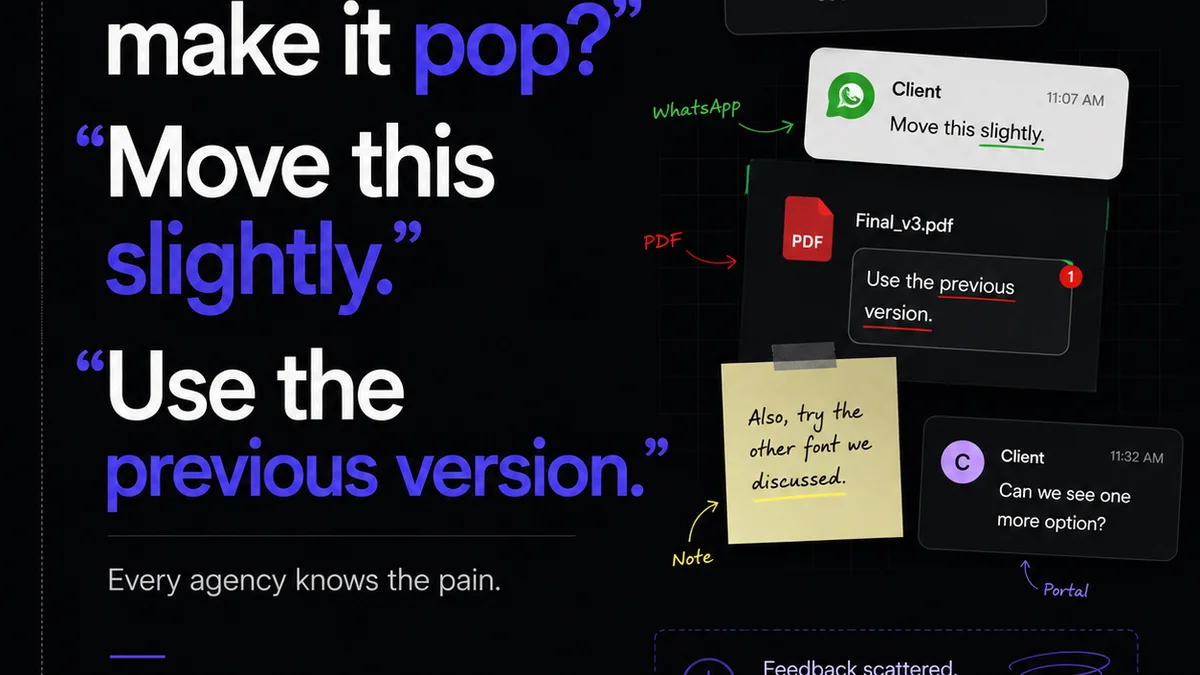
You think managing client feedback is all about clear communication and using the right tools. None of that is wrong. But it’s incomplete.
The real bottleneck isn't just what you say, but how you capture, organize, and act on it. Messy annotation workflows cost agencies time, money, and sanity. They lead to endless revision cycles and strained client relationships.
1. The 'Email Chain Chaos' Trap
This is where feedback goes to die. A client sends a jumbled email with screenshots, vague comments, and requests buried in paragraphs. You try to decipher it, forward it to the team, and then someone misses a crucial detail.
It feels like progress, but it's just adding layers of complexity. Everyone thinks they're being heard, but the actual actionable feedback gets lost.
Symptoms of Email Chain Chaos:
- Vague comments like “Make it pop” or “I don’t like it.”
- Feedback scattered across multiple email threads.
- Difficulty tracking who said what and when.
- Missed revisions because an email got buried.
- No clear record of final approvals.
This approach is inefficient and breeds misunderstandings. It’s a direct path to scope creep and unhappy clients.
2. The 'Screenshot Scavenger Hunt'
Clients love screenshots. They’re visual, seemingly direct. But a screenshot alone is often useless without context.
“Change this” accompanied by a screenshot doesn’t tell you *what* to change or *why*. Is it a typo? A design element? A functional issue?
Without precise annotation directly on the asset, your team is left guessing.
Why Screenshots Fail:
- Lack of precise targeting: Where exactly on the screen?
- Missing context: What is the user trying to do?
- Ambiguity: Is it a bug, a request, or a suggestion?
- Requires manual interpretation: Someone has to translate the screenshot.
This creates friction. Your designers and developers waste time trying to interpret ambiguous visual cues.
3. The 'One Tool Fits All' Fallacy
You might be using a project management tool, a chat app, and email. Maybe even a dedicated design tool that has some commenting features.
The assumption is that using multiple tools covers all bases. The reality? It creates silos.
Feedback lives in different places. A comment on a Figma file, an email to the account manager, a Slack message to the designer. None of these talk to each other.
This fragmentation means critical feedback can be missed, duplicated, or misunderstood. It's a recipe for errors.
4. Ignoring the 'Why' Behind the Feedback
Feedback is often a symptom, not the root cause. A client might say, “This button is too small.”
The easy response? Make the button bigger. The *right* response? Understand *why* they think it’s too small.
Is it an accessibility concern? Is it not visually prominent enough for the desired call to action? Is it inconsistent with other elements?
Annotation tools that only allow for pointing and commenting miss the opportunity to capture the underlying strategic reasoning. This leads to superficial fixes that don’t address the real problem.
5. Lack of Version Control for Feedback
Imagine getting feedback on version 1, making changes, then getting new feedback on what *should have been* version 1, but was actually version 2.
It’s a nightmare. Without clear versioning tied to feedback, you’re working blind.
Which set of comments applies to the current build? Which are outdated? Which have already been addressed?
This is crucial for managing revisions effectively and ensuring you’re not fixing problems that no longer exist or ignoring new ones.
6. Not Defining Feedback Channels and Roles
Who is authorized to give feedback? Who receives it? Who consolidates it?
When anyone on the client side can email or message anyone on your team, feedback becomes a free-for-all. This leads to conflicting directives.
A clear process defines the single source of truth for feedback, preventing confusion and ensuring that only approved comments reach the production team.
7. Treating Feedback as a Final Step, Not an Iterative Process
Many agencies approach feedback as a final sign-off hurdle. They present a near-complete deliverable and expect minor tweaks.
But creativity is iterative. Feedback should be integrated throughout the process, not just at the end.
This requires a system that allows for continuous, contextual feedback on evolving drafts, prototypes, and even early concepts.
Where Revue Fits In
Managing client feedback effectively is about more than just collecting comments. It’s about creating a transparent, organized, and efficient system.
Revue centralizes all client feedback and revisions in one place, directly linked to the creative assets. This eliminates the email chaos and screenshot scavenger hunts.
You can see exactly what feedback applies to which version, who provided it, and its status. This visibility streamlines the revision and approval process, reducing ambiguity and ensuring quality checks are based on clear, documented decisions.
Final Thought
Are your annotation workflows helping you build better work, or are they just adding more noise to an already complex process? The tools are only as good as the workflow you build around them. Don't let feedback become a bottleneck.
Frequently asked questions
What is the biggest mistake in annotation workflows?
The biggest mistake is treating feedback as a single event rather than an iterative process, often relying on fragmented communication channels like email chains and ambiguous screenshots instead of a centralized, contextual system.
How can I improve client feedback accuracy?
Improve accuracy by ensuring feedback is captured directly on the asset with clear context, defining who can provide feedback, and understanding the 'why' behind the request, not just the 'what'.
Why are email chains bad for feedback?
Email chains lead to chaos because feedback gets scattered, is hard to track, lacks precise context on the asset, and makes it difficult to determine the latest or final decisions, often resulting in missed revisions and miscommunications.
What is the role of version control in feedback?
Version control is critical for feedback as it ensures that comments and revisions are applied to the correct stage of the project. It prevents confusion by clearly indicating which feedback corresponds to which version of the asset, avoiding wasted effort on outdated iterations.