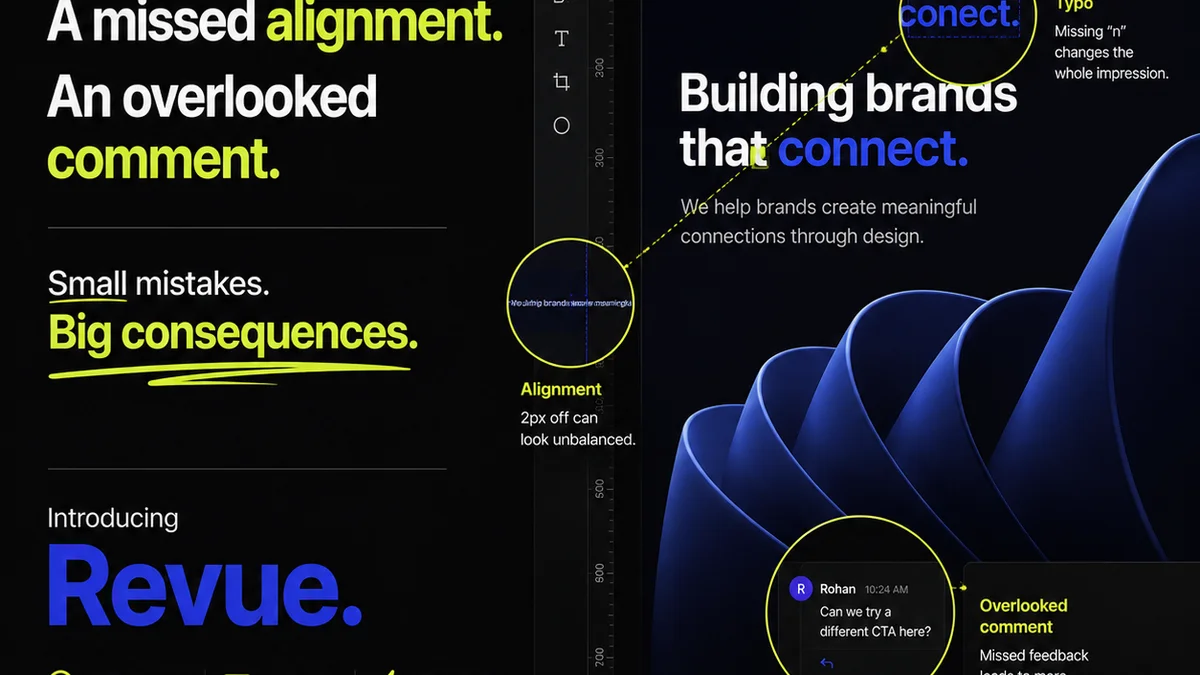
Everyone thinks annotation software is just about leaving comments on designs. That’s the common assumption. None of that is wrong. But it’s incomplete.
The hard truth? Annotation tools are a critical bottleneck or a powerful accelerator for your entire creative process. They’re not just about feedback; they’re about the *workflow* that feedback triggers.
1. The Illusion of 'Simple' Feedback
Digital annotation tools have made it easier than ever to drop a pin on an image, type a note, and send it off. This ease creates a dangerous illusion of simplicity.
It feels like a direct line from client thought to designer action. But this directness often bypasses crucial steps.
The Hidden Costs of Unstructured Feedback
When feedback is scattered across emails, Slack messages, and random annotation tool comments, you invite chaos. This leads to:
- Lost context: Why was this change requested? What was the original brief?
- Version control nightmares: Which comment applies to which version?
- Scope creep: Unclear feedback easily morphs into new requirements.
- Delayed approvals: Back-and-forth confusion eats up valuable time.
- Frustrated teams: Designers and clients alike get bogged down.
This isn't just about bad communication. It's about a broken workflow.
2. What 'Annotation Workflow Software' Really Means
True annotation workflow software does more than let you draw arrows. It integrates feedback into a structured process. Think of it as the control center for your creative iterations.
This means features that go beyond basic markup:
Key Capabilities for Workflow Integration
- Centralized Feedback Hub: All comments, revisions, and approvals live in one place, linked to specific project versions.
- Version Control & Comparison: Easily see how feedback has evolved and compare different iterations side-by-side.
- Actionable Task Management: Convert feedback directly into trackable tasks for your team.
- Role-Based Permissions: Control who can see, comment, and approve at different stages.
- Clear Approval Flows: Define and manage multi-step approval processes to avoid bottlenecks.
- Auditable History: Maintain a clear record of all feedback and decisions for accountability.
When you look for annotation software, look for these workflow enablers, not just drawing tools.
3. Evaluating Annotation Tools for Agencies
The market is flooded with options. Many are built for individual users or small, informal teams. Agencies need something more robust.
Criteria for Agency-Grade Software
- Scalability: Can it handle multiple large projects and numerous clients simultaneously?
- Integrations: Does it connect with your existing tools (e.g., project management, design software)?
- Client Experience: Is it intuitive and easy for clients to use, even non-technical ones?
- Reporting & Analytics: Can you track feedback cycles, approval times, and team efficiency?
- Security: Is client data protected with appropriate measures?
Don't get seduced by a slick interface if it can't manage the complexity of agency work.
4. Beyond Design: Annotation for All Creative Assets
Feedback isn't limited to static mockups. Your annotation workflow software should handle a range of creative outputs.
Supporting Diverse Media Types
- Websites & Web Apps: Real-time feedback on live sites or staging environments.
- Video: Frame-accurate comments and annotations on video timelines.
- Documents: Reviewing copy, PDFs, and other text-based assets.
- Presentations: Annotating slides for design or content tweaks.
- 3D Models & AR/VR: Emerging needs for immersive content review.
A truly effective tool adapts to your diverse project needs.
5. Where Revue Fits In
Annotation is just one piece of the creative operations puzzle. Effective feedback management requires a system that connects the dots.
Revue acts as that central nervous system for your agency's creative workflow.
- Centralized Client Feedback: Consolidate all feedback, including detailed annotations, in one accessible location. No more hunting through emails or disparate tools.
- Revision & Approval Visibility: Track the entire revision history and approval status for every asset. Know exactly where a project stands at any moment.
- Streamlined Quality Checks: Ensure all feedback has been addressed and approved before final delivery, reducing errors and client revisions.
By bringing structure to feedback and revisions, Revue helps you move faster and deliver higher quality work, consistently.
6. The Future: AI and Smarter Workflows
The next generation of annotation tools will leverage AI. Imagine AI automatically categorizing feedback, identifying conflicting comments, or even suggesting design adjustments based on feedback patterns.
This isn't science fiction; it's the near future of creative operations.
The goal is to move from manual annotation to intelligent workflow automation. Your software should help you anticipate problems, not just react to them.
Final Thought
Is your annotation software just a digital notepad, or is it a genuine workflow accelerator? The distinction could be the difference between a smooth, profitable creative process and one plagued by delays and errors. How are you ensuring your feedback tools are driving efficiency, not just collecting comments?
Frequently asked questions
What is the primary benefit of annotation workflow software for agencies?
The primary benefit is transforming annotation from a simple feedback mechanism into a structured workflow accelerator. This reduces confusion, speeds up revisions, ensures clear approvals, and ultimately improves project delivery times and quality.
How does annotation software help manage client feedback effectively?
Effective annotation software centralizes all feedback on specific assets, provides version history, and often integrates with task management systems. This ensures feedback is contextual, trackable, and actionable, preventing lost comments and misunderstandings.
Can annotation tools handle different types of creative assets, not just images?
Yes, modern annotation workflow software can handle a variety of assets, including video (frame-accurate comments), documents (PDFs, copy), presentations, and even evolving formats like 3D models or AR/VR content.
What's the difference between basic annotation tools and workflow software?
Basic annotation tools focus on marking up an asset with comments. Workflow software integrates these annotations into a larger process, including version control, approval tracking, task management, and audit trails, making feedback actionable and manageable at scale.