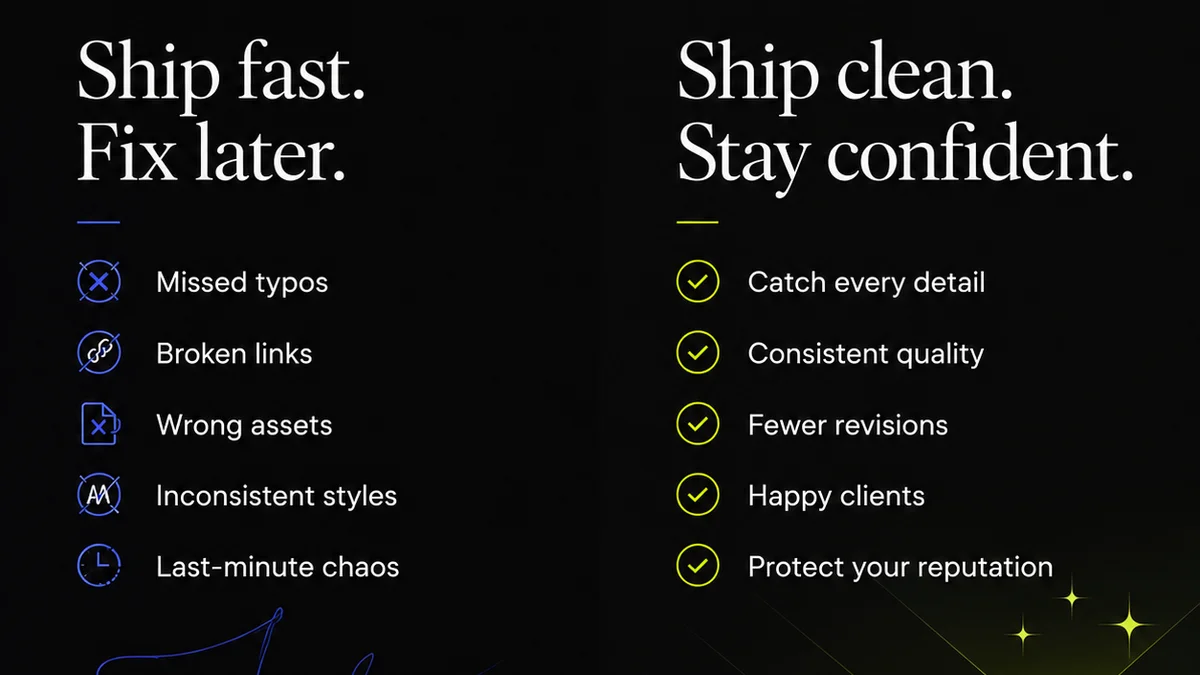
Everyone thinks an artwork approval checklist is about catching typos or misaligned logos. That’s the easy part. It’s the surface-level stuff.
The real power of an artwork approval checklist lies in its ability to force clarity and accountability upstream, long before the final sign-off.
1. The Assumption: It’s About Final Polish
The common thinking is that your checklist is the last line of defense. A final scan for errors before hitting 'go'.
This is a dangerous misconception.
If you're relying on a checklist for final polish, you've already failed.
It means your entire creative workflow is riddled with potential missteps, and you're hoping one document can magically fix it all at the eleventh hour.
The Hard Truth: It’s About Process Discipline
A truly effective artwork approval checklist is a tool for enforcing process discipline. It’s not about finding the *last* error; it’s about preventing *any* error by ensuring critical steps are taken at the right time.
This shifts the focus from reactive error-finding to proactive process management. It’s about building quality in, not bolting it on.
Consider the cost of a missed detail. It’s not just the reprint or the website fix. It’s the lost client trust, the damaged reputation, and the internal friction.
Your checklist should be a roadmap, not a band-aid.
2. Building Your Foundation: The Brief is King
Before any pixel is placed, the brief must be ironclad.
This is where most approval breakdowns start. Vague objectives, undefined target audiences, or unclear deliverables.
Your checklist should prompt verification of the brief's completeness and clarity before design work begins.
Key Brief Elements to Verify:
- Clear, measurable objectives for the creative asset.
- Defined target audience and their needs.
- Specific messaging and key takeaways.
- Mandatory brand elements (logos, colors, fonts, tone of voice).
- Technical specifications (file formats, dimensions, resolution, accessibility standards).
- Call to action (CTA) and desired user response.
- Legal disclaimers or compliance requirements.
If the brief is weak, the artwork will be weak. Your checklist must address this upfront.
3. Design & Development: Consistent Checks, Not Just Final Ones
Approvals shouldn't be a single event. They should be integrated milestones.
Break down the creative process into stages, and build checks into each stage.
Stage-Gate Approvals:
- Concept Approval: Ensuring the strategic direction is sound before investing heavily in execution.
- Wireframe/Layout Approval: Verifying structure, information hierarchy, and user flow.
- Content Integration Check: Confirming copy, imagery, and data are correctly placed and formatted.
- Functional Prototype Approval: Testing interactive elements and user journeys.
- Pre-Production Art Check: A thorough review of final assets against specifications.
Each stage needs its own mini-checklist, tied back to the original brief.
This prevents scope creep and ensures alignment at every turn.
4. The Content Audit: More Than Just Proofreading
Typos are the low-hanging fruit. Your checklist needs to go deeper.
Content accuracy is paramount, especially in regulated industries or for technical products.
Beyond Spellcheck:
- Factual Accuracy: Are all claims, statistics, and product details correct?
- Brand Voice Consistency: Does the copy align with the established tone and style?
- Legal & Compliance Review: Are all disclaimers, terms, and regulatory requirements met? (e.g., WCAG for accessibility, industry-specific regulations).
- Localization Accuracy: For global campaigns, is the translated content culturally appropriate and factually correct for each region?
- Call to Action Clarity: Is the CTA prominent, clear, and correctly linked?
This requires subject matter experts, not just editors.
5. Technical Specifications: The Unsexy but Crucial Details
This is where many projects derail, often discovered too late.
Technical requirements are non-negotiable for successful deployment.
Technical Checklist Items:
- File Naming Conventions: Are assets named logically for easy management?
- File Formats & Compression: Are files in the correct format (e.g., JPG, PNG, SVG, MP4) and appropriately compressed for their intended use (web, print, social)?
- Resolution & Dimensions: Do images and graphics meet the required DPI/PPI for print or pixel dimensions for digital?
- Color Profiles: Is the correct color profile used (e.g., sRGB for web, CMYK for print)?
- Font Embedding: Are fonts correctly embedded or outlined for consistent rendering?
- Accessibility Standards: For digital assets, are alt text, color contrast ratios, and keyboard navigation considered? (WCAG 2.2 guidelines are essential here).
- Metadata: Is relevant metadata included (e.g., EXIF data for images)?
Ignoring these details leads to production nightmares and costly rework.
6. User Experience (UX) & Accessibility: The Human Element
A beautiful design is useless if it's confusing or inaccessible.
Your checklist must include checks for usability and accessibility.
UX & Accessibility Checks:
- Visual Hierarchy: Is the most important information immediately apparent?
- Readability: Is text size, line spacing, and contrast sufficient?
- Navigation Clarity: Is it easy for users to find what they need and complete tasks?
- Interactive Element States: Are hover, active, and disabled states clearly defined?
- Color Contrast: Does text meet minimum contrast ratios against its background? (Refer to WCAG contrast requirements).
- Keyboard Operability: Can the entire experience be navigated using only a keyboard?
- Screen Reader Compatibility: Is content properly structured and described for screen readers?
This isn't just about compliance; it's about creating inclusive experiences that serve a wider audience.
7. Where Revue Fits In
Managing approvals across multiple stakeholders, revisions, and versions can quickly devolve into chaos.
This is where a centralized feedback and approval platform becomes invaluable.
Revue helps by:
- Centralizing Feedback: All comments, annotations, and discussions live on the asset itself, eliminating scattered email threads and Slack messages.
- Tracking Revisions: Every version is stored, so you can easily compare changes and see the evolution of the artwork.
- Clarifying Approval Status: Stakeholders can clearly see what's pending, approved, or requires revision, reducing ambiguity.
- Streamlining Quality Checks: Integrate your artwork approval checklist directly into the workflow, ensuring each item is addressed before final sign-off.
It transforms the approval process from a bottleneck into a transparent, manageable part of your workflow.
8. Final Thought: The Checklist is a Conversation Starter
An artwork approval checklist isn’t a rigid set of rules to be blindly followed.
It’s a framework for structured conversation.
It ensures everyone involved is looking at the same criteria, speaking the same language, and working towards the same goal.
The real question isn't whether you have a checklist. It's whether your checklist is actively driving clarity, accountability, and quality throughout your entire creative process, or if it's just another document gathering digital dust.
Frequently asked questions
What are the essential components of an artwork approval checklist?
An effective checklist should cover brief verification, stage-gate reviews, content accuracy (factual, brand voice, legal), technical specifications (file formats, resolution, color profiles), and UX/accessibility considerations. It's more than just proofreading.
How can an artwork approval checklist improve client communication?
By providing a clear, standardized framework for feedback and approval at various stages, it reduces ambiguity, ensures all stakeholders are aligned on criteria, and minimizes back-and-forth revisions caused by miscommunication.
Is an artwork approval checklist only for the final stage?
No, a truly effective checklist integrates checks throughout the creative process—from brief review and concept validation to content integration and final asset checks. Relying on it only at the end is a sign of a flawed workflow.
How does an artwork approval checklist help with technical requirements?
It ensures critical technical details like file naming conventions, correct file formats, appropriate resolution and dimensions, and proper color profiles are verified before final delivery, preventing costly production issues and rework.