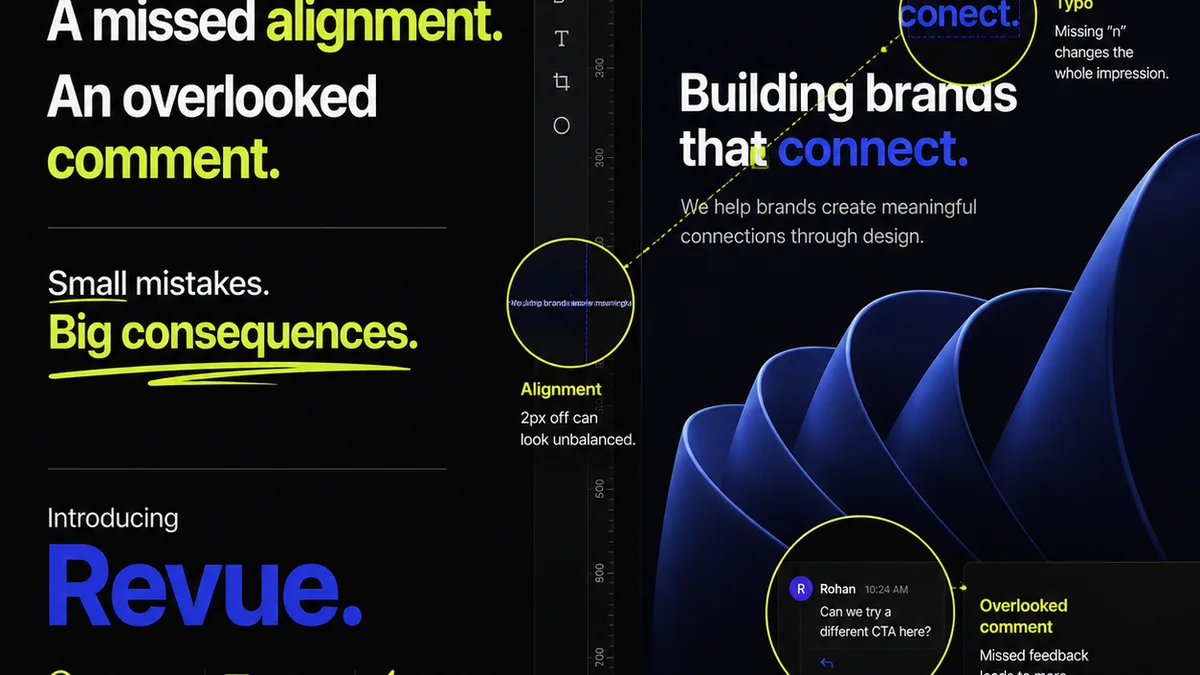
Everyone talks about the best artwork approval software. They list features, compare pricing, and rank platforms based on bells and whistles. None of that is wrong. But it’s incomplete.
The real truth? The ‘best’ software isn’t about the most features. It’s about the software that fits your specific agency or in-house team’s workflow, making approvals faster, clearer, and less painful.
1. Beyond Basic Proofing: The Core Problem
Most creative projects get bogged down not in the creation phase, but in the endless back-and-forth of feedback and approvals. You’ve seen it. The email chains that disappear into the ether. The ‘final’ versions that are suddenly no longer final. The missed feedback buried in a comment thread. This isn’t a minor annoyance; it’s a major bottleneck.
Traditional methods, even basic digital proofing tools, often create more problems than they solve:
- Scattered feedback across email, Slack, and shared docs.
- Lack of clear version control, leading to confusion about what’s current.
- Difficulty tracking who has approved what, and when.
- Wasted time chasing down missing approvals or clarifying ambiguous feedback.
- Inability to easily identify and address quality issues before delivery.
This chaos directly impacts your bottom line. Delayed projects mean delayed invoices. Rework due to unclear feedback costs billable hours. It erodes client trust and team morale.
2. What Makes Artwork Approval Software *Actually* Work
Effective artwork approval software tackles these issues head-on. It’s not just about uploading a PDF and getting a yes/no. It’s about creating a system of record and a single source of truth for every creative asset.
Centralized Feedback and Annotation
Good software allows stakeholders to provide feedback directly on the artwork itself. Think precise annotations, comments tied to specific elements, and a clear, organized discussion thread for each piece.
This eliminates the guesswork. No more ‘move that thing on the left up a bit.’ It becomes ‘increase the kerning between the ‘A’ and ‘V’ in the headline by 10 units.’
Streamlined Version Control
Every revision needs to be tracked. The software should automatically manage different versions, clearly showing what’s changed from one iteration to the next. This prevents teams from working off outdated files.
Clear Approval Workflows
Who needs to approve this? What’s the sequence? The best tools allow you to set up custom approval workflows. This ensures the right people see the work at the right time, and their decision is clearly logged.
Revision Tracking and Audit Trails
Every comment, every approval, every change is logged. This creates an irrefutable audit trail. It’s invaluable for resolving disputes and understanding project history.
Integration Capabilities
Does the software play nice with your existing tools? Look for integrations with project management software, cloud storage, and design tools. This reduces friction and keeps your workflow seamless.
3. Key Features to Prioritize (Beyond the Obvious)
When evaluating artwork approval software, look past the basic proofing. Focus on features that drive efficiency and reduce friction:
- Real-time Collaboration: Multiple users can comment and review simultaneously.
- Customizable Workflows: Tailor the approval process to different project types and client needs.
- Mobile Accessibility: Allow approvals on the go, without being tied to a desktop.
- Detailed Reporting: Understand approval times, identify bottlenecks, and track team performance.
- Security and Permissions: Control who can view, comment, and approve specific assets.
- Integration with Design Tools: Direct links to Adobe Creative Cloud, Figma, Sketch, etc.
This isn’t about finding a tool with the most buttons. It’s about finding the tool that empowers your team to get work approved faster and with fewer headaches.
4. The Hidden Cost of
Frequently asked questions
What is the primary benefit of using dedicated artwork approval software?
The primary benefit is streamlining the feedback and approval process. It centralizes communication, clarifies revisions, and creates a clear audit trail, significantly reducing delays and confusion common with scattered feedback methods like email.
How does artwork approval software help with version control?
Good software automatically manages different versions of an asset, clearly showing what has changed between iterations. This prevents teams and clients from working off outdated files and ensures everyone is reviewing the most current version.
Can artwork approval software integrate with my existing design tools?
Many modern artwork approval platforms offer integrations with popular design tools like Adobe Creative Cloud, Figma, and Sketch. This allows for a smoother workflow, enabling you to upload and manage assets directly from your design environment.
Is artwork approval software only useful for large agencies?
No, artwork approval software is beneficial for agencies and in-house teams of all sizes. Smaller teams can save significant time by reducing back-and-forth, while larger organizations can manage complex projects and multiple client stakeholders more effectively.