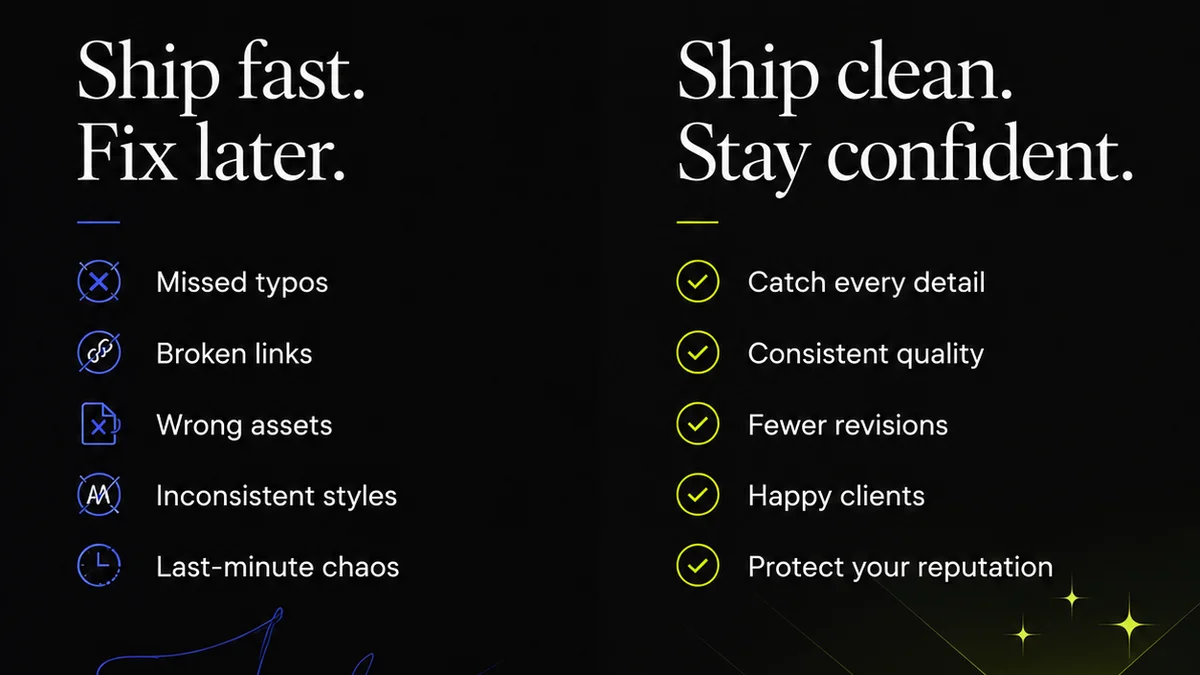
You need artwork proofing software. That’s a given. Everyone knows you need a way to get client feedback and sign-offs on creative work. It’s standard operating procedure.
None of that is wrong. But it’s incomplete.
The real truth? Most creative teams settle for proofing tools that are just “good enough.” They tick the box for feedback, but they create more work than they solve. They become bottlenecks, not accelerators. They hide issues instead of surfacing them.
What you actually need is artwork proofing software that does more. Software that actively improves your workflow, clarifies communication, and safeguards your final output. It’s not just about collecting comments; it’s about managing the entire review and approval process with precision.
1. Centralized Feedback, Not Scattered Emails
The most basic function of any proofing tool is to collect feedback. But how that feedback is collected and organized makes all the difference.
Scattered feedback is chaos. A dozen emails, Slack messages, and a few scribbled notes on a PDF. Sound familiar?
This is where good artwork proofing software shines. It brings everything into one place.
Version Control is Non-Negotiable
You’re not just proofing one version. You’re proofing version 1, then version 2, then the revised version 2.1. Without clear version control, it’s easy to mix up which iteration is the latest.
Look for software that automatically tracks versions. Every upload creates a new, distinct version. You should be able to easily compare versions side-by-side to see what’s changed.
Contextual Comments, Not Generic Notes
“Make the logo bigger.”
“I don’t like this.”
“Can we try something else?”
Generic comments are useless. Good proofing software allows for annotation directly on the artwork. Comments should be tied to a specific point, pixel, or element.
This eliminates guesswork. The designer sees exactly what the client means, where they mean it.
Clear Roles and Permissions
Not everyone needs to approve. Not everyone needs to see every version. Granular control over who can view, comment, and approve is critical.
This prevents scope creep and ensures the right people are making the final calls.
2. Streamlined Revision and Approval Workflows
Collecting feedback is step one. What happens next? This is where most tools fall short, forcing you into manual tracking.
Effective artwork proofing software should automate and clarify the revision and approval stages.
Automated Notifications
When a new version is ready for review, stakeholders should be notified automatically. When a comment needs a response, the right person gets pinged. When a proof is approved, everyone involved knows.
This keeps the process moving and reduces the need for constant status checks.
Clear Approval Status
Is this proof approved? Pending? Rejected? Needs revision? The status should be crystal clear at a glance.
Visual cues are best. A green checkmark for approved, a red cross for rejected, a yellow flag for pending.
Audit Trails for Accountability
Who commented? When? Who approved? When? An immutable audit trail is essential for accountability and dispute resolution.
This isn't about distrust; it's about clarity and protection for both the agency and the client.
3. Enhanced Quality Assurance
Proofing isn’t just about client taste; it’s about technical accuracy and adherence to brand guidelines.
Advanced artwork proofing tools can assist in quality assurance, catching errors before they go live.
Pixel-Perfect Comparisons
For digital assets, especially web and app designs, pixel-level comparison is invaluable. It catches unintended shifts in layout, color, or typography that might be missed by the human eye.
This is crucial for maintaining design integrity and a polished user experience. Tools that offer a “diff” mode can highlight exact pixel differences between versions.
Brand Guideline Checks (Emerging Feature)
While not standard, some sophisticated platforms are starting to incorporate checks against brand guidelines. Think logo usage, color palettes, and typography rules.
This acts as an automated gatekeeper, ensuring consistency across all creative output.
File Format and Size Compliance
Does the file meet the technical specifications required for the final output? Is it the correct format? Is the file size within acceptable limits?
Proofing software can flag these technical requirements, preventing downstream production issues.
4. Collaboration Beyond the Client
Your internal team needs visibility too. Designers, project managers, account managers – they all need to be in the loop.
Proofing software should facilitate seamless internal collaboration.
Internal Review Cycles
Before sending a proof to the client, allow for internal review. This catches issues early and ensures the work is agency-ready.
Set up internal stakeholders as reviewers with specific permissions.
Task Management Integration
Can feedback be easily translated into actionable tasks for designers or developers? Integration with project management tools is a huge plus.
When a comment requires a change, it should be simple to assign that change as a task.
Communication History
Having a centralized record of all feedback and decisions means anyone can jump into a project and understand its history. No more digging through old emails to get up to speed.
Where Revue Fits In
This is where a platform like Revue becomes indispensable. It’s built from the ground up to address the complexities of creative workflow management, including proofing.
Revue centralizes client feedback, providing a single source of truth for all annotations and comments on creative assets. Its robust version control ensures you’re always working with the latest iteration and can easily track changes over time.
The platform offers clear visibility into the revision and approval status, automating notifications and providing an undeniable audit trail. This streamlines the entire sign-off process, reducing ambiguity and accelerating project timelines.
By bringing together feedback, revisions, and approvals into one connected system, Revue helps creative teams maintain quality, ensure brand consistency, and ultimately, deliver better work, faster.
Final Thought
Are you using artwork proofing software as a simple digital rubber stamp, or as a strategic tool to elevate your creative operations? The difference isn't just about efficiency; it's about the quality and clarity you deliver to your clients.
Frequently asked questions
What is the primary benefit of using dedicated artwork proofing software?
The primary benefit is centralizing all client feedback and revision history in one place, eliminating scattered emails and ensuring clear communication and version control, which speeds up the approval process.
Why is version control important in proofing software?
Version control is critical because it ensures that everyone is looking at the most current iteration of the artwork. It automatically tracks uploads, allows for easy comparison between versions, and prevents confusion or errors from working on outdated files.
How can proofing software improve quality assurance?
Advanced proofing software can improve quality assurance by offering pixel-perfect comparisons to catch subtle visual errors, flagging non-compliance with brand guidelines, and verifying file format and size requirements before final delivery.
What should I look for in terms of collaboration features?
Look for software that allows for internal review cycles before client review, integrates with task management tools to easily assign revisions, and provides a complete communication history for project transparency.