Everyone talks about cloud storage for creative assets. Dropbox, Google Drive, Box – they’re essential. They keep your files safe and accessible. That’s the common wisdom. But it’s incomplete.
The hard truth? Great asset management isn’t about where your files live. It’s about how you find them, how you use them, and how you control their lifecycle. It’s the engine of efficiency for any agency that values its time and its client’s trust.
1. The Illusion of Organization: Why Folders Fail
You’ve seen it. The ‘Final_Final_v3_Really_This_One_USE_THIS.psd’ file. Or the project folder with subfolders for ‘Assets,’ ‘Drafts,’ ‘Client Feedback,’ ‘Final,’ and then duplicates of everything in each.
This is not organization. This is a desperate attempt to impose order on chaos.
The Symptoms of Folder Rot
- Endless searching for the right file version.
- Accidental use of outdated assets.
- Wasted hours on re-creating work that already exists.
- Client confusion and frustration over conflicting deliverables.
- Team members duplicating efforts because they can't find what they need.
Folders are a basic hierarchy. They don’t understand context. They don’t track history. They don’t manage metadata.
2. Metadata: The Unsung Hero of Asset Discovery
Think of metadata as the DNA of your creative assets. It’s the descriptive information that tells you everything you need to know about a file without opening it.
This includes:
- File type (JPEG, PNG, AI, PSD, MP4, etc.)
- Dimensions and resolution
- Creation and modification dates
- Author/creator
- Project name and client
- Keywords and tags
- Usage rights and licensing information
- Version history
Without robust metadata, finding a specific asset in a large library is like finding a needle in a haystack. With it, it’s a targeted search.
Implementing a Metadata Strategy
This isn't just about filling in fields. It's about establishing a consistent system.
- Define Your Core Metadata Fields: What information is *critical* for every asset? Client, project, asset type, status (draft, approved, final)?
- Standardize Naming Conventions: While metadata is king, consistent file naming still helps. Use a predictable pattern.
- Automate Where Possible: Many tools can auto-tag based on file type or embed project information.
- Train Your Team: This is crucial. Everyone needs to understand *why* and *how* to tag assets correctly.
This shift from folder-based searching to metadata-driven discovery is fundamental to true asset management.
3. Version Control: The Ghost of Projects Past
How many times has a client approved something, only to come back later asking for a change to a previous version? Or worse, how many times has your team mistakenly used an old, unapproved asset?
Proper version control is non-negotiable.
What Version Control Buys You
- Clarity: Always know which version is current, approved, and in progress.
- Safety: Easily roll back to previous versions if errors occur.
- Audit Trail: Track every change, who made it, and when. Essential for accountability and dispute resolution.
- Efficiency: No more 'Final_v2_REALLY.ai'.
This isn’t just for code. For creative assets, version control prevents costly mistakes and saves immense amounts of time.
4. Access Control and Permissions: Protecting Your Work
Not everyone needs access to everything. A junior designer doesn’t need to see the client’s confidential budget spreadsheet. A client shouldn’t be able to download raw source files unless explicitly permitted.
Managing permissions is a core function of good asset management.
Key Considerations for Permissions
- Role-Based Access: Assign permissions based on job function (designer, account manager, client, admin).
- Project-Specific Access: Grant access only to the assets relevant to a particular project.
- Client Portals: Provide controlled access for clients to view, approve, or download specific deliverables.
- Internal vs. External: Clearly differentiate access levels for your team versus external collaborators or clients.
This protects your intellectual property, prevents accidental data leaks, and ensures clients only see what they’re supposed to.
5. Integration: The Key to a Seamless Workflow
Your asset management system shouldn't be an island. It needs to talk to the other tools your agency relies on.
Think about the tools you use daily:
- Design software (Adobe Creative Cloud, Figma, Sketch)
- Project management tools (Asana, Monday.com, Jira)
- Communication platforms (Slack, Microsoft Teams)
- Proofing and review tools
An integrated asset management solution means assets can be pulled directly into design projects, linked in project briefs, or shared directly from the platform.
Benefits of Integration
- Reduced Friction: Less time spent exporting, uploading, and downloading.
- Consistency: Assets used in projects are always the latest, approved versions.
- Efficiency: Streamlined workflows that keep projects moving.
When your tools work together, your team works better.
Where Revue Fits In
Managing assets effectively is about more than just storage. It’s about the entire lifecycle of a creative piece, from initial concept to final delivery and archiving. It’s about clear communication and controlled revisions.
This is where a platform designed for creative workflow, like Revue, becomes invaluable.
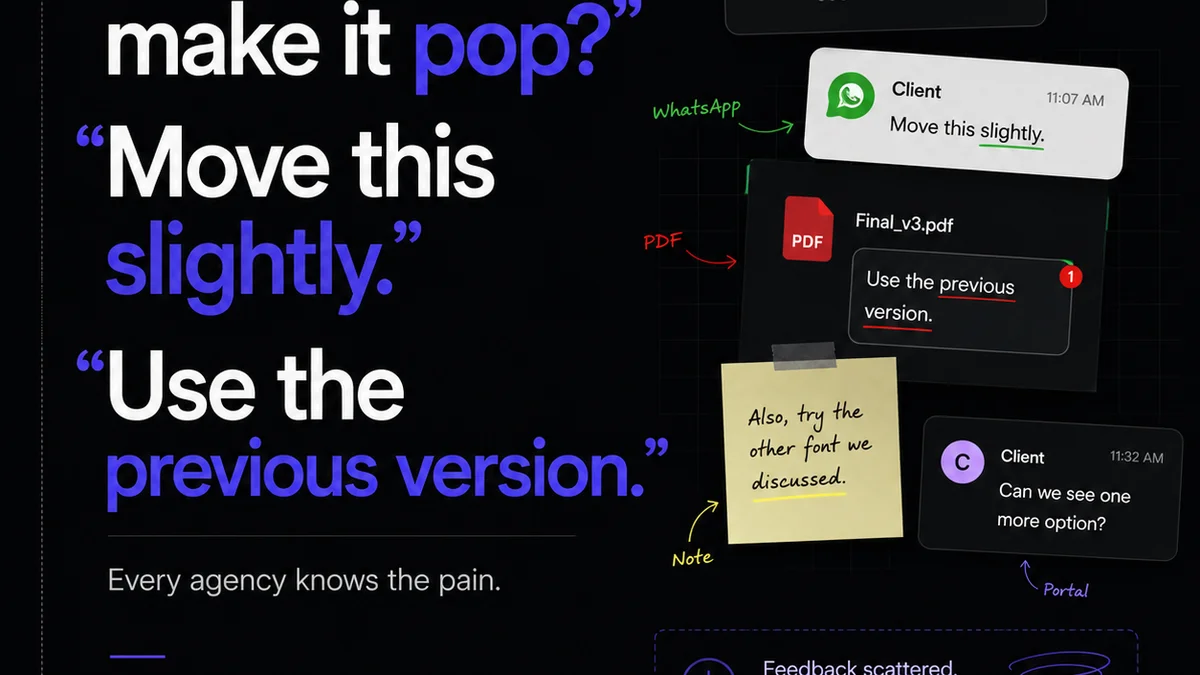
Revue helps centralize client feedback, ensuring that all comments and revisions are captured in one place, tied to specific assets. This eliminates the chaos of scattered email threads and chat messages.
It provides visibility into revision and approval stages, so you always know where a project stands. No more guessing who needs to sign off or which version is next in line.
Furthermore, Revue facilitates quality checks by providing a clear record of feedback and approvals. This means fewer mistakes slip through and a higher likelihood of delivering exactly what the client wants, the first time.
By integrating asset management principles with robust feedback and approval workflows, you create a system that not only stores your work but actively manages its progress and quality.
6. Beyond Storage: Archiving and Retrieval
What happens when a project is done? The assets aren’t just ‘finished’; they become part of your agency’s history. Proper archiving is crucial for long-term value.
The Value of Archived Assets
- Future Projects: Reusable elements, brand guidelines, past campaign assets can inform new work.
- Client History: Quick access to past deliverables for audits, re-orders, or historical context.
- Legal and Compliance: Maintaining records for as long as required.
- Knowledge Transfer: Onboarding new team members with access to past project examples.
A good asset management strategy includes a clear archiving policy: what gets archived, how it’s categorized, and how long it’s retained. It also needs a system for efficient retrieval when needed.
7. The Human Element: Training and Culture
Technology is only part of the solution. The most sophisticated asset management system will fail if your team doesn’t use it properly.
This requires:
- Clear Policies and Procedures: Documented guidelines for asset creation, tagging, storage, and retrieval.
- Comprehensive Training: Hands-on sessions demonstrating the system and its benefits.
- Ongoing Reinforcement: Regular reminders, check-ins, and support.
- Leadership Buy-in: Management must champion the system and adhere to its principles.
- Culture of Accountability: Where proper asset management is seen as a professional standard, not an optional extra.
Building this culture takes time and consistent effort, but the payoff in efficiency and reduced errors is enormous.
Final Thought
Are you managing your assets, or are your assets managing you? The difference between a chaotic creative process and a smooth, profitable operation often comes down to how well you handle your most valuable digital inventory. It's time to move beyond the basic cloud folder and build a true asset management strategy.
Frequently asked questions
What is the biggest mistake agencies make with asset management?
The most common mistake is relying solely on folder structures in cloud storage. This approach fails to capture crucial metadata, track version history, or manage permissions effectively, leading to inefficiency and errors.
How can metadata improve my agency's workflow?
Metadata acts as descriptive data for your assets, enabling quick and accurate searching. By tagging files with relevant keywords, project details, and usage rights, your team can find exactly what they need without wasting time digging through folders.
Why is version control so important for creative assets?
Version control ensures that everyone is working with the correct, approved version of an asset. It provides a clear audit trail of changes, prevents the accidental use of outdated files, and allows for easy rollback to previous iterations, saving time and preventing costly mistakes.
How does asset management relate to client feedback?
Effective asset management centralizes feedback by linking comments and approvals directly to specific versions of assets. This eliminates confusion, ensures all stakeholders are referencing the same file, and provides a clear record of client input throughout the revision process.