Everyone knows good asset management is important. You need to find files, right? That’s the common wisdom. It’s not wrong. But it’s woefully incomplete.
The hard truth is that poor asset management isn’t just about lost files; it’s about lost time, blown budgets, and damaged client relationships. It’s the silent killer of agency efficiency.
1. Treating It as an IT Problem, Not a Workflow Problem
The first big mistake? Thinking asset management is solely the domain of IT or a junior designer tasked with tidying up. It’s not just about server space or naming conventions, though those matter.
Asset management, at its core, is about how your entire creative workflow operates. It impacts every single person, from the account manager requesting a file to the CD approving the final version.
The Symptoms of Misalignment
- Account teams can’t find approved logos for presentations.
- Designers are recreating assets that already exist (and are likely outdated).
- Clients are receiving multiple versions of the same deliverable, causing confusion.
- Legal or brand compliance checks are delayed because the correct, approved version is buried.
- Developers can’t access the latest UI assets, halting production.
When asset management is siloed, it becomes a bottleneck. It stops being a support function and starts actively hindering progress.
2. The "Just Put It Everywhere" Approach
Cloud storage is great. Shared drives are essential. But without a clear, enforced system, these become digital dumping grounds. “Just put it in the shared drive” is the siren song leading to chaos.
This often stems from a fear of being too restrictive. The idea is that if files are accessible, great. But accessibility without organization is just another form of chaos.
The Illusion of Accessibility
You might have terabytes of files accessible to everyone. But can anyone actually find what they need in under 60 seconds? Probably not.
This leads to:
- Endless searching through folders named "Final," "Final_v2," "Final_really_final_this_time," and "ClientApproved."
- Wasted hours digging for that one specific image or logo.
- The temptation to just create a new one rather than search.
- Inconsistent branding when older, unapproved versions are used.
3. Neglecting Version Control and Approval History
This is where many agencies stumble badly. They might have a folder structure, but tracking which version is the *actual* approved one is a nightmare.
Email threads, Slack messages, and random PDF annotations become the de facto audit trail. This is not just inefficient; it’s dangerous.
Why Version Control Matters More Than You Think
- Client Disputes: When a client claims they never approved something, or that a different version was agreed upon, your email history is your only defense. If it’s messy, you’re exposed.
- Scope Creep: Without clear approval markers, it’s hard to track when significant changes were requested and approved, making it difficult to bill for extra work.
- Brand Consistency: Using an unapproved or superseded version of a logo, tagline, or image can damage brand integrity.
- Legal Risk: For regulated industries, having an unassailable record of approvals is critical.
A robust asset management strategy must include clear versioning and an easily accessible history of approvals.
4. Ignoring Metadata and Tagging
A well-organized folder structure is a start. But relying on folders alone is like organizing a library by just stacking books by height. It’s not enough.
Metadata – the data about your data – is crucial. This includes file names (yes, they matter!), keywords, descriptions, usage rights, creation dates, and author information.
The Power of Smart Tagging
When assets are properly tagged:
- Searches become exponentially faster and more accurate.
- You can find assets based on context (e.g., "summer campaign," "product launch," "social media ad"), not just file names.
- Usage rights and expiration dates can be automatically flagged, preventing costly mistakes.
- Cross-departmental use becomes seamless. A marketing team can easily find approved imagery for a blog post without bothering design.
This requires a commitment to a consistent tagging taxonomy. It’s an upfront investment that pays massive dividends.
5. Lack of a Clear Governance and Training Strategy
You can have the best system in the world, but if no one knows how to use it, or if the rules are constantly changing, it’s useless.
A common mistake is implementing a system and assuming everyone will just figure it out. They won’t. Or worse, they’ll develop their own ad-hoc methods.
Establishing Ownership and Understanding
- Define Roles: Who is responsible for uploading, tagging, and archiving assets?
- Create Guidelines: Develop clear, concise documentation on naming conventions, folder structures, and tagging protocols.
- Provide Training: Regularly onboard new hires and refresh existing staff on the system and guidelines.
- Enforce the Rules: Gently but firmly guide users back to the system. Address non-compliance proactively.
Governance isn't about bureaucracy; it’s about ensuring the system works for everyone, every day.
Where Revue Fits In
Managing creative assets effectively is about more than just storage. It’s about the entire lifecycle of feedback, revisions, and approvals.
This is where a platform like Revue becomes invaluable. It doesn’t replace your DAM, but it supercharges your workflow around it.
Streamlining Feedback and Approvals
- Centralized Feedback: Instead of scattered email chains and Slack messages, all client feedback lives directly on the asset.
- Clear Revision History: Every change is tracked, with clear annotations and user attribution. You always know who said what, when.
- Status Visibility: See at a glance which assets are pending review, approved, or need revisions. No more guessing.
- Automated Quality Checks: Ensure brand guidelines, file formats, and other critical requirements are met before final delivery.
- Secure Sharing: Easily share specific versions with clients and stakeholders for review and approval, reducing the risk of using the wrong file.
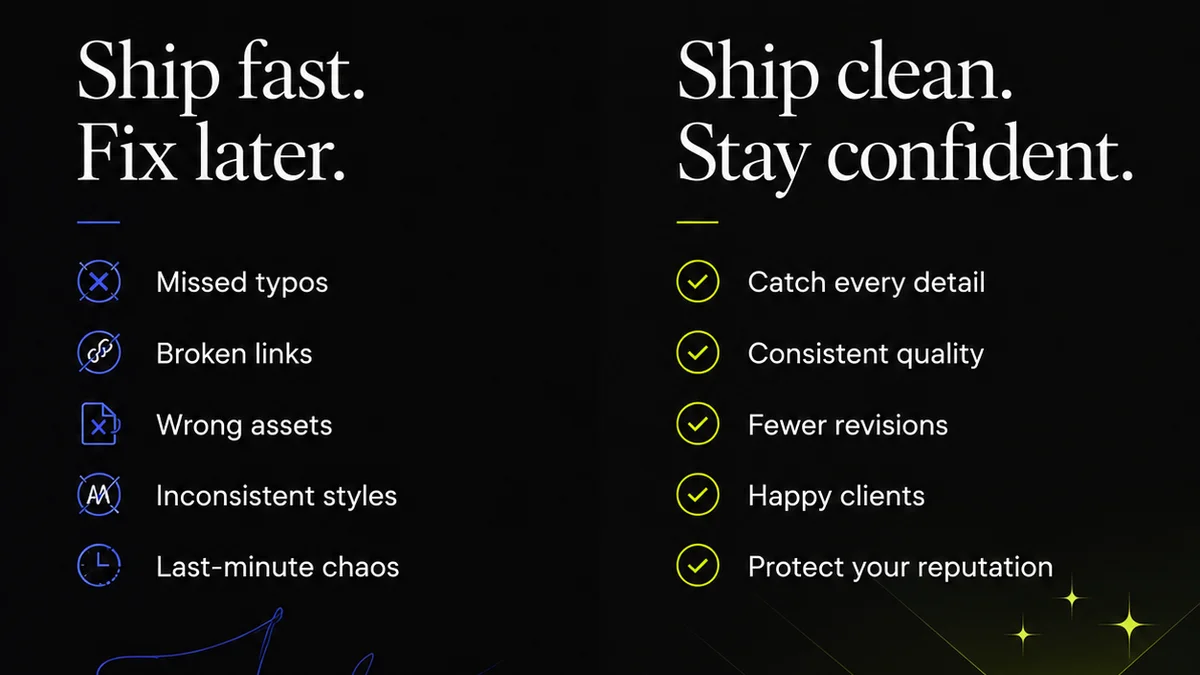
By integrating feedback and approval directly with your creative assets, you create a single source of truth that dramatically reduces confusion and speeds up delivery.
Final Thought
Your asset management system is more than just a digital filing cabinet. It’s the engine that drives your agency’s ability to deliver creative work efficiently and consistently.
Are you treating it like a crucial operational system, or just a place to dump files?
Frequently asked questions
What is the biggest mistake agencies make with asset management?
The biggest mistake is treating asset management as a purely technical or organizational task, rather than a fundamental part of the creative workflow. This leads to systems that don't integrate with how teams actually work, causing bottlenecks and inefficiencies.
How does poor asset management impact client relationships?
Poor asset management can lead to clients receiving incorrect or outdated versions of creative work, causing confusion and eroding trust. It can also result in project delays and disputes over approvals, negatively impacting client satisfaction and potentially leading to lost business.
Is it really necessary to tag every asset?
While it might seem tedious, proper tagging (metadata) is crucial for effective searchability and organization. Relying solely on folder structures is often insufficient. Tagging allows teams to find assets based on context, keywords, and usage, saving significant time and reducing errors.
How can a tool like Revue help with asset management issues?
Revue acts as a layer on top of your asset storage, centralizing client feedback, revision history, and approval status directly on creative files. This eliminates scattered communication and provides a clear audit trail, ensuring everyone is working with the correct, approved versions and speeding up the review process.