Everyone talks about asset management software. It’s hailed as the silver bullet for drowning in client files, for finding that one specific JPG from three years ago, for streamlining creative workflows. And none of that is wrong.
But it’s incomplete. It paints asset management as a passive storage solution, a digital filing cabinet. The hard truth? It’s far more active. It’s the operational backbone that directly impacts your agency’s speed, profitability, and client satisfaction.
The Real Cost of Disorganized Assets
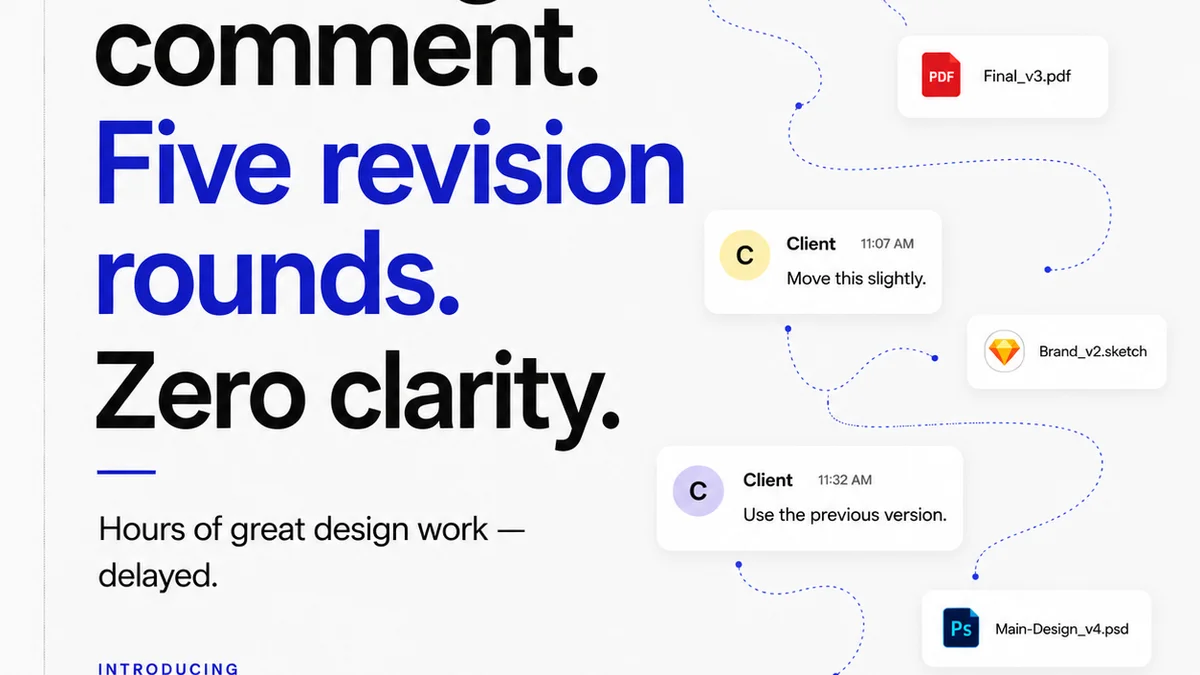
You think your team is just “looking for files.” What’s really happening is lost billable hours. It’s missed deadlines. It’s clients seeing outdated versions. It’s duplicated effort because no one could find the original.
Think about the ripple effect:
- Creative teams waiting for assets, halting production.
- Account managers scrambling for the latest approved version, risking client embarrassment.
- Sales teams unable to quickly pull case studies or portfolio pieces.
- Brand consistency eroding because multiple versions of logos or templates are in play.
- Legal or compliance issues arising from using unapproved or unlicensed assets.
This isn’t just an annoyance. It's a direct drain on your bottom line and a significant risk to your agency’s reputation.
What “Asset Management” Really Means
At its core, robust asset management software provides:
1. Centralized, Searchable Storage
This is the baseline. A single source of truth for all your creative assets. Forget scattered folders across drives, cloud storage, and individual hard drives. Everything lives in one place, tagged, categorized, and easily discoverable.
2. Version Control and History
Crucial for creative work. You need to know which version is the latest, and ideally, be able to roll back to previous iterations if needed. This prevents the “which one is the final final?” chaos.
3. Rights Management and Licensing
For agencies, this is non-negotiable. Tracking usage rights, expiration dates, and license details for stock photos, fonts, and other third-party assets is vital to avoid costly legal battles.
4. Workflow Integration
The best systems don’t just store files; they connect to your existing tools. Think Adobe Creative Cloud, Figma, project management software. Assets should flow seamlessly into your creative process.
5. Collaboration and Sharing
Securely sharing assets with internal teams, clients, or external partners is a key function. This includes controlled access levels and clear audit trails.
The Hidden Benefits: Speed, Scalability, and Sanity
When asset management is done right, the benefits extend far beyond simple organization.
Faster Turnaround Times
When creatives can find what they need in seconds, not hours, projects move faster. This means more projects completed, happier clients, and increased revenue potential.
Improved Scalability
As your agency grows, so does your asset library. A strong system scales with you, preventing the operational bottlenecks that plague rapidly expanding teams.
Enhanced Brand Consistency
By ensuring everyone uses approved logos, templates, and imagery, you maintain a strong, consistent brand identity across all client deliverables and your own agency’s marketing.
Reduced Risk
Proper rights management and version control significantly reduce the risk of using unlicensed assets or delivering the wrong creative to a client.
Team Morale Boost
Less time searching, less frustration, more time creating. Happy creatives are productive creatives.
Choosing the Right System: Beyond Features
Many tools will claim to be the “best asset management software.” But features alone aren't the whole story. Consider:
1. Your Specific Needs
Are you primarily dealing with digital assets? Video? Large print files? Do you need integration with specific design tools? Be honest about your primary pain points.
2. Ease of Use and Adoption
A powerful system nobody uses is useless. The interface should be intuitive for your entire team, from junior designers to account managers.
3. Integration Capabilities
How well does it play with your existing tech stack? Look for integrations with your design software, project management tools, and communication platforms.
4. Scalability and Pricing
Can the system grow with your agency? Understand the pricing model – per user, storage-based, feature tiers – and ensure it aligns with your budget and growth plans.
5. Security and Permissions
Robust security features and granular permission controls are essential to protect your valuable assets and client data.
Where Revue Fits In
While dedicated Digital Asset Management (DAM) systems excel at storing and organizing vast libraries of raw creative files, the day-to-day operational flow of creative projects involves more than just pulling assets.
Revue is built to manage the *process* around those assets. It centralizes client feedback, making it clear which assets are being discussed and revised. It tracks revisions and approvals, providing an undeniable audit trail that eliminates ambiguity about what’s been signed off.
You can see exactly which version of a design is currently in review, and which was approved last week. This context is invaluable, ensuring that the assets being pulled and worked on are the *correct* ones, based on the latest, approved direction.
It bridges the gap between having assets and actively using them effectively within a client project lifecycle.
Final Thought
Asset management software isn't just about tidying up. It's about building a more efficient, profitable, and less stressful agency. Are you managing your assets, or are they managing you?
Frequently asked questions
What's the difference between a DAM and general asset management software?
A Digital Asset Management (DAM) system is typically a specialized, robust solution focused on storing, organizing, searching, and retrieving large volumes of digital assets. General asset management can be broader, sometimes integrated into project management tools, and might not have the depth of features for complex rights management or metadata tagging found in a dedicated DAM.
How can asset management software improve client communication?
By providing a clear, centralized location for approved assets and versions, it reduces confusion during client reviews. Clients can be assured they are always seeing and commenting on the latest, approved material, and teams can easily track feedback against specific assets.
Is asset management software only for large agencies?
No, smaller agencies can benefit significantly. Even with fewer assets, the time saved searching, reduced errors, and improved organization can have a disproportionately large positive impact on efficiency and profitability for smaller teams.
What are the key features to look for in asset management software for creatives?
Key features include robust search functionality, version control, integration with creative tools (like Adobe Creative Cloud), secure sharing and permissions, and clear audit trails for approvals and revisions.