Everyone talks about asynchronous design review software. They say it’s about speed. About avoiding endless back-and-forth emails and Slack messages. That it liberates teams from real-time meetings.
None of that is wrong. But it’s incomplete.
The real value of asynchronous design review software for creative agencies isn’t just about *when* you get feedback. It’s about the *quality*, *clarity*, and *actionability* of that feedback. It’s about building a system that prevents misinterpretations and speeds up approvals, not just the communication.
1. Beyond Basic Annotation: Context is King
Clicking on a design and leaving a comment is table stakes. Any decent tool can do that. But is that comment *useful*?
The Problem with Vague Feedback
“Make this pop more.”
“I don’t like this color.”
“Needs more energy.”
This is the noise that plagues creative workflows. It’s not the reviewer’s fault; often, they don’t know how to articulate what’s wrong, or they’re rushing. The software needs to bridge that gap.
What to Look For:
- Contextual Linking: Can reviewers link feedback directly to specific elements, layers, or even specific states within an interactive prototype?
- Visual Cues: Does the tool offer visual aids beyond a simple pin? Think heatmaps, gaze tracking simulations (if available), or comparative views of different versions.
- Rich Media Attachments: Can users attach screenshots, short video clips explaining their point, or even audio notes? This adds layers of nuance that text alone can’t capture.
- Version Comparison: How easily can reviewers see exactly what changed between versions? Side-by-side comparisons, diff views, or clear visual indicators of new/removed elements are crucial.
True asynchronous review software provides the tools for reviewers to be precise, even if they aren’t design experts. It forces clarity.
2. Centralized Feedback: The Single Source of Truth
The biggest killer of agency efficiency isn’t slow feedback; it’s *fragmented* feedback.
Emails, Slack DMs, Teams chats, random Google Docs, scribbled notes on printouts, verbal comments in meetings… this is a recipe for disaster. It’s impossible to track, easy to miss crucial points, and leads to endless clarification loops.
The Cost of Fragmentation
- Missed feedback leading to costly rework.
- Conflicting instructions from different stakeholders.
- Difficulty in proving what was or wasn’t approved.
- Wasted time hunting down the latest version or the definitive comment.
What to Look For:
- One Project, One Hub: All feedback for a specific project or asset must live in one place. No exceptions.
- Granular Permissions: Can you control who sees what? Different clients, internal teams, and external partners have different needs and access levels.
- Comment Status Tracking: Can feedback be marked as ‘Open,’ ‘In Progress,’ ‘Resolved,’ or ‘Approved’? This transparency is vital for managing workflow.
- Search and Filtering: As feedback accumulates, can you easily search by reviewer, status, date, or keyword?
- Integration Capabilities: Does it play nice with your existing tools? While it should be a central hub, it shouldn’t force you to abandon everything else.
Your asynchronous review tool should be the undisputed center of communication for any creative asset. Everything else is a distraction.
3. Streamlined Approvals: From Feedback to Sign-Off
Getting feedback is only half the battle. The other half is getting *sign-off*. This is where many asynchronous tools fall short.
They collect comments, sure. But do they make it easy to track which comments have been addressed? Do they provide a clear path to formal approval?
The Approval Bottleneck
Agencies often struggle with:
- Not knowing if all stakeholders have reviewed and approved.
- Ambiguity around what constitutes final approval.
- Delays because a single stakeholder is unavailable or hasn't responded.
- Lack of a clear audit trail for completed projects.
What to Look For:
- Clear Approval Workflows: Can you set up multi-stage approvals? Define who needs to approve and in what order?
- Version Control for Approvals: Does the system tie approvals to specific versions of the asset? This prevents confusion about what was actually signed off.
- Automated Notifications: Can the system nudge reviewers when it’s their turn or remind them if they haven’t responded?
- Status Dashboards: Can you quickly see the approval status for any given asset or project at a glance? Who’s pending, who’s approved, who’s rejected?
- Historical Record: Does the tool maintain a clear, accessible log of all feedback, revisions, and approvals for future reference?
A robust asynchronous system doesn’t just collect comments; it guides the asset through the entire review and approval lifecycle.
4. Quality Assurance: Catching Errors Before They Escape
Feedback and approvals are about client satisfaction. Quality assurance is about protecting your agency’s reputation and profitability.
This means catching technical glitches, typos, inconsistencies, and deviations from the brief *before* the final asset goes live or to print.
The QA Blind Spot
Common issues that slip through:
- Broken links in a website mockup.
- Typos in final copy.
- Inconsistent branding (colors, fonts, logos).
- Assets not meeting technical specifications (file size, resolution, format).
- Accessibility issues.
What to Look For:
- Checklist Functionality: Can you create custom QA checklists that are tied to specific project types or client requirements?
- Bug Tracking Integration: For digital projects, can you easily push identified bugs into a dedicated bug-tracking system?
- Standard Requirement Templates: For common deliverables (e.g., social media assets, web banners), can you save standard QA checks?
- Visual Regression Testing (Advanced): Some tools offer capabilities to compare visual outputs automatically, flagging unexpected changes.
- Accessibility Checks: Does the tool prompt or integrate with tools that check for basic accessibility compliance (e.g., color contrast, alt text placeholders)?
Proactive QA built into your review process saves immense time and prevents embarrassing, costly mistakes.
Where Revue Fits In
Your agency needs a system that doesn’t just facilitate communication but actively improves the quality and speed of your creative output. That’s where Revue comes in.
Revue acts as your central hub for all client feedback, revision management, and quality checks. We understand that real-world agency workflows are complex. You need more than just a digital whiteboard with comments.
We provide:
- Centralized Feedback: All comments, discussions, and decisions live in one place, linked to specific versions of your creative work. No more hunting through emails or Slack.
- Clear Revision and Approval Visibility: Track the status of every revision and approval with clear workflows. Know exactly who needs to act and what has been signed off.
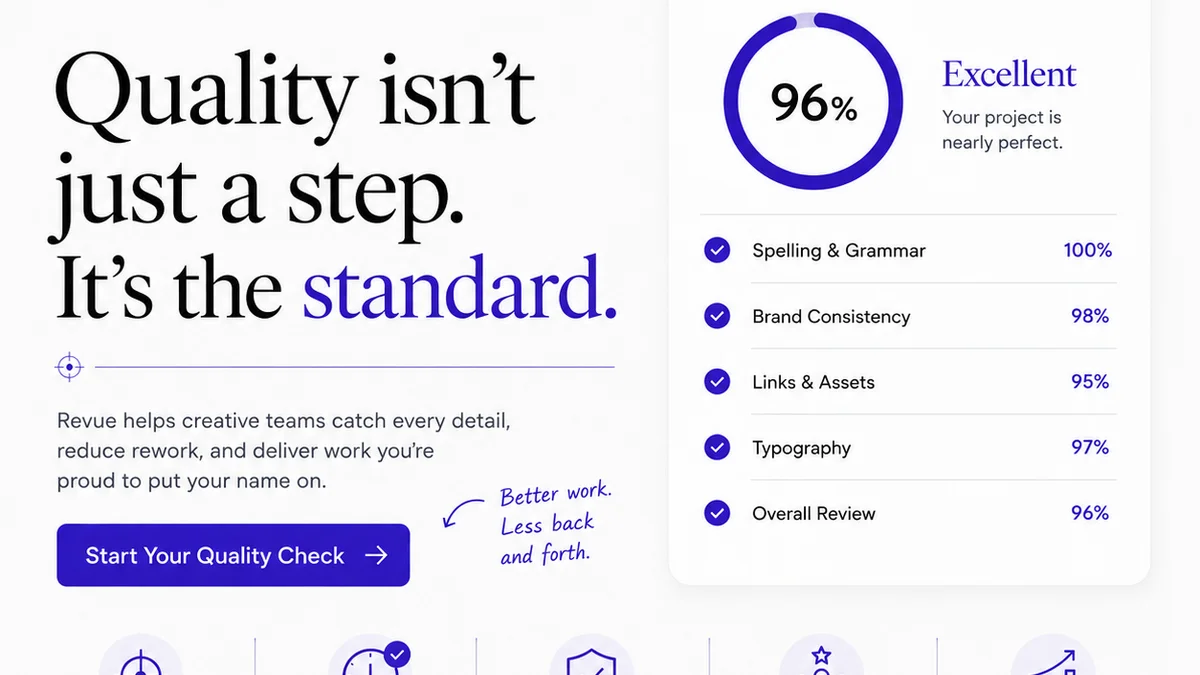
- Integrated Quality Checks: Build and run custom checklists directly within the platform to ensure every asset meets your standards and client requirements before final delivery.
Revue is built for agencies that demand clarity, efficiency, and a professional process from brief to final delivery.
Final Thought
Asynchronous design review software isn’t a magic bullet. It’s a tool. Its effectiveness hinges entirely on how well it supports clarity, context, and control within your agency’s unique workflow. Are you using your tools to simply move feedback around faster, or are you using them to ensure better feedback, clearer approvals, and higher quality creative work?
Frequently asked questions
What is the main benefit of asynchronous design review software for agencies?
The main benefit is not just faster feedback, but higher quality, more actionable feedback due to better context and clarity. It also centralizes communication, reducing fragmentation and speeding up approvals and final sign-offs.
How does asynchronous review software help with client approvals?
It streamlines approvals by providing clear workflows, version control tied to sign-offs, automated notifications for reviewers, and status dashboards. This ensures everyone has seen and approved specific versions, creating an auditable trail.
Can asynchronous review tools help with quality assurance (QA)?
Yes, many advanced tools allow for custom QA checklists to be built directly into the review process. This helps catch errors like typos, broken links, or branding inconsistencies before final delivery.
Why is centralized feedback crucial in design reviews?
Centralized feedback prevents the chaos of fragmented communication across emails, chats, and documents. It ensures all comments and decisions for a project are in one place, reducing missed feedback and conflicting instructions.