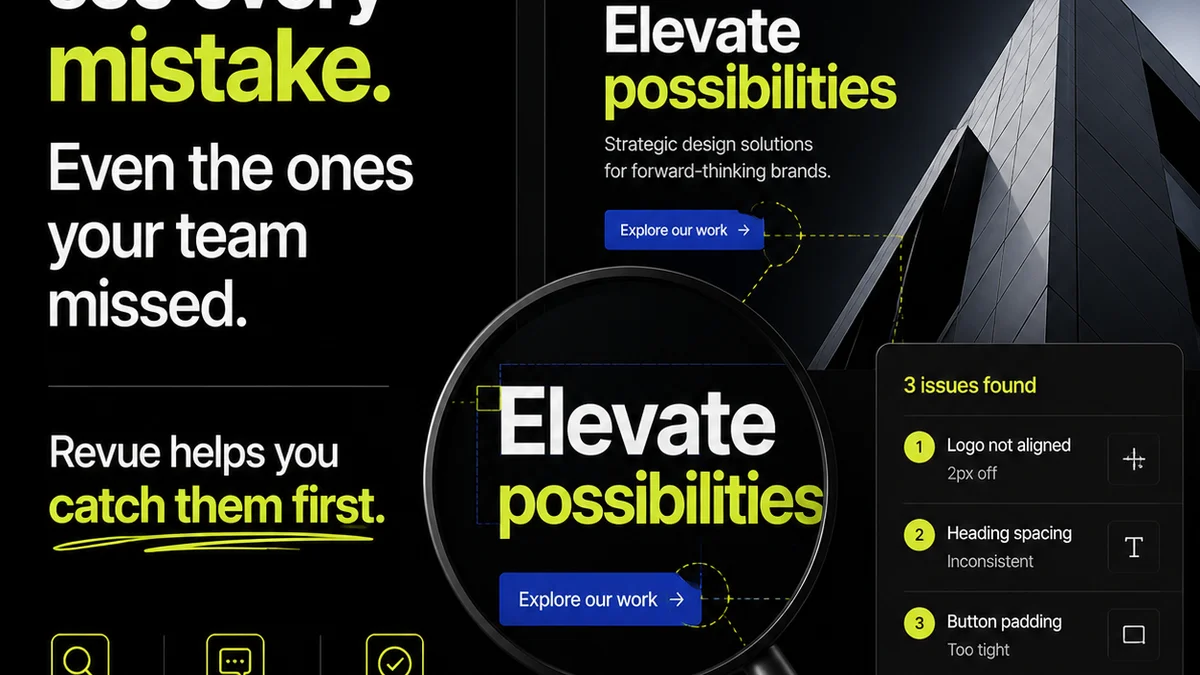
Everyone thinks design quality assurance is about catching typos and misaligned logos. That’s part of it. But it’s not the whole story.
The hard truth? Your current design QA process is probably costing you more than you think. It’s slow, it’s error-prone, and it’s holding your team back.
What if you could catch most design errors *before* they ever reach a client? What if you could streamline the entire quality check process, turning it from a bottleneck into a smooth, efficient operation?
Automated design QA isn’t a futuristic dream. It’s a practical necessity for modern creative agencies and in-house teams. It’s about building quality into your workflow, not just checking for it at the end.
1. The Myth of the Thorough Manual Review
The assumption is that a diligent designer or project manager can simply eyeball a design and catch every potential issue. This is where most agencies get it wrong.
Human eyes are good at many things, but spotting every pixel-perfect alignment issue, every minor color deviation, or every broken link across dozens of screens is not one of them. We get tired. We get distracted. We develop blind spots.
Consider the sheer volume of checks:
- Visual consistency (fonts, colors, spacing)
- Brand guideline adherence
- Accessibility standards (WCAG)
- Cross-browser and cross-device compatibility
- Functionality and interactivity
- Content accuracy and spelling
- Usability and user flow
Trying to do all this manually, especially under tight deadlines, is a recipe for disaster. It’s not a question of talent; it’s a question of scale and human limitations.
The Cost of Human Error
When manual QA fails, the consequences ripple outwards:
- Client Frustration: Repeated revisions due to missed errors erode client trust.
- Wasted Time: Designers and PMs spend hours on redundant checks instead of creative or strategic work.
- Increased Costs: Rework, rush jobs, and potential project delays all hit the bottom line.
- Reputational Damage: A pattern of sloppy work can harm your agency’s reputation.
This isn’t about blaming individuals. It’s about recognizing that the system itself is flawed when it relies solely on human capacity for intricate, repetitive tasks.
2. What Automated Design QA Actually Means
Automated design QA isn’t about replacing human judgment entirely. It’s about augmenting it. It’s about using technology to handle the tedious, repetitive, and objective checks, freeing up your team for the more subjective and creative aspects of quality control.
Think of it as a highly skilled, tireless assistant that never misses a beat. It can:
- Scan designs for adherence to predefined style guides.
- Check color contrast ratios for accessibility.
- Verify that all interactive elements function as expected.
- Ensure consistent spacing and alignment across elements.
- Detect broken links or missing assets.
- Validate code against established standards.
This isn’t just about finding bugs; it’s about establishing a baseline of quality that every deliverable must meet.
Tools of the Trade
The landscape of automated QA tools is evolving rapidly. Depending on your workflow, you might look at:
- Design Tools with Built-in Checks: Figma, for example, has plugins and features that can help with alignment and spacing.
- Dedicated QA Platforms: Tools like Zeplin or Abstract offer version control and inspection capabilities.
- Code Linters and Validators: For web and app development, tools like ESLint, Prettier, or WAVE can automate code quality and accessibility checks.
- Automated Testing Frameworks: For complex applications, frameworks like Selenium or Cypress can automate user interaction testing.
- AI-Powered Tools: Emerging AI solutions can analyze designs for visual inconsistencies and brand compliance.
The key is to integrate these tools into your existing process, not to treat them as separate, add-on tasks.
3. Building Quality into Your Workflow
The most effective design QA isn't an afterthought; it’s woven into the fabric of your creative process. Automation makes this integration much more feasible.
Here’s how to start thinking about it:
Shift Left: Catch Issues Earlier
The earlier an issue is caught, the cheaper and faster it is to fix. Automated checks can be triggered at multiple points:
- During Design: Plugins that flag inconsistencies as designers work.
- Before Handoff: Automated reports generated when a design is ready for development.
- During Development: Continuous integration pipelines that run QA checks with every code commit.
This continuous feedback loop prevents problems from escalating.
Standardize Your Checks
Automation requires standardization. You need clear, objective criteria for what constitutes acceptable quality. This means:
- Well-defined brand guidelines.
- Established accessibility targets (e.g., WCAG 2.1 AA).
- Consistent spacing and typographic rules.
- Clear functional requirements for interactive elements.
Automated tools enforce these standards rigorously, removing subjective interpretation.
Integrate with Your Tools
The most powerful automation happens when QA tools talk to your project management and design software. Imagine:
- Design files automatically checked upon upload.
- QA reports linked directly to the relevant design or task.
- Developers receiving automated alerts for failed checks.
This level of integration minimizes manual data transfer and ensures everyone is working with the same information.
4. Where Revue Fits In
While automated tools handle the objective, repetitive checks, managing the feedback, revisions, and approvals process still requires a centralized system. This is where Revue excels.
Revue provides a single source of truth for all client feedback and internal reviews. Instead of sifting through scattered emails, Slack messages, or disparate documents, your team can:
- Centralize Feedback: All comments, annotations, and approvals live in one place, linked to specific versions of the creative work.
- Streamline Revisions: Track the history of changes, understand the context behind each revision, and ensure no feedback gets lost.
- Gain Approval Visibility: See at a glance who has reviewed, approved, or requested changes, and on which version.
- Run Quality Checks: While Revue doesn't perform automated code or pixel checks itself, it integrates into the workflow *after* initial automated QA. It ensures that the *human* review of the work that passes automated checks is also managed efficiently, providing a clear audit trail for final sign-offs.
By combining automated QA with a robust feedback and approval platform like Revue, you create a truly comprehensive quality control system.
5. The Human Element Remains Crucial
Let’s be clear: automated design QA is not a silver bullet. It’s a powerful supplement, not a replacement, for human expertise.
Automated tools are excellent at identifying objective deviations from rules. They can’t:
- Judge the subjective effectiveness of a design.
- Understand the nuanced strategic goals behind a creative choice.
- Empathize with the end-user’s experience in a deeply human way.
- Make creative leaps or offer innovative solutions.
Your creative directors, UX designers, and brand strategists are still essential. Their role shifts from meticulous bug hunting to higher-level strategic oversight and ensuring the *intent* of the design is met, not just the technical specifications.
Automated QA frees them up to do that higher-value work.
Final Thought
The pace of digital creation isn't slowing down. As teams produce more work, faster than ever, relying on manual checks for quality is a losing game. Are you ready to embrace automated design QA and elevate your team’s efficiency and output?
Frequently asked questions
What are the main benefits of automated design QA?
Automated design QA significantly reduces errors, saves valuable time by handling repetitive checks, improves consistency across projects, lowers costs associated with rework, and ultimately enhances client satisfaction by delivering higher-quality work faster.
Can automated design QA replace human reviewers?
No, automated design QA is meant to augment, not replace, human reviewers. It excels at objective, rule-based checks (like color contrast or alignment), freeing up human experts to focus on subjective elements like brand strategy, user experience, and overall creative effectiveness.
What types of tools are used for automated design QA?
Tools vary depending on the discipline. For design, this can include plugins within tools like Figma. For web and app development, code linters, validators, and automated testing frameworks are common. Emerging AI tools also offer design analysis capabilities.
How does automated design QA integrate with project management?
Effective integration means QA tools are linked to your design assets and project management systems. This allows for automated reports, linked feedback, and real-time alerts, ensuring that quality checks are part of the natural workflow rather than an isolated step.
Is automated design QA only for large agencies?
Absolutely not. Smaller agencies and in-house teams can benefit immensely. By automating routine checks, even small teams can punch above their weight, delivering more consistent and professional results without needing a large QA department.