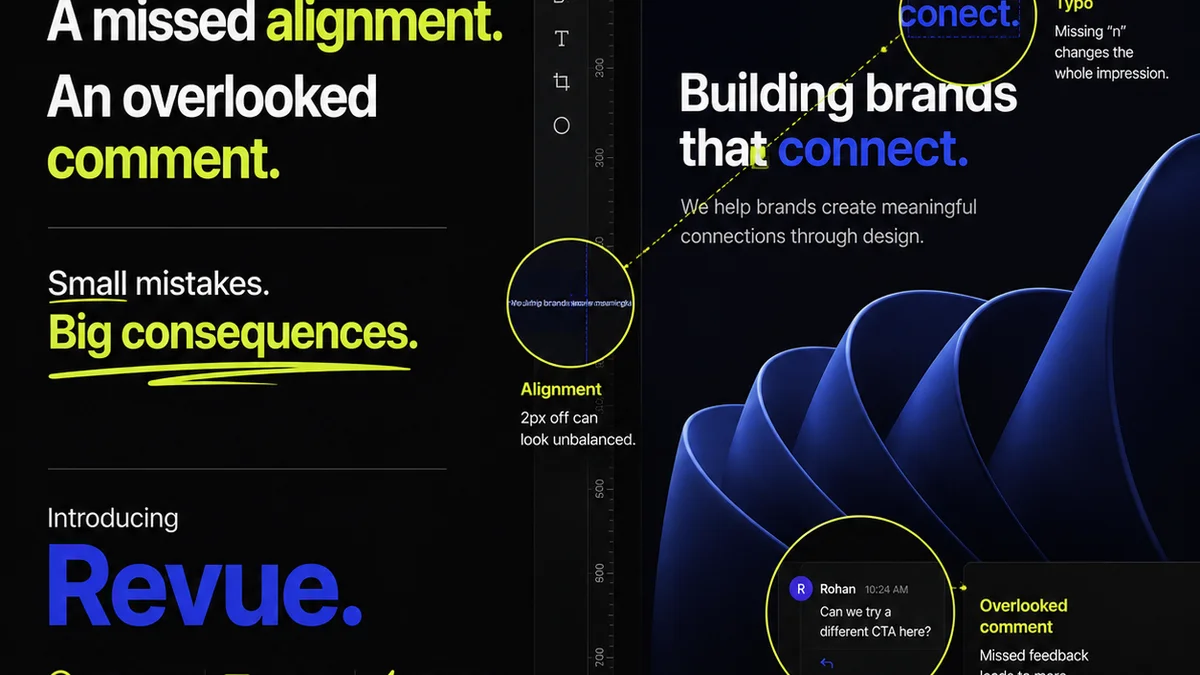
Everyone talks about automated design QA software being the key to catching visual bugs. That it’s the silver bullet for pixel-perfect delivery. And sure, that’s part of the story.
But it’s incomplete. And frankly, a little naive.
The real truth for agencies and creative teams is that automated design QA isn't just about finding stray pixels or misaligned elements. It’s about streamlining your entire creative workflow, ensuring consistency across projects, and ultimately, delivering client work that’s not just visually correct, but strategically sound and on-brand. Anything less is just busywork.
1. Beyond the Pixel: What 'Quality' Really Means
The common assumption is that automated design QA is solely focused on visual fidelity. Finding that one rogue pixel, that slightly off-center button. It’s seen as a final gatekeeper for aesthetics.
This narrow view misses the forest for the trees. True design quality, especially in an agency context, encompasses much more.
Brand Consistency
Is the logo used correctly? Are the brand colors applied accurately? Is the typography on-point with brand guidelines?
Automated tools can flag deviations from established brand standards, ensuring every piece of collateral reinforces, rather than dilutes, the client’s identity.
Usability and Accessibility
Automated QA can check for basic accessibility issues, like sufficient color contrast or proper focus states for interactive elements. This isn't just about compliance; it's about creating inclusive experiences.
While not a replacement for human testing, it catches common oversights early.
Technical Accuracy
For web and app design, this means checking for broken links, correct image resolutions, and responsive behavior across different screen sizes. It’s about ensuring the design functions as intended in its final environment.
Alignment with Brief
This is the hardest to automate, but the most critical. Does the design actually solve the client's problem? Does it meet the objectives laid out in the brief?
Automated tools can't read minds, but they can help ensure that the foundational elements required to meet the brief are present and correct.
2. The Limits of Automation: What Tools Can't Do (Yet)
Relying solely on automated checks is a recipe for disaster. These tools are powerful assistants, not replacements for human judgment. They excel at objective, rule-based checks. They falter when nuance and subjective interpretation come into play.
Understanding these limitations is crucial for selecting the right software and setting realistic expectations.
Strategic Intent
Can the design resonate with the target audience? Does the visual hierarchy effectively guide the user? Does the overall aesthetic align with the client’s market position?
These are questions that require human insight, understanding of user psychology, and knowledge of the client's business goals. Automation can't replicate this.
Creative Judgment
Is the composition aesthetically pleasing? Is the tone of voice conveyed effectively through the visuals? Is the design innovative and memorable?
Creativity is inherently subjective. While AI is advancing, truly nuanced creative evaluation remains a human domain.
Contextual Understanding
How will this design perform in the wild? Are there cultural sensitivities or industry-specific nuances that a tool might miss? Does it fit seamlessly into the user's existing journey?
Real-world context requires a level of understanding that goes beyond code and pixels.
Client Empathy
Ultimately, design is about communication and solving problems for people. Understanding the client’s vision, their anxieties, and their ultimate goals requires human connection and conversation.
3. Key Features to Look for in Automated Design QA Software
When you’re evaluating automated design QA tools, think beyond the basic
Frequently asked questions
Can automated design QA replace human reviewers?
No. Automated tools excel at objective, rule-based checks like pixel alignment or color contrast. They cannot replace human judgment for assessing strategic intent, creative quality, or contextual relevance.
What are the main benefits of using automated design QA software?
The primary benefits include increased efficiency by catching common errors early, ensuring brand consistency, improving accessibility, reducing revision cycles, and freeing up human reviewers for more complex tasks.
How does automated design QA help with brand consistency?
By checking against predefined brand guidelines, automated tools can flag incorrect logo usage, off-brand colors, or incorrect typography, ensuring all creative assets adhere to brand standards.
Is automated design QA suitable for all types of design projects?
It's most effective for digital design (web, apps, UI/UX) and print collateral where specific rules and standards can be defined. Its utility for highly conceptual or purely artistic work is more limited.