Everyone agrees that design quality matters. That client feedback needs to be clear and actionable. That approvals should be fast and final.
None of that is wrong. But it’s incomplete.
The hard truth? Manual design QA and feedback management is a bottleneck. It kills efficiency, breeds errors, and frustrates everyone involved. You’re not just reviewing designs; you’re managing chaos. And in today’s fast-paced agency world, that’s a losing game.
1. The Limits of Human Review
You’ve seen it a million times. A designer pushes a new round of comps. The client replies with a vague email: “Looks good, just tweak the logo.” Or worse, a Slack message buried under fifty others: “Can we make the blue a bit more… blue?”
This isn’t a failure of design talent. It’s a failure of process. Relying solely on human eyes for every single QA check, every single revision request, is inherently flawed.
The Obvious Problems
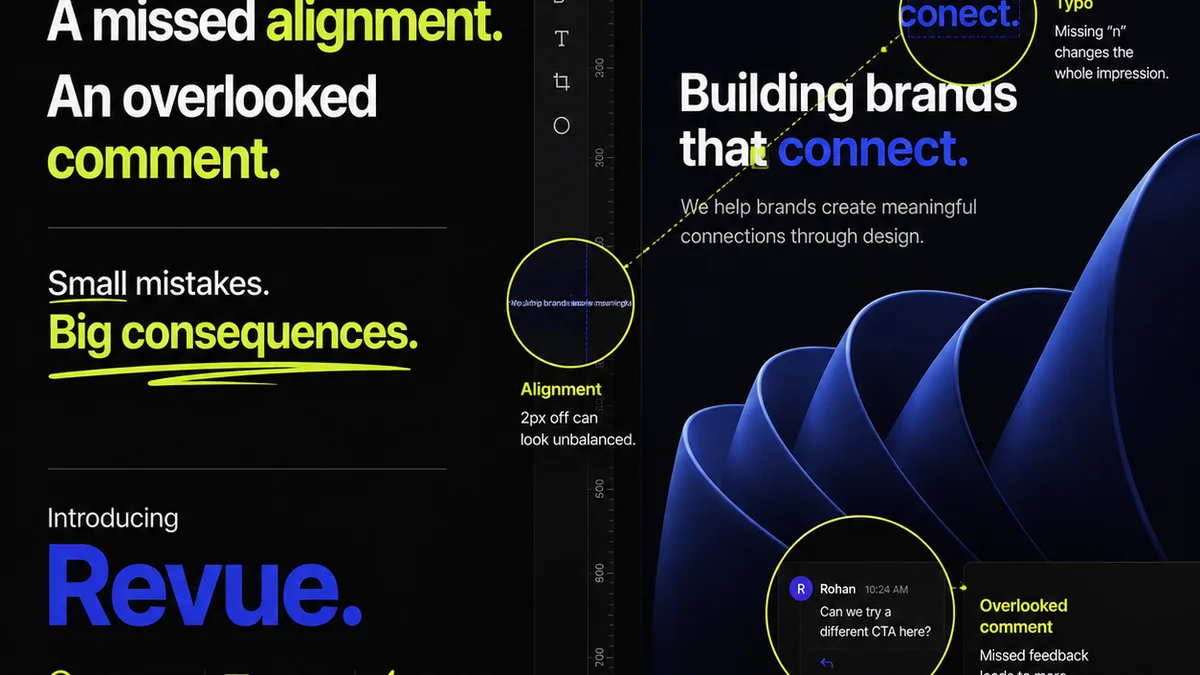
- Missed details: Typos, alignment issues, inconsistent spacing, broken links. They’re everywhere.
- Subjectivity: “Make it pop” or “More wow factor” means something different to everyone.
- Communication breakdown: Feedback gets lost, misinterpreted, or ignored across email, chat, and calls.
- Scope creep: Vague feedback often leads to endless revision cycles that spiral out of control.
- Time sink: Designers and project managers spend hours chasing clarification and re-checking minor details.
This reactive approach cripples your team’s throughput. It’s like trying to build a skyscraper with a hand trowel.
2. What Automated Design QA Actually Means
Automated design QA isn't about replacing designers or creative directors. It’s about augmenting their capabilities. It’s about offloading the tedious, repetitive tasks so your team can focus on what truly matters: creative strategy and impactful design.
Think of it as a smart assistant. It catches the low-hanging fruit, flags inconsistencies, and provides a clear, documented trail of feedback and approvals.
Key Capabilities to Look For
When evaluating automated design QA, consider tools that offer:
- Visual Regression Testing: Automatically compares new design versions against previous ones to spot unintended visual changes.
- Style Guide Enforcement: Checks if designs adhere to established brand guidelines (fonts, colors, spacing, component usage).
- Accessibility Auditing: Flags potential accessibility issues like poor color contrast or missing alt text, aligning with standards like WCAG.
- Cross-Browser/Device Testing: Verifies that designs render correctly across different browsers and screen sizes.
- Interactive Prototyping & Annotation: Allows for precise, in-context feedback directly on mockups or prototypes.
- Version Control & Audit Trails: Tracks all changes, feedback, and approvals, creating an irrefutable history.
These aren’t just nice-to-haves. They are the building blocks of a robust, efficient creative workflow.
3. Top Automated Design QA Tools & Categories
The landscape of design QA tools is diverse. They range from specialized visual testing platforms to broader project management solutions with QA features. For US-based teams, understanding these categories is key to selecting the right fit.
Category 1: Visual Regression & Code-Based Testing
These tools are often favored by development-heavy teams but offer significant benefits for design QA, especially for digital products.
- Percy.io (now part of BrowserStack): Excellent for visual regression testing. Captures screenshots of your web app and compares them to baseline images, highlighting any visual differences. Great for catching unintended UI changes.
- Applitools: Another leader in visual AI-powered testing. It goes beyond pixel-by-pixel comparison to understand visual layout and content, reducing false positives.
- Chromatic: Specifically built for Storybook users. It automates visual testing and documentation for UI components, ensuring consistency across your design system.
Who it’s for: Teams building web applications, digital products, or component libraries where UI consistency is paramount.
Category 2: Design System & Style Guide Checkers
These tools focus on ensuring designs adhere to established brand and UI guidelines, often integrating directly with design tools.
- Specify: Helps manage and distribute design tokens and brand guidelines. While not strictly a QA tool, it ensures designers are working with the correct, up-to-date brand assets, preventing a common source of error.
- Frontify: A comprehensive brand guideline platform. It centralizes brand assets and rules, making it easier for teams to reference and adhere to them. It can help in the QA process by providing a single source of truth.
Who it’s for: Larger organizations or agencies with well-defined brand guidelines and design systems that need to be consistently applied.
Category 3: In-Context Feedback & Annotation Platforms
These are perhaps the most relevant for day-to-day agency creative review. They streamline the process of gathering and acting on feedback directly within the design context.
- Filestage: Offers a structured way to share and gather feedback on various media types (designs, videos, documents). Features include annotation, version comparison, and clear approval workflows.
- Markup.io: Allows teams to add visual comments and annotations directly onto web pages, images, and PDFs. It’s straightforward and integrates with popular design tools.
- UserTesting.com / Lookback: While primarily for user research, these platforms can capture detailed feedback, including screen recordings and voiceovers, offering insights into how users (or clients) interact with and perceive designs. This can be a form of qualitative QA.
Who it’s for: Agencies and in-house teams needing to manage client feedback efficiently, ensure clarity, and track revisions.
Category 4: Integrated QA & Project Management
Some tools combine project management with specific QA functionalities, offering a more holistic solution.
- Ziflow: A robust online proofing platform designed for creative workflows. It handles a wide range of file types, offers detailed annotation tools, version control, and project management features.
- Review Studio (by InVision): Part of the InVision ecosystem, offering visual feedback and collaboration on designs.
Who it’s for: Teams looking for an all-in-one solution to manage projects, feedback, and approvals without juggling multiple specialized tools.
4. Selecting the Right Tool for Your Agency
The “best” tool isn’t a universal answer. It depends entirely on your team’s specific needs, workflow, and the types of projects you handle.
Ask These Questions
- What types of files do you primarily work with? (Web mockups, print, video, code?)
- How complex are your client feedback loops?
- What’s your budget?
- How integrated does the tool need to be with your existing stack (e.g., Figma, Adobe Creative Suite, project management software)?
- What level of detail do you need in your QA reports?
- Are accessibility and brand guideline compliance critical requirements?
Answering these will help you narrow down the categories and specific tools that will provide the most value.
Don't Overcomplicate
Start with the biggest pain point. If client feedback is a mess, focus on annotation and approval tools. If UI inconsistencies are rampant, look at visual regression or style guide checkers.
The goal is to implement a solution that demonstrably improves efficiency and reduces errors, not to add another layer of complexity.
5. Where Revue Fits In
While specialized tools handle specific aspects of automated design QA, managing the *entire* creative workflow requires a central hub. That’s where Revue comes in.
Revue acts as the control center for your creative operations. It doesn’t replace the visual checkers or annotation tools, but it integrates them into a cohesive process.
- Centralized Feedback: Consolidate feedback from various sources (including annotated proofs from other tools) into one place, linked directly to the specific design version.
- Revision & Approval Visibility: Track the entire revision history and approval status for every creative asset. No more guessing who signed off on what, or when.
- Quality Check Workflow Integration: Define and enforce your quality check steps. Ensure that automated checks and manual reviews happen in the correct order before final approval.
- Streamlined Communication: Reduce reliance on scattered emails and chats. All project-related communication and decisions are documented and accessible.
By providing this level of visibility and control, Revue ensures that the outputs of your automated QA processes are managed effectively and lead to timely client approvals.
6. Final Thought
The relentless pursuit of design perfection is often undermined by the messy reality of project execution. Automated design QA isn't a silver bullet, but it's a powerful lever for transforming chaos into clarity.
Are you still managing design feedback like it’s 2005? Or are you building a system that empowers your team to deliver exceptional work, efficiently and consistently?
Frequently asked questions
What is automated design QA?
Automated design QA uses software to automatically check designs for errors, inconsistencies, and adherence to guidelines. This includes visual regression testing, style guide enforcement, and accessibility checks, freeing up human reviewers for more strategic tasks.
How can automated QA tools improve agency efficiency?
By catching errors early and reducing the need for manual checks, these tools speed up the review and approval process, minimize time spent on repetitive tasks, and prevent costly revisions due to miscommunication or missed details.
What's the difference between visual regression testing and annotation tools?
Visual regression testing compares design versions to detect unintended visual changes, often used for code-based UIs. Annotation tools allow for direct, in-context feedback on mockups and prototypes, ideal for client communication and design reviews.
Can automated tools replace human designers or QA specialists?
No, automated tools are meant to augment human capabilities. They handle the repetitive, data-driven checks, allowing designers and QA specialists to focus on creative judgment, strategic problem-solving, and complex quality assessments.
How do tools like Revue complement automated design QA?
Revue acts as a central hub to manage the entire creative workflow. It consolidates feedback, tracks revisions and approvals, and integrates the outputs of specialized QA tools, ensuring a clear, documented, and efficient process from start to finish.