Everyone talks about the best tools for in-house design teams. You see the endless software comparisons, the feature checklists, the glowing reviews of the latest platform. It’s easy to think that simply adopting the newest app will solve all your workflow woes.
None of that is wrong. But it’s incomplete.
The real truth is that the effectiveness of any tool hinges on the processes and people using it. A brilliant tool in a chaotic workflow is just a faster way to make a mess.
1. The Foundation: Collaboration and Communication
Before we even talk about software, let’s be clear: design teams thrive on clear communication and seamless collaboration. This isn’t a soft skill; it’s operational bedrock.
Understanding Team Dynamics
In-house teams often have different reporting structures and stakeholder relationships than agencies. Understanding who needs to be looped in, when, and why is critical. This isn’t about micromanagement; it’s about alignment.
Are your designers talking directly to the marketing lead? Is the brand manager involved early enough? Are legal and compliance teams integrated from the start for regulated industries?
Centralized Communication Channels
Scattered conversations across Slack, email, and random comment threads are a productivity killer. You need a central hub where design-related discussions happen and are easily searchable.
- Email chains that get lost.
- Slack DMs that are forgotten.
- Informal hallway chats that aren’t documented.
- Comments buried in unrelated documents.
This is where your design operations start to fray. Every missed detail leads to rework and frustration.
2. The Core Design Stack: More Than Just Pretty Pictures
Your primary design software is the engine, but how you manage it and its outputs is the steering wheel and GPS.
Vector Graphics and UI Design
For most digital design, tools like Adobe Illustrator (for vector assets) and Figma (for UI/UX) are industry standards. Their collaborative features are a significant step up from older, desktop-bound tools.
Figma, in particular, has revolutionized real-time collaboration, allowing multiple designers to work on the same file simultaneously. This is a game-changer for speed and efficiency.
Prototyping and User Testing
Static mockups only tell half the story. Interactive prototypes are essential for demonstrating user flows and gathering meaningful feedback. Tools that integrate prototyping directly into the design process (like Figma, or others like ProtoPie) are invaluable.
Testing these prototypes is non-negotiable. Even informal internal testing can uncover usability issues before they reach end-users.
Asset Management and Version Control
Where do your final assets live? How do you ensure everyone is using the latest approved version of a logo or illustration?
This is a perennial problem. Without a robust system, designers waste time hunting for files, and marketers might use outdated branding. Cloud storage is a start, but dedicated Digital Asset Management (DAM) systems offer more control and organization for larger teams and complex brand systems.
3. The Workflow Enhancers: Bridging Gaps
These are the tools that connect the dots between design, development, and stakeholders.
Project Management Integration
Design doesn't happen in a vacuum. It’s part of larger projects. Your design tools should integrate with your team’s project management software (like Asana, Jira, Monday.com, etc.).
This means tasks can be assigned, deadlines tracked, and progress visualized alongside other project components. It prevents design from becoming a bottleneck or an afterthought.
Developer Handoff
The handoff from design to development is a classic friction point. Tools that provide developers with specs, assets, and style guides directly from the design files are crucial.
Again, Figma excels here. Its inspect mode allows developers to grab measurements, colors, and assets without needing to ask designers for every little detail. This saves significant time for both parties.
Accessibility and Quality Assurance
Are your designs accessible? Are they meeting brand standards consistently? These checks shouldn't be an afterthought.
- Accessibility Tools: Browser extensions and built-in features in design software can help check color contrast and identify potential accessibility barriers. Adhering to guidelines like the Web Content Accessibility Guidelines (WCAG) is paramount.
- Brand Consistency Checkers: While often manual, establishing clear brand guidelines and having processes for review helps maintain consistency.
- Automated QA: For web design, tools can automate checks for broken links, responsiveness, and performance.
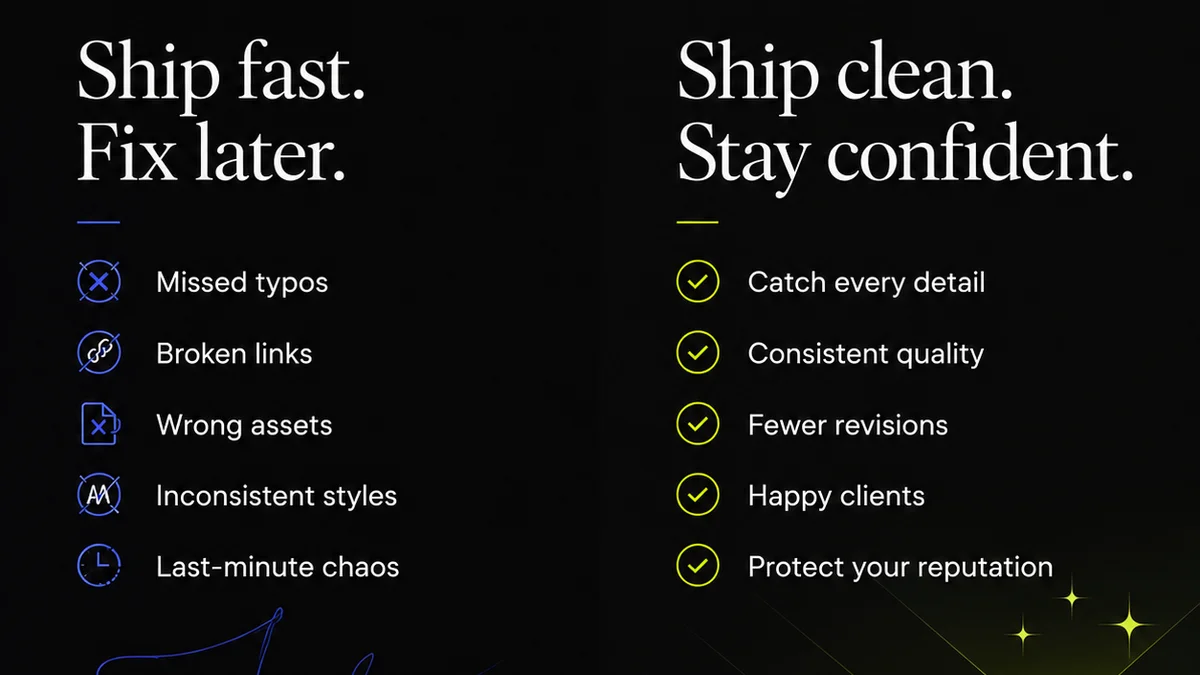
Skipping these steps leads to costly rework, brand damage, and exclusion of users.
4. The Feedback Loop: Taming the Chaos
This is perhaps the most challenging area for in-house teams. Feedback can come from everywhere, often conflicting and unclear.
Structured Feedback Mechanisms
Ad-hoc feedback is the enemy of efficient design. You need a structured way to collect, organize, and act on feedback.
This means defining:
- Who provides feedback.
- When feedback is given.
- How feedback is documented.
- How feedback is prioritized and addressed.
Email attachments with vague notes like “Make it pop more” are not helpful. Context is everything.
Visual Annotation and Commenting
Tools that allow stakeholders to leave comments directly on the design or prototype are far more effective than generic emails. This pins feedback to specific elements, reducing ambiguity.
It’s about creating a clear trail of communication, tied directly to the work itself.
Revision and Approval Tracking
Knowing which version is the latest, who approved it, and what changes were made between versions is vital. Manual tracking leads to errors and disputes.
A system that clearly delineates revisions and approvals provides accountability and a clear project history.
Where Revue Fits In
Managing client or stakeholder feedback, revisions, and approvals can quickly become overwhelming for any creative team, especially in-house departments juggling multiple projects and internal stakeholders. This is where a dedicated platform like Revue becomes essential.
Revue helps centralize feedback, ensuring that all comments and annotations are tied directly to the specific creative asset being reviewed. No more hunting through email chains or disparate Slack messages. This visual annotation capability means feedback is contextual and actionable.
Furthermore, Revue provides clear visibility into the revision and approval process. Stakeholders can see the history of changes, and approvals are logged, creating an auditable trail. This transparency reduces confusion, minimizes the risk of using outdated versions, and streamlines the path to final sign-off. For in-house teams needing to coordinate with numerous internal departments or external partners, this level of clarity is invaluable for maintaining project momentum and ensuring quality control.
5. The Human Element: Training and Adoption
The best tools are useless if the team doesn’t know how to use them effectively, or worse, resists using them.
Invest in Training
Simply giving a team access to new software isn’t enough. Provide comprehensive training, focusing not just on features, but on how these tools integrate into your established workflows.
Establish Clear Guidelines
Document your team’s agreed-upon processes for using each tool. When should a design be shared via email vs. a project management tool vs. a dedicated review platform? What are the naming conventions for files?
Clear guidelines reduce confusion and ensure consistency.
Foster a Culture of Continuous Improvement
Workflows and tools evolve. Regularly review what’s working and what’s not. Solicit feedback from your team on the tools and processes. Be willing to adapt and try new approaches.
The goal is not to adopt every new tool, but to build a robust, efficient system tailored to your team's specific needs and the company’s objectives.
Final Thought
The “best” tools for an in-house design team aren’t necessarily the flashiest or the most expensive. They are the tools that, when integrated into well-defined processes and supported by clear communication, empower your team to create exceptional work efficiently. Are you investing in tools, or are you investing in a better workflow?
Frequently asked questions
What is the most crucial aspect of choosing tools for an in-house design team?
The most crucial aspect is not the tool itself, but how well it integrates into your existing processes and enhances team collaboration and communication. A tool is only as effective as the workflow it supports.
How can in-house design teams manage conflicting feedback from different stakeholders?
Establish structured feedback mechanisms. Define who provides feedback, when, and how it's documented. Utilize tools that allow for visual annotation directly on designs to ensure feedback is contextual and actionable, and have a clear process for prioritizing and addressing comments.
What are the key benefits of using a centralized platform for design feedback and approvals?
Centralized platforms like Revue ensure all feedback is in one place, reducing confusion and lost comments. They provide clear visibility into revisions and approvals, create an auditable trail, minimize the use of outdated versions, and streamline the entire sign-off process.
How important is developer handoff in the design tool selection process?
Developer handoff is critical. Tools that facilitate easy access to design specs, assets, and style guides directly from the design files significantly reduce friction between design and development, saving time and preventing errors.