Everyone talks about the best tools for production designers. You see endless lists of software, plugins, and hardware. The assumption is that the right tech stack is the silver bullet for efficiency and quality.
None of that is wrong. But it’s incomplete.
The hard truth? The best tools for production designers are the ones that integrate seamlessly into a predictable, repeatable workflow, enabling clear communication and minimizing costly rework. It’s less about the specific program and more about how it serves the process.
1. The Core Creative Suite: Your Digital Workbench
This is non-negotiable. For most production designers, this means the Adobe Creative Cloud. We’re talking Photoshop, Illustrator, After Effects, Premiere Pro, and InDesign. These are the industry standards for a reason. They’re powerful, versatile, and widely compatible.
But just *having* them isn't enough. Understanding their deeper functions and how they interact is key.
Mastering the Ecosystem
Think about linked assets between Photoshop and Illustrator, or dynamic linking in After Effects to Premiere Pro. These aren't just features; they're workflow accelerators.
- Photoshop: For raster image editing, compositing, mockups, and texture creation.
- Illustrator: For vector graphics, logos, icons, and precise line work.
- After Effects: For motion graphics, visual effects, and animation.
- Premiere Pro: For video editing, assembly, and final output.
- InDesign: For layout, print collateral, and interactive PDFs.
Knowing when to use which tool, and how to pass assets between them without losing quality or breaking links, is foundational.
Beyond Adobe?
For UI/UX focused production work, tools like Figma have become essential. Their collaborative features and component-based design systems are game-changers for digital products.
But even here, the principle remains: it’s about how the tool fits the task and the team.
2. Asset Management: Taming the Digital Chaos
You can have the best design skills in the world, but if you can’t find your files, or if the wrong version is being used, you’re dead in the water. This is where robust asset management becomes critical.
This isn't just about folders on a server. It's about a system.
Digital Asset Management (DAM) Systems
For larger teams or complex projects, a dedicated DAM system offers:
- Centralized storage and organization.
- Version control.
- Metadata tagging for easy searching.
- Permissions and access control.
- Brand guideline enforcement.
Examples range from enterprise solutions to more accessible platforms. The key is finding one that scales with your needs and integrates with your existing tools.
Cloud Storage & Sync
For smaller teams, services like Dropbox, Google Drive, or OneDrive can work, provided you establish strict naming conventions and folder structures. The “best” tool here is the one your team actually uses consistently.
The trap is thinking a fancy DAM solves bad habits. It doesn’t.
Clear protocols are more important than the software itself.
3. Collaboration & Communication: The Client Bridge
Production design is rarely a solo act. It involves clients, account managers, creative directors, and other specialists. Miscommunication is the enemy of deadlines and budgets.
The best tools here facilitate clarity and reduce friction.
Visual Feedback Platforms
Tools that allow clients to comment directly on specific areas of an image, video, or layout are invaluable. This eliminates the “red squiggly line” emails or vague feedback like “make it pop more.”
Platforms that offer:
- In-context annotation.
- Version comparison.
- Clear approval workflows.
- Centralized feedback threads.
…transform client reviews from a painful chore into an efficient checkpoint.
Project Management Software
While not strictly design tools, platforms like Asana, Monday.com, or Jira are crucial for tracking progress, assigning tasks, and managing timelines. They keep the entire project team aligned.
The underlying principle: reduce ambiguity. Make it clear what needs to be done, by whom, and when.
4. Quality Assurance & Delivery: The Final Polish
Getting the work done is one thing. Ensuring it meets spec and is delivered correctly is another. This is where checks and balances are vital.
Preflight Tools
For print production, preflight tools (often built into Adobe Acrobat Pro or specialized software like Enfocus PitStop) are essential for catching errors before sending to print. These check for:
- Color space issues.
- Font embedding problems.
- Resolution errors.
- Bleed and trim concerns.
Missing these steps leads to expensive reprints and damaged client relationships.
Accessibility Checkers
For digital work, ensuring accessibility is no longer optional. Tools that can scan websites, PDFs, or digital documents for compliance with standards like WCAG (WCAG) are becoming indispensable.
This includes checking color contrast, alt text, keyboard navigation, and semantic structure.
File Transfer & Archiving
Secure and reliable methods for transferring large files (like Adobe Creative Cloud's file transfer, WeTransfer Pro, or specialized FTP) and a system for archiving finished projects are the final pieces of the puzzle.
Where Revue Fits In
All these tools—the creative suite, asset managers, collaboration platforms—generate data and create workflows. But without a way to connect them and provide visibility, they operate in silos.
This is where a tool like Revue becomes powerful for production teams.
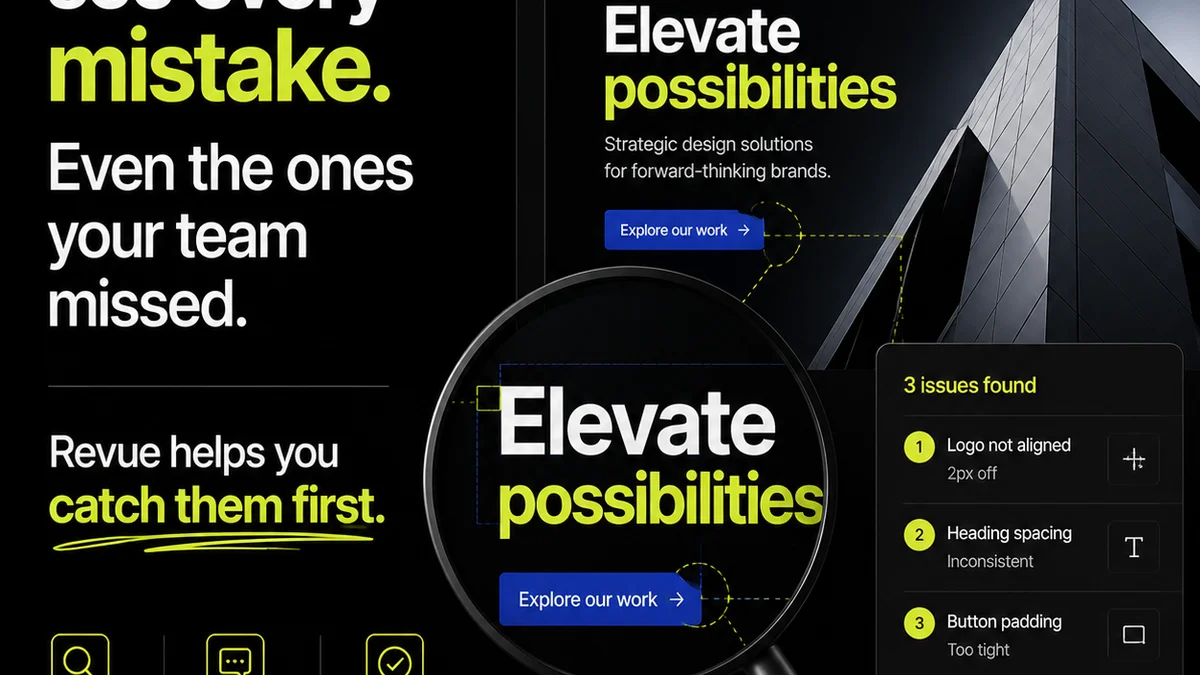
Revue acts as the central nervous system for creative feedback and approvals. Instead of juggling emails, scattered annotations, and unclear version histories, Revue provides:
- Centralized Client Feedback: All comments, revisions, and discussions happen in one place, directly linked to the creative asset. No more hunting for that one crucial email.
- Clear Revision Tracking: Easily see which version is current, what feedback was applied, and who approved what. This transparency is gold for managing client expectations and internal accountability.
- Streamlined Approvals: Formalize the approval process, reducing ambiguity and ensuring sign-off happens with full context.
- Quality Check Integration: By having a clear record of feedback and approvals, you can more effectively conduct final quality checks, ensuring all requirements have been met before delivery.
Revue doesn't replace your core design software, but it makes the process *around* that software infinitely smoother, especially when dealing with external clients and multiple stakeholders.
Final Thought
The
Frequently asked questions
What are the essential software tools for a production designer?
The Adobe Creative Cloud (Photoshop, Illustrator, After Effects, Premiere Pro, InDesign) is fundamental. For digital products, Figma is also crucial. Beyond these, tools for asset management, client feedback visualization, and project management are vital.
How important is asset management for production designers?
Extremely important. Without a robust system for organizing, versioning, and retrieving files, even the most skilled designer will face delays and errors. This can range from well-structured cloud storage to dedicated Digital Asset Management (DAM) systems.
How can production designers improve client communication?
By using tools that facilitate clear, visual feedback. Platforms allowing direct annotation on assets, centralized discussion threads, and explicit approval workflows drastically reduce misunderstandings compared to email chains.
What role do quality assurance tools play?
QA tools ensure the final product meets all technical specifications and standards before delivery. For print, this involves preflight checks. For digital, it includes accessibility audits (like WCAG compliance) and thorough review of all interactive elements.