Everyone thinks brand governance is about brand guidelines. That a nicely designed PDF is the key to keeping your brand on-message.
None of that is wrong. But it’s incomplete.
The hard truth? Brand governance is an operational challenge. It’s about workflow, accountability, and speed. And the right software doesn’t just store guidelines; it enforces them.
1. Centralized Asset Management (The Obvious, But Crucial)
This is table stakes. Your brand assets—logos, fonts, color palettes, imagery, templates—need to be in one place. Accessible. Up-to-date.
But accessibility isn’t enough. It needs to be smart.
Version Control is Non-Negotiable
How many times has a team member used an old logo because they couldn’t find the latest version? This is a common failure point.
Your brand governance software must have robust version control. Clear indicators of what’s current and what’s deprecated. No ambiguity.
Smart Tagging and Search
Simply dumping assets into a folder system is a recipe for disaster. Good governance software allows for detailed tagging.
Think:
- Usage rights
- Specific campaign applicability
- File type and resolution
- Brand pillar association
This means users can find exactly what they need, fast. Not just *a* logo, but *the correct* logo for a specific social media ad, with the right usage permissions.
Permissions and Access Control
Not everyone needs access to everything. Define roles and permissions clearly.
A junior designer might need access to social media templates. The marketing lead might need access to high-res print logos. The legal team might need to review specific campaign assets before final approval.
Granular control prevents misuse and ensures brand integrity.
2. Workflow Automation and Enforcement
This is where brand governance software moves beyond a digital filing cabinet. It becomes an active participant in your creative process.
Think about the common bottlenecks:
- Requests for custom assets
- Review cycles for campaign materials
- Ensuring brand compliance on external partner work
Your software should automate these.
Template-Driven Workflows
For recurring assets—like social posts, presentations, or reports—templates are lifesavers. But they need to be enforced.
Brand governance software can lock down critical elements within templates. For instance, the logo placement and size might be fixed. Color palettes might be restricted to approved options. Fonts might be pre-selected.
Users can then focus on the variable content, confident that the brand elements are correct.
Automated Brand Checks
Can your software flag potential brand violations *before* they go out the door?
Look for features that can scan documents, images, or even website code for:
- Incorrect logo usage (e.g., wrong color, wrong placement)
- Off-brand color palettes
- Unauthorized fonts
- Inconsistent messaging (this is harder, but some AI tools are emerging)
This proactive approach saves immense amounts of time and prevents embarrassing errors.
Approval Routing
Complex projects involve multiple stakeholders. Managing approvals via email is a nightmare.
Your brand governance platform should offer automated approval routing. Set up sequential or parallel approval steps.
This provides visibility into where an asset is in the review process and ensures all necessary eyes have seen it.
3. User Training and Onboarding
Even the best software is useless if people don’t know how to use it, or *why* they should use it.
Effective brand governance software includes tools to educate your team.
Integrated Training Modules
Can the software host short, digestible training modules directly related to the assets or workflows? For example, a quick video on correct logo usage when a user downloads a logo file.
Contextual Guidance
When a user is working within a template, can the software offer contextual tips? Reminders about tone of voice? Best practices for imagery selection?
This embeds learning into the daily workflow, making it far more effective than a one-off training session.
Compliance Reporting
Demonstrate adherence to brand standards. Reporting features can highlight who is using the system correctly, which assets are most used, and where potential compliance issues are arising.
This data is invaluable for refining training and identifying areas where the brand guidelines themselves might be unclear or impractical.
4. Scalability and Integration
Your agency or team isn't static. Your brand governance solution needs to grow with you.
Handles Growing Asset Libraries
As your brand evolves, so will your asset library. The software needs to handle thousands, even tens of thousands, of assets without performance degradation.
Integrates with Existing Tools
Where does your team create? Figma? Adobe Creative Suite? Google Workspace? Microsoft Office?
The best brand governance software integrates seamlessly. Plugins or extensions that allow users to access brand assets and templates directly from their design or productivity tools are a game-changer.
This minimizes context switching and keeps users within their preferred environments.
API Access
For more advanced needs, robust API access allows for custom integrations. Connect your brand governance system to your DAM, your project management tool, or even your CMS.
This creates a more unified ecosystem and unlocks powerful automation possibilities.
Where Revue Fits In
Managing creative feedback and revisions is a core part of brand governance. Inconsistent feedback leads to inconsistent creative, no matter how good your guidelines are.
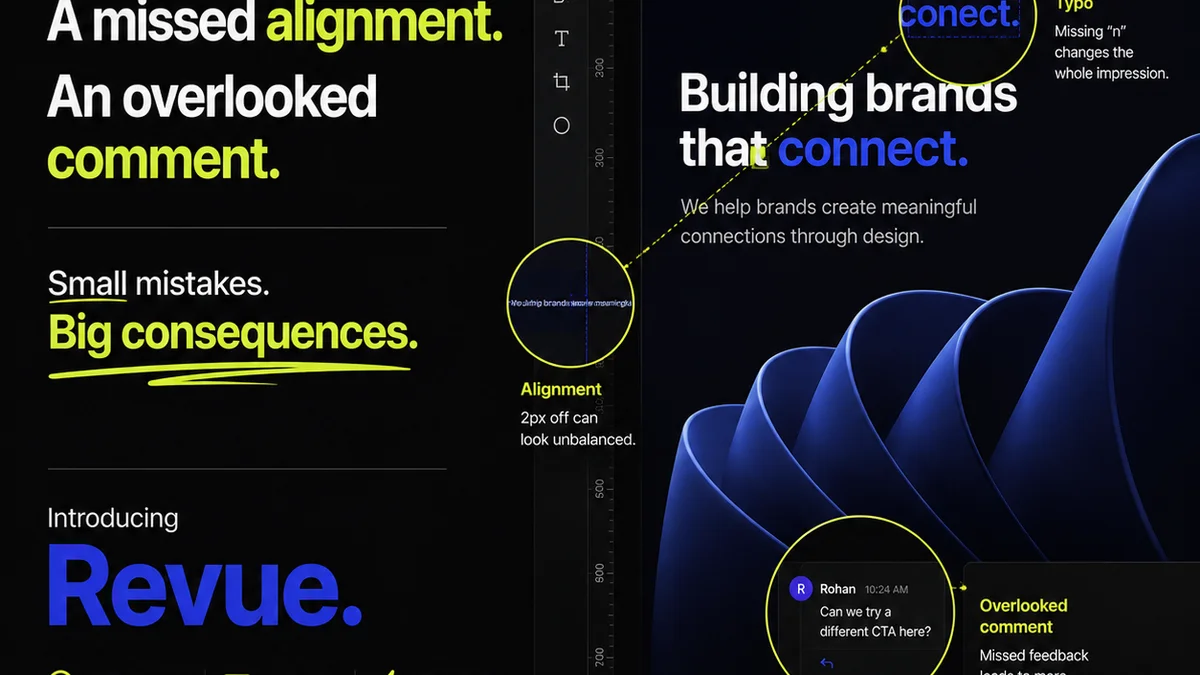
Revue acts as the central hub for client feedback and internal approvals. This ensures that every revision is tracked, every stakeholder has visibility, and the final output aligns with the approved brief and brand standards.
When feedback is centralized:
- You eliminate version confusion related to subjective changes.
- Approvals are clearly documented, reducing disputes.
- The revision history provides a clear audit trail, ensuring brand consistency is maintained throughout the iteration process.
- Designers can focus on creative execution, knowing that the feedback loop is clear and manageable.
By streamlining the review and approval process, Revue directly supports the operational aspect of brand governance, ensuring that the creative work produced adheres to the established brand direction.
5. User Experience (UX) and Interface (UI)
A complex, clunky interface will kill adoption. If it’s hard to find things or use the tools, people will revert to old habits.
Intuitive Navigation
Users should be able to find assets, start new projects, and access training with minimal effort. A clean, logical structure is paramount.
Clear Visual Design
The interface itself should reflect good design principles. It should be visually appealing and easy on the eyes.
Speed and Performance
Slow load times or laggy interactions are frustrating. The software needs to be snappy and responsive.
6. Reporting and Analytics
Data is key to understanding how your brand is being used and where improvements are needed.
Asset Usage Statistics
Which logos are downloaded most? Which templates are used most frequently? This indicates what your teams are working on and what assets are most critical.
Compliance Metrics
Track instances where brand guidelines were potentially violated or where assets were used incorrectly. This highlights areas for retraining or guideline clarification.
User Adoption Rates
See how many users are actively logging in and utilizing the system. Low adoption can signal issues with training, UX, or perceived value.
Final Thought
Brand governance isn't a project; it's a continuous practice. It’s the operational backbone that allows a brand’s promise to be consistently delivered, across every touchpoint, by every team member.
Is your brand governance software merely a repository, or is it an active enforcer? The difference is operational excellence.
Frequently asked questions
What is the primary goal of brand governance software?
The primary goal is to ensure brand consistency and integrity across all communications and assets by providing centralized resources, enforcing guidelines, and streamlining workflows.
Why is version control important in brand governance software?
Version control is crucial to ensure that only the most current and approved versions of brand assets (like logos, fonts, and templates) are used, preventing outdated or incorrect elements from appearing in marketing materials or communications.
How does brand governance software help with user training?
It can integrate training modules, offer contextual guidance within workflows, and provide reporting on usage, making it easier to onboard new team members and reinforce brand standards continuously.
Can brand governance software integrate with design tools like Figma or Adobe?
Yes, many modern brand governance platforms offer plugins or extensions that allow direct access to assets and templates within popular design and productivity tools, minimizing context switching and improving efficiency.
What role does workflow automation play in brand governance?
Workflow automation helps enforce brand standards by managing approval processes, using template-driven creation, and enabling automated brand checks for common violations, thereby reducing errors and speeding up production.