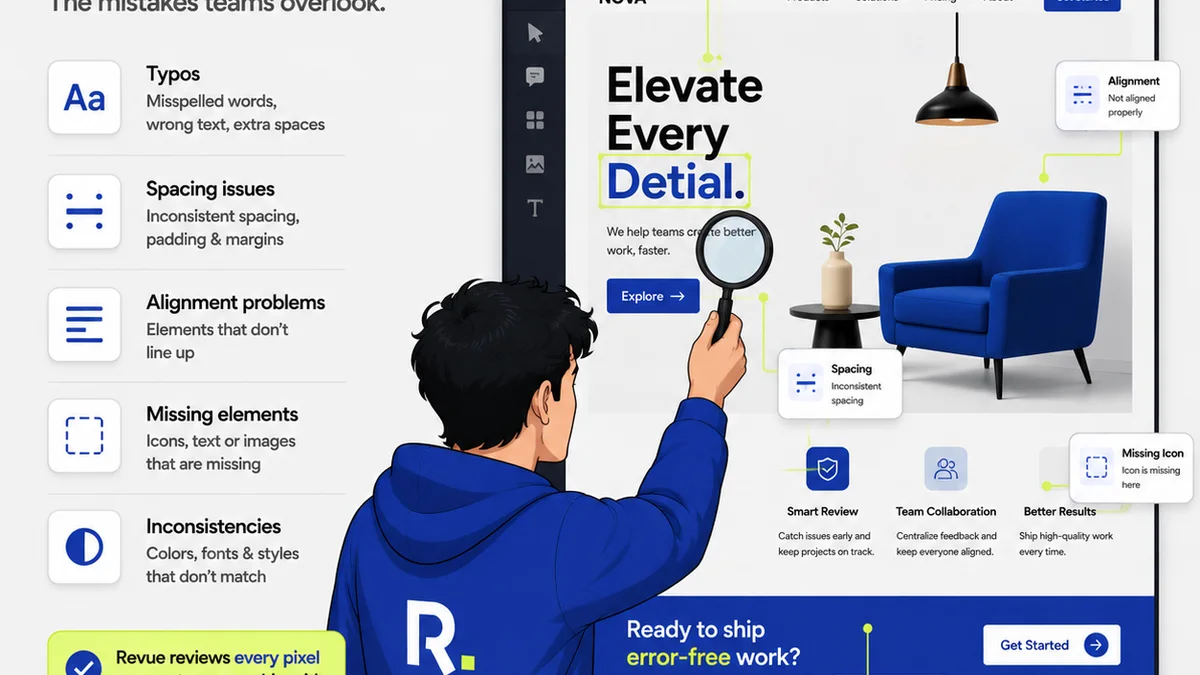
Everyone agrees that Quality Assurance (QA) is crucial for creative campaigns. You’ve probably heard that QA means checking for broken links, spelling errors, and ensuring brand guidelines are met. None of that is wrong. But it’s incomplete. It’s like saying a car’s safety features are just about the seatbelts.
The hard truth is that campaign QA is about much more than just spotting surface-level mistakes. It’s a strategic process that validates the entire campaign’s effectiveness, from execution to client expectation. Mess this up, and you’re not just delivering a flawed asset; you’re risking client trust, project profitability, and your agency’s reputation.
1. Treating QA as an Afterthought, Not a Process
The most common mistake agencies make is tacking QA on at the very end. It becomes a frantic scramble to find any obvious errors before launch. This is reactive, not proactive. It’s a bottleneck, not a safeguard.
Real QA is integrated. It starts from the brief and continues through every stage of creative development and delivery. It’s about building quality in, not inspecting it out.
Symptoms of an Afterthought QA Approach:
- Last-minute panic and rushed sign-offs.
- Discovering major issues days before launch.
- Over-reliance on the client to catch critical errors.
- Frequent, costly emergency revisions post-launch.
- Burnout for the team members tasked with the “final check.”
This approach burns out your team and, worse, your clients. They hired you for expertise, not for them to do your job for you.
2. Vague or Non-Existent Briefs Fueling Inconsistent QA
You can’t QA what you don’t clearly define. If the initial campaign brief is fuzzy on objectives, target audience, key messages, or desired outcomes, then QA becomes subjective and inconsistent. What one person deems “on-brand” or “effective” might be completely off for another.
A robust brief is the foundation of effective QA. It sets the measurable targets and parameters against which success will be judged. Without it, you’re building on sand.
What a Solid Brief Needs for QA:
- Clear, measurable campaign objectives (e.g., increase sign-ups by X%, drive Y traffic to landing page).
- Defined target audience personas with specific needs and pain points.
- Unambiguous key messaging and unique selling propositions (USPs).
- Specific technical requirements (e.g., file formats, resolution, platform specs).
- Defined KPIs and how they will be tracked.
- Clear approval workflows and decision-makers.
If your brief is a single page with vague statements, you’re setting yourself up for QA failure. You need details. Specificity is your friend here.
3. Inconsistent Checklists and Processes
Many agencies use checklists, which is a good start. But often, these checklists are:
- Outdated and don’t reflect current project types or platforms.
- Too generic, missing critical platform-specific checks.
- Not consistently applied across all projects or team members.
- Not tied back to the original brief’s objectives.
A static, one-size-fits-all checklist won’t cut it in today’s complex digital landscape. Your QA process needs to be dynamic and tailored.
Tailoring Your QA Checklist:
- Platform Specifics: Ensure checks for social media ads differ from website banners or email campaigns. What works on Instagram Stories might break on a LinkedIn carousel.
- Objective Alignment: Does this asset directly support the campaign objective? If the goal is lead generation, is the CTA clear and functional?
- User Experience (UX): Beyond broken links, are there usability issues? Is navigation intuitive? Does it load quickly? Consider usability principles.
- Accessibility: Are images tagged with alt text? Is color contrast sufficient for readability? Does it comply with WCAG guidelines where applicable? (WCAG is the standard).
- Performance: For digital assets, are images optimized? Is code clean? Does it meet performance benchmarks?
Your checklist should be a living document, evolving with technology and campaign types.
4. Relying Solely on Visual Inspection
Visual QA is essential, but it’s only one piece of the puzzle. Many agencies stop here, missing critical functional and performance issues.
Think about it: a button might look perfect, but does it actually link where it’s supposed to? Does the form submit correctly? Does the video play on all target devices?
Beyond the Visual: Functional & Performance QA
- Functional Testing: Test all interactive elements – buttons, forms, carousels, accordions, videos, animations.
- Cross-Browser/Device Testing: Ensure the campaign assets render and function correctly across major browsers (Chrome, Firefox, Safari, Edge) and devices (desktop, tablet, mobile). Use tools or services for this if needed.
- Link Testing: Verify every single link, including UTM parameters, to ensure they lead to the correct destinations and are tracked properly.
- Performance Testing: Check load times for web assets. Large images or unoptimized code can kill user experience and ad performance.
- Data Integrity: For campaigns involving data, ensure accuracy in reporting, tracking codes, and integrations.
A beautiful banner that doesn’t link is useless. A website that crashes on mobile is a disaster.
5. Lack of Clear Ownership and Accountability
Who owns QA? If the answer is “everyone” or “whoever has time,” you have a problem. Without a designated owner or a clear, documented process, QA often falls through the cracks or becomes a low-priority task.
Accountability ensures that QA isn’t just a suggestion; it’s a mandatory step. It means someone is responsible for the quality of the final output before it goes live.
Establishing Ownership:
- Dedicated QA Role (or Part-Time): For larger agencies, a dedicated QA specialist or team is ideal. For smaller ones, assign a specific person (e.g., a senior designer, a project manager, or a production lead) to oversee QA for each project.
- Clear Handoffs: Define the exact point in the workflow where QA begins and who is responsible for submitting assets for review.
- Sign-Off Authority: Establish who has the final sign-off authority after QA is complete. This person is ultimately accountable.
- Feedback Loop: Ensure QA findings are documented and communicated clearly back to the creative or development team, with clear instructions for revisions.
Ambiguity here is dangerous. It’s how critical errors slip through.
6. Ignoring Client Feedback Loops and Approvals
Clients are your partners in quality. However, the way you manage their feedback and approvals can either streamline the process or create chaos.
Treating client feedback as a final hurdle rather than an integrated part of the process leads to scope creep, misunderstandings, and ultimately, a diluted campaign.
Optimizing Client Feedback for QA:
- Centralized Feedback: Use a single platform for all client feedback. Email chains, Slack messages, and random documents create confusion and missed comments.
- Structured Feedback: Guide clients on how to provide feedback. Ask for specific comments tied to elements rather than general feelings.
- Clear Approval Stages: Define distinct stages for client review and approval. Make it clear what is being approved at each stage (e.g., concept, creative execution, final build).
- Managing Revisions: Track revisions meticulously. Ensure every change is documented and that the impact on timeline and budget is clear.
- Educate the Client: Help clients understand the QA process and why certain checks are necessary. Manage their expectations about what constitutes a critical issue versus a minor tweak.
Clients want their campaigns to succeed. Empower them to contribute effectively.
7. Failing to QA the Campaign’s Strategic Goals
This is the deepest cut. Many agencies focus QA on the *output* – the pixels, the copy, the links. They forget to QA the *outcome* – whether the campaign is actually positioned to achieve its strategic goals.
Is the messaging resonating with the target audience? Is the call to action compelling and aligned with the objective? Is the media plan set up to reach the right people?
Strategic QA Questions to Ask:
- Objective Alignment: Does every element of the campaign directly serve the primary objective(s)?
- Audience Resonance: Is the tone, style, and message appropriate and engaging for the defined target audience? Have we tested this assumption?
- Competitive Landscape: How does this campaign stand out against competitors? Is it differentiated?
- User Journey: Does the intended user journey make sense? Is it frictionless from awareness to conversion?
- Measurement Plan: Is the tracking and analytics setup robust enough to measure success against the defined KPIs?
This level of QA requires strategic thinking, not just tactical execution checks. It’s about ensuring the campaign is set up to win, not just to launch without obvious flaws.
Where Revue Fits In
Managing campaign QA effectively is a workflow challenge. It requires clear communication, organized feedback, and visible revision history. This is precisely what Revue is built for.
Revue provides a centralized hub for all client feedback and approvals. Instead of chasing emails or deciphering Slack messages, feedback is captured directly on the creative assets. This context is crucial for accurate QA. You can see exactly what the client commented on, when, and what revisions were made in response.
This visibility streamlines the entire QA process. Your team can quickly verify that feedback has been addressed correctly and that no new issues have been introduced during revisions. It ensures that the final output aligns with both the creative vision and the client’s explicit requirements, protecting your agency from costly mistakes and ensuring a higher quality of work.
Final Thought
Quality Assurance isn't a department; it's a discipline. It’s about embedding a culture of meticulousness and strategic thinking into every step of the creative process. Are you just checking boxes, or are you building campaigns designed to succeed?
Frequently asked questions
What is the difference between QA and client review?
QA is an internal process focused on ensuring technical accuracy, functional integrity, and adherence to project requirements before client review. Client review is the stage where the client provides feedback on the work, which then informs further revisions and subsequent QA checks.
How can I make my QA process more efficient?
Efficiency comes from integrating QA early, using standardized and dynamic checklists, centralizing feedback, automating checks where possible (e.g., link checkers), and clearly defining ownership and approval workflows.
Is accessibility part of campaign QA?
Yes, absolutely. For digital campaigns, accessibility checks (like color contrast, alt text, keyboard navigation) are a critical part of QA to ensure the campaign is usable by the widest possible audience and complies with standards like WCAG.
What's the biggest strategic mistake in campaign QA?
The biggest strategic mistake is focusing solely on superficial errors (typos, broken links) and neglecting to QA whether the campaign's core message, targeting, and calls to action are actually aligned with and likely to achieve the campaign's strategic objectives.