Everyone talks about campaign Quality Assurance (QA) software as the magic bullet for catching errors. They say it automates checks, streamlines approvals, and prevents embarrassing mistakes. None of that is wrong. But it’s incomplete.
The real truth is, campaign QA software isn’t just about finding typos. It’s about solidifying your entire creative process. It’s the connective tissue between brilliant ideas and flawless execution. If your QA tool isn’t doing that, it’s just another piece of expensive software.
1. Beyond the Checklist: What Real QA Looks Like
Most agencies think of QA as the final hurdle. A quick once-over before launch. A box to tick.
This view is fundamentally flawed. It treats QA as a reaction, not a proactive strategy.
Effective campaign QA is woven into the fabric of your workflow, from initial brief to final delivery. It’s about preventing issues, not just catching them.
The Symptoms of Weak QA
You know your QA process is broken if you see these red flags:
- Last-minute panic before deadlines.
- Clients finding errors you missed.
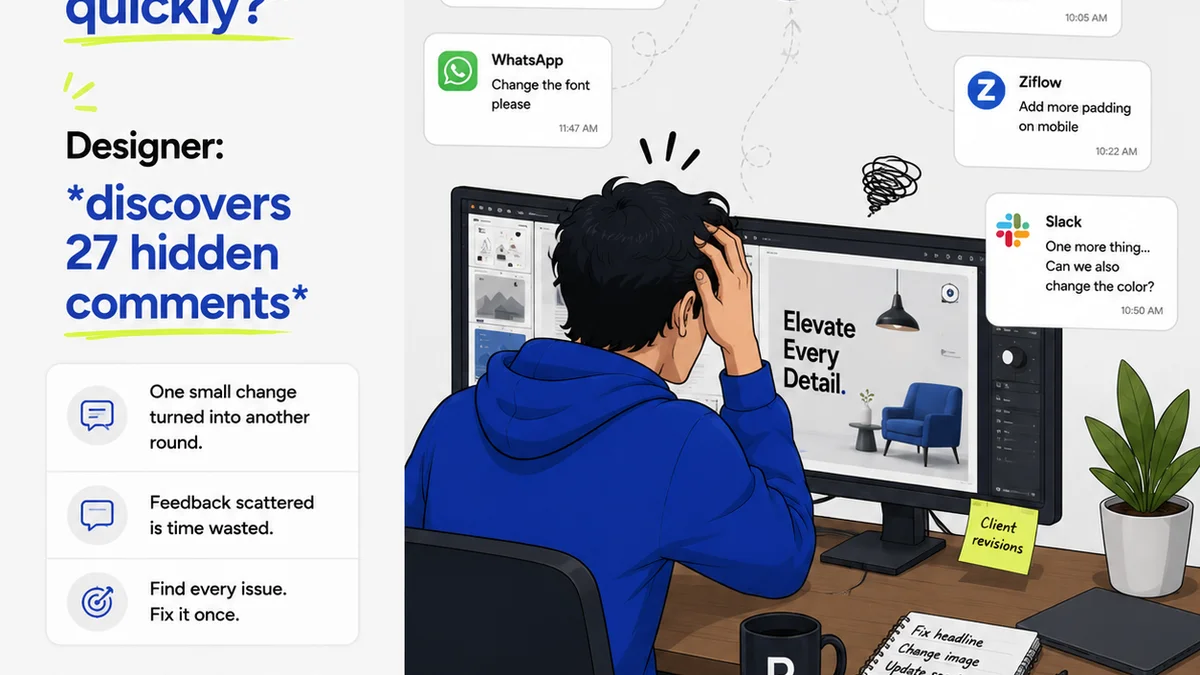
- Endless revision loops that stem from unclear feedback.
- Team members unclear on who approved what, and when.
- A general sense of dread around campaign launches.
These aren't isolated incidents. They’re symptoms of a deeper problem: your QA isn't integrated, it's an afterthought.
The Hard Truth: QA is Process, Not Just Software
The best campaign QA software doesn't *do* QA for you. It *enables* a robust QA process. It provides the structure and visibility needed to ensure quality at every stage.
Think of it less as an error-detection tool and more as a workflow orchestration platform for creative output.
2. Key Features That Matter for Creative Campaigns
When evaluating campaign QA software, look beyond the basic feature list. Consider how each function supports your specific creative agency workflow.
Centralized Feedback and Annotation
This is non-negotiable. Your team and clients need a single source of truth for feedback.
Scattered email threads, Slack messages, and random documents lead to confusion and missed comments. Good software allows stakeholders to annotate directly on creative assets—images, videos, web pages, copy—with clear context.
Version Control and Revision History
Creative work evolves. You need to track every iteration.
Software that automatically logs revisions, shows who made changes, and allows easy rollback is crucial. It prevents the dreaded “Which version is the latest?” debate.
Approval Workflows and Status Tracking
Who needs to sign off? What’s the approval chain? Is it pending, approved, or rejected?
Automated workflows ensure the right people review assets at the right time. Clear status indicators keep everyone informed and prevent bottlenecks.
Asset Management and Organization
While not strictly QA, how easily can you access the final approved assets? Good QA software often integrates with or provides basic asset management capabilities. This ensures the *correct* approved version is what gets deployed.
Integrations
Your QA tool shouldn't live in a vacuum. Does it connect with your project management tools, your design software, your cloud storage?
Seamless integration means less manual data transfer and a more cohesive workflow. Think Figma, Adobe Creative Cloud, Google Drive, Asana, Jira.
3. Evaluating Software: What to Ask
Don't get sold on buzzwords. Ask the hard questions:
- How does this tool handle client feedback that’s ambiguous or contradictory?
- Can we set up custom approval stages for different types of campaigns or clients?
- What’s the learning curve for non-technical stakeholders (i.e., clients)?
- How does it handle different file types and sizes? Video review, for example, needs robust performance.
- What kind of reporting can we get on review cycles and approval times?
The answers will reveal whether the software truly addresses your operational pain points.
4. The Danger of
Frequently asked questions
What is the most important feature of campaign QA software for creative agencies?
The most critical feature is centralized, contextual feedback. This means allowing stakeholders to comment directly on creative assets (images, videos, web pages) within a single platform, reducing confusion and ensuring all feedback is captured and addressed.
How does campaign QA software improve client relationships?
By providing a clear, transparent process for feedback and approvals, campaign QA software minimizes misunderstandings and last-minute surprises. Clients feel more involved and confident in the process, leading to stronger trust and satisfaction.
Can campaign QA software really prevent project delays?
Yes, effective campaign QA software can prevent delays by streamlining the review and approval process. Automated workflows, clear status tracking, and easy access to feedback reduce bottlenecks and ensure projects move forward efficiently.
What's the difference between basic QA tools and advanced campaign QA software?
Basic QA tools often focus solely on error detection (typos, broken links). Advanced campaign QA software integrates into the entire workflow, managing feedback, revisions, approvals, and version control, acting as a central hub for creative project quality.