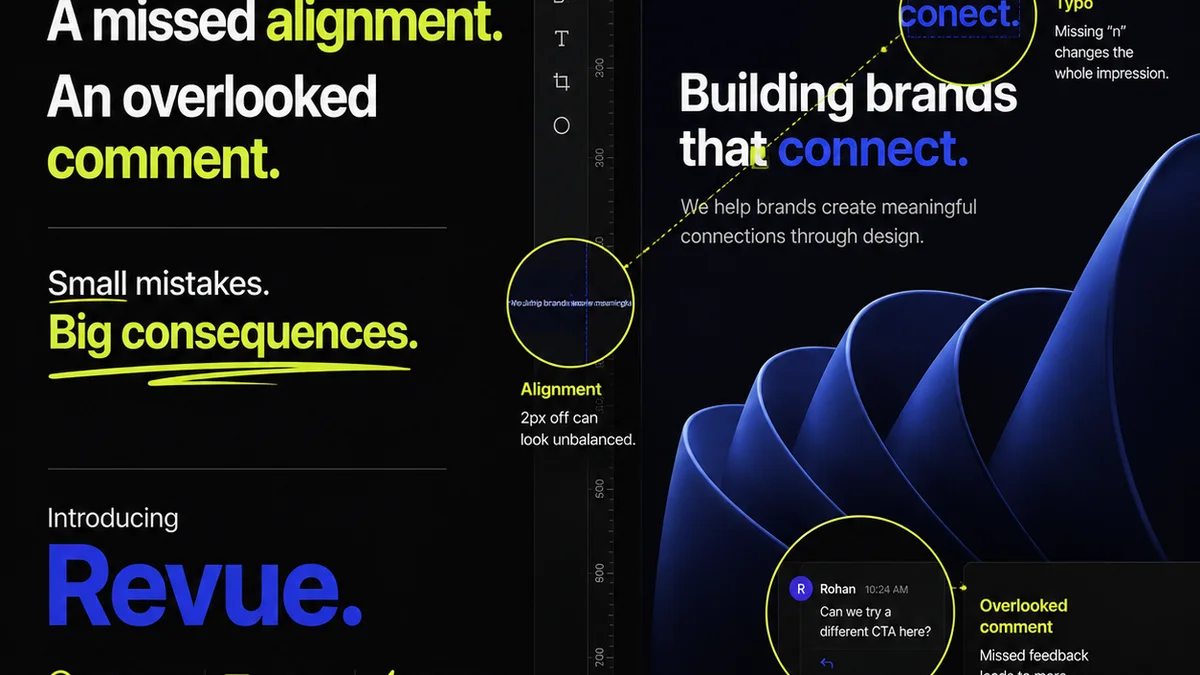
Many agencies and in-house teams see Canva as a tool for quick, easy graphic design. It’s a common assumption: Canva is for simple, one-off assets, not for managing complex creative operations. None of that is wrong. But it’s incomplete.
The deeper truth is that Canva, when integrated into a robust creative operations workflow, can be a powerful component of your tech stack. The real challenge isn't Canva itself, but how it fits into the larger ecosystem of tools that manage feedback, revisions, approvals, and quality control. Relying solely on Canva's built-in features for these critical stages is where operations break down.
1. Beyond Design: Managing the Creative Workflow
When we talk about creative operations software, we're really talking about the systems that streamline the entire lifecycle of creative work. This isn't just about creating assets; it's about managing the process from brief to final delivery. For agencies and in-house teams, this means handling multiple stakeholders, diverse project types, and the inevitable back-and-forth of revisions.
Canva excels at the creation part. Its drag-and-drop interface, vast template library, and collaborative editing features are fantastic for rapid asset production. But what happens after the initial design is done?
The Feedback Black Hole
This is where things get messy. Traditional methods of feedback—emails, scattered Slack messages, random annotated PDFs—lead to confusion. Who gave what feedback? Was it incorporated? What’s the latest version?
Effective creative operations software needs to centralize this. It needs to provide a single source of truth for all communication and decision-making related to a creative asset.
Revision Chaos
Managing revisions is an art form. Without a clear system, versions get lost, edits are missed, and the same feedback loops repeat endlessly. This is a massive drain on time and resources.
Your ideal creative operations setup should offer clear visibility into the revision history, making it easy to track changes and ensure that each iteration moves the project forward.
Approval Bottlenecks
Getting final sign-off can be a painful, drawn-out process. Stakeholders might be busy, unclear on what they're approving, or simply slow to respond. This delays everything.
A good system makes approvals straightforward, automated where possible, and auditable.
2. Key Features for Creative Operations Software (Even with Canva)
If you're using Canva as a primary design tool, you still need a layer of operational management on top. Here’s what to look for in supporting software to make your creative operations hum.
Centralized Feedback Hub
Forget scattered emails and chat threads. You need a platform where all feedback for a specific project or asset is collected, organized, and actionable.
- Feedback tied directly to the specific asset version.
- Ability to tag stakeholders and assign feedback items.
- Clear status indicators for feedback (e.g., pending, addressed, approved).
- Searchable feedback history.
Version Control and Revision Tracking
This is non-negotiable. You must be able to see every iteration of an asset, understand what changed, and revert to previous versions if necessary.
- Automatic versioning every time an asset is updated or a revision is submitted.
- Clear visual comparison between versions.
- Ability to annotate specific changes.
- Audit trail of who made what changes and when.
Streamlined Approval Workflows
Approvals should be clear, efficient, and auditable. Custom workflows allow you to define the exact steps needed for sign-off.
- Configurable approval stages (e.g., internal review, client approval).
- Automated notifications for approvers.
- Ability to approve or reject with comments.
- Digital signatures or timestamped approval records.
Project Management Integration
Your creative operations software shouldn't live in a vacuum. It needs to connect with your existing project management tools.
- Link creative assets and feedback directly to project tasks.
- Sync deadlines and milestones.
- Provide visibility into creative progress within the broader project timeline.
Asset Management and Organization
As your use of Canva grows, so does your library of assets. You need a way to organize, search, and reuse them efficiently.
- Centralized repository for all final creative assets.
- Tagging and categorization for easy retrieval.
- Usage rights and licensing information.
- Brand guideline enforcement features.
Quality Assurance Checks
Before anything goes live, it needs to be checked. This includes design consistency, adherence to brand, technical specifications, and accessibility.
- Checklists for common QA points.
- Integration with automated checks (e.g., for color profiles, file types).
- Proofing tools for final review.
3. The Pitfalls of Relying Solely on Canva's Features
Canva has improved its collaboration and feedback features. You can comment directly on designs and share links. But these are basic functionalities, not a full-fledged operations system.
When you try to manage a high volume of projects or complex client relationships using only Canva's native tools, you run into significant operational friction.
Limited Stakeholder Management
Canva’s sharing is broad. It's hard to set granular permissions for different types of feedback or approvals. Everyone with a link might see everything, or you have to manage dozens of individual shares.
Lack of Workflow Automation
There are no built-in automated workflows for multi-stage approvals or complex revision cycles. You're manually sending links and chasing responses.
No Centralized Revision History (Beyond Design)
While Canva tracks design changes, it doesn't track the *conversations* and *decisions* around those changes in a structured, auditable way. Feedback gets lost in comments that are attached to specific design states, not the overall workflow.
Scalability Issues
As your team and client roster grow, trying to manage creative operations within Canva alone becomes unwieldy. You'll find yourself creating elaborate spreadsheets or relying on memory—both recipes for disaster.
4. Where Revue Fits In
This is where a dedicated creative operations platform like Revue becomes essential, even when using tools like Canva for design.
Revue isn't a design tool; it’s the operational backbone that ensures your creative process is efficient, transparent, and controlled.
Here’s how Revue addresses the gaps:
- Centralized Feedback: Upload final Canva designs (or any other asset) to Revue. All client and internal feedback is logged against that specific version, in one place. No more digging through emails.
- Revision & Approval Visibility: Clearly see the status of each revision cycle. Track who needs to approve what, and when. Automated reminders keep things moving. You can easily see the lineage of approvals for any asset.
- Quality Assurance: Use Revue's structured checklists to ensure every asset meets brand standards, technical requirements, and accessibility guidelines before it goes out the door. This is crucial for maintaining brand integrity and client satisfaction.
- Integrated Workflow: Connect your design process (whether it’s Canva, Figma, Adobe, etc.) with your project management and client communication. Revue acts as the bridge, providing oversight and control.
- Audit Trails: Every piece of feedback, every revision, every approval is logged. This provides an invaluable audit trail for accountability and future reference.
By integrating Canva with Revue, you leverage Canva's design strengths while ensuring your creative operations are managed with the rigor they deserve. It’s about using the right tool for the right job.
5. Building Your Creative Operations Tech Stack
Your tech stack should support your workflow, not dictate it. When evaluating creative operations software, consider how it will interact with your existing tools.
Integration is Key
Does the software integrate with your project management tools (like Asana, Monday.com, Jira)? Does it work with your communication platforms (like Slack or Microsoft Teams)? Seamless integration prevents data silos and manual workarounds.
User Experience (UX) for All Stakeholders
The system needs to be intuitive for your internal team *and* your clients. A clunky interface will lead to resistance and low adoption rates. Clients shouldn't need a training session to provide feedback.
Customization and Flexibility
Every agency and in-house team has unique processes. Your software should be flexible enough to adapt to your specific needs, not force you into a rigid framework.
- Customizable workflows.
- Configurable user roles and permissions.
- Ability to tailor checklists and templates.
Scalability
Can your software grow with you? As you take on more clients and projects, the system should handle the increased load without performance degradation.
Reporting and Analytics
Insights into your creative process are invaluable. Look for software that provides data on turnaround times, bottlenecks, and team performance.
6. Final Thought
Canva is a powerful design tool, but it's not a complete creative operations solution. The real magic happens when you combine user-friendly design platforms with robust systems for managing feedback, revisions, and approvals.
Are you leveraging your design tools to their fullest operational potential, or are they becoming a bottleneck?
Frequently asked questions
Can Canva replace dedicated creative operations software?
No. While Canva is excellent for design and basic collaboration, it lacks the robust features needed for managing complex creative operations like centralized feedback, advanced version control, automated approval workflows, and comprehensive QA checklists required by agencies and larger in-house teams.
What are the key benefits of using creative operations software with Canva?
Integrating Canva with creative operations software centralizes feedback, streamlines revisions and approvals, improves version control, enhances quality assurance, and provides an audit trail. This leads to increased efficiency, fewer errors, faster turnaround times, and better client satisfaction.
How does software like Revue help manage feedback for Canva designs?
Platforms like Revue act as a central hub where all feedback for Canva designs is logged against specific versions. This eliminates scattered emails and chat messages, providing a clear, actionable record of all comments and decisions, directly tied to the asset being reviewed.
Is it difficult for clients to use creative operations software for feedback?
Good creative operations software is designed with user experience in mind for all stakeholders, including clients. Features like clear annotation tools, simple approval buttons, and intuitive interfaces minimize the learning curve, making it easy for clients to provide feedback effectively.