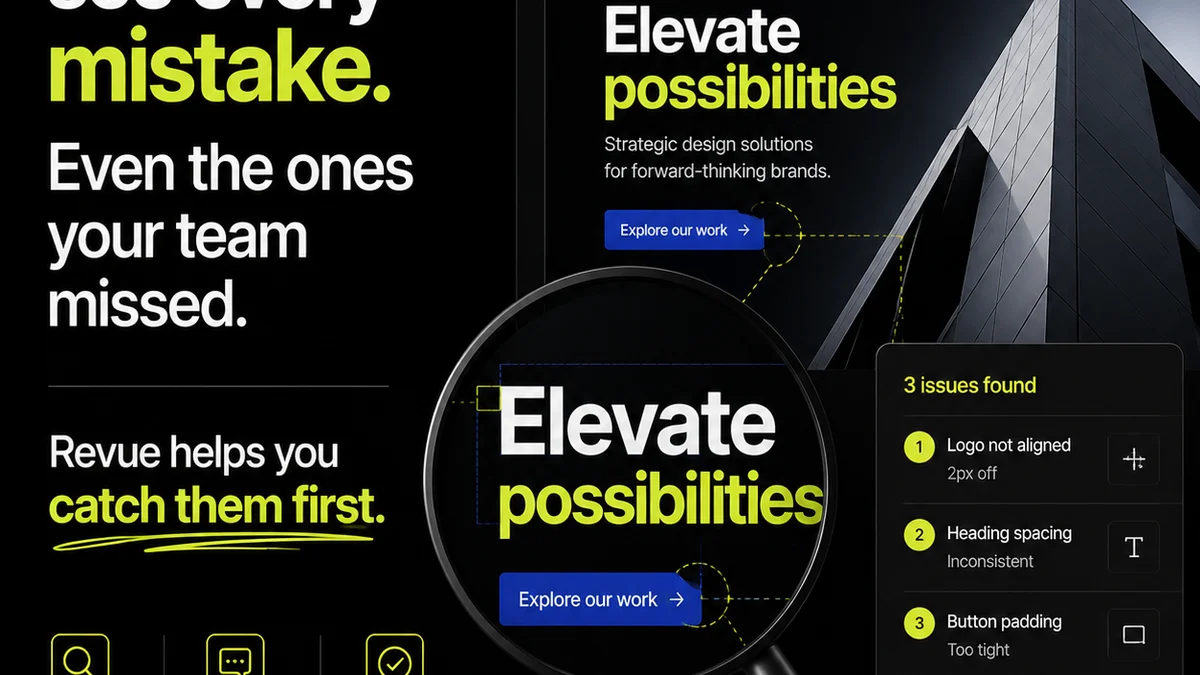
Everyone assumes client design review software is about making clients happy. That’s the obvious part. They want to see work, leave comments, and approve designs without a fuss. None of that is wrong. But it’s incomplete.
The real value of design review software for an agency isn’t about client convenience. It’s about operational efficiency. It’s about reducing friction, eliminating miscommunication, and reclaiming billable hours lost to endless email chains and messy spreadsheets.
What should you look for? Forget features that just tick boxes. Focus on what moves the needle for your team and your bottom line. Here’s the hard truth: the best software streamlines your internal workflow as much as it does the client’s.
1. Centralized Feedback, Not Just a Comment Box
The most common pain point is scattered feedback. Emails, Slack messages, annotated PDFs, even scribbled notes on printouts. It’s chaos. Good client design review software consolidates all feedback in one place. But that’s table stakes.
What separates the good from the great is how it handles that feedback internally. Can you assign comments to specific team members? Can you track the status of each revision request? Can you easily see the history of conversations around a specific element?
Beyond Simple Annotations
Look for tools that allow for more than just drawing arrows and typing notes. Features like:
- Version comparison: See exactly what changed between revisions.
- Status tracking: Mark feedback as acknowledged, in progress, or resolved.
- User roles and permissions: Control who can see what and who can approve.
- Integration with your existing tools: Connect to project management or asset management systems.
This isn’t just about client ease; it’s about your team’s sanity. Knowing where every piece of feedback lives and what needs to be done saves immense time and prevents critical comments from getting lost.
2. Version Control That Doesn’t Require a Degree
Designers work in iterations. Clients often struggle to differentiate between versions. This mismatch is a frequent source of error and frustration. Your review software needs to bridge this gap.
A robust version control system is non-negotiable. It should be simple to upload new versions and for clients (and your team) to compare them side-by-side.
What to Avoid
Avoid systems where:
- Uploading a new version overwrites the old one without a clear history.
- Comparing versions is clunky or requires downloading files.
- It’s unclear which version is the latest approved one.
The goal is clarity. Every stakeholder should instantly understand which version they are reviewing and what has changed since the last review. This prevents costly rework and speeds up the approval process.
3. Approval Workflows That Actually Work
Getting a final sign-off shouldn’t be a drawn-out negotiation. A clear, trackable approval workflow is essential for moving projects forward. This means more than just a button that says “Approve.”
Consider how approvals are managed:
- Multiple approvers: Can you set up sequential or parallel approvals?
- Conditional approvals: Does approval depend on specific criteria being met?
- Digital signatures: Do you need a legally binding sign-off?
- Automated notifications: Are stakeholders notified when action is required or when approval is granted?
An efficient approval process protects your agency. It provides a clear audit trail, reduces scope creep, and ensures everyone is aligned before a project goes live. This is crucial for managing client expectations and protecting your revenue.
4. Communication History You Can Actually Use
Email threads become impossible to navigate. Slack channels get buried. When a dispute arises or a question needs answering, finding the relevant conversation can feel like an archaeological dig.
Good design review software logs all communication related to a specific design asset or project. This creates a transparent and searchable history.
The Power of Context
This history provides invaluable context. You can see:
- When feedback was given.
- Who provided it.
- What the original request was.
- How revisions were made in response.
This is not about creating a paper trail for blame. It’s about having a shared, accessible record that ensures everyone is on the same page. It minimizes misunderstandings and provides an objective reference point when needed.
5. Integration and Scalability
Your design review tool doesn’t live in a vacuum. It needs to play well with your other agency tools. Think about your project management software, your creative tools, and your file storage.
Seamless integration means less manual data transfer and fewer opportunities for error. It keeps your entire workflow connected and efficient.
Future-Proofing Your Process
Also, consider scalability. As your agency grows, your software needs to grow with you. Can it handle more users, more projects, and more complex workflows without breaking a sweat?
Choosing software that integrates well and can scale ensures you’re not painting yourself into a corner. It supports your long-term operational health.
Where Revue Fits In
Revue was built with these operational realities in mind. We understand that client design review software is more than a client-facing portal; it’s a critical piece of your agency’s internal machinery.
Revue centralizes all client feedback and revision history, eliminating scattered communication. Our clear version control and approval tracking mean you always know the status of a project, reducing ambiguity and speeding up sign-offs. This focus on transparent, efficient workflows helps your team reclaim valuable time, reduce errors, and improve client collaboration without adding complexity.
Final Thought
The right client design review software doesn't just make clients happy; it makes your agency run better. Are you choosing tools that merely satisfy a client request, or ones that fundamentally improve your team's efficiency and profitability?
Frequently asked questions
What's the main benefit of specialized client design review software for agencies?
The primary benefit is operational efficiency. It centralizes feedback, streamlines revisions, and clarifies approvals, saving your team time and reducing miscommunication, which directly impacts profitability.
How important is version control in design review software?
Extremely important. Robust version control allows for clear side-by-side comparisons of design iterations, preventing confusion and costly rework by ensuring everyone is reviewing the correct version.
Can client design review software help with project profitability?
Yes. By reducing time spent chasing feedback, clarifying scope through clear approvals, and minimizing rework due to miscommunication, it frees up billable hours and protects project margins.
What should I look for in an approval workflow feature?
Look for features that support multiple approvers (sequential or parallel), clear digital sign-offs, automated notifications, and a comprehensive audit trail. This ensures accountability and speeds up the final sign-off process.