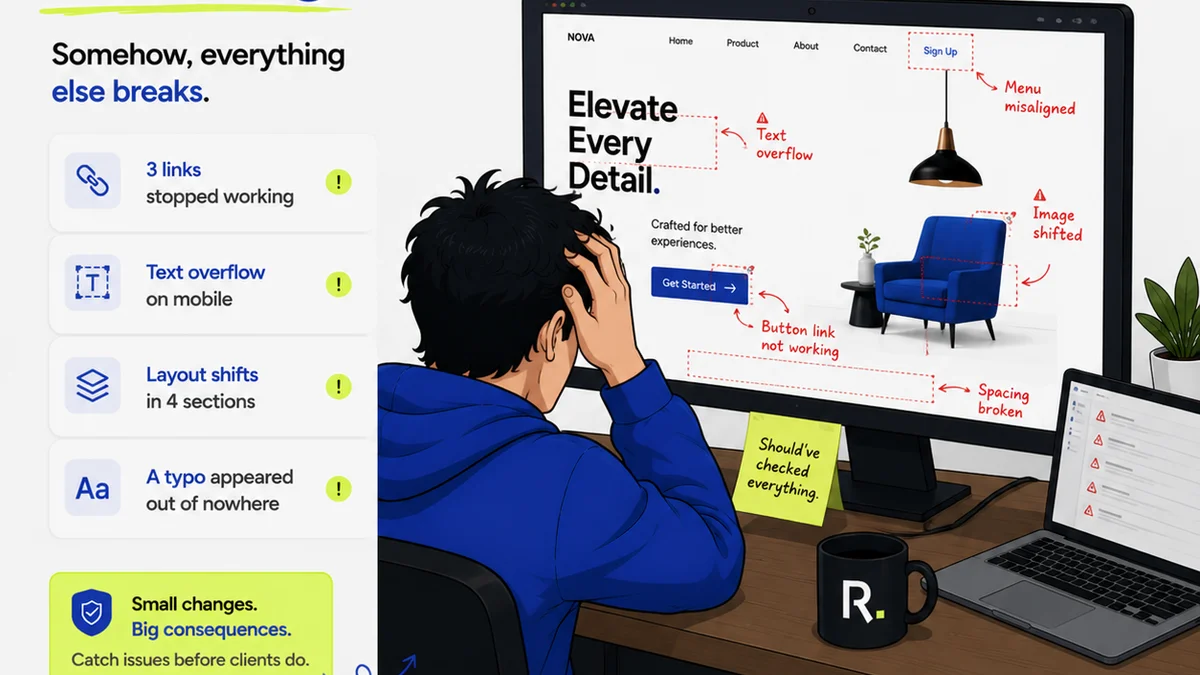
Everyone’s looking for the best client feedback software. They scour review sites, ask peers, and compare feature lists. They want that magic bullet to end miscommunication and endless revisions.
None of that is wrong. But it’s incomplete.
The hard truth? The best client feedback software isn't about the features it boasts. It's about how effectively it integrates into your actual workflow and how well your team and clients adapt to it. The tool is secondary to the process.
1. The Illusion of Choice: Why Features Don't Guarantee Success
The market is flooded with tools promising to streamline feedback. You've got annotation tools, project management platforms with commenting, dedicated feedback portals, and even generic chat apps. Each claims to be the ultimate solution.
But here’s the kicker: a tool with every bell and whistle is useless if your clients find it confusing or if your team doesn't consistently use it.
Common Pitfalls of Feature-Obsessed Choices
- Over-complication: Too many options lead to user fatigue and incorrect usage.
- Integration Gaps: A standalone tool often creates more work by requiring manual data transfer.
- Client Resistance: Forcing clients onto a complex new platform can backfire spectacularly.
- Lack of Adoption: If the team doesn't embrace it, it becomes another forgotten subscription.
We tend to think that more features equal better results. That’s rarely true in the messy reality of creative production.
2. Defining 'Best': What Actually Matters in 2026
Forget the marketing jargon. What truly defines effective client feedback software in today's landscape?
It boils down to a few core operational needs.
The Pillars of Effective Feedback Management
- Clarity: Feedback must be unambiguous, contextual, and directly linked to the asset.
- Centralization: All communication and revisions live in one place, preventing silos.
- Visibility: Stakeholders can see the feedback trail, understand decisions, and track progress.
- Actionability: Feedback is organized, prioritized, and easy for the team to act upon.
- Efficiency: The process minimizes back-and-forth, saving time and reducing frustration.
These aren't features; they are outcomes. The software is merely the vehicle.
3. The Workflow is King: Integrating Feedback Seamlessly
Your agency workflow is unique. The 'best' software needs to bend to your process, not the other way around.
Consider how feedback typically flows:
- Initial Concept/Draft: The creative team shares work.
- Client Review: The client provides initial thoughts.
- Internal Review: Your team discusses and refines feedback.
- Revision: The work is updated based on consolidated feedback.
- Approval: Final sign-off is secured.
Where does feedback get lost? Often between steps 2 and 3, or during step 4 when revisions introduce new issues.
Key Workflow Integration Points
- Contextual Annotation: Marking specific areas on an image, video, or PDF.
- Version Control: Easily comparing revisions and tracking changes.
- Status Tracking: Knowing where each piece of feedback stands (e.g., pending, addressed, approved).
- Automated Notifications: Keeping everyone in the loop without manual chasing.
- Approval Workflows: Formal sign-offs that are auditable.
If your chosen software doesn't support these points naturally, you're fighting friction.
4. Client Experience: The Unsung Hero of Feedback Tools
Your clients aren't feedback professionals. They're busy. They want to see their vision realized without getting bogged down in technicalities.
A clunky, confusing feedback tool creates a barrier. It can make clients feel incompetent or frustrated, leading to vague feedback or avoidance.
Designing for the Client
- Simplicity: An intuitive interface requires minimal training.
- Accessibility: Ensure it works across devices and browsers without issue.
- Familiarity: If possible, leverage tools they already use or can easily access.
- Clear Calls to Action: Make it obvious what they need to do.
Happy clients give better feedback and return for more projects. The software should facilitate this, not hinder it.
5. Beyond Comments: The Role of Revision and Approval Tracking
Collecting comments is only half the battle. The real value comes from managing the subsequent actions.
This means understanding:
- Who requested what change?
- When was it requested?
- Has it been implemented?
- Is the implementation correct?
- Who approved the final version?
This level of detail is crucial for accountability, dispute resolution, and understanding project scope creep.
The Cost of Poor Tracking
- Scope Creep: Uncontrolled changes inflate project costs and timelines.
- Disputes: Without a clear audit trail, disagreements are inevitable.
- Rework: Implementing the wrong changes wastes valuable time.
- Missed Deadlines: Inefficient feedback loops delay project completion.
Effective software provides a clear, auditable history of every decision.
6. Where Revue Fits In
Revue isn't just another feedback tool. It's a central nervous system for your client collaboration and creative workflow.
Instead of scattering feedback across emails, chat threads, and disparate annotation apps, Revue brings it all together. You can upload creative assets, gather contextual feedback directly on those assets, and manage revisions all within a single, streamlined platform.
This means:
- Centralized Feedback: All client comments and internal discussions live in one place, attached to the specific asset.
- Revision Visibility: Track every iteration, compare versions, and see the evolution of the work.
- Quality Checks: Ensure feedback is consolidated, understood, and addressed before final approval, reducing costly errors.
- Clear Approvals: Formalize sign-offs, creating an auditable record.
Revue helps you move beyond the chaos of scattered feedback to a more controlled, efficient, and transparent creative process.
7. The Human Element: Training and Adoption
Even the most intuitive software requires some level of adoption. This is where many agencies falter.
They buy a tool, announce it, and expect magic. But adoption isn't automatic. It requires clear communication, defined processes, and team buy-in.
Strategies for Successful Adoption
- Define Roles: Who is responsible for gathering, consolidating, and actioning feedback?
- Establish Guidelines: Create clear rules for how and when to use the software.
- Provide Training: Don't assume everyone knows how to use it effectively.
- Lead by Example: Management must champion and actively use the tool.
- Gather Feedback: Ask your team and clients what’s working and what isn’t.
The 'best' software is the one your team and clients actually use, consistently and correctly.
Final Thought
Are you searching for the perfect client feedback software, or are you ready to build the perfect feedback *process*? The distinction matters more than you think.
Frequently asked questions
What are the key benefits of using dedicated client feedback software?
Dedicated software centralizes communication, provides contextual annotations, tracks revisions, streamlines approvals, and creates an auditable trail, leading to fewer misunderstandings, reduced rework, and faster project completion.
How important is the client's user experience with feedback software?
Extremely important. If the software is difficult for clients to use, they may provide vague feedback, avoid using it, or become frustrated, negating the tool's benefits. Simplicity and clarity are paramount.
Can a general project management tool handle client feedback effectively?
Some can, but often lack the specialized features like contextual annotation or version comparison that are crucial for creative feedback. They may require workarounds that add complexity.
What is the biggest mistake agencies make when choosing feedback software?
Focusing too much on a long list of features without considering how well the software integrates into their existing workflow and how easily their clients and team will adopt it.