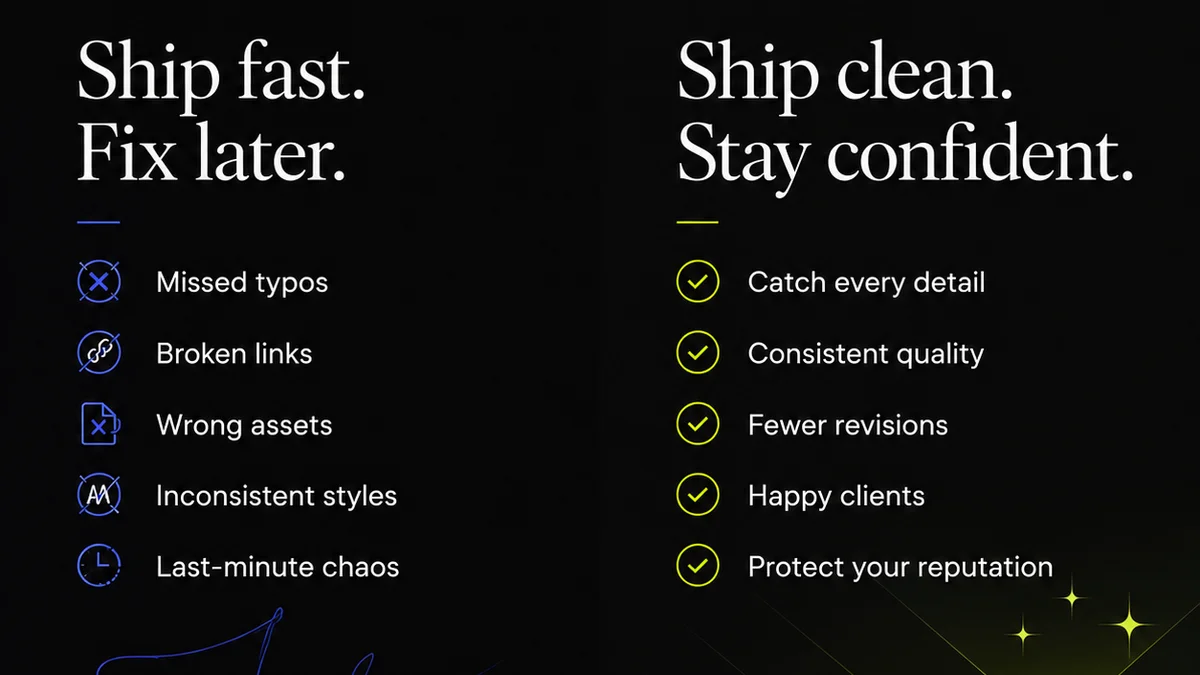
Everyone agrees that client feedback software is essential for creative agencies. It’s supposed to tame the chaos, centralize communication, and speed up approvals. That’s the sales pitch. And none of that is wrong. But it’s incomplete.
The hard truth? Most creative teams don’t just need a tool to *collect* feedback. They need a system that fundamentally changes *how* feedback is given, managed, and acted upon. Without that shift, you’re just digitizing the same old problems.
1. Beyond the Comment Box: True Collaboration
The most basic client feedback software offers a digital whiteboard. You upload a design, clients scribble notes. Simple, right?
Wrong. This approach often leads to more confusion than clarity. Vague comments, conflicting suggestions, and endless back-and-forth plague even the most well-intentioned feedback sessions.
The Illusion of Simplicity
Think about it. A client might leave a single red line on a logo and write, “Make it pop more.” What does that even mean? Is it the color? The font? The overall composition?
Without context, your design team is left guessing. This guesswork is expensive, eating up billable hours and delaying project timelines.
What You Actually Need
- Contextual Annotations: Feedback tied directly to specific elements on the screen. No ambiguity.
- Version Control: Clear tracking of each revision. Clients should see what changed and why.
- Role-Based Permissions: Different stakeholders have different levels of input. Not everyone needs to approve everything.
- Activity Streams: A clear, chronological log of all feedback and responses.
This isn't just about collecting comments; it’s about fostering structured, actionable communication. It’s the difference between a chaotic scribble and a clear directive.
2. Managing Revisions: From Chaos to Clarity
Once feedback is in, the real work begins: managing revisions. This is where many agencies falter, drowning in email threads and Slack messages about what needs to be tweaked.
Client feedback software should be the single source of truth for revisions. Not just a repository, but an active management system.
The Pitfalls of Scattered Workflows
Imagine this:
- Client A approves version 3 via email.
- Client B requests a change to version 4 via Slack.
- The account manager notes a preference for version 2’s color palette in a meeting.
This is a recipe for disaster. Which version is the latest? Who signed off on what? The potential for errors is astronomical.
The Solution: Integrated Revision Tracking
Effective client feedback tools offer:
- Clear Revision Stacks: Easily compare versions side-by-side. See exactly what changed with each iteration.
- Status Tracking: Mark revisions as ‘In Progress,’ ‘Pending Approval,’ or ‘Approved.’
- Automated Notifications: Alert the right people when a revision is ready or requires action.
- Centralized Decision Making: All approval decisions logged within the system, creating an undeniable audit trail.
This structured approach prevents the dreaded ‘scope creep’ caused by unclear revision histories and ensures everyone is working from the same, approved iteration.
3. Approval Workflows: Securing Sign-Off
The ultimate goal of client feedback is approval. Yet, many agencies treat this as an afterthought, relying on a simple “okay” buried in an email chain.
This is a dangerous gamble. Without a formal, trackable approval process, you leave yourself vulnerable to disputes and missed requirements down the line.
Why Informal Approvals Fail
An email confirmation can be easily lost, misinterpreted, or even disputed. “I never said that was final,” becomes a common, costly refrain.
Furthermore, relying on informal methods means you can’t easily see the project’s approval status at a glance. Is it blocked? Who is holding it up?
Building Robust Approval Processes
Look for software that supports:
- Formal Approval Gates: Designated points in the workflow where official sign-off is required.
- Configurable Workflows: The ability to set up multi-step approvals for different project types or client structures.
- Digital Signatures/Confirmations: A clear, undeniable record of who approved what and when.
- Deadline Management: Set due dates for feedback and approvals, and track progress against them.
This level of control transforms approvals from a hopeful outcome into a predictable process.
4. Quality Assurance: Catching Errors Early
Quality assurance isn't just about proofreading copy. It's about ensuring the creative work meets all technical specifications, brand guidelines, and strategic objectives before it goes live.
Client feedback software can, and should, play a role in this critical stage.
The Cost of Rushing QA
When feedback is scattered and revisions are unclear, QA often becomes a frantic last-minute scramble. Critical errors can slip through the cracks.
This leads to embarrassing mistakes, client dissatisfaction, and costly rework after launch.
Integrating QA into the Workflow
Consider tools that help:
- Checklist Functionality: Embed project-specific QA checklists directly into the review process.
- Compliance Checks: Ensure adherence to brand guidelines or accessibility standards (like WCAG).
- Asset Verification: Confirm all necessary files and formats are included before final delivery.
- Bug Tracking Integration: Connect with issue-tracking systems for seamless bug reporting and resolution.
By embedding QA steps within your feedback and approval cycle, you build quality in from the start, not bolt it on at the end.
Where Revue Fits In
This is precisely why Revue was built. We saw agencies drowning in scattered feedback, struggling with opaque revision histories, and facing approval bottlenecks.
Revue isn't just another comment box. It's a system designed to bring clarity and control to the entire creative review and approval process.
- Centralized Feedback: All client input, organized and contextualized, in one place.
- Revision Visibility: Track every iteration, compare versions easily, and understand the evolution of the work.
- Streamlined Approvals: Define clear workflows, get explicit sign-offs, and maintain an undeniable audit trail.
- Integrated Quality Checks: Build custom checklists to ensure every piece of creative meets your agency’s high standards before delivery.
Revue helps you move beyond simply collecting feedback to actively managing the creative lifecycle, ensuring your team works smarter and delivers better.
Final Thought
The right client feedback software does more than just collect comments. It transforms your agency’s workflow, clarifies communication, and builds trust with your clients.
Are you using a tool, or are you using a system?
Frequently asked questions
What's the biggest mistake agencies make when choosing client feedback software?
The biggest mistake is focusing only on the ability to collect comments. Agencies often overlook the need for robust revision tracking, clear approval workflows, and integrated quality assurance features. Without these, you're just digitizing the same old communication problems.
How can client feedback software improve agency efficiency?
By centralizing all feedback and revisions, it eliminates time wasted searching through emails and messages. Clear approval processes reduce back-and-forth, and integrated QA checklists catch errors early, preventing costly rework and speeding up project delivery.
What are contextual annotations?
Contextual annotations are feedback comments or markups that are directly linked to a specific element on the design or document being reviewed. This eliminates ambiguity, unlike general comments, ensuring designers understand exactly what needs to be changed.
Can client feedback software help with scope creep?
Yes, effectively. By providing a clear audit trail of feedback, revisions, and approvals, it becomes evident when requests fall outside the original scope. Formal approval gates ensure that any scope changes are explicitly agreed upon and documented.