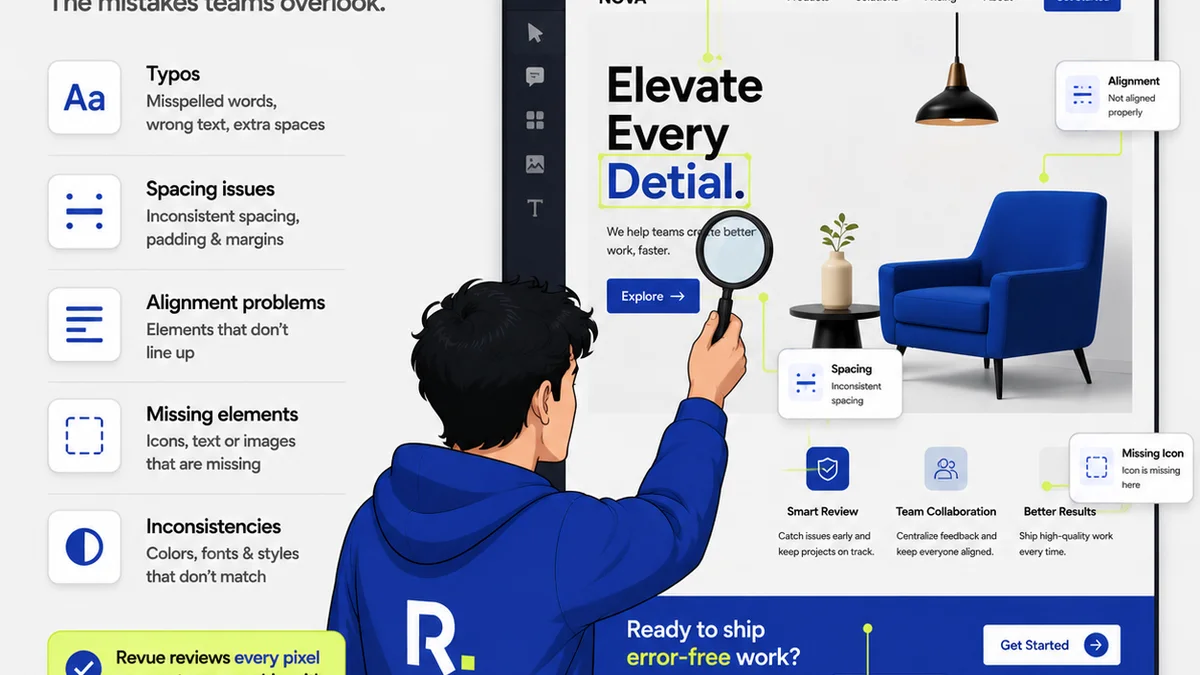
You think creative approvals software is about clicking buttons and tracking versions. That it’s just a digital filing cabinet for your client’s feedback.
None of that is wrong. But it’s incomplete.
The real value of creative approvals software isn't in the clicking. It's in the clarity it brings to a chaotic process. It’s about transforming subjective opinions into actionable steps, streamlining communication, and ultimately, protecting your team’s time and your client’s investment.
1. Centralized Feedback: The Single Source of Truth
Every agency owner, creative director, and team lead has felt the pain. Emails buried under mountains of other emails. Slack messages lost in the ether. Comments scribbled on PDFs that get emailed back and forth, each version a potential minefield.
This isn't just inefficient; it’s a recipe for misinterpretation and costly rework. The assumption is that if you have *a* system, you're covered. The hard truth is, a fragmented system is no system at all.
The goal isn't just to collect feedback in one place. It’s to ensure that the *right* feedback, from the *right* stakeholders, at the *right* time, is easily accessible and understood by everyone on the project.
Why Centralization Beats Scattered Feedback
- Reduces Ambiguity: When all comments live in one spot, tied directly to the creative asset, there’s no guessing which version is current or what specific element is being discussed.
- Improves Accountability: Clear ownership of feedback and action items means no more finger-pointing when things go sideways.
- Boosts Efficiency: Teams spend less time hunting for information and more time actually creating.
- Enhances Client Experience: Clients appreciate a streamlined process where their input is clearly logged and addressed.
Think about the last time a project went off the rails. How much of that was due to a missed comment in an email chain? Or a stakeholder approving a version that someone else had raised concerns about in a separate chat?
A truly centralized system acts as your project’s memory. It’s the definitive record, cutting through the noise.
2. Revision and Approval Workflows: Beyond Simple Sign-Off
Many tools offer a basic 'approve' button. This is a starting point, but it rarely reflects the nuanced reality of creative work. Approvals are rarely a simple yes or no. They involve iterations, specific edits, and sometimes, a back-and-forth that feels more like a negotiation.
The assumption is that a digital signature or a click is sufficient. The hard truth is that a robust workflow system is about managing the *process* of approval, not just the final click.
What you need is software that can map your agency’s unique revision cycles. This means defining stages, assigning reviewers, setting deadlines, and tracking the history of changes and decisions.
Key Workflow Features to Demand
- Configurable Stages: Can you set up custom stages like 'Internal Review,' 'Client Draft,' 'Client Revisions,' 'Final Approval'?
- Role-Based Permissions: Can you control who sees what and who can approve at different stages?
- Automated Notifications: Does the system alert the right people when it’s their turn to review or when a decision has been made?
- Version Control: How are new versions handled? Is it easy to compare them side-by-side?
- Audit Trails: Is there an irrefutable log of who did what, when? This is critical for dispute resolution and client management.
A clunky approval process erodes team morale and strains client relationships. It can make even the most talented creatives feel like they’re drowning in administrative tasks.
The right system should feel invisible, guiding the project forward smoothly without adding friction.
3. Quality Assurance: Catching Errors Before They Escalate
This is where many creative approvals tools fall short. They focus on the client-facing feedback loop but neglect the internal checks that prevent mistakes from reaching the client in the first place.
The assumption is that designers and developers are perfect. Or that QA is a separate, manual process handled entirely outside of the feedback tool.
The hard truth is that human error is inevitable. What separates efficient agencies from chaotic ones is how systematically they catch and correct those errors before they cause problems.
Your creative approvals software should be a gatekeeper for quality, not just a conduit for client comments.
Integrating QA into Your Workflow
- Internal Review Checklists: Can you build custom checklists for your team to run through before sending work to the client? Think: brand guidelines adherence, accessibility checks, file format verification.
- Annotation Tools for Internal Notes: While client feedback is vital, your internal team needs a space to discuss edits and flag potential issues without cluttering client communication.
- Automated Checks (where applicable): For digital assets, can the tool flag common issues like broken links or incorrect image resolutions?
- Accessibility Testing Integration: While not always built-in, does the platform make it easy to link or integrate with accessibility testing tools, ensuring WCAG compliance?
Consider the cost of a typo in a major campaign, or a broken link on a client’s new website. These aren't just embarrassing; they can damage reputation and require expensive, last-minute fixes.
Proactive quality assurance built into your approval process is a non-negotiable for professional creative delivery.
4. Stakeholder Management: Navigating Different Opinions
Clients rarely have just one point of contact. Agencies often juggle feedback from multiple people at the client’s organization. Marketing managers, brand directors, legal teams, even the CEO.
The assumption is that all client feedback is equal and comes with the same level of authority or understanding. The hard truth is that managing diverse stakeholder input requires a structured approach to avoid conflicting directions.
Your approvals software needs to help you manage these relationships and the feedback they generate.
Strategies for Managing Stakeholder Feedback
- Identify Key Decision-Makers: Clearly define who has the final say. Your software should allow you to designate these individuals.
- Segment Feedback: Can you tag feedback by stakeholder or department? This helps identify patterns or potential conflicts early on.
- Facilitate Internal Discussion: Your team needs a way to discuss conflicting client feedback internally before responding. The tool should support this.
- Educate Stakeholders: Use the platform to provide clarity on the process and what kind of feedback is most constructive.
A common scenario: the marketing manager loves a bold new direction, but legal is concerned about disclaimers. Without a clear system, these conflicting messages can paralyze a project.
Effective stakeholder management through your approvals tool means channeling diverse opinions into a unified path forward.
5. Integration with Your Existing Stack
No software exists in a vacuum. Your creative approvals tool needs to play nicely with the other platforms your team relies on daily.
The assumption is that you’ll adopt a standalone tool and force your team to learn a completely new ecosystem. The hard truth is that friction kills adoption. Any new tool must integrate seamlessly to be effective.
Think about your current workflow. Where does feedback typically get logged? Where do projects live?
Essential Integrations to Consider
- Project Management Tools: Connecting with tools like Asana, Monday.com, or Jira means feedback and approval statuses can update project timelines automatically.
- Creative Tools: While not always direct, think about how easily assets can be uploaded from or exported to your design software.
- Communication Platforms: Notifications and alerts integrated with Slack or Microsoft Teams can keep everyone informed without constant tool-switching.
- Cloud Storage: Seamless integration with Google Drive, Dropbox, or Box ensures assets are always accessible.
If your team has to manually move files or copy-paste information between systems, you’re creating bottlenecks. This defeats the purpose of streamlining.
The goal is an unbroken chain of information, from initial brief to final delivery.
Where Revue Fits In
Revue is built from the ground up to address these core challenges in creative workflow management. It’s not just about collecting comments; it’s about orchestrating the entire feedback and approval lifecycle.
With Revue, you get a truly centralized hub for all client feedback, directly annotated on your creative assets. This eliminates the ambiguity of scattered emails and messages, establishing a clear single source of truth.
Our platform offers flexible, configurable approval workflows. You can map your agency's specific revision stages, assign roles, and automate notifications, ensuring everyone knows their part and when. This moves beyond a simple 'approve' button to manage the entire decision-making process.
Revue also supports your internal quality assurance efforts. By providing a structured environment for feedback and revisions, it helps your team catch errors and ensure brand consistency before work is sent to the client. You can define clear review steps and maintain an audit trail of all decisions.
Managing multiple stakeholders? Revue allows you to segment feedback and identify key decision-makers, bringing order to potentially conflicting input.
Finally, Revue is designed to integrate, not isolate. We focus on ensuring a smooth flow with your existing tools, minimizing disruption and maximizing efficiency.
Final Thought
The tools you choose for creative approvals don't just manage feedback; they shape your team’s process, your client relationships, and your bottom line.
Are you using your software to simply log comments, or to fundamentally improve how creative work gets made and approved?
Frequently asked questions
What is the primary benefit of creative approvals software?
The primary benefit is centralizing all feedback and communication related to creative assets in one place. This eliminates confusion, reduces errors from scattered communication (like emails or chat messages), and establishes a clear audit trail for decisions.
How does creative approvals software improve efficiency?
It improves efficiency by automating notifications for review stages, providing clear version control, and reducing the time spent searching for feedback or clarifying requests. This allows teams to focus more on creative work and less on administrative tasks.
Can creative approvals software help with internal quality control?
Yes, effective software allows for internal review checklists, annotation tools for team discussions, and clear tracking of revisions before client submission, acting as a gatekeeper for quality and brand consistency.
Why is stakeholder management important in creative approvals?
Clients often have multiple stakeholders with differing opinions. Software that allows for feedback segmentation, identification of key decision-makers, and internal discussion facilitation helps manage these diverse inputs and steer projects toward a unified outcome.
What does 'integration' mean for creative approvals software?
Integration means the software can connect with other tools your team uses daily, such as project management platforms (Asana, Jira), cloud storage (Dropbox, Google Drive), or communication tools (Slack). This creates a seamless workflow without manual data transfer, reducing friction and errors.