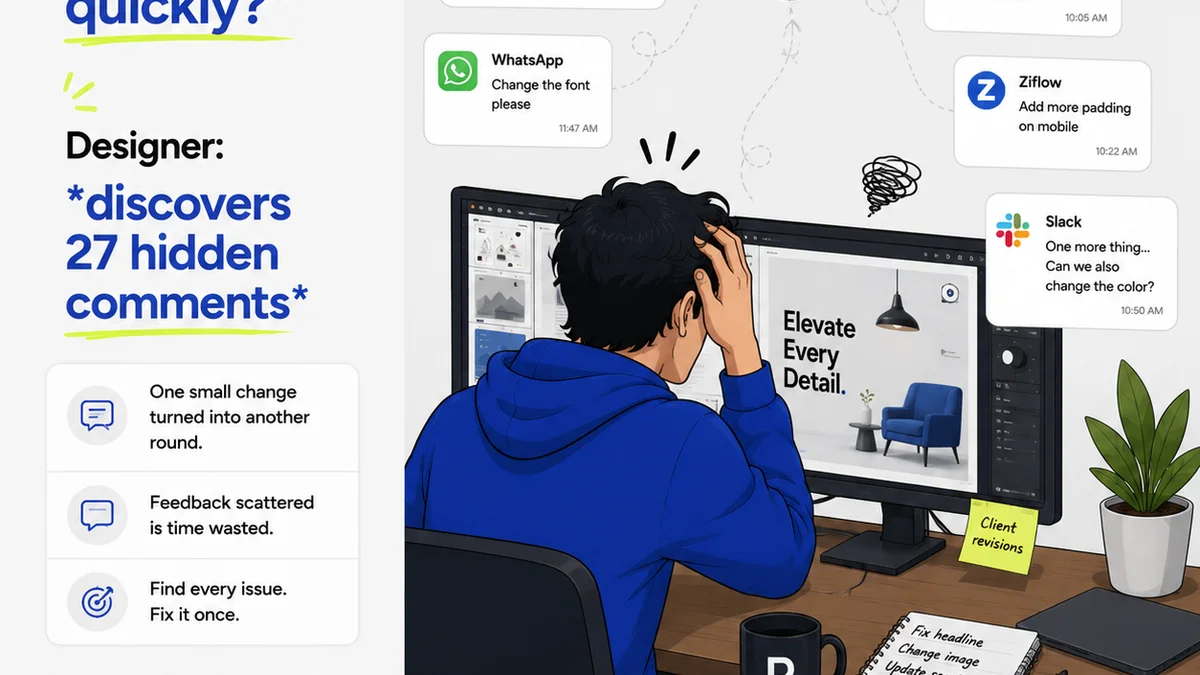
Everyone thinks they have a creative asset approval process. You send a JPEG, the client says "Looks good," and you move on. Simple, right?
Wrong.
That's not approval; that's a guess. And it's a guess that costs agencies and in-house teams dearly in rework, missed deadlines, and damaged client relationships. The hard truth? A flimsy, assumption-based approval process is a ticking time bomb for your creative output.
You need a robust creative asset approval checklist. Not just a box to tick, but a defined workflow that ensures quality, consistency, and alignment at every stage. Let's break down what that really looks like.
1. Beyond Aesthetics: The Functional Requirements
The most common mistake is treating approval as purely subjective. "Do they like the colors?" is a question, but it’s not the *only* question. Functional requirements are the bedrock of any asset. If it doesn't *work*, how it *looks* is irrelevant.
This is where a good checklist starts.
Technical Specifications
Every asset has technical constraints. Missing these means the asset might be unusable, even if the client loves the design.
- File Format: Is it the correct format (JPG, PNG, GIF, MP4, SVG)?
- Dimensions & Resolution: Does it meet the required pixel dimensions and DPI/PPI? Critical for print and digital displays.
- File Size: Is it within acceptable limits for web loading speed or platform requirements?
- Color Profile: Is the color profile correct for the intended output (e.g., sRGB for web, CMYK for print)?
- Bleed & Trim (Print): Are bleed areas correctly set up? Are critical elements outside the trim line?
Platform & Channel Compliance
Assets aren't created in a vacuum. They live on specific platforms with specific rules.
- Social Media Specs: Does it meet the latest aspect ratio and file size requirements for Facebook, Instagram, LinkedIn, TikTok, etc.? These change constantly.
- Ad Platform Requirements: Does it adhere to Google Ads, Meta Ads, or other ad network specifications?
- Website Integration: Will it display correctly across different browsers and screen sizes (responsive design considerations)?
- Content Management System (CMS) Compatibility: Are there any specific requirements for uploading and displaying the asset within the client's CMS?
2. Brand Integrity Checks
Brand consistency isn't just about a logo. It's about voice, tone, visual language, and adherence to established guidelines. An asset that violates brand integrity is a liability, no matter how aesthetically pleasing.
Visual Identity
This goes deeper than just placing the logo correctly.
- Logo Usage: Is the logo present? Is it the correct version? Is the clear space maintained? Is it distorted or altered?
- Color Palette: Are brand colors used correctly and within defined hex codes or CMYK/RGB values?
- Typography: Are approved brand fonts used? Are weights and styles correct?
- Imagery Style: Does the photography or illustration style align with the brand's established aesthetic?
Messaging & Tone
The words accompanying or within the asset matter as much as the visuals.
- Brand Voice: Does the copy reflect the established brand personality (e.g., formal, playful, authoritative)?
- Key Messaging Alignment: Does the asset communicate the intended core message clearly and accurately?
- Accuracy of Information: Are all claims, statistics (if any), product names, and taglines correct?
- Legal & Compliance Copy: Are disclaimers, terms, and conditions present and accurate where required?
3. User Experience (UX) & Accessibility
This is often the most overlooked area in creative asset approval, yet it's crucial for effectiveness and inclusivity. An asset that's hard to understand or use fails its primary objective.
Usability
Can the target audience interact with the asset as intended?
- Call to Action (CTA): Is the CTA clear, visible, and compelling? Does it lead to the correct destination?
- Navigation (if applicable): If the asset is interactive, is the navigation intuitive?
- Readability: Is text legible? Is there sufficient contrast between text and background?
- Information Hierarchy: Is the most important information presented prominently?
Accessibility (a11y)
Ensuring your creative work is usable by everyone, including people with disabilities.
- Alt Text for Images: Is descriptive alt text provided for all meaningful images?
- Color Contrast Ratios: Does text and interactive element contrast meet WCAG standards (e.g., AA or AAA)? Tools like the WebAIM Contrast Checker can help.
- Keyboard Navigability: Can interactive elements be accessed and operated using a keyboard alone?
- Video Captions & Transcripts: Are captions provided for videos? Is a transcript available?
- ARIA Labels (for interactive elements): Are appropriate ARIA attributes used to enhance screen reader experience?
4. Project & Client Alignment
Beyond the creative itself, the asset must align with the broader project goals and the client's specific needs and expectations.
Strategic Fit
Does the asset serve its purpose within the campaign or project?
- Campaign Objectives: Does the asset directly support the stated campaign goals?
- Target Audience Resonance: Is the creative likely to appeal to and engage the intended audience?
- Competitive Landscape: Does the asset stand out or fit appropriately within the competitive context?
Client Brief & Scope
This is where you check against the original agreement.
- Adherence to Brief: Does the asset fulfill all requirements outlined in the creative brief?
- Scope of Work: Was the asset produced within the agreed-upon scope? Are there any out-of-scope requests disguised as revisions?
- Previous Feedback: Have all previous rounds of feedback been addressed correctly?
- Client Stakeholder Input: Has input been gathered from all necessary client stakeholders as defined in the project kickoff?
Where Revue Fits In
Manually tracking all these points across multiple projects, clients, and team members is a recipe for chaos. This is precisely why a centralized system for feedback and approvals is essential.
Revue acts as that central hub. Instead of scattered email threads and Slack messages, all feedback, revisions, and final approvals live in one place, tied directly to the asset itself.
Imagine this:
- Clear Accountability: See exactly who provided feedback and when.
- Version Control: Track revisions seamlessly, ensuring everyone is looking at the latest version.
- Standardized Checklists: Integrate your approval checklist directly into the workflow, prompting reviewers to consider technical specs, brand guidelines, and more.
- Audit Trail: Maintain a complete history of feedback and approvals for future reference and dispute resolution.
- Automated Notifications: Keep stakeholders informed without manual chasing.
This structured approach turns the ambiguous
Frequently asked questions
What are the key components of a creative asset approval checklist?
A comprehensive checklist should cover technical specifications, brand integrity, user experience (UX) and accessibility, and alignment with project/client goals. It moves beyond subjective 'looks good' feedback to objective functional and strategic requirements.
Why is a checklist more than just a list of tasks?
It's a structured quality gate. It ensures consistency, prevents errors related to technical specs or brand guidelines, improves user experience, and confirms strategic alignment. It moves approval from a subjective opinion to an objective verification.
How can accessibility be incorporated into an asset approval checklist?
Include checks for sufficient color contrast ratios (WCAG standards), descriptive alt text for images, keyboard navigability for interactive elements, and proper captions/transcripts for video content.
What's the difference between aesthetic and functional approval?
Aesthetic approval focuses on the subjective look and feel (e.g., colors, layout). Functional approval ensures the asset meets technical requirements, performs as intended, is accessible, and aligns with project goals and brand guidelines. Both are critical.
How does a tool like Revue help with creative asset approval?
Revue centralizes feedback, provides version control, allows for integrated checklists, automates notifications, and creates a clear audit trail. This streamlines the entire approval process, reducing miscommunication and rework.