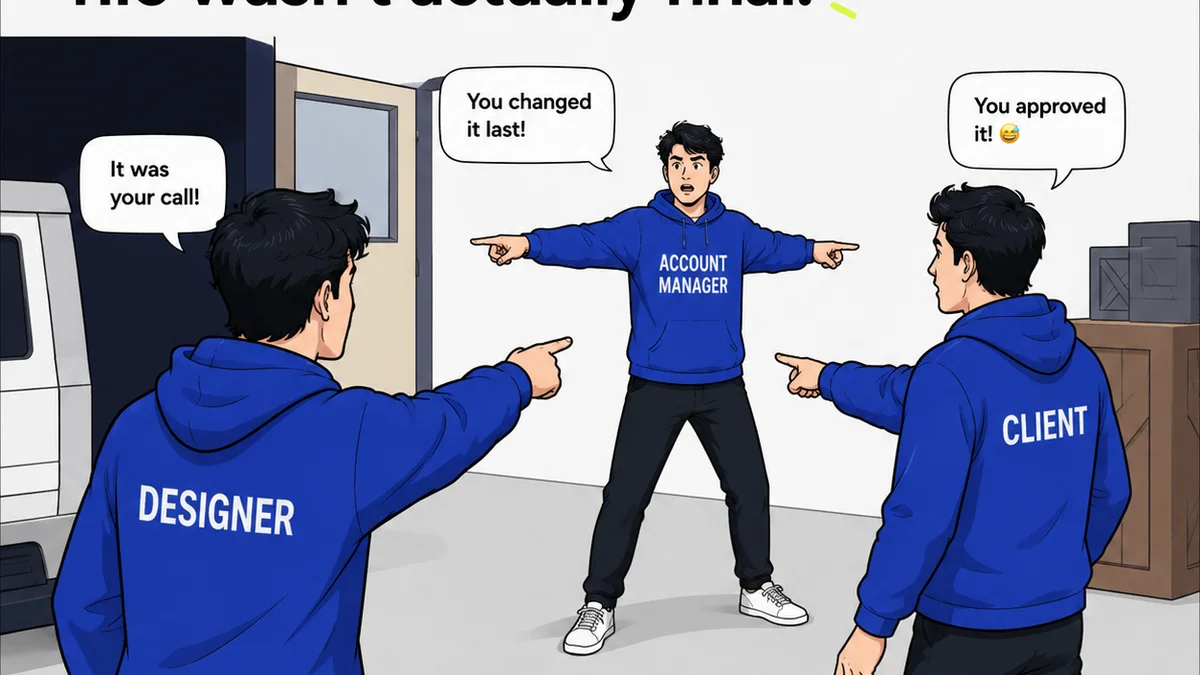
Everyone talks about creative automation. The promise? Less busywork, more creativity. Sounds great, right?
None of that is wrong. But it’s incomplete.
The hard truth is that simply layering automation tools onto a broken process won't fix anything. It often just makes the chaos faster. Real creative automation isn't about magic bullets; it's about systematically identifying and eliminating friction points in your workflow.
1. Audit Your Current Workflow: Where's the Drag?
Before you even think about tools, you need to know where your time is actually going. Most agencies *think* they know, but they're usually off.
This isn't about guessing. It's about deep, honest observation.
Map the Journey
Trace a typical project from initial brief to final delivery. Every single step. Who touches it? What software is used? How long does each phase *actually* take?
Look for these common bottlenecks:
- Manual file renaming and organization
- Repetitive image resizing and formatting
- Tedious proofing rounds with inconsistent feedback
- Manual data entry for project status or reporting
- Chasing down approvals from multiple stakeholders
- Regenerating assets for different platforms
Quantify the Pain
Where possible, put numbers to the time spent. Even rough estimates are better than nothing. How many hours per week are spent on tasks that don't require creative input?
This data is your justification for change. It’s also your baseline for measuring success.
2. Identify Automation Opportunities: Low-Hanging Fruit First
Once you know where the problems lie, you can start looking for solutions. Don't try to automate everything at once. Start small and build momentum.
Focus on tasks that are:
- Repetitive: Done the same way, over and over.
- Rule-based: Follow a clear set of instructions.
- Time-consuming: Consuming significant hours without adding creative value.
- Error-prone: Tasks where mistakes are common due to manual handling.
Batch and Standardize
Can you group similar tasks? Can you create templates or presets? Standardization is the bedrock of automation.
For example, if you consistently deliver web banners in three standard sizes, create templates for those sizes. Don't start from scratch each time.
Leverage Existing Tools
Many creative tools have built-in automation features you might be overlooking.
- Adobe Creative Cloud: Actions in Photoshop, Batch processing, Scripts.
- Figma: Plugins for design systems, auto-layout, content generation.
- Project Management Software: Automated task assignments, status updates, reminders.
Mastering these can yield significant time savings.
3. Implement Smart Automation: The Right Tool for the Job
This is where many go wrong. They buy the fanciest tool without understanding the problem. The goal is efficiency, not just adoption of new tech.
Consider these categories:
Asset Management and Delivery
Automating how you store, find, and distribute creative assets is crucial. Think Digital Asset Management (DAM) systems or even well-structured cloud storage with clear tagging conventions.
Automated resizing and format conversion for different channels (web, social, print) can save days of work.
Feedback and Approvals
This is a notorious time sink. Manual email chains and scattered comments lead to confusion and delays. Centralizing feedback is key.
Look for platforms that allow for:
- Visual annotation directly on creative assets
- Clear version control
- Consolidated stakeholder feedback
- Automated notifications for new comments or required actions
Workflow Orchestration
For more complex processes, consider tools that can string together multiple steps and applications. Zapier or Make (formerly Integromat) can connect different software, triggering actions based on events.
Imagine a new client brief automatically creating a project folder, setting up a kanban board, and assigning initial tasks.
Content Generation (Use with Caution)
AI tools can help generate initial drafts, variations, or even basic copy. However, these require heavy human oversight and editing to maintain brand voice and quality.
Think of them as assistants, not replacements.
4. Establish Quality Control Gates
Automation can introduce new errors if not managed. Your quality control process needs to adapt.
Ensure your automated checks:
- Verify file formats and naming conventions
- Check for brand guideline adherence (e.g., logo usage, color palette)
- Validate technical specifications (e.g., image resolution, link functionality)
- Flag potential accessibility issues (e.g., color contrast, alt text placeholders)
These checks should be integrated into the automated workflow, not an afterthought.
5. Train Your Team and Iterate
New tools and processes require buy-in and training. Don't just deploy; educate.
Explain the 'why' behind the automation. Show the benefits to their daily work.
Gather feedback regularly. What's working? What's still clunky? Automation is rarely perfect on the first try.
Be prepared to tweak settings, adjust rules, or even swap tools if they aren't delivering the promised efficiency.
Where Revue Fits In
Managing creative feedback and approvals is a prime candidate for smart automation. The chaos of scattered comments, missed revisions, and unclear sign-offs kills productivity.
Revue acts as a central hub. It streamlines the feedback loop by consolidating all comments, markups, and decisions directly on the creative asset. This eliminates the need for endless email chains and makes version control crystal clear.
Automated notifications keep stakeholders informed, ensuring timely approvals and reducing project drag. The visibility Revue provides into the revision and approval status helps teams stay aligned and move projects forward efficiently, ensuring quality checks are integrated into the final stages.
Final Thought
Creative automation isn't about replacing creatives. It's about freeing them from the mundane so they can focus on what truly matters: strategic thinking, innovative problem-solving, and crafting exceptional work.
Are you automating tasks, or are you automating your workflow? There’s a significant difference.
Frequently asked questions
What are the biggest mistakes agencies make with creative automation?
The most common errors include automating a broken process, failing to clearly define objectives, choosing the wrong tools for the specific problem, neglecting team training, and not establishing robust quality control gates to catch new errors introduced by automation.
How can I measure the success of my creative automation efforts?
Measure success by tracking key metrics before and after implementation. This includes time saved on specific tasks, reduction in errors, faster project turnaround times, improved client satisfaction due to quicker revisions, and increased team capacity for strategic creative work.
Is AI a necessary part of creative automation?
AI can be a powerful component of creative automation, particularly for content generation or data analysis. However, it's not strictly necessary. Many effective automation strategies rely on rule-based systems, workflow orchestration tools, and efficient asset management without advanced AI.
How does centralized feedback relate to creative automation?
Centralized feedback is a critical element of automating the review and approval process. By consolidating comments and decisions in one place, you eliminate manual tracking, reduce miscommunication, and create a clear, auditable trail, which are all hallmarks of effective automation.