Everyone talks about project management tools for creative teams. They focus on timelines, tasks, and budgets. And that’s important, sure.
But the real bottleneck isn’t usually the task itself. It’s the *dependencies*. The handoffs. The approvals. The waiting.
The hard truth? Most creative teams operate like a Rube Goldberg machine. One tiny part grinds to a halt, and the whole elaborate setup fails. It’s not about having more tasks; it’s about managing the *connections* between them.
1. The Hidden Cost of Creative Dependencies
You think you’re managing projects. You’re not. You’re managing a chain of waiting.
A designer finishes a banner ad. They wait for the copywriter to approve the headline. Copywriter waits for the strategist. Strategist waits for legal. Legal waits for the client. Then it all has to go back through the chain for final sign-off.
Each step is a potential delay. Each step is a point of friction. Each step is where creative dependencies kill momentum.
Common symptoms:
- Missed deadlines due to “waiting on X.”
- Scope creep disguised as essential feedback loops.
- Frustrated team members and clients.
- Burnt-out project managers juggling endless email chains.
- A feeling of being reactive, not proactive.
These aren’t project management failures. They’re dependency management failures.
2. What Makes a Good Creative Dependencies Tool?
Forget the all-in-one platforms for a second. They often add complexity. What you need are tools that specifically address the points of friction in your creative workflow.
The best tools for managing creative dependencies are:
- Visibility: You can see who has what, who’s next, and where things are stuck.
- Centralization: Feedback and approvals live in one place, not scattered across emails, Slack, and random docs.
- Automation: Gentle nudges and automated notifications prevent things from falling through the cracks.
- Clarity: Roles and responsibilities are crystal clear at every stage.
- Integration: They play well with your existing creative stack.
You’re not looking for a magic wand. You’re looking for tools that bring order to the chaos of creative handoffs.
3. Essential Tools for Managing Creative Dependencies
Let’s break down the types of tools that solve this problem. You likely won’t need just one; you’ll need a combination.
3.1. Centralized Feedback & Annotation Platforms
This is where visual feedback happens. Static images, videos, PDFs, websites. The goal is precise, contextual comments that everyone can see.
Why it matters for dependencies: Eliminates the “I thought you said X” problem. Consolidates feedback from clients and internal reviewers. Provides a clear audit trail.
Examples:
- Revue: (More on this later, but it’s the core).
- Filestage: Excellent for video, audio, and image review.
- Markup.io: Simple annotation for web and design.
These tools turn vague feedback into actionable tasks. They reduce the number of revision rounds because clarity is built-in.
3.2. Digital Asset Management (DAM)
Once assets are approved, where do they live? A DAM is your central, organized library for final creative files.
Why it matters for dependencies: Ensures the *correct* version of an asset is being used downstream. Prevents accidental use of outdated logos or copy. Streamlines asset retrieval for marketing, sales, or web teams.
Examples:
- Adobe Experience Manager Assets: Enterprise-level DAM.
- Bynder: Popular choice for many agencies.
- Google Cloud Storage (with proper organization): A more DIY approach.
A DAM isn’t just storage; it’s control. It’s knowing that the final approved banner ad is the one being deployed.
3.3. Workflow Automation & Integration Tools
This is the glue. Tools that connect your different platforms and automate repetitive actions based on triggers.
Why it matters for dependencies: Automates notifications when a task is complete or requires action. Connects your feedback tool to your project management system. Reduces manual status updates.
Examples:
- Zapier: Connects thousands of apps with simple triggers and actions.
- Make (formerly Integromat): More complex, visual workflow builder.
- Microsoft Power Automate: For Microsoft ecosystem users.
Think: When “Approved” status is set in Filestage, create a task in Asana for the developer. Or, when a new asset is added to Bynder, notify the marketing team in Slack.
This is where you build your Rube Goldberg machine in reverse: making it *simpler* and more reliable.
3.4. Project Management (with a Dependency Lens)
Yes, PM tools are still crucial, but you need to use them to *visualize dependencies*. Not just list tasks.
Why it matters for dependencies: Gantt charts, Kanban boards with clear swimlanes, and dependency linking features help you see the critical path. Who is blocked by whom?
Examples:
- Asana: Strong dependency linking and timeline views.
- Monday.com: Highly customizable boards that can visualize workflows.
- Smartsheet: Spreadsheet-like interface with Gantt and dependency features.
Look for tools that let you map out not just tasks, but the *relationships* between them. Which task *must* finish before another can start?
4. Where Revue Fits In
You’re probably juggling a few of these tools already. A feedback tool here, a PM tool there, maybe some cloud storage.
The problem is they don’t always talk to each other. Or the feedback process itself is clunky.
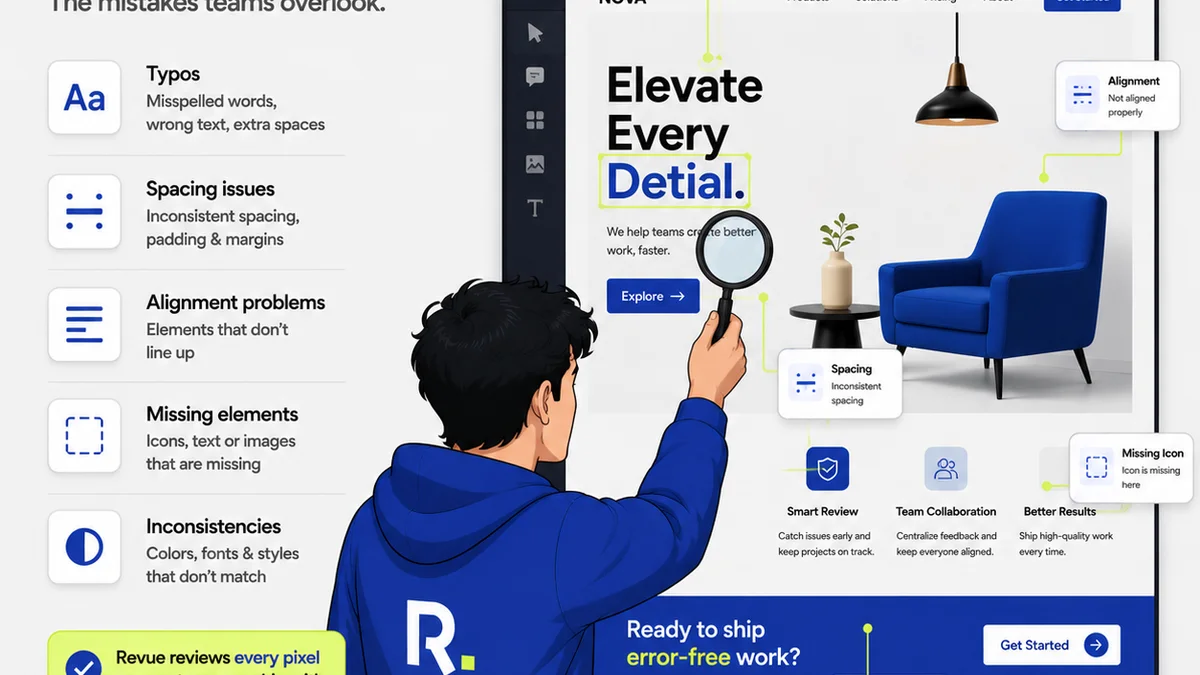
Revue acts as the central hub for client feedback and internal approvals. It’s not just about collecting comments; it’s about structuring the entire review process.
- Centralized Feedback: All comments, annotations, and decisions live on the asset itself. No more digging through emails.
- Clear Revision Tracking: See every version, every change, and who approved what, when. This is vital for managing dependencies.
- Streamlined Approvals: Set up clear approval workflows. Assign reviewers. Get notified when it’s their turn.
- Quality Assurance Checklists: Ensure every piece of creative meets your standards before it goes out the door. This is the final dependency check.
By providing a single source of truth for feedback and approvals, Revue reduces the waiting time between creative stages. It clarifies who needs to do what next. It makes the entire approval dependency transparent.
This frees up your project managers and your creative teams to focus on the work, not the admin.
5. Implementing a Dependency-First Workflow
It’s not just about buying software. It’s about changing how you think about creative production.
Start by mapping your current workflow. Identify every single handoff and approval point. Who is involved? What information do they need? What are they waiting on?
Then, look at where the friction is highest. Is it client feedback? Internal legal review? Handoff to development?
Choose tools that directly address those friction points. Don’t adopt a tool just because it’s popular.
Train your team. Ensure everyone understands the new process and how the tools support it. This is crucial for adoption.
Finally, iterate. No workflow is perfect. Regularly review what’s working and what’s not. Adjust your tools and processes accordingly.
Final Thought
Creative dependencies aren’t a bug; they’re a feature of collaborative work. The challenge isn’t to eliminate them, but to manage them intelligently.
Are you managing your creative dependencies, or are they managing you?
Frequently asked questions
What are creative dependencies?
Creative dependencies are the tasks or approvals that must be completed by one person or team before another can start or finish their part of a project. They represent the handoffs and waiting periods inherent in creative production.
Why is managing creative dependencies important for agencies?
Effective management of creative dependencies prevents bottlenecks, reduces delays, minimizes miscommunication, and ensures projects stay on schedule and budget. It leads to smoother workflows and happier clients.
What's the difference between project management and dependency management?
Project management is the overarching process of planning, executing, and closing projects. Dependency management is a specific, critical subset that focuses on identifying, tracking, and coordinating the relationships between tasks and stakeholders to ensure timely progress.
How can tools help manage creative dependencies?
Tools can centralize feedback, provide clear visibility into who is responsible for what next, automate notifications, track revision history, and integrate different parts of the workflow, all of which directly address common points of dependency friction.