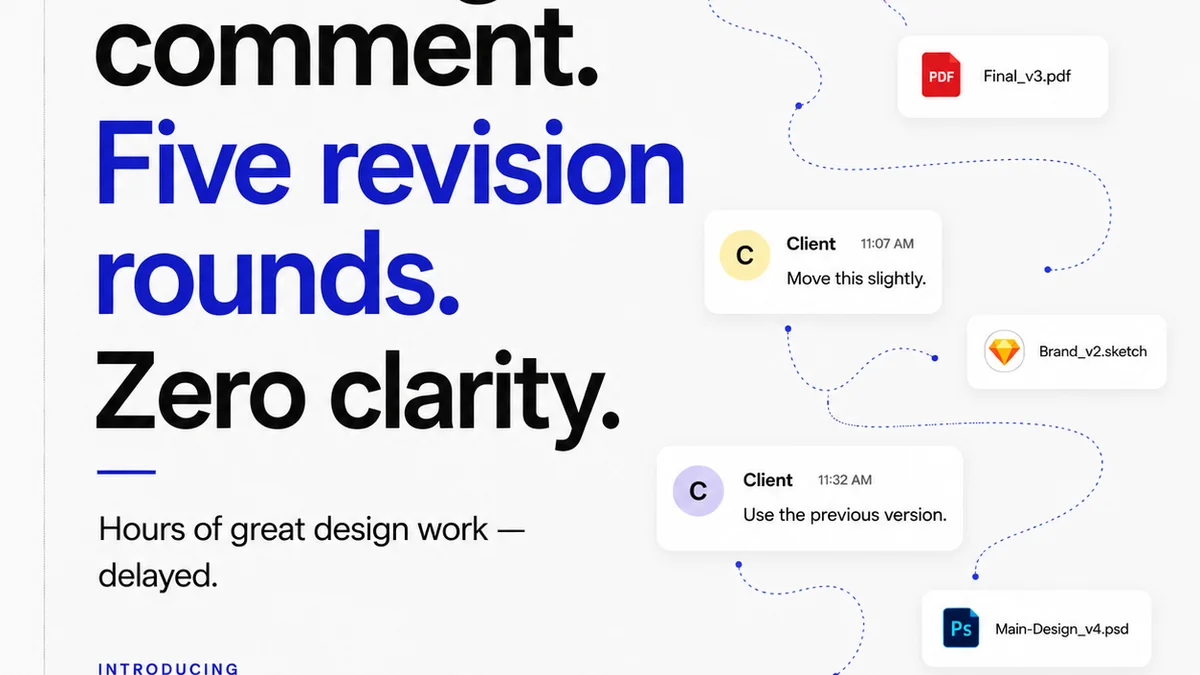
Everyone talks about creative feedback best practices. They tell you to be specific, be constructive, and be timely. None of that is wrong. But it’s incomplete.
The hard truth is that good feedback isn’t just about the words you use. It’s about the system you use to capture, share, and act on it. Without a solid system, even the best intentions lead to confusion, delays, and frustration.
1. Assume Nothing, Document Everything
The biggest leak in creative workflows isn't bad ideas, it's lost information. Assumptions about what was said in a meeting, what a client *really* meant, or what a designer *thought* they heard are the silent killers of projects.
Your creative feedback process needs to eliminate ambiguity. This means moving beyond verbal discussions and scattered email chains.
The Verbal Trap
A quick chat in the hallway or a brief call might feel efficient. But what happens when someone forgets a key detail? Or when the original requester is out of office?
This is where robust documentation becomes critical. Every piece of feedback, no matter how small, needs a home.
Email Chains are Chaos
Reply-all storms, buried threads, and lost attachments. Email is a terrible tool for managing feedback on creative assets. It’s reactive, not proactive, and inherently disorganized.
You need a centralized place where all feedback lives, is organized by asset, and is easily searchable.
The Single Source of Truth
Think of your feedback system as the project's memory. It should hold every decision, every iteration, and every approval.
This eliminates the need for constant clarification and reduces the risk of crucial details falling through the cracks. It’s about building trust through transparency.
2. Define Roles and Responsibilities Clearly
Who is giving feedback? Who is receiving it? Who is making the final call? Ambiguity here is a recipe for disaster.
A common mistake is allowing anyone and everyone to chime in without clear ownership. This leads to conflicting directions and paralysis.
The Feedback Loop
Establish who is authorized to provide feedback at each stage of the project. Is it the primary client contact? A specific stakeholder? A subject matter expert?
Define the roles in your feedback process. This prevents unqualified or excessive input that derails the creative vision.
The Decision Maker
Every project needs a designated decision-maker. This person consolidates feedback, resolves conflicts, and gives the go-ahead.
Without a clear decision-maker, projects can languish in endless rounds of minor tweaks, as multiple people feel they have the authority to steer the ship.
Accountability Matters
When feedback is documented and roles are clear, accountability follows naturally. Everyone knows their part, and the outcomes are traceable.
This isn’t about blame; it’s about efficiency and learning. Understanding who provided what feedback and why helps refine future processes.
3. Structure Feedback for Actionability
Vague comments like “I don’t like it” or “Make it pop more” are useless. They’re subjective and offer no clear path forward.
The goal of feedback is to improve the creative work, not to vent subjective opinions.
Be Specific, Be Objective
Instead of “Make it pop,” try “The blue in the headline doesn’t contrast enough with the background. Consider a darker shade or a different font color to improve readability.”
Focus on observable elements and measurable outcomes. What specifically is not working, and why?
Context is King
Feedback without context is like a tool without a handle. It’s hard to use effectively.
Always provide context. What is the goal of this design element? Who is the target audience? What is the desired emotional response?
Understanding the ‘why’ behind the creative helps the team provide more relevant and effective feedback.
Prioritize and Group
Not all feedback is created equal. Some comments are critical blockers, while others are minor aesthetic preferences.
Help your team by prioritizing feedback. Group similar comments together to address them efficiently. This prevents the creative team from jumping between unrelated tasks.
4. Embrace Visual Annotation
Words can only go so far, especially when discussing visual creative work. Pointing directly to an issue is far more effective than describing it.
Tools that allow for direct annotation on the creative asset itself are invaluable.
Pinpoint Precision
Imagine a client pointing directly to a specific pixel or a sentence on a webpage. This eliminates guesswork.
Visual feedback tools allow reviewers to mark specific areas, add comments, and draw attention to exactly what needs attention. This is orders of magnitude better than trying to describe a location in text.
Reduced Misinterpretation
When feedback is tied directly to the visual element, the chance of misinterpretation plummets.
A red circle around a logo and a comment like “Needs to be larger” is crystal clear. A paragraph of text describing where the logo is and why it might need to be larger is not.
Streamlined Revisions
Designers can see exactly what needs to be changed, where, and why, all in one place. This speeds up the revision process dramatically.
They can check off feedback items as they are completed, providing clear progress tracking for everyone involved.
5. Integrate Quality Assurance (QA) Early and Often
Many teams treat QA as a final gate, an afterthought before launch. This is a costly mistake.
Quality assurance should be woven into the fabric of your feedback process from the very beginning.
Proactive Problem Solving
Catching issues early — whether it’s a typo, a broken link, or a UI inconsistency — is exponentially cheaper and easier than fixing them post-launch.
Integrate QA checks into your feedback loops. Is the copy accurate? Do all links work? Is the design consistent across all breakpoints?
Checklists and Standards
Develop clear QA checklists based on project requirements, brand guidelines, and accessibility standards. These serve as objective benchmarks.
Referencing WCAG guidelines for accessibility or established design systems ensures a baseline quality that everyone can agree on.
Objective criteria make feedback less subjective and more about meeting defined standards.
The Human Element
While automated tools can catch many errors, human review is still essential. A fresh pair of eyes can spot issues that automated checks miss.
Ensure that your feedback process includes a stage for thorough human review, guided by clear QA criteria.
Where Revue Fits In
Managing creative feedback effectively requires more than just good intentions. It demands a robust system.
Revue is built to address these operational challenges head-on. It provides a centralized platform for all your creative assets, feedback, and approvals.
Instead of scattered emails and endless meetings, you get a clear, organized workflow. Stakeholders can leave visual annotations directly on designs, ensuring feedback is precise and actionable.
Every comment, revision, and approval is logged, creating an irrefutable audit trail. This transparency eliminates ambiguity and fosters accountability.
With Revue, you can manage feedback loops, track revision history, and perform quality checks all within a single, intuitive interface. It transforms feedback from a bottleneck into a streamlined, efficient part of your creative process.
Final Thought
The best creative feedback practices aren’t about softening criticism or finding the perfect phrasing. They are about building a transparent, organized, and accountable system.
Are you investing in the system that supports your creative talent, or are you still letting chaos dictate your workflow?
Frequently asked questions
What is the most common mistake agencies make with creative feedback?
The most common mistake is relying on informal communication channels like email or hallway chats, leading to lost information, assumptions, and conflicting directions. Agencies often lack a centralized system for documenting and managing feedback, which is crucial for clarity and accountability.
How can I make creative feedback more actionable?
To make feedback actionable, be specific and objective. Instead of saying 'I don't like it,' explain precisely what isn't working and why. Provide context about the project goals and target audience. Prioritize feedback and group similar comments to streamline revisions.
Why is visual annotation important for creative feedback?
Visual annotation allows reviewers to pinpoint specific areas on an asset that need attention. This eliminates ambiguity and misinterpretation, making it far more effective than describing locations in text. It streamlines the revision process by showing designers exactly what to change.
When should quality assurance (QA) be integrated into the feedback process?
QA should be integrated early and often, not just as a final step before launch. By incorporating QA checks into every feedback loop, you can catch issues like typos, broken links, or design inconsistencies proactively, which is far more cost-effective than fixing them post-launch.