Everyone agrees that creative feedback software is a must-have. You’ve probably heard it’s about streamlining communication, reducing revision rounds, and getting projects done faster. None of that is wrong. But it’s incomplete.
The real value isn't just speed. It’s about clarity. It’s about capturing the *right* feedback, at the *right* time, from the *right* people, so your team can actually execute on it. Without that, you’re just automating chaos.
1. Centralized Feedback: Ditch the Digital Scavenger Hunt
Think about your last project. Where did the feedback live?
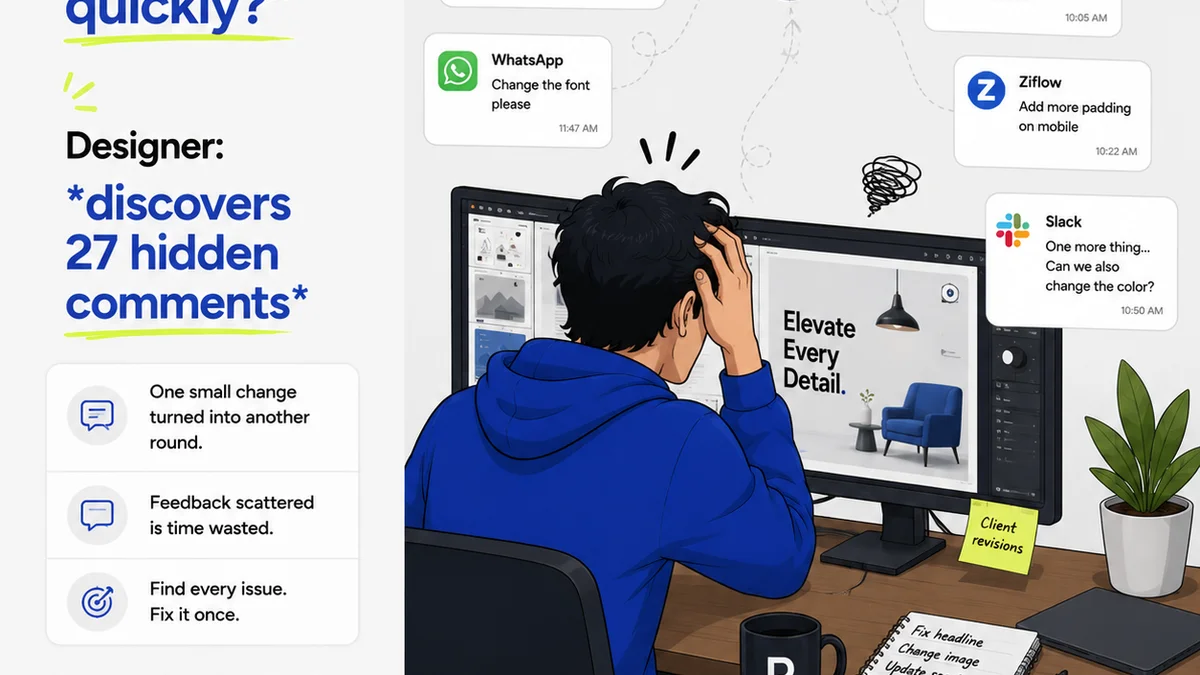
Was it scattered across a dozen email threads? Buried in Slack channels? Scribbled on sticky notes in a Google Doc? Maybe it was a voice memo from a client who “just had a quick thought.”
This isn't just messy. It’s a productivity killer. Your team wastes hours trying to piece together the full picture. Important notes get missed. And the client wonders why their simple request took three days to implement.
The Hard Truth: Your creative feedback software *must* be the single source of truth for all project communication and approvals. Everything else is a distraction.
Key Features to Hunt For:
- Contextual Annotations: The ability to leave comments directly on specific parts of an image, video, or document. No more “move it left a bit” without knowing *what* “it” is.
- Version Control: Clear tracking of different design versions. Clients should see the latest iteration, not get confused by outdated files.
- Activity Feeds: A chronological log of all comments, revisions, and approvals. This provides an audit trail and keeps everyone informed.
- Task Management Integration: Link feedback directly to actionable tasks for your team.
If your tool doesn’t offer this level of contextual clarity, you’re still leaving room for error. You’re still asking your team to do mental gymnastics.
2. Revision & Approval Workflow: Visibility is King
How do you know when a piece of work is truly approved? How do you track who signed off on what, and when?
Many teams stumble here. They rely on a “yes” email or a verbal confirmation. This is a recipe for scope creep and disputes. What if the client later claims they never approved that specific version?
The Hard Truth: Your feedback software needs to make the revision and approval process explicit, transparent, and auditable. No ambiguity allowed.
What Makes a Workflow Work?
- Clear Approval States: Define distinct statuses like “In Review,” “Approved,” “Changes Requested.”
- Designated Approvers: Ability to assign specific stakeholders who have the authority to approve.
- Automated Notifications: Keep everyone in the loop when a review is ready or an approval is given.
- Snapshotting: Automatically capture the state of the work at the moment of approval. This prevents the “we never agreed to this” argument.
This isn't about bureaucracy. It’s about protecting your team and your client relationship by ensuring everyone is on the same page, and that agreement is documented.
3. Quality Assurance & Handoff: Catching Errors Before They Escape
The final checks. This is where many agencies and in-house teams get sloppy. They’re eager to deliver, and the pressure is on. But a missed typo or a misaligned element can undermine all the good work.
The Hard Truth: Your creative feedback software should actively support quality assurance, not just be a passive receptacle for comments. It should help you catch issues *before* they go live.
Features That Bolster QA:
- Checklist Functionality: Create custom checklists for common QA tasks (e.g., brand guidelines adherence, accessibility checks, spelling, broken links).
- Bug Tracking: A dedicated space to log and manage bugs found during QA, separate from general feedback.
- Developer Handoff Tools: Features that allow designers to easily share specs (like measurements, colors, fonts) with developers, reducing misinterpretation. Think inspect modes or direct integration with dev tools.
- Accessibility Review Tools: Integration or built-in checks for contrast ratios, keyboard navigation, and other accessibility standards (WCAG guidelines are a good benchmark).
When feedback software actively aids in this final gatekeeping, you reduce costly post-launch fixes and build a reputation for polished, professional delivery.
4. Collaboration Across Disciplines: Bridging the Gaps
Creatives rarely work in a vacuum. Designers need input from copywriters, strategists, developers, and account managers. Clients need to see the holistic picture.
The Hard Truth: Effective creative feedback software fosters cross-functional collaboration, breaking down silos rather than reinforcing them.
Look for Tools That Enable:
- User Roles & Permissions: Control who sees what and who can provide feedback or approve. Not everyone needs to weigh in on every detail.
- Team Collaboration Features: @mentions, real-time commenting, and shared workspaces keep internal teams aligned.
- Client Portal Simplicity: An intuitive interface for clients, so they don’t need extensive training.
- Integration Capabilities: Can it talk to your other essential tools? (e.g., project management software, cloud storage).
If your tool only works for one type of user or one stage of the process, it’s creating more friction than it solves.
Where Revue Fits In
Choosing the right creative feedback software is about more than just ticking boxes. It’s about building a more efficient, transparent, and high-quality creative process.
Revue is built with this reality in mind. We provide a centralized hub for all your client feedback, making it easy to see exactly what’s been said, by whom, and when. Our version control and clear approval workflows eliminate ambiguity, ensuring everyone is aligned on the final deliverable.
We help you move beyond scattered emails and endless Slack threads. With Revue, you get a clear audit trail, structured feedback, and a streamlined path to final approval. This means less time chasing down information and more time focused on creating great work.
Final Thought
The tools you use shape your process. They can either be an obstacle or an accelerator.
Are your current feedback tools helping you achieve clarity and efficiency, or are they just another layer of complexity? Take a hard look.
Frequently asked questions
What's the biggest mistake teams make when choosing feedback software?
Focusing solely on speed and neglecting the need for clear, contextual, and auditable feedback. If the feedback isn't clear or trackable, faster revisions just mean faster mistakes.
Can feedback software really prevent scope creep?
Yes, by providing a clear, documented record of approvals and requested changes. When feedback and sign-offs are centralized and version-controlled, it's much harder for scope creep to go unnoticed.
How does feedback software help with quality assurance?
Good software includes features like checklists, bug tracking, and clear handoff specifications. This helps ensure all necessary checks are performed before final delivery, catching errors early.
Is it worth investing in specialized creative feedback software?
Absolutely. While general communication tools can work initially, specialized software streamlines the unique needs of creative workflows, reducing errors, saving time, and improving client satisfaction.