Everyone agrees that managing client feedback is a pain. You probably think the answer is simple: get better software. That’s the easy story, right? Get the right tool, and the chaos disappears.
None of that is wrong. But it’s incomplete.
The hard truth is that even the best creative feedback workflow software can’t fix broken processes. The real challenge isn’t the tool; it’s the workflow itself. And understanding that is the first step to finding the right solution.
1. The Myth of the 'All-in-One' Solution
Many tools claim to do it all. They promise to manage projects, track time, handle billing, and, yes, collect feedback. It sounds great on paper.
In reality, these jack-of-all-trades platforms often fall short on the specifics. When it comes to creative feedback, you need more than just a comment box.
You need precision. You need clarity. You need a system built for visual collaboration.
Why General Project Management Tools Fail
Project management software is built for tasks, deadlines, and to-do lists. Creative work is different. It’s subjective, iterative, and visual.
- Generic comment threads get lost.
- Lack of version control leads to confusion.
- No clear way to mark approvals or rejections.
- Context is easily stripped away.
Trying to manage creative feedback in a tool not designed for it is like trying to sculpt marble with a hammer. It’s possible, but inefficient and prone to error.
2. Core Capabilities: Beyond Basic Annotation
When evaluating creative feedback workflow software, focus on features that directly address the unique needs of creative review.
Version Control is Non-Negotiable
How many times have you received feedback on an old version? Or worse, made revisions based on feedback that was superseded yesterday?
Good software tracks every iteration. Clients see the latest version, but you can always refer back to previous stages. This prevents confusion and saves endless clarification cycles.
Contextual Annotation, Not Just Comments
Feedback needs to be tied directly to the element it refers to. Clicking on a specific area of an image or video to leave a comment is crucial.
This eliminates the guesswork. Instead of a vague comment like “make this better,” you get “adjust the kerning on this headline” or “the shadow on this product needs to be softer.”
Clear Approval and Revision States
How do you know when a client has officially signed off? Or when a revision request is complete?
The software should provide clear visual indicators for:
- Pending review
- Approved
- Rejected
- Revisions requested
- Revisions completed
This transparency is vital for keeping projects on track and managing client expectations.
Centralized Communication
Email chains get long. Slack messages get buried. Feedback should live where the work lives.
All communication related to a specific asset should be in one place. This creates a single source of truth, accessible to everyone involved.
3. Streamlining the Reviewer Experience
Your clients and stakeholders are not necessarily design experts. The feedback tool needs to be intuitive for them, too.
Ease of Use for Non-Designers
If your clients struggle to use the tool, they’ll revert to email or informal chats. This defeats the purpose.
Look for software with a clean, simple interface. Annotation tools should be obvious and easy to access.
Guest Access and Permissions
You don’t want clients messing with settings or seeing internal discussions. Granular permissions are key.
Allowing guest access without requiring sign-ups can also reduce friction for external reviewers.
Mobile Accessibility
Many stakeholders review work on the go. Ensure the platform works seamlessly on tablets and phones.
This broadens the window for feedback and reduces bottlenecks.
4. Integrating with Your Existing Stack
Creative feedback software shouldn’t operate in a silo. It needs to play nice with the tools you already use.
Design Tool Integrations
Direct integrations with tools like Adobe Creative Cloud, Figma, or Sketch can be a game-changer. Uploading and retrieving assets becomes seamless.
Asset Management Connections
If you use a Digital Asset Management (DAM) system, ensure your feedback tool can connect. This maintains a single source of truth for all creative files.
Project Management Sync
While not ideal as the primary feedback tool, syncing with your PM software (like Asana, Jira, or Monday.com) can keep project timelines updated automatically based on approval status.
5. Security and Compliance
You’re dealing with client assets, some of which may be confidential. Security cannot be an afterthought.
Data Encryption
Ensure data is encrypted both in transit and at rest. Protect your clients’ intellectual property.
User Authentication
Robust login procedures and potentially multi-factor authentication add layers of security.
Access Controls
As mentioned, controlling who sees what is paramount. This includes limiting access to specific projects or assets.
6. Where Revue Fits In
Managing creative feedback is about more than just collecting comments. It’s about creating a clear, efficient, and transparent process from start to finish.
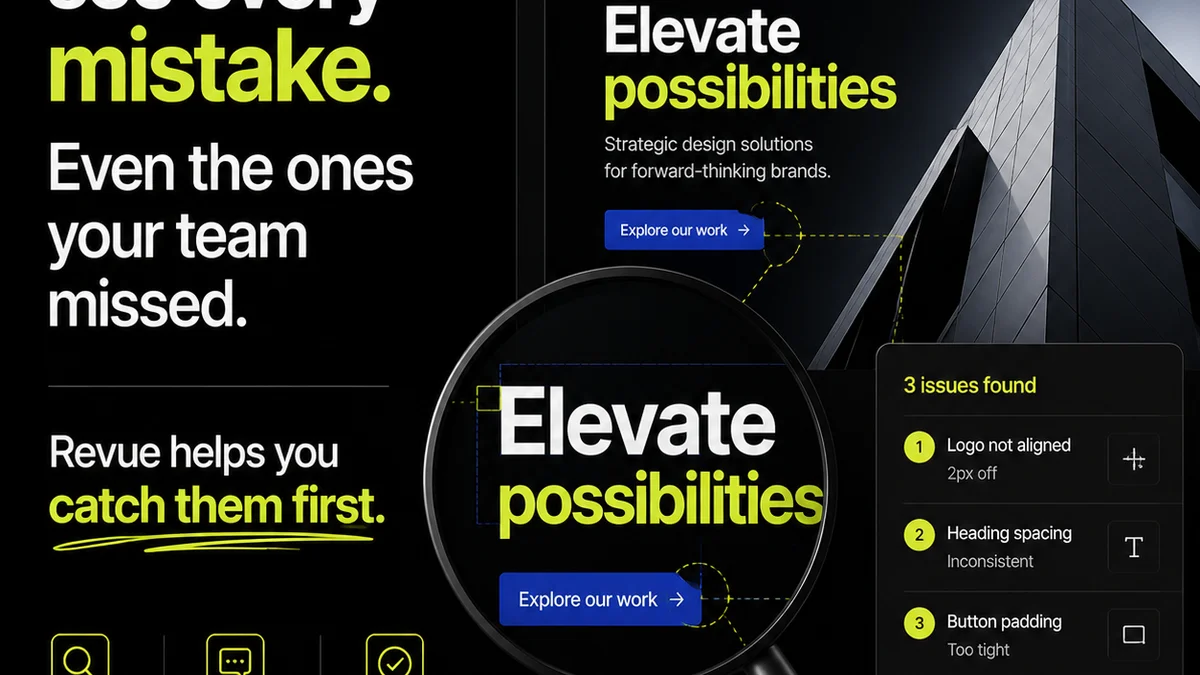
Revue helps agencies and creative teams achieve this by centralizing client feedback, providing clear visibility into revision and approval stages, and enabling crucial quality checks before final delivery.
Instead of chasing down feedback across emails and chat apps, all comments and decisions related to a specific creative asset are housed in one place. Version history is maintained, and the status of each review is always clear. This transforms a chaotic process into a streamlined, auditable workflow.
7. Beyond the Features: Scalability and Support
Consider your agency’s growth. Will the software scale with you?
Scalability
Can it handle an increasing number of users, projects, and assets without performance degradation?
Customer Support
What kind of support is offered? Quick response times and knowledgeable staff can save you hours of frustration when issues arise.
Onboarding and Training
Is there adequate documentation or training available to get your team and clients up to speed quickly?
Final Thought
The right creative feedback workflow software isn’t just a tool; it’s a strategic asset. It should eliminate friction, clarify communication, and empower your team to deliver better work, faster.
But remember, the software amplifies your process. If your process is flawed, even the best tool will struggle. So, before you buy, audit your workflow. Where are the real bottlenecks? The software is only as good as the system it supports.
Frequently asked questions
What is the most important feature in creative feedback software?
While many features are important, contextual annotation is often cited as the most critical. It ensures feedback is tied directly to the specific element it refers to, eliminating ambiguity and reducing back-and-forth communication.
Can I use general project management tools for creative feedback?
You can, but it's highly inefficient. General PM tools lack the visual context, version control, and specific annotation features necessary for effective creative review, often leading to confusion and lost feedback.
How important is client ease-of-use for feedback software?
Extremely important. If clients find the software difficult to use, they will revert to less efficient methods like email, defeating the purpose of a centralized system. Look for intuitive interfaces and minimal friction for external reviewers.
Should creative feedback software integrate with design tools?
Yes, integrations with design tools like Figma or Adobe Creative Cloud can significantly streamline your workflow by simplifying asset uploading and retrieval, ensuring everyone is working with the latest versions.