Everyone thinks creative markup software is about drawing red lines on images. That’s the obvious part. The part everyone sees.
But that’s like saying a car is just about four wheels. It misses the engine, the transmission, the steering. It misses how it all connects to get you somewhere useful.
The hard truth? Most creative markup tools are bandaids. They capture comments, sure, but they don’t fix the broken process behind them. They don’t untangle the messy communication, the endless email chains, the lost context. They don’t build bridges between creative teams and clients. They just add another layer of digital noise.
What you *really* need is software that acts as a central nervous system for client feedback and creative approvals. Not just a digital whiteboard.
1. Beyond Annotation: Context is King
Annotation is table stakes. Any tool can let you draw a circle or type a note. That’s not innovation; it’s expectation.
The real value lies in how that markup connects to the project, the client, and the revision history. Think about it:
- Who left this comment?
- When was it left?
- What version of the asset was it on?
- Is this a revision request or a general observation?
- Does this conflict with previous feedback?
If your markup tool can’t answer these questions instantly, you’re drowning in feedback, not managing it.
The Problem with Siloed Feedback
Too often, feedback lives in isolated comments, email threads, or even Slack messages. This fragmentation is a creativity killer.
Designers get snippets of direction without the full picture. Clients forget what they asked for, or why. Stakeholders chime in late, derailing progress. You spend more time deciphering notes than designing.
This isn't just inefficient; it’s demoralizing. It erodes trust and leads to subpar work.
What to Look For: Integrated Context
- Version Control: Does the software automatically track asset versions? Can you compare revisions side-by-side with comments layered on top?
- User Roles & Permissions: Can you define who can comment, who can approve, and who sees what? This prevents scope creep and unauthorized changes.
- Project Association: Is feedback tied directly to a specific project, client, and asset? No more guessing which revision applies to which campaign.
- Communication History: Does it provide a clear, chronological log of all feedback and responses? This audit trail is invaluable.
2. Streamlining Revisions: From Chaos to Clarity
The revision process is where most creative projects go off the rails. It’s a labyrinth of back-and-forth, often fueled by unclear instructions and subjective opinions.
Good markup software doesn’t just *capture* revisions; it *manages* them. It turns a chaotic mess into a structured workflow.
The Hidden Costs of Poor Revision Management
Every extra revision cycle costs you time, money, and creative energy. It delays launch dates, strains client relationships, and burns out your team.
Think about the hours spent:
- Searching for the latest approved version.
- Manually incorporating feedback from multiple sources.
- Chasing down clients for clarification.
- Re-doing work because feedback was misunderstood.
These aren't minor inconveniences; they are significant drains on profitability.
What to Look For: Revision Workflow Tools
- Clear Approval Status: Can you easily see which assets are pending, approved, or rejected?
- Direct Revision Tracking: Can clients or team members initiate a new revision directly from a previous one, maintaining the lineage?
- Consolidated Feedback: Does the tool aggregate all comments for a specific revision into one view, preventing missed notes?
- Task Management Integration: Does it connect with your project management tools so revisions become actionable tasks?
This isn't about adding more steps. It's about making the necessary steps crystal clear and efficient.
3. Quality Assurance: Catching Errors Before They Escalate
Before any creative asset goes live, it needs a rigorous quality check. This is where many agencies stumble.
Feedback often comes in a flood, making it hard to distinguish critical issues from subjective preferences. The result? Errors slip through the cracks.
Your markup software should be a gatekeeper, not just a suggestion box.
The Perils of Unchecked Feedback
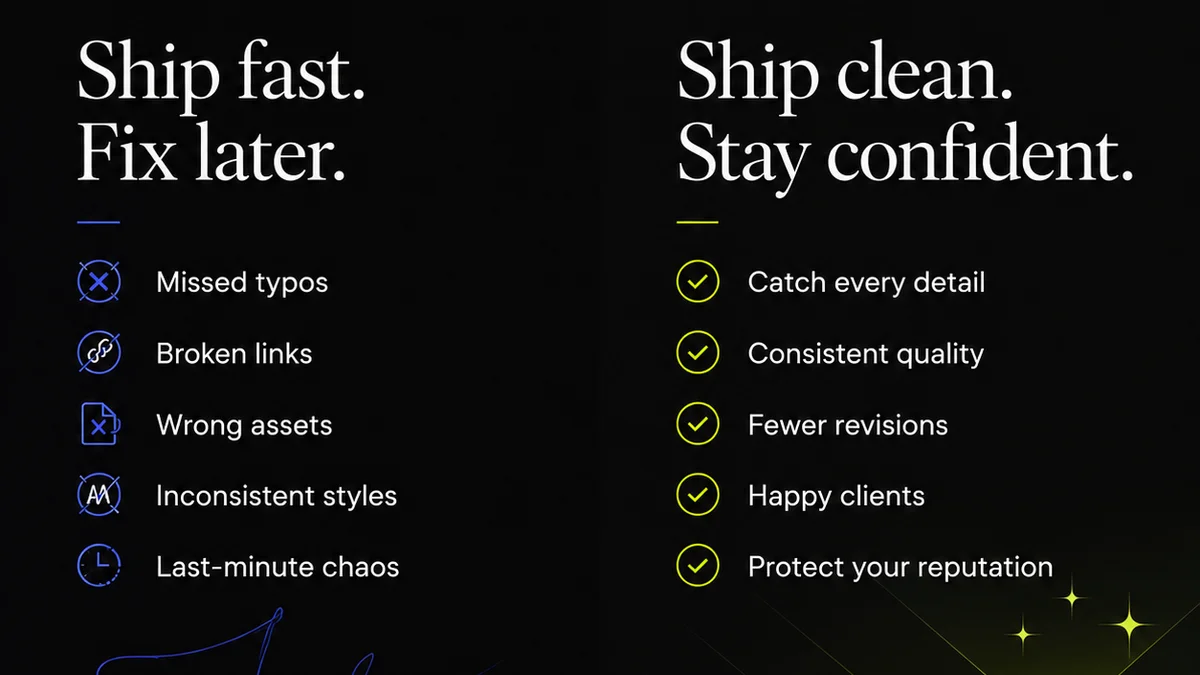
A single typo, a broken link, or a misaligned logo can undermine a campaign’s effectiveness and damage your client’s brand. These aren't just aesthetic issues; they are business risks.
The pressure to deliver quickly can lead to rushed reviews, where details are overlooked. This is especially true when feedback is scattered across emails and chat logs.
What to Look For: QA Features
- Checklist Functionality: Can you create custom QA checklists for different asset types (e.g., web banners, social posts, print ads)?
- Standardized Review Workflows: Does it guide reviewers through a consistent set of checks?
- Sign-off Capabilities: Can designated reviewers formally sign off on an asset after a successful QA pass?
- Bug/Issue Tracking: Does it allow for the specific categorization and tracking of bugs or technical issues separate from general feedback?
A structured QA process, supported by the right tools, is non-negotiable for maintaining high standards.
4. Where Revue Fits In
You need more than just a digital sticky note. You need a system that centralizes communication, clarifies revisions, and ensures quality. That’s where Revue comes in.
Revue acts as the single source of truth for all client feedback and creative approvals. Instead of drowning in emails and disparate comment threads, your team gets a clear, organized view of every stakeholder’s input.
Our platform is built to streamline the entire creative review cycle. You can gather feedback directly on assets, track every revision with granular detail, and manage approvals efficiently. This means less time spent deciphering notes and more time focused on delivering exceptional creative work.
With Revue, you gain visibility into the entire feedback loop, ensuring nothing gets lost and every quality check is performed. It’s about moving from reactive chaos to proactive control.
5. Choosing the Right Tool: A Strategic Decision
Selecting creative markup software isn’t a tactical IT decision. It’s a strategic investment in your agency’s efficiency, profitability, and client satisfaction.
Don’t get seduced by flashy annotation features. Look deeper. Ask the hard questions about context, workflow, and quality assurance.
Does the software solve your core problems? Does it integrate seamlessly? Does it empower your team and delight your clients?
If the answer is anything less than a resounding yes, you’re probably just adding complexity, not solving it.
Final Thought
Is your current markup tool helping you build a more efficient and profitable creative business, or is it just another step in a broken process?
Frequently asked questions
What's the difference between annotation and true creative markup software?
Annotation is simply drawing or adding notes to an image. True creative markup software integrates this annotation into a larger workflow, providing context, version control, revision tracking, and quality assurance features to manage the entire feedback and approval process.
Why is context so important in creative feedback?
Context is crucial because it ensures everyone understands the feedback. Knowing who left the comment, when it was left, on which asset version, and its relation to previous feedback prevents misinterpretations, reduces rework, and leads to better final outcomes.
How can markup software improve the revision process?
Effective software streamlines revisions by providing clear approval statuses, enabling direct revision tracking from previous feedback, consolidating all comments for a specific revision, and often integrating with task management systems. This transforms a chaotic back-and-forth into an organized workflow.
Can creative markup software help with quality assurance (QA)?
Yes, advanced platforms offer QA features like customizable checklists, standardized review workflows, formal sign-off capabilities, and specific bug tracking. This helps catch errors and ensures assets meet quality standards before delivery.