Everyone talks about automating creative operations. They say it’s about speed, efficiency, and cutting costs. None of that is wrong. But it’s incomplete.
The real truth? Automation in creative operations isn't about replacing people. It's about augmenting them. It’s about removing the *friction* so your best talent can focus on the *best work*.
1. The Illusion of the 'Set It and Forget It' Workflow
Many agencies assume automation means implementing a single tool that magically fixes everything. They buy a project management system, a DAM, or a proofing tool and expect the problems to vanish.
This approach is doomed.
Why? Because creative operations are rarely linear. They’re a messy, human-driven dance between strategy, creativity, client feedback, and technical execution. A single tool, no matter how powerful, can’t automate the *decisions* or the *nuance*.
The Hard Truth: Automation is an Ecosystem, Not a Single Solution
True creative operations automation is about strategically connecting the right tools and processes to eliminate repetitive, low-value tasks. It’s about building a flexible system that supports, rather than dictates, your creative flow.
Think of it like a well-oiled machine, not a magic wand.
2. The 'Automation Readiness' Audit: Where to Start
Before you even look at tools, you need to understand your current state. What’s broken? What’s slow? What’s costing you money in wasted hours?
This isn't about blame. It's about data.
Identify Bottlenecks and Repetitive Tasks
Walk through your typical project lifecycle. Where do things get stuck?
- Onboarding new clients and projects?
- Gathering initial brief details?
- Routing creative for internal reviews?
- Collecting and consolidating client feedback?
- Managing revisions and approvals?
- Handing off final assets to production or clients?
- Reporting on project status and timelines?
Every point of friction is an opportunity for automation. Ask yourself:
- What tasks do the same people do over and over?
- What information gets re-entered multiple times?
- Where do delays most frequently occur?
- What tasks lead to errors or rework?
Map Your Current Tech Stack
List every tool you use. Project management, communication, design, asset storage, accounting, time tracking. How do they talk to each other? Usually, they don't.
This lack of integration is where manual workarounds and data silos thrive. And where automation opportunities hide in plain sight.
3. Core Pillars of Creative Operations Automation
Once you know where you are, you can plan where to go. Effective automation focuses on these key areas:
a. Intake and Briefing Automation
The start of any project is critical. A clear, comprehensive brief sets the stage. Manual intake forms, lengthy email chains, and scattered information lead to misunderstandings before work even begins.
- Symptom: Vague project briefs, missed requirements, constant back-and-forth clarification emails.
- Automation Opportunity: Use dynamic intake forms that guide clients or internal teams through necessary questions. Integrate these forms directly into your project management system.
- Tooling: CRM systems with form builders, dedicated intake software, or even smart templates in your PM tool.
b. Workflow and Task Management Automation
This is the engine room. Automating task assignments, status updates, and reminders frees up project managers and creative leads from constant chasing.
- Symptom: PMs spending hours nudging team members, missed deadlines due to forgotten tasks, inconsistent project tracking.
- Automation Opportunity: Set up automated task dependencies. When one task is marked complete, the next assigned task is automatically created and notified. Automate status update reminders.
- Tooling: Advanced project management platforms with robust automation rules.
c. Feedback and Approval Automation
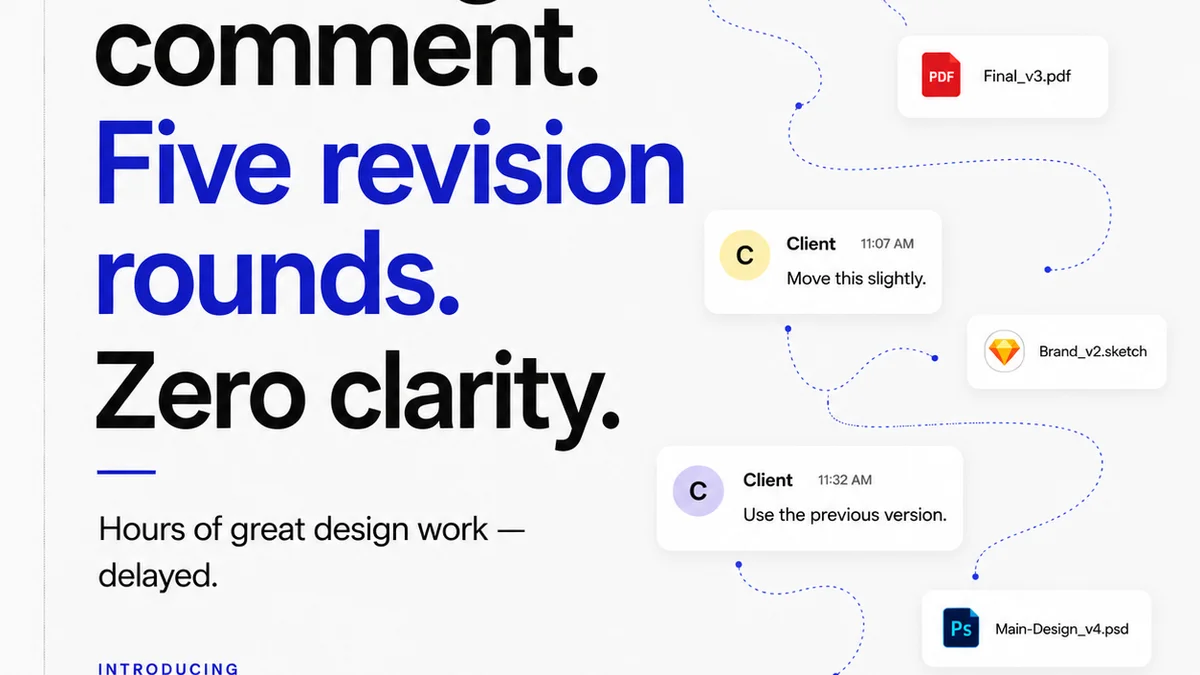
This is often the biggest pain point. Unstructured feedback, version control chaos, and endless revision cycles kill productivity and morale. Centralizing and streamlining this is paramount.
- Symptom: Conflicting feedback from different stakeholders, difficulty tracking which version is the latest, endless
Frequently asked questions
What is the primary goal of creative operations automation?
The primary goal is to remove friction and repetitive, low-value tasks from the creative workflow, allowing talented individuals to focus on higher-value strategic and creative work, rather than getting bogged down in administrative overhead.
Can automation replace creative talent?
No, effective automation augments creative talent, it doesn't replace it. It handles the 'how' and the 'when' of tasks, freeing up humans for the 'what' and the 'why' – the critical thinking, strategy, and creative ideation.
What are the first steps to implementing automation?
Start with an 'automation readiness' audit. Identify your biggest bottlenecks and repetitive tasks. Map your existing tech stack and understand where integrations are missing. Focus on high-impact, low-complexity areas first.
Is a single automation tool enough?
Rarely. True automation in creative operations is an ecosystem. It involves strategically connecting the right tools and processes to work together seamlessly, rather than relying on one solution to fix everything.