Everyone talks about creative operations software as the magic bullet for agency efficiency. You hear it’s about faster approvals, fewer emails, and happier clients. None of that is wrong. But it’s incomplete.
The hard truth? Most creative ops software is judged by its features, not its impact on your actual, messy workflow. This leads agencies down a rabbit hole of complex tools that don't solve their core problems.
What you *really* need is software that molds to your process, not the other way around. Let’s break down what that looks like.
1. Centralized Client Feedback: The Holy Grail (and the Pitfall)
This is the big one. You’ve got feedback scattered across emails, Slack, Google Docs, and client scribbles on PDFs. It’s a nightmare. Creative ops software promises to fix this by bringing it all into one place.
But here’s the catch: how easy is it for clients to actually *use*?
The Assumption: Clients Will Adapt
Many tools assume your clients are tech-savvy and eager to learn a new platform. They expect clients to log in, navigate dashboards, and provide structured feedback.
The Reality: Clients are busy. They want to click, comment, and go. If it’s not intuitive, they’ll revert to email. Every. Single. Time.
What to Look For:
- Annotation Tools: Direct markup on the creative asset itself. Think drawing a line, adding a text comment, or pointing to a specific element.
- Version Control: Clear visibility on which version is current and what feedback applies to it. No more “which PDF did they mean?”
- Guest Access/No Login Required: The fewer barriers for clients, the better. Simple, shareable links for feedback are key.
- Consolidated Reporting: All feedback, from all stakeholders, in one organized view.
If a tool’s feedback mechanism feels like homework for your client, it’s the wrong tool.
2. Revision and Approval Workflow: Beyond a Simple Button
Approvals are where projects get stuck. You need clarity on who needs to approve what, when, and if they’ve actually done it.
Many systems offer approval workflows, but they often miss the nuance of creative revision.
The Assumption: One-Click Approvals Solve Everything
This view suggests that a simple “Approve” button is enough. Once clicked, the project moves forward.
The Reality: Creative work rarely moves in a straight line. Revisions are iterative. An approval might be conditional, or require specific sign-offs from different roles (e.g., legal, marketing director).
What to Look For:
- Configurable Workflows: Can you set up sequential or parallel approvals? Can you assign different reviewers?
- Conditional Logic: Does the workflow pause if specific feedback isn't addressed? Can you route back to a specific team member?
- Real-time Status Tracking: Everyone on your team should see exactly where a piece of creative is in the approval process.
- Audit Trails: A clear record of who reviewed, when, and what actions they took. Essential for accountability and dispute resolution.
Your approval process should reflect the reality of creative iteration, not a rigid, imaginary ideal.
3. Asset Management: More Than Just Storage
You’ve got a mountain of creative files. Finding the right version, the approved final, or a previous campaign asset can be a time sink.
Creative ops software often includes asset management, but it’s usually basic.
The Assumption: Folders and Search are Enough
This assumes your team has perfect naming conventions and that simple keyword search will always surface the right file.
The Reality: File naming conventions break. Search queries are imprecise. You need more intelligent ways to organize and retrieve assets.
What to Look For:
- Metadata and Tagging: Ability to add custom tags, client names, campaign IDs, and other relevant data points to files.
- Advanced Search Capabilities: Search by metadata, file type, date range, or even visual similarity (if available).
- Version History within Assets: Easily access previous versions of a specific file without digging through folders.
- Integrations with Design Tools: Seamlessly pull assets from your DAM (Digital Asset Management) or cloud storage directly into your workflow.
Think of your asset management as a searchable library, not just a digital filing cabinet.
4. Quality Assurance and Compliance: Building It In
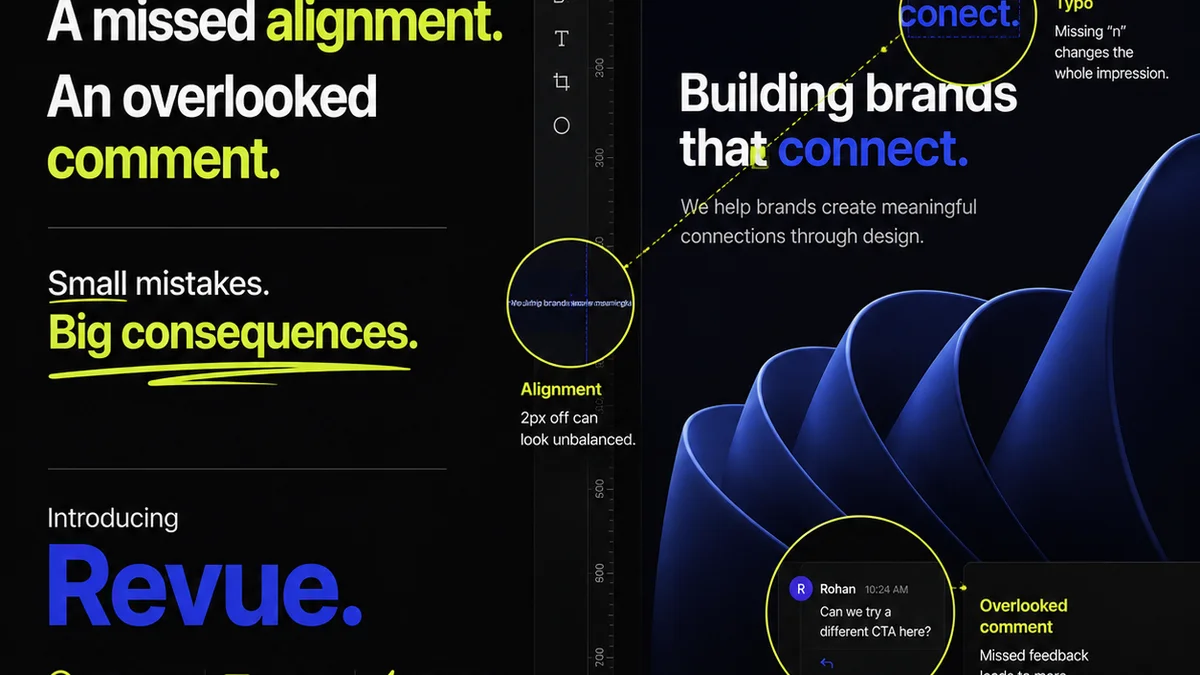
Mistakes happen. A wrong logo, a typo, a broken link, or a brand guideline violation can slip through. Catching these *before* final delivery is critical.
Creative ops tools can help, but often lack robust QA features.
The Assumption: QA is a Manual Checkpoint
This means relying on individuals to spot errors at the end of the process. It’s prone to human error and fatigue.
The Reality: QA should be integrated throughout the workflow, with automated checks where possible.
What to Look For:
- Checklists: Customizable QA checklists that can be applied to specific project types.
- Automated Checks: Basic checks for broken links, image resolution, or file format compliance.
- Brand Guideline Enforcement: Tools that can flag incorrect logo usage, color palettes, or typography.
- Accessibility Checks: Features that help ensure designs meet accessibility standards (e.g., color contrast ratios). See WCAG guidelines for reference.
Proactive QA saves costly rework and protects your agency’s reputation.
5. Reporting and Analytics: Understanding Your Bottlenecks
You can’t improve what you don’t measure. Understanding where your projects spend the most time, who the bottlenecks are, and how long approvals *actually* take is vital.
Many tools offer reporting, but it’s often superficial.
The Assumption: Basic Time Tracking is Enough
This view assumes that simply knowing how long a task took is sufficient insight.
The Reality: You need to understand the *context* of that time. Was it waiting for feedback? Was it in review? Was it due to scope creep?
What to Look For:
- Cycle Time Analysis: How long does it take for a project or task to move from start to finish?
- Bottleneck Identification: Which stages or individuals are consistently slowing down the process?
- Resource Allocation Insights: Are certain team members overloaded?
- Client Responsiveness Metrics: How quickly do clients typically provide feedback or approvals?
Data should illuminate problems, not just confirm what you already suspect.
Where Revue Fits In
This is where creative operations software like Revue becomes essential. It’s built to address the core challenges of managing creative work for agencies and in-house teams.
Revue provides a centralized hub for client feedback, ensuring all comments and revisions are captured in one place, directly on the creative asset. This eliminates the guesswork and the endless email chains.
Its robust workflow and approval features allow you to build clear, configurable processes. You gain visibility into who needs to act, what their action is, and the status of every approval, reducing ambiguity and speeding up delivery.
Beyond feedback and approvals, Revue’s focus on streamlining the entire creative lifecycle helps manage assets and track progress, providing the insights needed to optimize your team’s performance.
Final Thought
Choosing creative operations software isn't about picking the tool with the most features. It’s about finding the system that aligns with your agency’s reality.
Does it simplify client interaction? Does it clarify your internal processes? Does it give you the data to improve?
If the answer to these isn’t a resounding yes, you’re probably just adding complexity, not solving problems.
Frequently asked questions
What is the biggest mistake agencies make when choosing creative ops software?
The biggest mistake is focusing on a long list of features rather than how well the software integrates with and simplifies their actual, day-to-day workflow. Many tools are too complex for clients or don't adapt to unique agency processes, leading to low adoption and wasted investment.
How can creative ops software improve client feedback?
Effective creative ops software centralizes feedback directly on the creative asset, often with annotation tools. This eliminates scattered emails and documents, provides clear version control, and makes it easier for clients to provide actionable comments without needing to learn complex systems.
What makes an approval workflow effective in creative ops software?
An effective workflow is configurable, allowing for sequential or parallel approvals, clear assignment of reviewers, and conditional logic. It provides real-time status tracking for the team and maintains an audit trail of all actions taken, ensuring accountability and clarity.
Can creative ops software help with asset management?
Yes, good creative ops software goes beyond basic storage. It offers robust metadata and tagging, advanced search capabilities, and version history within assets, making it easier to find and retrieve the correct files quickly. Integrations with existing DAM systems are also a plus.