Everyone thinks remote creative operations are all about video conferencing and cloud storage. That's not wrong. But it’s woefully incomplete.
The real challenge for remote creative teams isn't just staying connected; it's maintaining velocity, clarity, and quality without the serendipitous office hallway chats. The “best tools” aren't just about communication; they’re about process.
Here’s the hard truth: Your tools must actively manage the flow of work, not just facilitate its existence. They need to bring structure to distributed chaos. Let’s break down what that actually looks like for US creative operations teams.
1. Centralized Feedback and Approvals: The Single Source of Truth
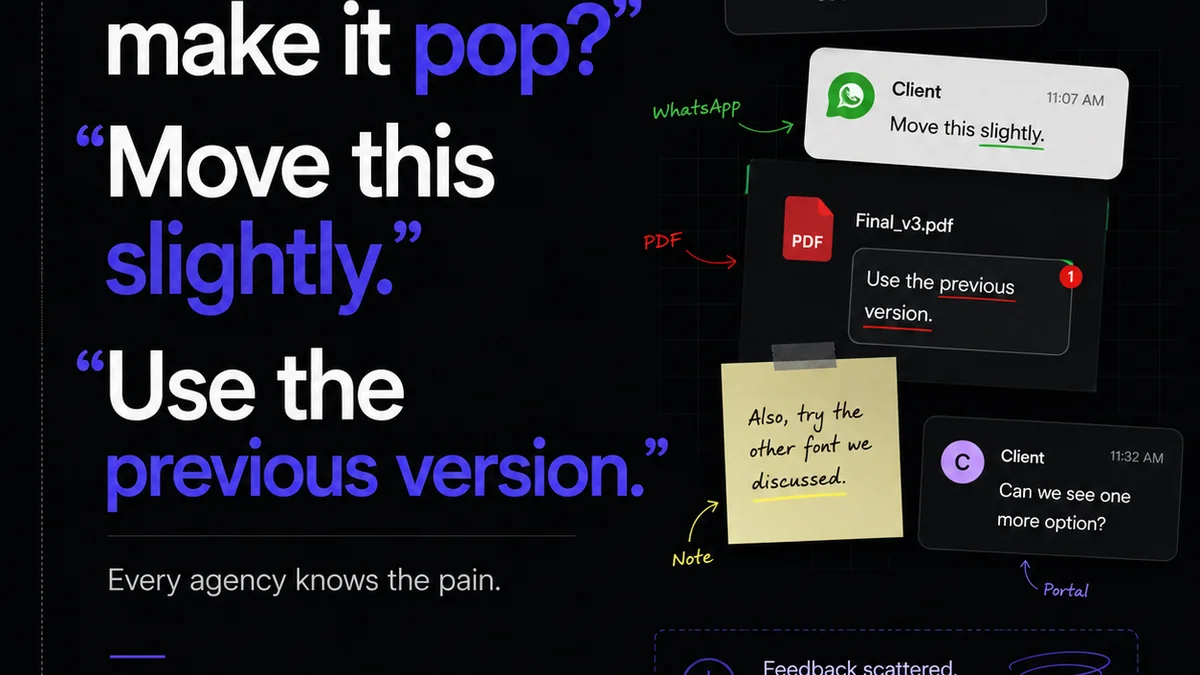
The biggest killer of remote creative workflow? Fragmented feedback. Emails, Slack messages, random annotated PDFs—it’s a recipe for missed revisions and endless back-and-forth.
Your core need is a system that consolidates all client and stakeholder feedback in one place, linked directly to the creative asset. This eliminates ambiguity and ensures everyone is working from the same page, or rather, the same file.
Why it matters for remote teams:
- Reduces Miscommunication: Distributed teams lack the visual cues and immediate clarification of an office environment. Centralized feedback mitigates this.
- Streamlines Revisions: Knowing exactly what needs to be changed, by whom, and why, prevents wasted effort.
- Creates an Audit Trail: Essential for accountability and understanding project history, especially when team members are in different time zones.
- Improves Client Relationships: A clear, organized feedback process feels professional and builds trust, even from afar.
Think about the last time a revision was missed. Was it buried in an email thread? Did someone misinterpret a Slack comment? This isn't a people problem; it's a process and tool problem.
2. Project Management with Creative Context
Standard project management tools are a start, but they often lack the specific context creative work demands. You need more than just task lists and deadlines.
Your ideal project management system for remote creative operations should integrate with your creative tools and allow for visual task management. Kanban boards are great, but they need to be populated with actual creative assets and their status.
Key features to look for:
- Visual Workflows: See the status of each creative asset at a glance.
- Task Assignment & Tracking: Clear ownership and progress monitoring for every deliverable.
- Deadline Management: Automated reminders and clear visibility into upcoming due dates.
- Integration Capabilities: Connects seamlessly with design software, file storage, and communication platforms.
- Resource Allocation: Understand team capacity and prevent burnout, especially critical when managing distributed talent.
Generic task management doesn't cut it when your
Frequently asked questions
What is the biggest challenge for remote creative operations?
The biggest challenge is maintaining clarity and efficiency due to fragmented communication and feedback. Without a centralized system, revisions get missed, and project velocity suffers.
How can remote teams manage client feedback effectively?
By using tools that centralize all feedback on creative assets, providing a single source of truth. This eliminates ambiguity and ensures all stakeholders are aligned.
What makes a project management tool suitable for remote creative teams?
It needs to offer visual workflows, integrate with creative software, and provide clear task assignment and progress tracking with creative context, not just generic task lists.
Why is version control critical for distributed creative teams?
Version control ensures that everyone is working on the latest iteration of a creative asset, preventing confusion, wasted work, and ensuring the final output meets requirements.