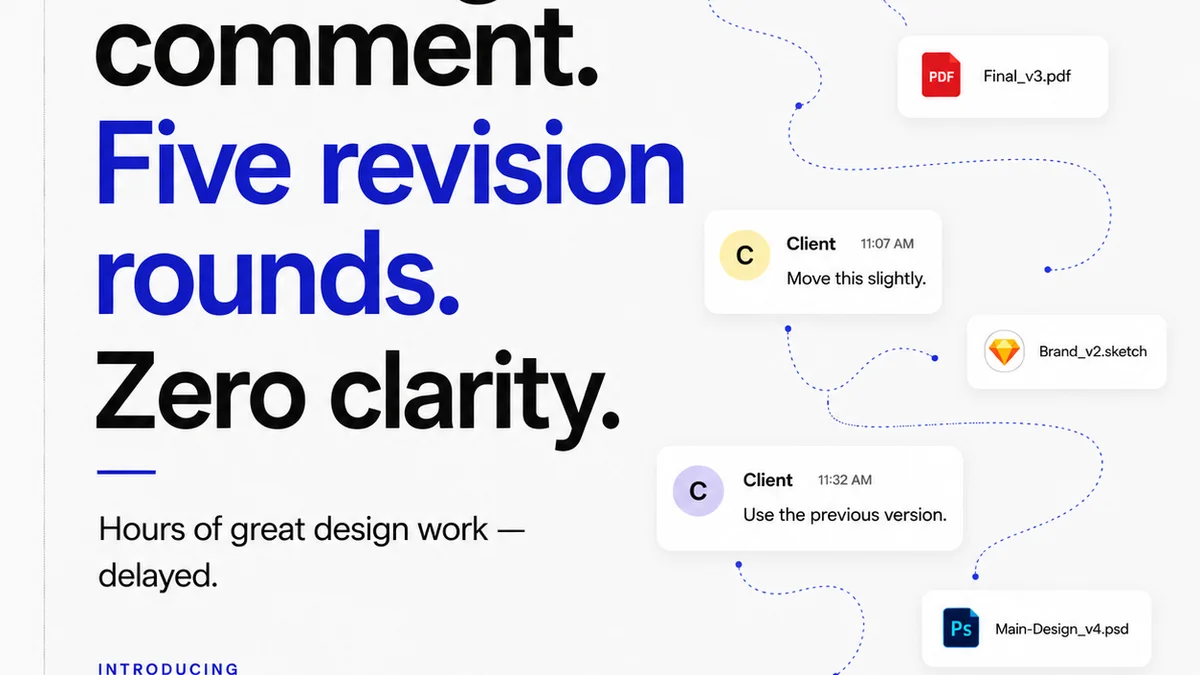
Everyone talks about creative operations software as the silver bullet. The tool that will finally tame the chaos, streamline approvals, and make clients happy. That’s the promise, anyway.
None of that is wrong. But it’s incomplete.
The real truth about creative ops software? It’s not about the features. It’s about what those features *do* for your core workflow: client feedback, revisions, and approvals. Get that wrong, and you’ve just bought a very expensive, very complicated way to stay stuck.
1. It Starts with Feedback, Not Just Tasks
Most creative ops platforms are built around task management. You create a task, assign it, set a deadline. That’s a tiny piece of the puzzle. The real friction happens earlier.
The Feedback Loop is Broken
Think about your last project. Where did things go sideways? Was it because someone missed a deadline on a task? Or was it because the client feedback was:
- Vague and unactionable?
- Contradictory from different stakeholders?
- Sent via a dozen different channels (email, Slack, text, carrier pigeon)?
- Delivered late, after the designer had already moved on?
This is where true creative operations management begins. Not with Gantt charts, but with clarity.
What to Look For:
- Centralized Feedback Hubs: A single place where all client comments live, linked directly to the creative asset. No more hunting through email chains.
- Annotation Tools: The ability for clients (and internal teams) to draw directly on images, PDFs, or videos. Precise, visual feedback is king.
- Version Control: Clear tracking of which version of the asset is being reviewed. Clients should always see the latest, and you should always know what they’re commenting on.
- Stakeholder Management: Tools to identify who needs to provide feedback and when. Managing input from multiple decision-makers is critical.
2. Revisions and Approvals: Visibility is Key
Once feedback is gathered, the revision process kicks off. This is where many teams drown. Without clear visibility, revisions become a black hole.
The Black Hole of Revisions
You’ve got feedback. Now what? You create new tasks, assign them, and hope for the best. But do you know:
- Which feedback items have been addressed?
- Which are still outstanding?
- Whether the client actually *saw* the revised version?
- When the client is expected to approve (or reject) the latest round?
This lack of clarity breeds frustration. For your team, who are working blind. For your clients, who feel ignored or rushed. It’s a recipe for scope creep and missed deadlines.
What to Look For:
- Clear Revision Workflows: A defined process for how feedback translates into actionable revision tasks.
- Approval Status Tracking: Real-time visibility into whether a piece of work is pending, approved, or rejected.
- Audit Trails: A complete history of all feedback, revisions, and approvals. This protects everyone and clarifies responsibilities.
- Automated Notifications: Gentle nudges to clients and internal teams when action is required or deadlines are approaching.
3. Quality Control: The Final Gauntlet
Before anything goes live, it needs a final check. This isn’t just about catching typos. It’s about ensuring the work meets brand standards, technical specs, and client expectations.
The Slip Through the Cracks Syndrome
Too often, the final QC is a rushed, manual process. It might happen in a separate tool, or worse, just by the last person who touched the file. This leads to:
- Inconsistent branding.
- Technical errors (e.g., wrong file format, incorrect resolution).
- Missed client requirements.
- Last-minute fire drills that delay launch.
A robust creative ops solution should integrate quality assurance, not treat it as an afterthought.
What to Look For:
- Configurable Checklists: Standardized QC lists that can be applied per project type or client.
- Asset Proofing Tools: Features that allow for detailed review against specific requirements (e.g., pixel-perfect checks, adherence to brand guidelines).
- Integration with Design Tools: Seamless connection to tools like Figma or Adobe Creative Cloud can help automate certain checks.
- Final Approval Gates: A clear, documented final sign-off process before delivery.
4. Where Revue Fits In
You don't need a hammer for every nail. The goal isn't to replace your existing tools, but to connect them and solve specific workflow problems.
Revue focuses on the critical junctures where creative work often gets bogged down: client feedback, revision cycles, and final approvals.
Think of it as the central nervous system for your creative projects. It’s where:
- Client feedback is centralized and contextualized. Comments are tied directly to the asset, not lost in email threads.
- Revision rounds are clearly managed. You can see exactly what’s been requested, what’s been done, and what’s next.
- Approvals have visibility. Everyone knows the status, and there’s a clear audit trail.
- Quality checks are more rigorous. Standardized processes ensure nothing critical is missed before delivery.
Revue helps your team spend less time managing the process and more time creating great work.
Final Thought
The best creative operations software isn't the one with the most features. It's the one that most effectively unblocks your team and clarifies communication with your clients. Are you solving the right problems, or just managing the symptoms?
Frequently asked questions
What is the primary goal of creative operations software?
The primary goal is to streamline the creative process by centralizing feedback, managing revisions and approvals efficiently, and ensuring quality control. It aims to reduce bottlenecks and improve communication between creative teams and clients.
How does creative ops software help with client feedback?
It provides a central hub for all client comments, often with annotation tools that allow for visual, precise feedback directly on creative assets. This eliminates the confusion of feedback scattered across emails and other channels.
What are the key benefits of using revision and approval tracking features?
These features offer real-time visibility into the status of revisions and approvals, creating a clear audit trail. This helps manage client expectations, prevent scope creep, and ensure accountability for both the team and the client.
Can creative ops software improve the quality control process?
Yes, by integrating features like configurable checklists and asset proofing tools, creative ops software helps standardize the final review process. This ensures that work meets all requirements and brand standards before delivery.