Everyone talks about creative process software. They say it’s about task management, deadlines, and team collaboration. And sure, that’s part of it.
But that’s like saying a car is just about four wheels and an engine. It misses the point of the journey.
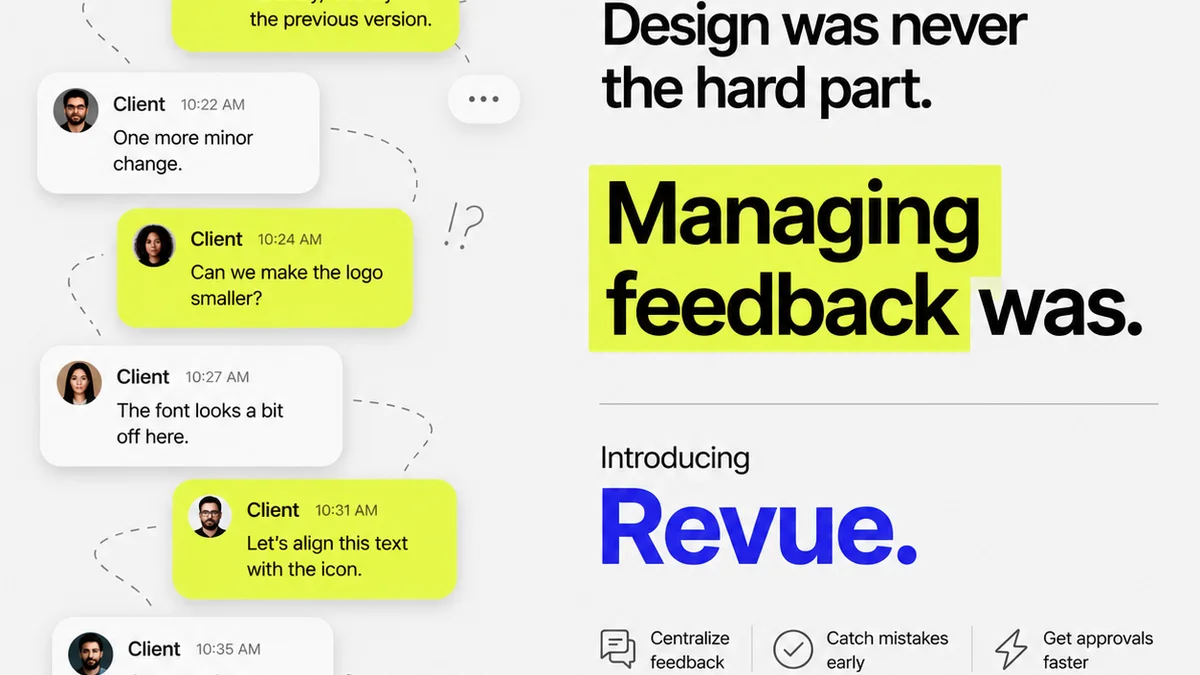
The real value of creative process software for retail agencies isn’t just tracking who’s doing what. It’s about controlling the chaos of client feedback, managing endless revisions, and ensuring quality before launch. It’s about turning a messy, iterative process into a predictable, profitable engine.
1. Beyond the To-Do List: The Core of Creative Workflow
Most creative process software offers a digital whiteboard or a project timeline. It helps you break down big projects into smaller tasks. You can assign owners, set due dates, and track progress. This is table stakes. It’s the minimum you should expect.
But for retail, the game is different. The pace is faster. Client expectations are higher. And the feedback loop can become a vortex if not managed correctly.
The deeper truth is that effective creative process software must address the *friction points* unique to creative work, not just generic project management.
The Friction Points in Retail Creative Work
- Endless, unstructured client feedback.
- Difficulty tracking version history across multiple stakeholders.
- Ambiguity in approval stages, leading to scope creep.
- Inefficient communication channels (email chains, Slack messages).
- Lack of a clear audit trail for decisions and changes.
- Pressure to deliver high-quality, on-brand assets quickly.
If your software only handles the to-do list, you’re leaving money on the table and inviting burnout.
2. Centralizing Client Feedback: The Single Source of Truth
Retail marketing campaigns are rarely a solo effort. They involve multiple clients, internal teams, legal reviews, and sometimes even external partners. Each touchpoint generates feedback.
Where does all that feedback go? Usually, it’s scattered across emails, Slack channels, Google Docs, and even scribbled notes. This fragmentation is a productivity killer.
Creative process software needs to act as a single source of truth for all client input. This means:
- Consolidated feedback linked directly to specific creative assets (images, videos, copy).
- The ability for clients and internal teams to comment and annotate directly on proofs.
- Clear status indicators for feedback received, pending review, and actioned.
- Automated notifications when new feedback is available or a task is updated.
This isn't just about convenience. It’s about accuracy. It prevents misinterpretations and ensures everyone is working from the same, most current set of instructions. For retail, where campaigns can shift rapidly, this clarity is non-negotiable.
3. Managing Revisions and Approvals: The Gatekeepers of Quality
Revisions are the lifeblood of creative work. But uncontrolled revisions can derail any project. The goal isn't to eliminate revisions, but to manage them intelligently.
This requires software that provides clear visibility into the revision and approval process:
Effective Revision Tracking
- Visual version comparison: See exactly what changed from one version to the next.
- Automated version numbering and history: No more “final_final_v3.psd.”
- Clear designation of who can approve what at each stage.
- Rollback capabilities: Easily revert to a previous approved version if needed.
Streamlined Approvals
Approvals should be more than a simple “yes” or “no.” They need context and accountability.
- Configurable approval workflows: Define the exact steps and stakeholders required for sign-off.
- Digital signatures and timestamps: A clear audit trail for every approval.
- Automated reminders for pending approvals to keep projects moving.
- Rejection reasons logged: When a creative is rejected, the reason must be clear and actionable.
This level of control prevents scope creep and ensures that projects move forward efficiently, reducing costly delays in the fast-paced retail environment.
4. Ensuring Quality Checks: The Final Polish
Before any retail campaign goes live, it needs a final quality check. This isn't just about catching typos; it's about ensuring brand consistency, technical accuracy, and adherence to client briefs.
Your creative process software should facilitate this critical step. This can include:
- Customizable checklists for QA: Tailor checks for different project types (e.g., social media assets, website banners, print ads).
- Integration with proofing tools: Ensure that final checks are done on the most accurate versions.
- A dedicated QA stage in your workflow: Prevent assets from going live before they've passed muster.
- Bug tracking and resolution: Log and manage any issues found during QA with clear ownership.
A robust QA process, supported by your software, minimizes errors that can damage brand reputation and waste valuable media spend. For retail, where brand perception is paramount, this step is crucial.
5. Key Features to Look for in Retail Creative Process Software
When evaluating creative process software for your retail agency, prioritize features that directly impact your workflow. Don't get distracted by shiny objects that don't solve your core problems.
Must-Have Features
- Centralized Communication: All project-related discussions in one place, linked to assets.
- Visual Proofing & Annotation: Direct feedback on creative files.
- Version Control: Automatic tracking and comparison of revisions.
- Customizable Workflows: Adapt the software to your agency’s unique process.
- Approval Management: Clear stages, digital signatures, and audit trails.
- Task & Project Management: Robust tools for planning and execution.
- Reporting & Analytics: Insights into project timelines, bottlenecks, and team performance.
- Integrations: Connect with other tools you use (e.g., Adobe Creative Cloud, Google Drive, Slack).
Nice-to-Have Features
- Time tracking capabilities.
- Resource management.
- Client portals for direct access (with controlled permissions).
The best software will grow with you, adapting to your evolving needs without becoming overly complex.
Where Revue Fits In
Creative agencies and in-house teams face immense pressure to deliver high-quality work quickly. The feedback loop is often the bottleneck.
Revue is built to solve this. It acts as the central nervous system for your creative projects, specifically designed to manage the inherent complexities of client feedback and revision cycles.
With Revue, you can:
- Centralize all client feedback: Gather comments, markups, and approvals directly within the platform, eliminating scattered communications.
- Manage revisions and approvals with clarity: Track every version, define clear approval stages, and ensure accountability, preventing costly delays.
- Run quality checks with confidence: Implement standardized review processes to catch errors before they impact your clients' brand or bottom line.
Revue brings order to the creative chaos, ensuring that your team can focus on creating great work, not chasing down feedback or deciphering conflicting instructions.
Final Thought
The landscape of creative work is constantly shifting. Technology evolves, client demands change, and the pressure to perform intensifies. The best creative process software isn’t just a tool; it’s a strategic advantage.
Are you using software that merely organizes tasks, or are you leveraging a system that actively enhances your creative output, streamlines client collaboration, and protects your agency’s profitability?
Frequently asked questions
What is the primary benefit of using specialized creative process software for retail?
The primary benefit is streamlining the complex and often chaotic feedback and revision cycles unique to creative projects. It centralizes communication, tracks versions accurately, and clarifies approval stages, leading to faster, more accurate project delivery and reduced errors.
How does creative process software help manage client feedback effectively?
It acts as a single source of truth by consolidating all client comments, annotations, and feedback directly onto creative assets. This prevents information from being scattered across emails and other channels, ensuring everyone works with the most current input.
Can creative process software prevent scope creep in retail projects?
Yes, by providing clear workflows for revisions and approvals, and by creating an auditable trail of all decisions. This makes it easier to identify out-of-scope requests and manage client expectations effectively, preventing unauthorized expansion of project requirements.
What are the essential features for creative process software in a retail agency?
Key features include centralized communication, visual proofing and annotation tools, robust version control, customizable approval workflows, task and project management capabilities, and reporting/analytics. Integrations with other creative tools are also highly beneficial.