You hear it all the time: agencies need to automate to be more efficient. That’s not wrong. But it’s incomplete. Automation isn’t a magic bullet for chaos. It’s a scalpel. Used right, it cuts through complexity. Used wrong, it just makes a mess faster.
The hard truth? True creative project automation isn’t about adopting a new tool. It’s about understanding your workflow’s bottlenecks and applying the right tech to fix them. For US creative teams, this means tools that handle client feedback, manage revisions, and ensure quality without adding more noise.
1. Centralizing Client Feedback
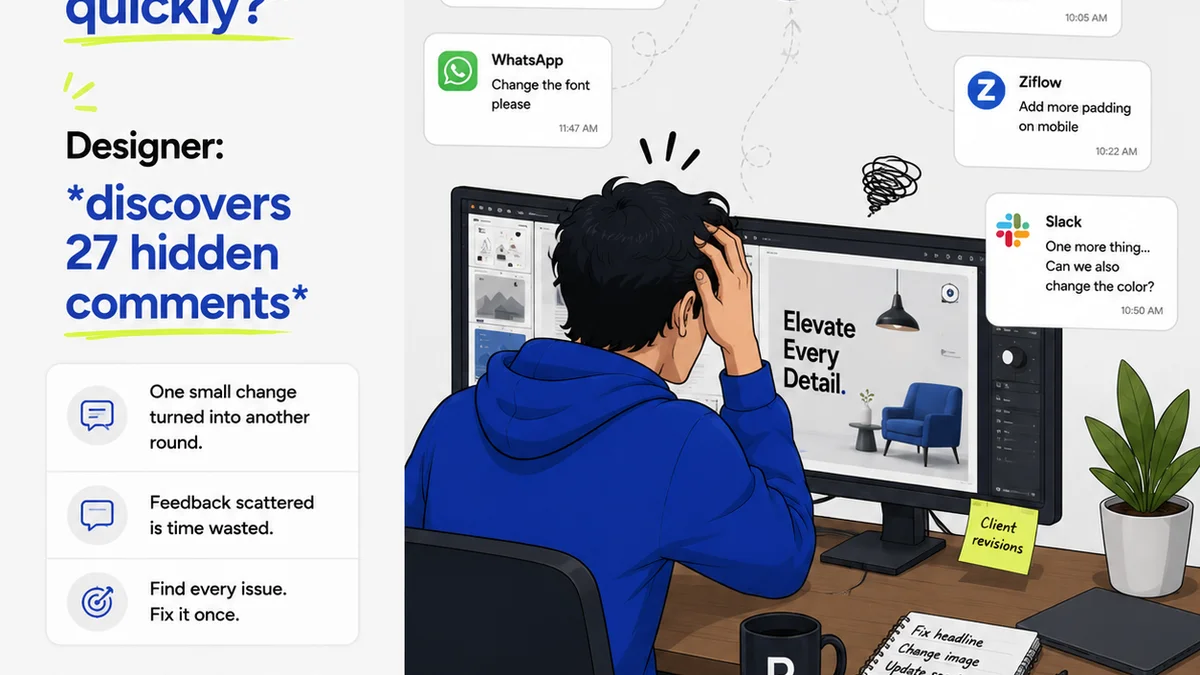
Ask any agency owner or creative director what keeps them up at night, and client feedback will be near the top. It’s often vague, contradictory, or delivered through a dozen different channels. Email threads get lost. Slack messages are missed. PDFs with annotations disappear into the ether.
This isn't just annoying. It's a direct hit to profitability. Every hour spent deciphering unclear feedback or hunting down a missed comment is billable time lost. Or worse, it’s time spent on the wrong revisions, leading to scope creep and unhappy clients.
The Assumption: More Communication Channels = Better Feedback
This is a dangerous myth. More channels mean more fragmentation. It means more potential for misinterpretation.
The Hard Truth: Centralized Feedback is Non-Negotiable
You need a single source of truth for all client input. This means a platform where clients can see the creative asset, leave comments directly on it, and where your team can respond and track revisions against that feedback.
- Markups directly on images or videos.
- Version control for assets.
- Clear assignment of feedback to specific team members.
- A history of all comments and responses.
This isn't about making clients jump through hoops. It’s about making the feedback process clear, trackable, and efficient for everyone involved.
2. Streamlining Revision and Approval Workflows
Once feedback is gathered, the revision process begins. This is where many creative projects get bogged down. Without a clear system, revisions can feel like an endless game of whack-a-mole.
You need a defined process for how feedback is actioned, how new versions are generated, and how approvals are secured. Trying to manage this with spreadsheets and email chains is a recipe for disaster. It leads to missed deadlines and client frustration.
The Assumption: Approvals Happen When They Happen
This laissez-faire approach to approvals is a hidden killer of agency efficiency. It relies on clients remembering to approve things and teams chasing them down.
The Hard Truth: Proactive Approval Management is Key
You need tools that automate the chase and provide clear visibility into approval status. This means setting clear deadlines, sending automated reminders, and having a clear audit trail of who approved what, and when.
- Automated approval requests with deadlines.
- Status tracking visible to both agency and client.
- Notifications for new approvals or rejections.
- Clear digital sign-offs that serve as proof.
This structure prevents projects from languishing in review purgatory. It keeps momentum high and ensures everyone is on the same page.
3. Automating Quality Assurance Checks
Quality control is the last line of defense before a creative asset goes live. But manual QA is tedious, error-prone, and slow. Teams often rush through checks to meet deadlines, leading to embarrassing mistakes.
Think about common errors: incorrect image resolutions, broken links, typos in copy, inconsistent branding. These aren't just minor oversights; they can damage client trust and brand reputation.
The Assumption: QA is Purely Human Oversight
While human eyes are crucial, relying solely on manual checks for every single asset is inefficient and prone to fatigue-induced errors.
The Hard Truth: Automate Repetitive QA Tasks
Leverage technology to handle the routine checks, freeing up your creative and production teams to focus on the more nuanced aspects of quality. This includes automated checks for technical specifications, accessibility, and basic content consistency.
- Automated checks for file format and size compliance.
- Scripts for identifying broken links or missing alt text.
- Tools for consistent brand guideline enforcement.
- Cross-browser and cross-device testing automation.
This doesn't replace human review, but it makes it more effective by catching the obvious errors first.
4. Integrating Project Management and Communication
Creative project automation isn't just about isolated tools. It's about how they work together. If your feedback tool doesn't talk to your project management system, you're creating more work, not less.
Seamless integration means that when a client approves a revision, that update automatically flows into your project management tool, triggering the next task. Or when a new piece of feedback comes in, it automatically creates a task for the relevant team member.
The Assumption: Separate Tools are Fine If They're Good
Best-in-class tools are great, but if they don’t connect, they create data silos and manual data entry. This is the opposite of automation.
The Hard Truth: Integrated Workflows Drive True Efficiency
Your chosen tools need to communicate. This means looking for platforms with robust APIs or native integrations. The goal is a single, unified view of the project lifecycle.
- Syncing task status between platforms.
- Automated creation of tasks from feedback.
- Centralized dashboards showing project progress across tools.
- Reduced need for manual status updates and reporting.
This interconnectedness is where you unlock significant time savings and reduce the risk of errors.
5. Choosing the Right Tools for US Teams
When selecting automation tools, US creative teams have specific needs. Time zones, common client expectations, and regulatory environments play a role.
Consider tools that offer robust security features, especially if you handle sensitive client data. Look for platforms that are intuitive for clients who may not be tech-savvy. And, of course, ensure they can handle the volume and complexity of projects typical for US agencies.
Key Features to Prioritize:
- User-friendly interface for clients and internal teams.
- Reliable uptime and performance.
- Strong security protocols and compliance (e.g., SOC 2).
- Scalability to grow with your agency.
- Excellent customer support, ideally with US-based options.
- Integration capabilities with existing tech stack (e.g., Adobe Creative Suite, Figma, project management software).
Don’t get seduced by a long list of features. Focus on the problems you need to solve. A tool with fewer features, but that perfectly addresses your core bottlenecks, is far more valuable than a feature-rich platform you don’t fully utilize.
Where Revue Fits In
Creative project automation is about bringing clarity and control to the chaos of client work. It’s about ensuring feedback is heard, revisions are managed, and quality is maintained—all without adding friction.
Revue is built for this. It acts as the central hub where all client feedback lives. Imagine a world where every comment, every annotation, every approval is logged in one place, directly tied to the asset in question.
This eliminates the need to hunt through emails or Slack channels. It provides a clear audit trail for every decision. When clients can see exactly what’s been actioned from their feedback, and when they can approve new versions with a single click, the entire process speeds up.
Revue streamlines the revision and approval cycle by making it visual and trackable. No more guesswork. No more missed instructions. Just clear, efficient progress toward a final, approved asset. This directly addresses the core challenges of managing client communication and workflow, allowing your teams to focus on creating great work, not managing the process around it.
Final Thought
Automation in creative projects is often framed as a way to cut costs. But that’s a shortsighted view. The real value of automation lies in elevating the quality of your work and the experience of your clients.
Are you automating to simply do things faster? Or are you automating to do things *better*?
Frequently asked questions
What are the main benefits of creative project automation for US agencies?
The primary benefits include increased efficiency by reducing manual tasks, improved accuracy by minimizing human error, faster turnaround times for projects, better client satisfaction through clearer communication and quicker approvals, and enhanced profitability by reducing wasted billable hours.
How can automation improve client feedback processes?
Automation centralizes feedback on a single platform, making it easy to track, respond to, and action. It reduces the risk of lost comments, misinterpretations, and the need to chase clients across multiple channels, leading to more concise and actionable feedback.
Can automation help with creative asset revisions and approvals?
Yes, automation tools can manage the revision cycle by automating approval requests, sending reminders, tracking status updates, and providing clear digital sign-offs. This ensures a smooth, trackable, and efficient path to final approval.
What is the role of automation in quality assurance for creative work?
Automation can handle repetitive QA tasks like checking file formats, resolutions, link integrity, and basic accessibility compliance. This frees up human reviewers to focus on more subjective and critical quality aspects, reducing errors and speeding up the QA process.
How important are integrations between different automation tools?
Integrations are crucial for true automation. They create seamless workflows, eliminate manual data entry between systems, provide a unified view of project progress, and prevent the creation of data silos. This interconnectedness is key to unlocking maximum efficiency.