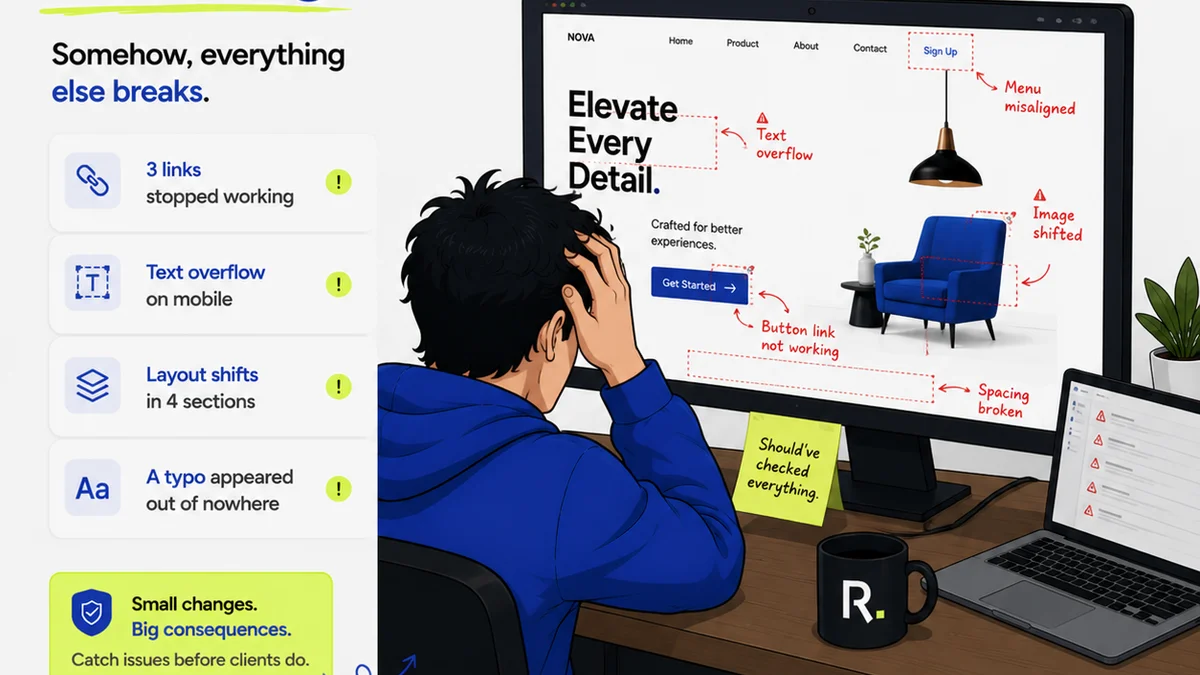
You’ve probably heard that good creative project management software is the key to agency success. That it keeps projects on track, teams aligned, and clients happy. None of that is wrong. But it’s incomplete.
The hard truth? Most agencies over-index on basic task management and under-index on the features that truly move the needle: centralized feedback, clear revision history, and robust quality control.
1. Centralized Client Feedback: The Single Source of Truth
Email chains. Slack messages. A random PDF with scribbled notes. Phone calls.
Sound familiar? This is how most agencies handle client feedback. It’s a mess.
This fragmented approach leads to:
- Lost feedback.
- Misinterpreted feedback.
- Endless back-and-forth to clarify what was *actually* said.
- Wasted time hunting for the latest version.
- Frustrated clients who feel ignored.
Your project management software should be the antidote. It needs to consolidate all client input in one place, directly on the creative asset itself.
Why This Matters More Than Ever
Clients are more discerning. They expect seamless experiences, even in the feedback loop. They’re not patient with the chaos of scattered communications.
When feedback lives within the asset, it’s contextual and unambiguous.
This means:
- Designers can see exactly what the client meant, with visual cues.
- Project managers have a clear audit trail.
- Clients feel heard because their comments are directly visible and actionable.
Think of it as a digital whiteboard for every stakeholder. No more guessing games.
2. Revision and Approval Visibility: Ending the “Did They See It?” Dance
The approval process is often a black box. The designer sends a draft. The client says, “Looks good.” Then, a week later, a new set of comments appears, implying the previous version wasn't approved at all.
This lack of visibility breeds distrust and delays.
Your creative project management tool must provide crystal-clear status updates.
Tracking Every Iteration
This means more than just a “sent” or “approved” checkbox. It requires:
- Version control that automatically tracks each revision.
- Clear timestamps for when feedback was given and approvals were granted.
- Notifications for all stakeholders when a status changes.
- A definitive record of who approved what, and when.
This transparency combats scope creep and protects your agency from disputes.
When everyone can see the history, there’s less room for “I never said that.”
3. Quality Control & Deliverable Management: The Final Gate
This is where many agencies stumble. They focus so much on getting the work *done* that they neglect ensuring it’s *right* before it goes out the door.
Sure, your team does a final check. But what about an automated checklist? What about ensuring all assets meet brand guidelines or technical specs?
Effective creative project management software integrates quality assurance into the workflow.
Automating the Checks
Consider features that support:
- Customizable QA checklists for different project types.
- Automated file-naming conventions.
- Integration with brand guideline repositories.
- Pre-flight checks for common technical issues (e.g., resolution, color profiles for print).
- User roles that define who can give final approval, preventing junior staff from signing off on critical deliverables.
This isn't about micromanaging; it's about building reliable processes that catch errors *before* they hit the client or go live.
It's the difference between shipping a product and shipping a *finished* product.
4. Resource Allocation and Capacity Planning
You have a great project management system. Tasks are assigned. Deadlines are set. But are you consistently overloading your best people?
Many agencies assume that if a task is assigned, the person has the bandwidth. This is a dangerous assumption.
True creative project management software helps you see the forest *and* the trees.
Beyond the Task List
Look for tools that offer:
- Visual timelines showing team member workloads.
- Capacity planning based on estimated hours vs. actual hours.
- The ability to quickly reassign tasks when someone is overloaded or unavailable.
- Reporting on team utilization rates.
This allows you to make informed decisions about staffing, hiring, and even pitching new business without overcommitting your team.
It’s about sustainable growth, not just busywork.
5. Client Collaboration Beyond Feedback
While feedback is crucial, the best software extends collaboration to broader project communication.
Clients often need to see project progress, upcoming milestones, and shared documents. Email is terrible for this.
A dedicated client portal or shared project view can transform the client relationship.
What a Good Portal Does
It should offer:
- A clear overview of project status and timeline.
- A place to upload and download project files.
- A central hub for all client communication related to that project.
- Secure access for clients, with defined permissions.
This elevates the client experience from transactional to relational.
They feel like a partner, not just an inbox.
Where Revue Fits In
Managing creative projects effectively means tackling the unique challenges of visual feedback, iterative design, and client collaboration. This is where a tool built specifically for creative workflows shines.
Revue acts as that central nervous system for your agency’s creative output. It’s designed to solve the core problems we’ve discussed:
- Centralized Feedback: Comments are placed directly on the creative assets, eliminating ambiguity and endless email threads.
- Revision Visibility: Every version and every approval is logged, creating an undeniable audit trail and preventing disputes.
- Quality Control: Customizable checklists and clear approval workflows ensure that work meets standards before it’s delivered.
- Client Collaboration: A streamlined portal keeps clients informed and engaged, making the entire process smoother for everyone involved.
By focusing on these critical areas, Revue helps agencies move faster, reduce errors, and build stronger client relationships. It’s about making the creative process itself more efficient and less painful.
Final Thought
Are you managing projects, or are you managing chaos disguised as projects? The software you choose is less about picking the right set of features and more about choosing the right operating system for your agency’s creative engine. Does yours empower your team and delight your clients, or does it add another layer of friction?
Frequently asked questions
What is the most critical feature of creative project management software?
While task management is basic, the most critical features for creative agencies are centralized feedback directly on assets, clear revision and approval tracking, and integrated quality control checklists. These address the unique pain points of visual creative work.
How can project management software improve client communication?
Effective software provides a dedicated client portal or shared project view, offering transparency on project status, timelines, and feedback. This centralizes communication, reduces misunderstandings, and makes clients feel more involved and informed.
Is it worth investing in specialized creative project management software?
Yes, if your agency deals heavily with visual assets and iterative feedback. Specialized software is built to handle the nuances of creative workflows, unlike generic tools, leading to fewer errors, faster turnaround times, and better client satisfaction.
How does software help manage revisions effectively?
Good software offers version control, allowing teams to track every iteration of a creative asset. It logs who made changes, when, and provides a clear history of feedback and approvals, preventing disputes and ensuring everyone works from the latest version.