Everyone assumes creative proofreading software is just about catching typos. That it’s a glorified spell-checker for designers and account managers.
None of that is wrong. But it’s incomplete.
The hard truth is, for creative agencies and in-house teams, proofreading software is less about grammar and more about the entire client feedback and approval lifecycle. It’s about clarity, accountability, and speed.
1. Beyond Basic Spelling: Contextual & Brand Accuracy
Sure, basic spell-checking is table stakes. But good creative proofreading software goes deeper. It understands context.
Think about it. A word might be spelled correctly but used incorrectly in a sentence. Or it might be a brand name that requires specific capitalization or even a trademark symbol.
Brand Consistency Checks
This is where specialized software shines. It can be configured to flag:
- Incorrect usage of brand names (e.g., 'iPhone' vs. 'iphone').
- Missing trademark symbols (™ or ®).
- Incorrectly cased taglines or product names.
- Specific industry jargon or acronyms that need to be verified.
This isn't just about looking smart; it's about protecting brand integrity. Every client trusts you with their brand. Your tools should reflect that trust.
Grammar and Style in Context
Advanced tools can identify common grammatical errors that basic spell-checkers miss:
- Subject-verb agreement issues.
- Misplaced modifiers.
- Incorrect use of homophones (their/there/they're).
- Punctuation errors that change meaning.
This level of accuracy prevents embarrassing mistakes that can undermine client confidence. It’s the difference between a polished deliverable and something that looks rushed.
2. Visual Proofing: The Unsung Hero
Most discussions about proofreading software focus solely on text. But creative work is visual. Your proofing tools need to acknowledge that.
This is a major blind spot for many agencies. They rely on manual visual checks, which are prone to oversight, especially under pressure.
Screenshot Annotation & Markup
The best software integrates visual proofing directly. This means:
- Ability to upload screenshots or design mockups.
- Tools to draw directly on the image, circle elements, add text callouts.
- Recording the exact location of feedback for quick reference.
This is critical for providing clear, actionable feedback on visual assets. No more vague comments like “this part looks weird.”
Version Control for Visuals
When revisions happen, tracking changes on visuals is paramount. Good software helps:
- Store previous versions of visual assets.
- Compare current versions against previous ones, highlighting changes.
- Ensure that feedback from previous rounds has been addressed.
This prevents the dreaded “did we fix that?” scenario that eats up valuable time.
3. Workflow Integration: Connecting the Dots
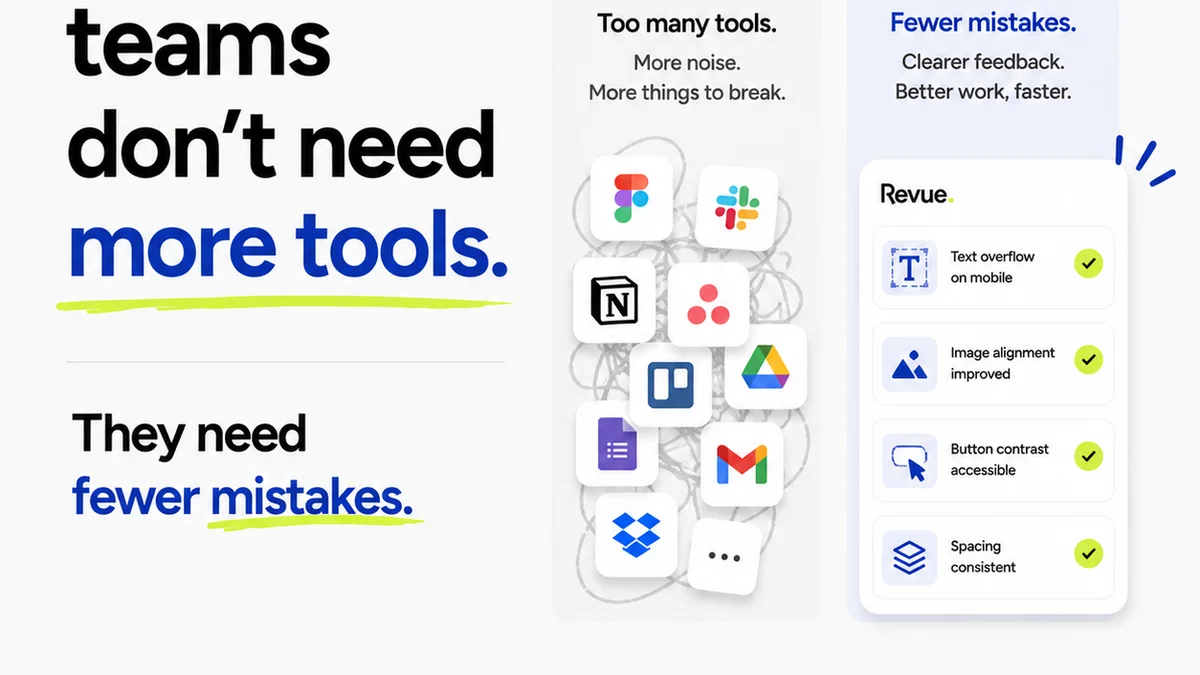
Proofreading software shouldn't be an island. It needs to live within your existing creative workflow. This is where many tools fall short, creating more friction than they solve.
The goal is to reduce steps, not add them.
Client Collaboration Features
Clients are often the source of feedback. How easily can they participate?
- Guest access for clients to review and comment directly.
- Clear dashboards for clients to see what needs their attention.
- Ability to consolidate all client feedback in one place.
This streamlines the entire communication loop. Clients appreciate clarity. You benefit from reduced back-and-forth.
Integration with Design & Project Management Tools
Does your proofing tool talk to your other systems?
- Connections to design software (like Figma, Adobe Creative Cloud).
- Links to project management platforms (like Asana, Jira, Trello).
- APIs for custom integrations.
Seamless integration means less manual data transfer and fewer opportunities for errors. It keeps your project data in sync.
4. Revision Tracking & Approval Management
This is the core operational benefit for agencies. It’s about moving work forward efficiently and with confidence.
Proofreading is often the bottleneck. Fixing it means having visibility.
Clear Audit Trails
Every piece of feedback, every revision, every approval needs a record. The software should provide:
- Timestamped comments and replies.
- User attribution for all actions.
- A complete history of all changes made.
This builds accountability and protects your agency. If a client later claims they never approved something, you have proof.
Approval Workflows
Formalizing the approval process is key:
- Configurable approval stages (e.g., internal review, client review, final sign-off).
- Automated notifications for pending approvals.
- Digital sign-offs that are legally sound.
This transforms proofreading from a messy conversation into a structured process. It speeds up final delivery.
5. Where Revue Fits In
The right proofreading software acts as the central nervous system for creative feedback and approvals. It’s not just about catching errors; it’s about managing the entire process.
Revue is built for this reality.
It centralizes all client feedback, whether it’s on copy, visuals, or code. You can manage revisions, track approvals, and run quality checks from one place. No more hunting through emails or scattered documents. This clarity helps teams deliver better work, faster.
Final Thought
Is your current proofreading process a necessary evil, or a strategic advantage?
If it’s the former, you’re leaving efficiency and accuracy on the table. Investing in software that understands the nuances of creative work isn't a luxury; it's a requirement for competitive agencies.
Frequently asked questions
What's the difference between spellcheck and creative proofreading software?
Spellcheck primarily catches spelling and basic grammar errors. Creative proofreading software goes further by understanding context, brand-specific terminology, visual elements, and integrating into the entire feedback and approval workflow.
Can proofreading software handle visual assets like mockups?
Yes, advanced creative proofreading software includes visual proofing capabilities. This allows users to upload screenshots or design mockups, annotate them directly, and track revisions on visual elements.
How does proofreading software improve client collaboration?
It provides a centralized platform for clients to review work, leave clear, contextual feedback, and approve revisions. This reduces miscommunication and speeds up the approval process.
Why is version control important in creative proofreading?
Version control ensures that all stakeholders can see previous versions of a creative asset, track changes, and verify that feedback from earlier rounds has been implemented. This prevents confusion and rework.