Everyone wants the best creative team collaboration software. They scour review sites, demo endless platforms, and chase the latest features. They assume the right tool is the silver bullet for all their project woes.
None of that is wrong. But it’s incomplete.
The hard truth? The *best* software is the one that fits your specific workflow, not the one with the most bells and whistles. It's about operational efficiency, not just feature parity. It’s about making your team more effective, not just more connected.
1. Beyond the Buzzwords: What 'Collaboration' Really Means for Creatives
Creative collaboration isn't just about sharing files. It's a messy, iterative process. It involves feedback loops, revisions, approvals, and ensuring quality at every step.
Most software promises to streamline this. But many fall short because they don't understand the nuances of creative work.
The Feedback Black Hole
Client feedback is notorious. It can be vague, contradictory, or buried in long email chains. This is where collaboration tools are supposed to shine.
But if the tool doesn't make it easy to capture, organize, and act on feedback, it becomes another problem to manage.
Revision Chaos
Creative projects demand revisions. Managing different versions, tracking changes, and ensuring everyone is working on the latest asset is critical.
Without a clear system, teams waste time hunting for the right files or incorporating outdated feedback.
Approval Bottlenecks
Getting sign-off is often the longest part of a project. Delays here kill momentum and strain client relationships.
Effective collaboration software should make approvals transparent and easy to track.
2. The Core Pillars of Effective Creative Collaboration Tools
Forget the flashy integrations for a moment. Focus on the fundamentals that actually impact your team's day-to-day.
Centralized Feedback Management
Your tool should be the single source of truth for all client and stakeholder feedback. No more digging through emails, Slack threads, or scattered documents.
Look for features that allow for:
- Direct annotation on visuals (images, videos, PDFs).
- Clear categorization of feedback (e.g., by stakeholder, by revision round).
- Status tracking for each piece of feedback (e.g., acknowledged, addressed, resolved).
- @mentioning capabilities to assign feedback and ensure accountability.
Streamlined Revision and Approval Workflows
The process from initial draft to final approval needs to be clear and efficient. This means visibility for everyone involved.
Key features include:
- Version control that automatically tracks changes and allows easy rollback.
- Clear visual indicators of the current approved version.
- Configurable approval stages that match your agency's process.
- Automated notifications for upcoming deadlines or pending approvals.
Integrated Quality Assurance (QA)
Creative output needs to meet specific standards. Collaboration software can help bake QA into the process, not just tack it on at the end.
Consider tools that support:
- Checklists for common quality standards (e.g., brand guidelines, accessibility requirements).
- Pre-flight checks for file formats and specifications.
- A way to flag and track bugs or issues before final delivery.
Real-time Communication and Context
While asynchronous feedback is key, sometimes a quick chat or clarification is needed. The tool should support this without pulling you into disparate apps.
Look for:
- Integrated commenting or chat features tied directly to specific assets or feedback items.
- Contextual communication that keeps discussions relevant to the work.
3. Evaluating Potential Creative Collaboration Software
When you’re evaluating new software, resist the urge to be swayed by the most popular option. Dig deeper.
Understand Your Team's Specific Needs
What are your biggest pain points right now? Is it slow feedback? Endless revisions? Difficulty tracking approvals? Identifying these will guide your search.
Ask yourself:
- What types of creative assets do we work with most? (e.g., web designs, videos, print collateral)
- How complex are our approval processes?
- What is our typical client communication style?
- What is our budget?
Look Beyond Feature Lists
A long list of features is meaningless if they don't solve your problems or if the software is difficult to use. Prioritize usability and workflow fit.
Consider:
- User Interface (UI) and User Experience (UX): Is it intuitive? Can your team learn it quickly?
- Integration Capabilities: Does it play well with the tools you already use (e.g., Adobe Creative Cloud, Figma, project management software)?
- Scalability: Can it grow with your agency?
- Support and Training: What resources are available if you get stuck?
The Danger of Tool Overload
Adding too many tools creates its own set of problems. Context switching kills productivity. Information gets fragmented across platforms.
The goal is consolidation and simplification, not adding more complexity.
Choose tools that serve multiple purposes within your workflow, rather than a dozen single-function apps.
4. Where Revue Fits In
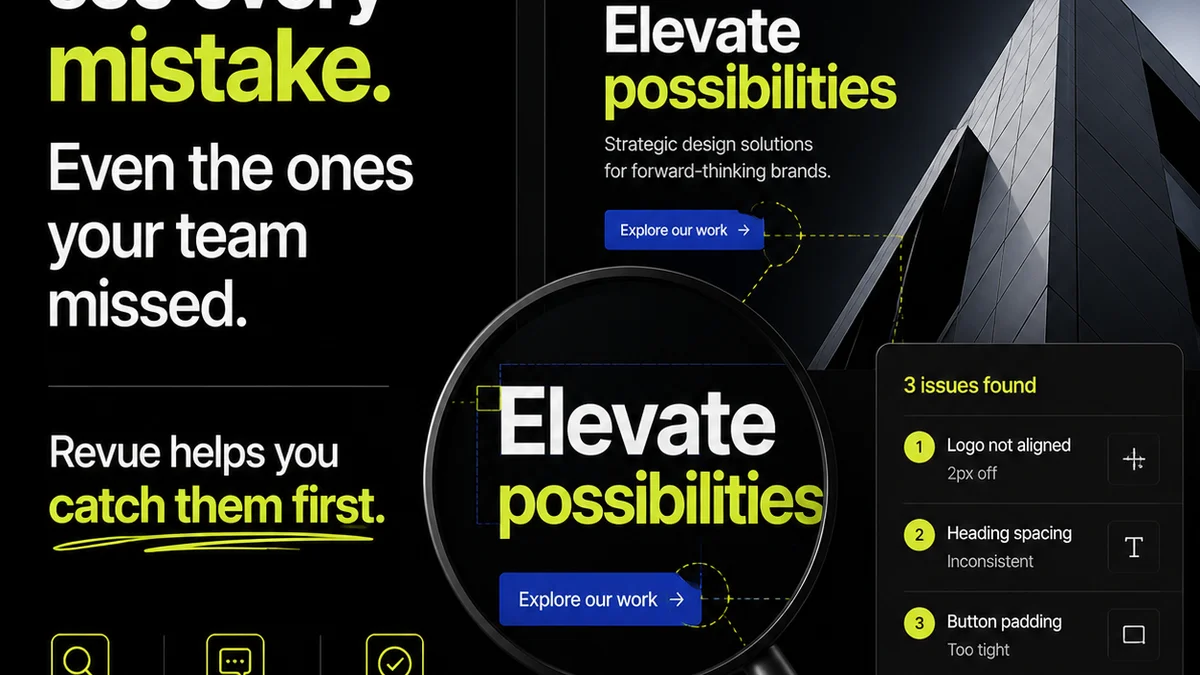
Many creative teams struggle with managing feedback and approvals across disparate tools. This is precisely where Revue excels.
Revue acts as the central hub for your creative assets and client interactions.
- Centralized Feedback: Upload your creative work and receive feedback directly within Revue. All comments are tied to the specific version and asset, eliminating confusion.
- Clear Revision History: Easily track all versions of your work, see who approved what, and when. This transparency prevents
Frequently asked questions
What is the most important factor when choosing creative collaboration software?
The most important factor is how well the software integrates into and improves your specific team's workflow. Features are secondary to usability and how effectively it solves your unique pain points in feedback, revisions, and approvals.
How can collaboration software improve client feedback?
Effective software centralizes feedback, making it contextual and actionable. It reduces reliance on scattered emails or messages, provides clear annotation tools on creative assets, and tracks feedback status, ensuring nothing gets lost.
Is more features always better in collaboration software?
No. Too many features can lead to complexity and a steep learning curve, hindering adoption. The best software is often the one that does a few key things exceptionally well and integrates seamlessly, rather than offering a vast, overwhelming array of functions.
How does Revue help creative teams collaborate?
Revue acts as a central hub for creative assets and client feedback. It streamlines the process of receiving, organizing, and acting on feedback, manages revisions with clear version control, and provides transparent approval tracking, all within a single platform.